100+ SRE Interview Questions and Answers (2027)
108 SRE interview questions with answers for freshers, experienced and senior roles: SLIs, SLOs, error budgets, toil, incidents, on-call and scenarios.
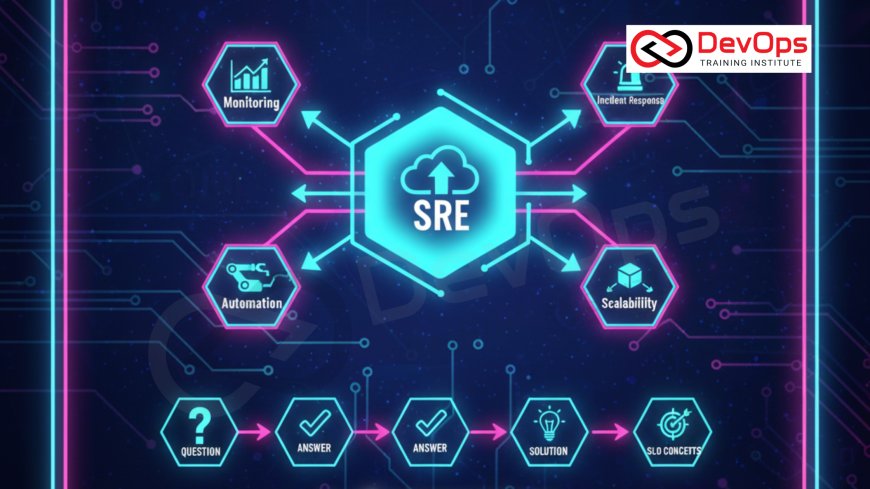
Site reliability engineering (SRE) is the practice of running production systems with software engineering methods: reliability targets set as SLOs, an error budget that decides when to ship and when to fix, automation in place of repetitive manual work, and blameless learning from incidents. This page has 108 SRE interview questions with answers, grouped by experience level, plus scenario questions.
The definitions and numbers below were checked against Google's free SRE books at sre.google. For background on where SREs sit in a team, read the role of SREs in DevOps teams.
Key takeaways
- Freshers are asked to define SLI, SLO, SLA, error budget and toil, explain the four golden signals, and do simple availability arithmetic.
- Experienced candidates are expected to choose SLIs for a real service, write an error budget policy and design burn-rate alerts instead of static threshold alerts.
- Incident questions test structure: who is incident commander, when to declare an incident, how to communicate, and what goes in a blameless postmortem.
- Senior candidates are tested on trade-offs: how strict an SLO should be, when to stop feature releases, how to size an on-call rotation and how to cut toil.
- Scenario questions carry the most weight for experienced roles. Practise answering with mitigation first, then diagnosis, then prevention.
How to use this guide
Each answer starts with a short reply you can say in an interview, followed by the detail an interviewer may probe. For tool-specific rounds on Prometheus, Kubernetes or Linux, pair this page with our 200+ DevOps interview questions guide.
| Your experience | Read first | Then practise |
|---|---|---|
| Fresher or career switcher | Questions 1 to 30 | Error budget arithmetic and the four golden signals on a demo app |
| 2 to 5 years | Questions 31 to 75 | Write SLOs, recording rules and a burn-rate alert for one service |
| Senior, lead or manager | Questions 76 to 90 | An error budget policy, an on-call rotation design and a production readiness checklist |
| Everyone with work experience | Questions 91 to 108 (scenarios) | Talk through each scenario aloud in under three minutes |
SRE interview questions for freshers
1. What is site reliability engineering?
SRE is an approach to operations, started at Google, where engineers with software skills run production services. They set measurable reliability targets, automate operational work and share responsibility for availability, latency, performance, change management, monitoring, incident response and capacity planning.
2. How is SRE different from DevOps?
DevOps is a broad culture and set of practices for bringing development and operations together. SRE is one concrete way of doing that, with specific tools: SLOs, error budgets, a cap on operational work and blameless postmortems. A common phrase from Google is that SRE "implements" DevOps. Many companies use both titles for overlapping roles.
3. What is an SLI?
A service level indicator is a measured number that describes how well the service is doing for users, such as the share of requests that succeed or the share served faster than 300 ms. A good SLI is usually a ratio: good events divided by valid events, expressed as a percentage.
4. What is an SLO?
A service level objective is a target for an SLI over a time window, for example "99.9% of checkout requests succeed over a rolling 28 days". It is an internal goal that the team uses to decide when reliability work must come before new features.
5. What is an SLA, and how is it different from an SLO?
A service level agreement is a contract with customers that includes consequences, such as service credits, if targets are missed. The Google SRE book's test: if missing the target has no explicit consequence, it is an SLO, not an SLA. Teams set the internal SLO tighter than the SLA so they get warning before the contract is breached.
| Term | What it is | Example | Who cares most |
|---|---|---|---|
| SLI | A measurement | Successful requests / all valid requests | Engineers |
| SLO | A target for the SLI | 99.9% over 28 days | Engineering and product |
| SLA | A contract with consequences | 99.5% monthly or service credits apply | Customers, legal, sales |
6. What is an error budget?
The error budget is the amount of unreliability the SLO allows: 100% minus the SLO. With a 99.9% SLO, 0.1% of requests (or of time) may fail. While budget remains, the team can ship features and take risks. When it runs out, the error budget policy shifts work towards reliability. Read more on why error budgets balance reliability and feature work.
7. How much downtime does each availability level allow?
| SLO | Error budget | Per 30 days | Per 365 days |
|---|---|---|---|
| 99% | 1% | 7 h 12 min | 3 days 15 h 36 min |
| 99.5% | 0.5% | 3 h 36 min | 1 day 19 h 48 min |
| 99.9% | 0.1% | 43.2 min | 8 h 45.6 min |
| 99.95% | 0.05% | 21.6 min | 4 h 22.8 min |
| 99.99% | 0.01% | 4.32 min | 52.56 min |
For a request-based SLO, think in requests: 10 million requests a month at 99.9% allows 10,000 failed requests.
8. Why is 100% the wrong reliability target?
Users cannot tell the difference between 100% and a very high target because their own phone, Wi-Fi and ISP fail more often than that. Every extra nine costs much more engineering effort and slows releases. A 100% target also leaves no error budget, so any change becomes a violation.
9. What are the four golden signals?
- Latency: time to serve a request. Track successful and failed requests separately, because a fast error can make averages look good.
- Traffic: demand on the system, such as requests per second.
- Errors: rate of failed requests, whether explicit (HTTP 500), implicit (a 200 with wrong content) or by policy (slower than a set limit).
- Saturation: how full the most constrained resource is, such as CPU, memory, I/O or a connection pool.
10. What are the RED and USE methods?
RED is for request-driven services: Rate, Errors, Duration. USE is for resources such as CPU, disk or network: Utilisation, Saturation, Errors. RED tells you what users experience; USE helps you find which resource is the bottleneck. They complement the four golden signals.
11. What is toil?
Toil is operational work that is manual, repetitive, automatable, tactical (interrupt-driven), has no enduring value and grows linearly with the service. Restarting a stuck process by hand every week is toil. Writing the automation that restarts it, or fixing the bug, is engineering work.
12. How much time should SREs spend on toil?
Google's SRE organisation has an advertised goal of keeping toil below 50% of each SRE's time, so at least half goes to engineering work that improves the service or removes future toil. If toil rises above that, the team pushes work back to developers or adds automation.
13. What is the difference between monitoring and observability?
Monitoring collects known signals and alerts on known failure conditions. Observability is the ability to answer new questions about the system's behaviour from its outputs (metrics, logs, traces, profiles) without shipping new code. You monitor what you can predict; observability helps with what you could not.
14. What are logs, metrics and traces used for?
| Signal | What it is | Best for |
|---|---|---|
| Metrics | Numeric time series | Dashboards, SLOs, alerting, trends |
| Logs | Timestamped event records | Detail on a specific error or request |
| Traces | The path of one request across services, made of spans | Finding which service or call added latency |
15. What is the difference between black-box and white-box monitoring?
Black-box monitoring tests the system from outside like a user, for example a synthetic HTTP probe. It shows problems happening now. White-box monitoring uses internal metrics such as queue length, thread pool usage or retry counts, so it can show problems that are about to happen or are hidden by retries. Google relies mainly on white-box monitoring and uses black-box checks for critical paths.
16. Why use percentiles instead of averages for latency?
An average hides the slow tail. If most requests take 50 ms and 1% take 5 seconds, the average still looks fine while one user in a hundred waits five seconds. Use the median (p50) for the typical case and p99 or p99.9 for the plausible worst case.
17. What makes a good alert?
Every page should be actionable, urgent and need human judgement. Alert on symptoms users feel (errors, latency, SLO burn), not on every cause (high CPU). If the response to an alert is always the same mechanical step, automate it instead of paging someone. Alerts that can wait until morning should be tickets.
18. What is an incident?
An incident is an unplanned event that degrades or interrupts a service, or threatens to. Teams use severity levels (for example SEV1 to SEV4) based on user impact so that response effort matches the problem.
19. What are MTTD, MTTA, MTTR and MTBF?
- MTTD (mean time to detect): from start of impact to detection.
- MTTA (mean time to acknowledge): from alert to a human responding.
- MTTR: usually mean time to restore or recover service. Some teams use it for "repair" or "resolve", so say which one you mean.
- MTBF (mean time between failures): average time between incidents.
Means hide variation, so many teams also look at the distribution and at error budget spent per incident. DORA tracks a related measure, now called failed deployment recovery time (formerly time to restore service).
20. What is a postmortem?
A postmortem is a written record of an incident: impact, timeline, root causes and contributing factors, what went well, what went badly, and action items with owners. Its purpose is to help the team learn and prevent a repeat.
21. What does blameless mean in a postmortem?
A blameless postmortem looks for the contributing causes in systems and processes and assumes everyone acted with good intent on the information they had. It does not name individuals as the cause. People who fear blame hide information, and then the real causes stay unfixed. See why blameless postmortems matter.
22. What is a runbook or playbook?
A runbook is a documented procedure for a known task or alert: what the alert means, how to check impact, steps to mitigate and when to escalate. Every paging alert should link to one. Runbook steps that never change are good candidates for automation.
23. What is on-call?
On-call means being the person who responds to pages for a service during a shift. In SRE, on-call load is limited and measured so engineers have time for project work. The Google SRE book's guidance is no more than 25% of an SRE's time on-call.
24. What is capacity planning?
Capacity planning is making sure there are enough resources to meet expected demand with headroom for failures and spikes. It combines organic growth forecasts, planned events such as launches or sales, and load testing to know what one instance or cluster can handle.
25. What is the difference between horizontal and vertical scaling?
Vertical scaling gives one machine more CPU or memory. It is simple but has a ceiling and keeps a single point of failure. Horizontal scaling adds more instances behind a load balancer. It needs stateless services or shared state, but it scales further and survives the loss of one instance.
26. What do blue-green and canary deployments do?
Blue-green runs two identical environments and switches traffic from old to new in one step, which makes rollback quick. A canary sends a small share of traffic to the new version, compares its errors and latency with the old version, and increases the share only if it is healthy. Canaries limit how many users a bad release can hurt.
27. What is chaos engineering?
Chaos engineering runs controlled experiments that inject failures, such as killing instances, adding latency or cutting a dependency, to check that the system behaves as expected. You start with a hypothesis, keep the blast radius small, have a way to stop the experiment, and fix the weaknesses it finds.
28. How do you calculate the availability of services in series and in parallel?
In series (a request needs both A and B), multiply: two 99.9% components give about 99.8%. In parallel (either replica can serve), unavailability multiplies: two independent 99% replicas give 1 - (0.01 x 0.01) = 99.99%. Real replicas are rarely fully independent because they share networks, deploys and configuration, so the real number is lower.
29. What are liveness, readiness and startup probes in Kubernetes?
A liveness probe restarts a container that is stuck. A readiness probe removes a pod from Service endpoints while it cannot serve traffic, without restarting it. A startup probe holds off the other probes until a slow-starting app is up. A common mistake is a liveness probe that checks a database, which restarts every pod when the database has a problem.
30. Which programming skills does an SRE need?
Expect to read and write code for automation, tooling and debugging. Python and Go are common, Bash for glue scripts, plus a query language for metrics such as PromQL. Interviews often include a practical coding task, such as parsing a log or writing a small service, rather than only algorithm puzzles.
SLI, SLO and error budget questions (experienced)
31. How do you choose SLIs for a service?
Start from what users care about, then pick the SLI type that matches the kind of service.
| Service type | Typical SLIs |
|---|---|
| Request-driven (API, web) | Availability (share of successful requests), latency (share faster than a threshold) |
| Data pipeline or batch | Freshness (data updated within N minutes), correctness, coverage |
| Storage | Durability, availability of reads and writes, latency |
Keep the list short. Three to five SLIs per user journey are easier to defend than twenty.
32. Where should you measure an SLI?
The closer to the user, the more accurate, but the harder to collect. Server-side metrics are easy but miss failures before the request reaches you. Load balancer logs catch more. Synthetic probes and client-side telemetry see what users see but add noise. Many teams start with load balancer or server metrics and add probes for critical journeys.
33. How do you set the first SLO for an existing service?
Measure the current SLI for a few weeks, talk with product owners about what users need, and set a target the service can meet today, often slightly below recent performance. Then review it every quarter. Starting too strict leads to constant violations that people ignore.
34. Rolling window or calendar window for an SLO?
A rolling window (for example the last 28 days) matches what users feel and does not reset, so it suits operational decisions. A calendar window (this month or quarter) lines up with business reporting and SLAs. A 28-day window has the same number of each weekday, which avoids weekend effects.
35. Request-based or time-based SLOs?
Request-based SLOs count good requests over valid requests and reflect real user impact: one minute of downtime at peak counts more than at 3 a.m. Time-based SLOs count good minutes over total minutes and are easier to explain, but treat every minute equally. For high-traffic services, request-based is usually preferred.
36. What is an error budget policy?
A written agreement, signed by engineering and product, on what happens as budget is spent. Google's example policy says that if a service exceeds its error budget over the preceding four weeks, changes and releases stop except for P0 issues and security fixes until it is back within SLO. It also says any single incident that uses more than 20% of the four-week budget needs a postmortem with at least one P0 action item. Disagreements about the calculation escalate to the CTO in that example.
37. What should a team do when the error budget is nearly spent?
Slow down risky change: smaller releases, longer canaries, extra review for config changes. Move engineers to the reliability fixes from recent postmortems. If the budget is exhausted, follow the policy, which usually means a freeze on non-critical releases. Because the policy was agreed in advance, nobody has to negotiate it during an outage.
38. What should a team do when it never uses its error budget?
Either the SLO is too loose for what users expect, or the team is being too cautious and could ship faster. Options are to tighten the SLO, release more often, or run planned experiments. The SRE book's Chubby example goes further: in a quarter where no real outage had brought availability down to the SLO, Google ran a controlled outage so that other teams would not come to depend on the service never failing.
39. What is burn rate?
Burn rate is how fast the service consumes its error budget relative to the SLO. A burn rate of 1 uses exactly the whole budget by the end of the window. A burn rate of 14.4 over one hour uses 2% of a 30-day budget (14.4 x 1 h / 720 h = 0.02).
40. Why alert on burn rate instead of on the raw error rate?
A static threshold either pages for short blips that do not threaten the SLO or misses slow leaks that do. Burn-rate alerts page when the budget is being spent fast enough to matter, and the threshold scales with the SLO. The SRE Workbook judges alert designs on precision, recall, detection time and reset time.
41. What is a multiwindow, multi-burn-rate alert?
It combines fast and slow burn alerts, and requires a short window to agree with each long window so the alert stops soon after the problem ends. The SRE Workbook recommends these starting values for a 99.9% SLO:
| Budget consumed | Long window | Short window | Burn rate | Notification |
|---|---|---|---|---|
| 2% | 1 hour | 5 minutes | 14.4 | Page |
| 5% | 6 hours | 30 minutes | 6 | Page |
| 10% | 3 days | 6 hours | 1 | Ticket |
42. Write a Prometheus rule for a fast-burn SLO alert.
Record the error ratio over the long and short windows, then alert when both exceed 14.4 times the allowed error rate (0.001 for a 99.9% SLO).
groups:
  - name: checkout-slo
    rules:
      # share of requests that failed (5xx), over two windows
      - record: job:slo_errors_per_request:ratio_rate1h
        expr: |
          sum by (job) (rate(http_requests_total{job="checkout", code=~"5.."}[1h]))
          /
          sum by (job) (rate(http_requests_total{job="checkout"}[1h]))
      - record: job:slo_errors_per_request:ratio_rate5m
        expr: |
          sum by (job) (rate(http_requests_total{job="checkout", code=~"5.."}[5m]))
          /
          sum by (job) (rate(http_requests_total{job="checkout"}[5m]))

      # 99.9% SLO: page when 2% of a 30-day budget burns in 1 hour (burn rate 14.4)
      - alert: CheckoutErrorBudgetFastBurn
        expr: |
          job:slo_errors_per_request:ratio_rate1h > (14.4 * 0.001)
          and
          job:slo_errors_per_request:ratio_rate5m > (14.4 * 0.001)
        labels:
          severity: page
        annotations:
          summary: "Checkout is burning its 30-day error budget 14x too fast"
          runbook_url: "https://runbooks.example.internal/checkout/error-budget"
Validate the file with promtool check rules and add unit tests with promtool test rules. Alertmanager then routes severity: page to the paging tool and the slower alerts to a ticket queue.
43. How do you write a latency SLI in PromQL?
Use a histogram and count requests under the threshold, as a share of all requests: sum(rate(http_request_duration_seconds_bucket{le="0.3"}[5m])) / sum(rate(http_request_duration_seconds_count[5m])). The threshold must match a bucket boundary. histogram_quantile() is fine for dashboards, but a ratio of good to total events is easier to turn into an error budget.
44. Should SLOs depend on the SLOs of your dependencies?
Yes. A service cannot be more available than its hard dependencies in series allow, unless it can degrade gracefully when they fail. List critical dependencies, check their SLOs, and design around the weak ones with caching, fallbacks, timeouts or asynchronous processing.
45. How do you handle planned maintenance in an SLO?
If users feel it, it counts. Planned maintenance that causes errors spends error budget like any other outage, which pushes teams towards zero-downtime maintenance. Some teams exclude agreed maintenance windows from an SLA because the contract says so, but keep them in the internal SLO.
46. What should be excluded from an SLI?
Exclude events that are not valid requests: health checks, synthetic load tests, requests rejected because the client was malformed (4xx caused by the client), and traffic from internal tools if they are not users. Do not exclude errors simply because they were caused by a dependency; users still saw them.
47. Who owns the SLO?
The service owner and product owner agree it, and SRE helps define and measure it. Product decides how reliable the service needs to be for users and the business; engineering states what it costs. The error budget policy records the agreement.
48. How do you present SLOs to non-technical stakeholders?
Show one number per user journey (for example "checkout: 99.93% against a 99.9% target, 30% of budget left"), a trend over the last few windows and the top incidents that spent budget. Avoid raw metric names.
49. How do you handle an SLO for a low-traffic service?
With few requests, one failure moves the SLI a lot and burn-rate alerts become noisy. Options: add synthetic traffic, group several small services into one SLO, use a longer window, or alert on a minimum count of failures as well as the ratio.
50. What is the difference between an SLO and an alert threshold?
The SLO is a goal over a long window, such as 28 days. An alert is a rule that predicts the goal is at risk, evaluated over minutes or hours. Burn-rate alerts are derived from the SLO, so the two stay consistent.
Monitoring and observability questions (experienced)
51. How would you design monitoring for a new microservice?
Instrument RED metrics for every endpoint and USE metrics for its resources, emit structured logs with a request or trace ID, add distributed tracing (usually OpenTelemetry), build one dashboard per service that starts with the SLIs, and add burn-rate alerts with runbooks. Add a black-box probe for the main user journey.
52. What is metric cardinality, and why does it matter?
Cardinality is the number of unique time series, which grows with every label value. A label such as user ID, request ID or full URL path can create millions of series, which slows queries and can overload Prometheus. Keep labels to bounded values such as route templates, status code classes and regions.
53. What is OpenTelemetry?
OpenTelemetry is a CNCF project that provides vendor-neutral APIs, SDKs and the Collector for generating and exporting traces, metrics and logs. Instrument once and send data to any compatible backend, such as Prometheus, Jaeger, Tempo or a commercial tool.
54. How do you sample traces without losing the important ones?
Head sampling decides at the start of a request (for example keep 10%), which is cheap but may drop the rare error. Tail sampling decides after the trace finishes, so it can keep all errors and slow requests and only a fraction of normal ones. Tail sampling needs a collector that buffers spans.
55. How do you reduce alert fatigue?
Review every page from the last few weeks. Delete alerts that were never actioned, turn cause-based alerts into dashboards, convert non-urgent alerts into tickets, group related alerts in Alertmanager, and replace threshold alerts with SLO burn-rate alerts. Track pages per shift as a metric.
56. What is the difference between symptom-based and cause-based alerts?
A symptom is what users feel: errors or slow responses. A cause is a possible reason: high CPU, a full queue, one pod down. Symptoms make better pages because they always mean user impact. Page on a cause only when it is certain and close, such as a disk that will be full within the hour.
57. How do you monitor a batch job or cron job?
Alert on absence of success, not on failure messages: record the timestamp of the last successful run and alert if it is older than expected. In Prometheus, a job can push its result to the Pushgateway, and the alert compares time() with the last success timestamp. Also track duration and records processed.
58. What is synthetic monitoring?
Scripts that act like users from outside your network, on a schedule: load a page, log in, call an API. They detect outages when real traffic is low and test paths such as DNS, TLS and CDN that internal metrics miss. Use them for critical journeys, not as the only SLI.
59. How do you monitor the monitoring system?
Run a meta-monitor: a separate Prometheus or a hosted service that checks the main one is up and evaluating rules, plus a "dead man's switch" alert that always fires so you notice when it stops arriving. A monitoring failure that leads to manual discovery of an incident is itself a postmortem trigger in the SRE book.
60. Which tools have you used for observability, and how would you choose?
Name what you know and why: Prometheus and Grafana for metrics, Loki or Elasticsearch for logs, Jaeger or Tempo for traces, OpenTelemetry for instrumentation, and a paging tool such as PagerDuty or Opsgenie. Choose by data volume, retention needs, cost and team skills. Our list of observability tools for DevOps compares common options.
Incident management, postmortem and on-call questions (experienced)
61. What are the roles in an incident response?
The SRE book describes four roles:
- Incident commander: holds the overall picture, assigns roles, and keeps any role not delegated.
- Operations lead: makes changes to the system. Only the ops team changes production during the incident.
- Communications lead: sends regular updates to stakeholders and keeps the incident document current.
- Planning lead: handles longer-term items such as filing bugs, arranging handoffs and tracking changes to revert later.
In a small incident one person can hold several roles.
62. When should you declare an incident?
The SRE book suggests declaring if any of these is true: you need a second team, the outage is visible to customers, or the issue is still unsolved after about an hour of focused work. Declaring early is cheap; declaring late wastes time.
63. What is your first priority when you are paged for an outage?
Stop the bleeding. Confirm the impact, then mitigate: roll back the last change, shift traffic away from a bad zone or region, scale up, or turn off a feature flag. Find the root cause after users are no longer affected. Announce that you are working on it so others do not duplicate effort.
64. How do you communicate during a major incident?
Use one incident channel and one incident document. Post updates on a fixed schedule (for example every 30 minutes) even if nothing changed, with current impact, what is being tried and the next update time. Keep customer-facing status pages in plain language and separate from internal debugging chatter.
65. How do you hand off an incident at shift change?
Explicitly: the outgoing commander tells the incoming one the current state, open actions and who holds each role, and the incoming commander confirms out loud or in writing that they now own it. The handoff is noted in the incident document.
66. What should a postmortem contain?
- Summary and impact (users affected, duration, error budget spent)
- Timeline with timestamps, from first signal to resolution
- Root causes and contributing factors
- Detection: how it was found and how it could have been found sooner
- What went well, what went badly, where we got lucky
- Action items, each with an owner, priority and tracking ticket
67. What should trigger a postmortem?
Typical triggers from the SRE book: user-visible downtime or degradation beyond a threshold, data loss of any kind, on-call intervention such as a rollback or traffic reroute, resolution time above a threshold, and a monitoring failure. Teams should agree the thresholds in advance, and anyone can ask for a postmortem.
68. How do you make sure postmortem action items get done?
Give each item one owner, a priority and a ticket in the normal backlog, not a separate document. Review open items in a regular reliability meeting. Error budget policies help: when an incident used a large part of the budget, its top action item becomes a release blocker.
69. What is the "five whys" technique and what are its limits?
Ask "why" repeatedly to move from the symptom to deeper causes. Its limit is that it pushes towards a single root cause when most incidents have several contributing factors. Use it as a starting point and ask "what else made this possible?" at each step.
70. How do you design a healthy on-call rotation?
Guidance from the SRE book: keep on-call under 25% of an engineer's time, aim for no more than two incidents per 12-hour shift, and have at least eight engineers for a single-site rotation or six per site for a two-site follow-the-sun rotation. Pair new people with experienced ones, compensate on-call time, and fix the sources of pages, not just the pages.
71. What response times are reasonable for pages?
The SRE book mentions 5 minutes to respond for user-facing or highly time-critical services and 30 minutes for less time-sensitive systems. The right number depends on the SLO: a 99.99% service has only about 4 minutes of budget a month, so it needs fast automated mitigation as well as a fast human.
72. What is an escalation policy?
Rules for who gets paged next if the primary on-call does not acknowledge within a set time, and when to bring in other teams or management. It should be written in the paging tool, tested, and kept up to date as people change teams. See on-call management tools for common options.
73. How do you measure toil?
Ask engineers to tag tickets and pages as toil, or run short surveys of time spent each week. Track the number of manual interventions per service, repeat tickets of the same type and time spent on each. A rising trend tells you where to automate first.
74. How do you decide which toil to automate first?
Rank by time spent multiplied by frequency, then by risk (manual steps on production cause incidents) and by how fast it grows with traffic. Prefer fixing the cause over automating the workaround: if a service needs a restart every week, fix the memory leak.
75. What is a production readiness review?
A checklist review before SRE takes on a service or before a big launch: SLOs defined, monitoring and alerts with runbooks, capacity plan and load test results, rollback plan, dependency list, backups with tested restore, security review and on-call ownership. Gaps become launch blockers or tracked risks.
Senior SRE interview questions
76. How do you handle cascading failures?
A cascade happens when one overloaded part fails and pushes its load onto the rest. Defences: load shedding (reject excess requests early), graceful degradation (serve cheaper or cached responses), timeouts and deadlines passed along the call chain, retry budgets with exponential backoff and jitter, circuit breakers, and enough capacity to survive the loss of a zone (N+2 for critical services).
77. Why are retries dangerous, and how do you make them safe?
Retries multiply load when a service is already struggling. Three layers each retrying three times turn one failed request into 27 calls at the bottom. Make them safe: retry only idempotent operations, use exponential backoff with jitter, cap retries per request and per client (a retry budget), and retry at one layer only.
78. What is graceful degradation?
Keeping the core function working when parts of the system fail, by turning off non-essential features. An online shop might hide recommendations or reviews but keep search and checkout working. Degraded modes need to be designed and tested in advance, often with feature flags.
79. How do you plan capacity for a large launch or sale?
Forecast peak traffic from past events and marketing plans, load test the full path to find the first bottleneck, add headroom for losing a zone, pre-scale anything with slow scaling (databases, quotas, caches), freeze risky changes before the event, prepare degradation switches, and staff the on-call rotation for the event.
80. What is N+2 redundancy?
Running enough capacity to serve peak load (N) plus one instance or zone down for planned maintenance plus one more lost to an unplanned failure. With N+1 only, a failure during maintenance causes an outage.
81. How do you make releases safer?
Ship small changes often, use progressive delivery (canary, then a percentage rollout across zones and regions), compare canary metrics automatically, make rollback one command, separate deploy from release with feature flags, and treat configuration changes with the same care as code. Many large outages come from configuration pushes.
82. How do you approach disaster recovery?
Define RTO (how long you can be down) and RPO (how much data you can lose) per service. Choose a pattern that meets them: backup and restore, pilot light, warm standby or active-active. Then test it: restore backups regularly and run failover drills. An untested backup is a guess.
83. How do you push back on a feature release when reliability is at risk?
Point to the agreed SLO and error budget policy, not personal opinion. Show the budget spent, the incidents behind it and the planned fixes. Offer options: ship behind a flag, ship to a small canary, or ship after the top reliability fix.
84. How do you embed SRE into a product team?
Common models: embedded SREs working inside product teams, a central SRE team that owns some services, or a platform team that provides tools while developers run their own services. Choose by scale and maturity. Whatever the model, agree on SLOs, on-call ownership and the conditions under which SRE can hand a service back to developers.
85. How do you measure whether an SRE team is effective?
Look at SLO attainment and error budget trends, pages per shift, toil percentage, postmortem action items closed, time to restore service, and change failure rate. DORA metrics (deployment frequency, change lead time, change failure rate and failed deployment recovery time) show whether reliability is improving without slowing delivery.
86. How do you balance cost and reliability?
Reliability costs money: extra zones, standby capacity and engineering time. Set SLOs from user need and business value, then spend to meet them and no further. A service far above its SLO may be over-provisioned. Reserved or committed capacity, autoscaling and right-sizing cut cost without changing the SLO.
87. What is a dependency failure test, and how would you run one?
A controlled experiment where you block or slow a dependency, such as the payment gateway or a cache, in a test environment or for a small share of production traffic, to confirm that timeouts, fallbacks and alerts work. Define success criteria and an abort condition first, run it during working hours with the owning teams aware, and record the findings like a postmortem.
88. How would you introduce SLOs to an organisation that has none?
Pick one important service with a willing product owner, define two or three SLIs, measure for a few weeks, set an SLO and a simple error budget policy, and replace some noisy alerts with burn-rate alerts. Use the results to show fewer pages and clearer release decisions, then expand service by service.
89. How do you handle a team that keeps breaching its SLO?
First check that the SLO matches user need; if the target is unrealistic, change it openly. If it is right, apply the error budget policy, look at the top incident classes, and fund the fixes. Sometimes the answer is architectural, such as removing a single point of failure, and needs leadership support.
90. What do you look for in a good postmortem culture?
Postmortems are written quickly, shared widely and read. People volunteer mistakes. Action items get done. Leaders attend reviews and reward learning. Teams review near misses as well as outages. Postmortems from other teams are used for training, for example in "wheel of misfortune" role-play exercises.
Scenario-based SRE interview questions
These are the questions interviewers use to see how you think. A good structure is: confirm impact, mitigate, diagnose, fix, prevent. More scenarios are in our scenario-based SRE interview questions.
A typical first-five-minutes checklist on a Linux host and in Kubernetes:
# first five minutes on a Linux host
uptime                          # load averages vs CPU count
dmesg -T | tail -20             # OOM kills, disk or network errors
vmstat 1 5                      # run queue, swapping, CPU wait
free -m                         # memory and swap
df -h && df -i                  # disk space and inodes
iostat -xz 1 3                  # disk utilisation and latency (sysstat)
ss -s && ss -tan state time-wait | wc -l   # socket summary, TIME_WAIT count
journalctl -u myapp --since "15 min ago" -p warning

# in Kubernetes
kubectl get pods -n shop -o wide
kubectl describe pod checkout-7d9f -n shop        # events: OOMKilled, probes, scheduling
kubectl logs checkout-7d9f -n shop --previous     # logs of the crashed container
kubectl rollout history deployment/checkout -n shop
kubectl rollout undo deployment/checkout -n shop  # roll back to the previous ReplicaSet
91. Error rates jump right after a deployment. What do you do?
Roll back first; investigate second. Check whether the error rate drops after rollback to confirm the cause. Then compare the release diff, config changes and canary metrics to see why the canary did not catch it. Prevention: longer or better-instrumented canaries, automated rollback on SLO burn, and a test for the specific failure.
92. p99 latency doubles but averages look normal. How do you investigate?
Look for what the slow requests share: one endpoint, one customer, one pod, one zone, one dependency. Use traces to find the slow span. Common causes are a slow database query for some inputs, garbage collection pauses, a noisy neighbour, a saturated connection pool, or retries to a slow dependency. Check saturation signals for the affected subset.
93. You burned 30% of your monthly error budget in one day. What next?
Treat it as an incident if it is still happening. Once stable, hold a postmortem: under Google's example policy, any single incident using more than 20% of the four-week budget needs one with a P0 action item. Slow down risky releases until the burn rate is back to normal, and check whether the burn-rate alerts fired in time.
94. A pod is in CrashLoopBackOff. How do you debug it?
Run kubectl describe pod for events and the last state (exit code, OOMKilled), and kubectl logs --previous for the crashed container's output. Common causes: a missing config or secret, a failing liveness probe, a dependency that is not reachable at startup, too little memory, or a bad image. Fix the cause; do not just raise the restart threshold.
95. A service is getting OOMKilled every few hours. What do you do?
Mitigate by raising the memory limit or adding replicas so restarts do not hurt users. Then look at the memory graph: a steady climb points to a leak, a sudden spike to a large request or batch. Take heap profiles, check caches without size limits and connection or goroutine leaks. Set requests and limits based on measured usage.
96. A disk is 95% full on a database server at 2 a.m. What do you do?
Buy time safely: free space that is safe to remove (old logs, rotated files, temporary files), or expand the volume if your platform allows online resize. Do not delete database files or WAL/binlog files by hand. Then find what grew (du by directory, check log rotation and replication lag that holds back log cleanup) and add a "disk full in N hours" alert based on growth rate.
97. Users in one region report timeouts, but dashboards look green. What is happening?
Your SLI is probably measured in a place that does not see the failure, for example server-side metrics when requests are failing at DNS, the CDN or the load balancer. Check synthetic probes from that region, load balancer logs and the CDN status. Afterwards, add a probe or SLI that would have caught it.
98. After a cache cluster restart, the database is overloaded. Why, and how do you fix it?
The empty cache sends every request to the database at once (a cold cache or thundering herd). Mitigate by shedding or rate-limiting load, scaling database read replicas, and warming the cache gradually. Prevent it with request coalescing, staggered restarts, cache warm-up before taking traffic, and jitter on cache expiry times.
99. A downstream dependency is slow, and now your service is failing too. What do you do?
Check whether your threads or connections are all stuck waiting on the dependency. Lower timeouts so callers fail fast, open a circuit breaker or turn off the feature that needs it, and serve a degraded response. Talk to the owning team. Afterwards, review timeouts, bulkheads (separate pools per dependency) and fallbacks.
100. A TLS certificate expired and the site is down. What do you do?
Renew and deploy the certificate (or roll out a valid one from your issuer), confirm the full chain, and clear any caches that hold the old one. Prevention: automatic renewal (for example with ACME and cert-manager), monitoring of expiry dates on every endpoint with alerts weeks ahead, and an inventory of where certificates are deployed.
101. An alert pages the on-call engineer every night, and nobody ever acts on it. What do you do?
That alert is not actionable, so it should not page. Find out what it was meant to catch. Either delete it, turn it into a ticket or dashboard, tune it into a symptom or burn-rate alert, or automate the response. Track that pages per shift go down afterwards.
102. You are paged for a service you have never worked on. How do you start?
Open the alert's runbook and the service dashboard, confirm user impact, check recent deploys and config changes, and look for an obvious mitigation such as a rollback. Declare an incident and pull in the owning team early if the impact is real. Afterwards, fix the gaps you hit: missing runbooks, unclear ownership, dashboards that did not answer basic questions.
103. A full region of your cloud provider goes down. What happens next?
If you run active-active, confirm traffic has moved and that the remaining regions have capacity. If you have a warm standby, follow the failover runbook and its decision criteria. Communicate on the status page. Watch for dependencies that were only in the failed region, such as a database primary, a secrets store or a CI system. After recovery, plan the failback carefully and review whether your RTO and RPO were met.
104. Rollback did not fix the problem. What now?
The cause is probably not the code you rolled back. Look at other changes in the same window: config, feature flags, infrastructure, dependencies, certificate or DNS changes, data migrations that cannot be reversed by a code rollback, and traffic changes. Keep the incident open and widen the search; a timeline of every change helps.
105. A message queue backlog keeps growing. What do you check?
Compare producer rate with consumer rate. Check whether consumers slowed down (a slow dependency, poison messages retried forever, a deploy) or producers spiked. Mitigate by scaling consumers if the downstream can take it, moving poison messages to a dead-letter queue, or slowing producers. Alert on queue age (oldest message), not only on queue length.
106. DNS changes were made, and some users still reach the old servers. Why?
Resolvers and clients cache records for the TTL, and some ignore it. Lower the TTL well before a planned change, keep the old servers running until traffic drains, and check with dig against several public resolvers. For future migrations, plan a period where both old and new targets work.
107. A data corruption bug wrote bad data for six hours. How do you respond?
Stop the writes first: roll back or disable the feature. Find the time range and affected records, and decide whether to restore from backup or point-in-time recovery, or repair with a script, which you test on a copy first. Communicate impact clearly. Data loss of any kind is a postmortem trigger; prevention includes validation, canaries that check data and regularly tested restores.
108. Tell me about an incident you handled. How should you answer?
Use a real incident and a clear structure: context and impact, how it was detected, what you did to mitigate, how you found the cause, what changed afterwards, and what you would do differently. Keep blame out of it, state your own role accurately, and give numbers you actually know, such as duration or users affected. Interviewers listen for how you prioritised under pressure and what the team learned.
How to prepare for an SRE interview
- Read the free chapters of Google's Site Reliability Engineering book and The Site Reliability Workbook on sre.google, especially the chapters on SLOs, alerting on SLOs, toil, incidents and postmortems.
- Run a small service with Prometheus and Grafana, define two SLIs, and build the burn-rate alert from question 42.
- Practise Linux and Kubernetes troubleshooting until the triage commands above are automatic.
- Write one postmortem for a failure you caused on purpose in a lab.
- Prepare two or three real incident stories in the structure from question 108.
For harder follow-up questions, read our advanced SRE interview questions for experienced engineers.
DevOps Training Institute runs DevOps training that covers SRE practices, with classroom batches in Kharadi, Pune and live online classes across India. For the monitoring side, there is a separate Prometheus and Grafana course.
FAQs
What is the difference between SLI, SLO and SLA?
An SLI is a measurement of service quality, such as the share of successful requests. An SLO is the target for that measurement over a time window, such as 99.9% over 28 days. An SLA is a contract with customers that includes consequences, such as credits, if a target is missed.
How do you calculate an error budget?
Subtract the SLO from 100%. A 99.9% SLO leaves a 0.1% error budget: about 43.2 minutes of downtime in 30 days for a time-based SLO, or 1,000 failed requests per million for a request-based SLO.
Is SRE a good career for freshers?
It can be, but most SRE roles expect some background in Linux, networking, scripting and at least one cloud platform. Freshers often start in DevOps, cloud support or operations roles, learn monitoring and incident work, and move into SRE as they gain production experience.
Which skills are tested in an SRE interview?
Expect questions on SLOs and error budgets, monitoring and alerting, incident response and postmortems, Linux and networking troubleshooting, Kubernetes and cloud basics, system design for reliability, and a coding or scripting task in a language such as Python or Go.
What is toil in SRE?
Toil is operational work that is manual, repetitive, automatable, interrupt-driven, adds no lasting value and grows as the service grows. Google's SRE teams aim to keep it below 50% of each engineer's time and remove it through automation or fixes.
Do I need to read the Google SRE book before an interview?
It helps, because interviewers often use its terms and examples. The Site Reliability Engineering book and The Site Reliability Workbook are free to read on sre.google. Focus on the chapters on SLOs, alerting on SLOs, toil, incidents, postmortems and on-call.
Which tools should an SRE know?
Common ones are Prometheus and Grafana for metrics, a log system such as Loki or Elasticsearch, OpenTelemetry and a tracing backend, Kubernetes, Terraform, a CI/CD tool and a paging tool such as PagerDuty or Opsgenie. Interviewers care more about how you use them than about the brand.
Official references
- Site Reliability Engineering: Service Level Objectives
- Site Reliability Engineering: Eliminating Toil
- Site Reliability Engineering: Monitoring Distributed Systems
- Site Reliability Engineering: Managing Incidents
- Site Reliability Engineering: Postmortem Culture
- Site Reliability Engineering: Being On-Call
- The Site Reliability Workbook: Alerting on SLOs
- The Site Reliability Workbook: Example Error Budget Policy
What's Your Reaction?
 Like
1
 Dislike
0
 Love
0
 Funny
0
 Angry
0
 Sad
0
 Wow
0