











Kong Interview Prep Guide: 4-Week Study Plan (2027)
A 4-week Kong interview study plan: entities and Admin API, plugins and auth, decK and hybrid mode, Kubernetes and incident drills, with self-check Q&As.
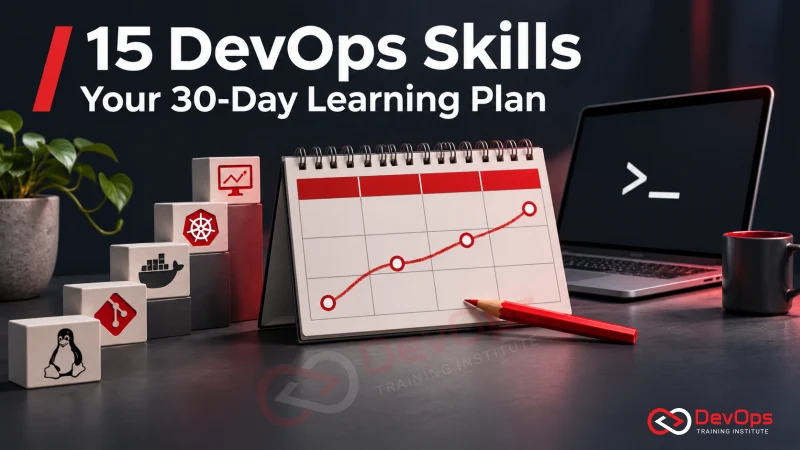
To prepare for a Kong interview, spend four weeks on a fixed loop: learn the entity model and ports, build a local Kong Gateway with Docker, add plugins and authentication, move the configuration into decK files, then practise hybrid mode, Kubernetes and troubleshooting. End each week by answering self-check questions aloud without notes.
This page is a study plan, not another question bank. It tells you what to learn in which order, which labs to build, and how to check that you are ready. When you finish a week, test yourself with the matching question set on our other Kong pages, listed in the table below.
Key takeaways
- Plan for about four weeks at one to two hours a day if you already know Linux, HTTP and Docker. Add a week if you do not.
- Week 1 is the entity model (Service, Route, Upstream, Target, Consumer, Plugin) and the Admin API. Week 2 is plugins and authentication. Week 3 is declarative configuration with decK and DB-less or hybrid mode. Week 4 is Kubernetes, observability and incident practice.
- Kong Gateway 3.16 is the newest release on Kong's version support page (released 15 September 2026). 3.14 and 3.10 are the long-term support versions, so many employers still run 3.10.
- Interviewers care most about how a request flows through Kong, how plugins are scoped and ordered, how configuration reaches data planes, and how you debug a 401, 429 or 503.
- Keep a lab notebook. Being able to say "I configured this and saw that header" is the strongest signal you can give.
Which Kong page to use when
We have several Kong pages. They are written for different stages, so use them in this order rather than reading all of them at once.
| Page | What it is for | When to use it in this plan |
|---|---|---|
| This page | Study order, labs, self-checks | Start here and follow the weeks |
| Kong API Gateway interview questions | The main question set, freshers to senior | End of weeks 1 and 2 |
| 75+ Kong interview questions: hands-on config | Admin API calls, plugin config and decK commands | During labs in weeks 1 to 3 |
| Kong engineer interview questions | Design and operations for 3 to 5+ years of experience | Week 4 and mock interviews |
If the role is a general platform or DevOps job with Kong as one tool among many, also skim our 200+ DevOps interview questions guide, because the Kong round is rarely the only round.
Before you start: check the prerequisites
Kong is an API gateway built on Nginx and OpenResty. Most Kong questions are really HTTP, TLS and networking questions with Kong vocabulary on top. Check these before week 1:
- HTTP: methods, status codes (especially 401, 403, 404, 413, 429, 502, 503, 504), the Host header, and how headers such as
X-Forwarded-Forwork. - TLS: what a certificate chain is, what SNI does, and what mutual TLS adds.
- Docker: run containers, create a network, read logs with
docker logs. - curl: send headers with
-H, show response headers with-i, send JSON bodies. - Kubernetes basics if the job description mentions it: Deployments, Services, Ingress and the idea of a controller.
If two or more of these are weak, spend a week on them first. Our post on the role of API gateways in securing microservices is a short primer on why gateways exist.
The four-week plan at a glance
| Week | Learn | Build | You are done when you can |
|---|---|---|---|
| 1 | Entities, ports, Admin API, traditional vs DB-less mode | Kong plus Postgres in Docker, one Service and two Routes | Draw the request path and create a Service and Route from memory |
| 2 | Plugins, scopes, ordering, authentication, rate limiting | key-auth, ACL, rate-limiting, CORS and a logging plugin on your lab | Explain why a request got 401 or 429 by reading headers and config |
| 3 | decK, declarative config, tags, hybrid mode, upgrades | Export lab config to YAML, run diff and sync from a script, try a DB-less node | Describe a Git-based workflow for gateway changes and its failure modes |
| 4 | Kubernetes Ingress Controller, Gateway API, metrics, tracing, incidents | Kong on a local cluster (kind or minikube), Prometheus scrape, three broken-on-purpose drills | Talk through two incidents end to end in under three minutes each |
Week 1: entities, ports and the Admin API
What to learn
Start with the object model, because every later topic uses it. A Gateway Service describes an upstream API (protocol, host, port, path, timeouts). A Route decides which requests reach that Service, matching on paths, hosts, methods, headers or SNI. An Upstream is a virtual hostname that load-balances across Targets. A Consumer represents a client identity. A Plugin adds behaviour and can be attached globally or to a Service, Route or Consumer.
Then learn the default ports, which come up in almost every first round:
| Port | Purpose |
|---|---|
| 8000 / 8443 | Proxy traffic, HTTP and HTTPS |
| 8001 / 8444 | Admin API, HTTP and HTTPS |
| 8002 / 8445 | Kong Manager GUI, HTTP and HTTPS |
| 8005 | Hybrid mode control plane listener for data plane connections |
Finally, learn the two storage models. In traditional mode Kong reads entities from PostgreSQL and the Admin API can write. In DB-less mode (database = off) the configuration lives in memory, loaded from a declarative file, and the Admin API cannot create or change entities one by one.
Lab for week 1
Run Postgres and Kong in Docker on one network, bootstrap the database, and start Kong. The commands below follow Kong's Docker install pattern; pin the image tag your target employer uses if you know it.
docker network create kong-net

docker run -d --name kong-db --network kong-net \
  -e POSTGRES_USER=kong -e POSTGRES_DB=kong -e POSTGRES_PASSWORD=kongpass \
  postgres:16

docker run --rm --network kong-net \
  -e KONG_DATABASE=postgres -e KONG_PG_HOST=kong-db -e KONG_PG_PASSWORD=kongpass \
  kong/kong-gateway:3.10 kong migrations bootstrap

docker run -d --name kong --network kong-net \
  -e KONG_DATABASE=postgres -e KONG_PG_HOST=kong-db -e KONG_PG_PASSWORD=kongpass \
  -e KONG_ADMIN_LISTEN=0.0.0.0:8001 \
  -p 8000:8000 -p 8001:8001 \
  kong/kong-gateway:3.10
Now create a Service and two Routes, and send traffic through the proxy port:
curl -i -X POST http://localhost:8001/services \
  --data name=echo --data url=https://httpbin.org

curl -i -X POST http://localhost:8001/services/echo/routes \
  --data name=echo-get --data 'paths[]=/echo' --data 'methods[]=GET'

curl -i -X POST http://localhost:8001/services/echo/routes \
  --data name=echo-post --data 'paths[]=/echo' --data 'methods[]=POST'

curl -i http://localhost:8000/echo/get
Look at the response headers. X-Kong-Upstream-Latency and X-Kong-Proxy-Latency split backend time from gateway time. Then change strip_path on one Route and watch how the upstream path changes. Write down what you saw.
Week 1 self-check
Answer these aloud before moving on. If you hesitate, repeat the lab.
1. Walk through what happens to a request from the client to the upstream.
The client connects to the proxy port. Kong matches the request to a Route using its path, host, method and other fields, finds the Route's Service, runs the plugins that apply in phase order (for example authentication in the access phase), resolves the upstream host (directly or through an Upstream and its Targets), proxies the request, then runs response-phase and log-phase plugins on the way back.
2. What is the difference between a Service and a Route?
A Service is the backend you send traffic to. A Route is the rule that decides which incoming requests go to that Service. One Service can have many Routes, which lets you give different paths or methods different plugins while sharing one backend definition.
3. When do you need an Upstream instead of pointing the Service at a hostname?
When you want Kong to balance load across several backends, run health checks, or shift traffic between Target weights. If a single DNS name or a Kubernetes Service already handles balancing, a plain hostname on the Service is enough.
4. What does strip_path do?
With strip_path set to true (the default), Kong removes the matched Route path prefix before proxying. A request to /echo/get on a Route with path /echo reaches the upstream as /get plus the Service path.
5. What changes when Kong runs in DB-less mode?
The configuration is loaded from a declarative file into memory. The Admin API becomes read-only for entities, so you push a whole new configuration (for example to the /config endpoint) instead of creating objects one at a time. Plugins that need a database for their own state may not work, and very large configurations must fit the memory cache.
6. Which ports should be reachable from the internet?
Only the proxy ports (8000 and 8443, or whatever you map them to). The Admin API and Kong Manager should listen on a private interface or be protected, because the Admin API can change all routing and security settings.
Week 2: plugins, scopes and authentication
What to learn
Plugins are where most interview time goes. Learn three things well.
Scope precedence. If the same plugin is configured at several levels, Kong runs only the most specific one. Combinations that include a Consumer, Route and Service win over Route and Service, which win over a single entity, which wins over a global plugin. You do not need to recite the whole list, but you must know that the most specific match wins and only one instance of that plugin runs.
Ordering. Different plugins run in an order set by each plugin's static priority within each phase. Authentication plugins run before rate limiting so that limits can be counted per Consumer. Kong Gateway Enterprise adds dynamic plugin ordering for cases where the default order does not fit.
Authentication. Know key-auth, basic-auth, jwt and hmac-auth from the open source set, and that OpenID Connect is an Enterprise plugin. Know how the ACL plugin uses Consumer groups to allow or deny access after authentication.
Lab for week 2
- Enable key-auth on the
echo-getRoute. Call it without a key and note the 401. - Create a Consumer, give it a key, call again with the
apikeyheader. - Enable rate-limiting on the same Route with a small limit, for example 5 per minute, with
policy=local. Call it six times and read theRateLimit-*andX-RateLimit-*headers and the 429. - Add the ACL plugin with an allow list, put the Consumer in a group, and test both allowed and denied Consumers.
- Enable a logging plugin such as http-log or file-log, and confirm what a log entry contains (latencies, Route, Service, Consumer).
- Enable CORS on the POST Route and test a preflight request with
curl -X OPTIONSand anOriginheader.
curl -i -X POST http://localhost:8001/routes/echo-get/plugins --data name=key-auth
curl -i -X POST http://localhost:8001/consumers --data username=app1
curl -i -X POST http://localhost:8001/consumers/app1/key-auth --data key=lab-key-1
curl -i http://localhost:8000/echo/get -H 'apikey: lab-key-1'

curl -i -X POST http://localhost:8001/routes/echo-get/plugins \
  --data name=rate-limiting --data config.minute=5 --data config.policy=local
Week 2 self-check
7. A key-auth protected Route returns 401 even though the client sends a key. What do you check?
Check the header name the plugin expects (key_names, default apikey), whether the key exists on the right Consumer, whether the client sends it as a header or query parameter that the plugin accepts, and whether a second auth plugin at another scope is the one actually running. Check the Admin API for the plugin's scope.
8. Why does rate limiting usually come after authentication?
So the limit can be counted per Consumer or credential rather than per IP. If you rate-limit before authentication, many clients behind one NAT address share a counter and unauthenticated floods use up the budget of real clients.
9. When do you choose the local, cluster or redis rate-limiting policy?
local keeps counters in each node's memory, which is fastest but not exact across nodes. cluster stores counters in the database and is not available on DB-less or hybrid data planes. redis shares counters through Redis, which gives accurate limits across nodes but adds a dependency you must monitor. Explain what happens when Redis is unavailable and how the fault_tolerant setting changes it.
10. A plugin is set globally and on one Route with different values. Which one runs?
The Route-level instance, because the more specific scope wins and only one instance of a given plugin runs for a request.
11. What is the difference between authentication and the ACL plugin?
Authentication identifies the Consumer. ACL then decides whether that Consumer's group may use the Route or Service. ACL needs an authentication plugin in front of it to know who the Consumer is.
12. Which headers prove where latency came from?
X-Kong-Proxy-Latency shows time spent in Kong, including plugins. X-Kong-Upstream-Latency shows time waiting for the backend. If the second is high, the problem is behind Kong.
Week 3: declarative configuration, decK and hybrid mode
What to learn
Employers rarely want people clicking in Kong Manager in production. They want gateway configuration in Git and applied by a pipeline. Learn:
- Declarative format. A YAML file with
_format_versionand lists of services, routes, consumers and plugins. - decK. The CLI that exports (
deck gateway dump), compares (deck gateway diff) and applies (deck gateway sync) configuration. Learndeck filesubcommands such as lint and openapi2kong for converting an OpenAPI spec. - Tags and select tags. Teams sharing one gateway can each manage only the entities carrying their tag, so a sync from one team does not delete another team's Routes.
- Hybrid mode. A control plane holds the configuration and data planes pull it over mutual TLS on port 8005. Data planes keep serving their last configuration if the control plane goes down. Version rules apply between control plane and data planes, so read the hybrid mode page before you claim any.
- Konnect. Kong's hosted control plane, where you run only the data planes yourself.
- Upgrades. Know that database-backed upgrades use
kong migrations upandkong migrations finish, and that LTS versions (3.10 and 3.14 today) are what many teams standardise on.
Lab for week 3
deck gateway ping --kong-addr http://localhost:8001
deck gateway dump --kong-addr http://localhost:8001 -o kong.yaml
# edit kong.yaml: change the rate limit from 5 to 10
deck gateway diff kong.yaml --kong-addr http://localhost:8001
deck gateway sync kong.yaml --kong-addr http://localhost:8001
Then start a second Kong container with KONG_DATABASE=off and KONG_DECLARATIVE_CONFIG pointing to a trimmed copy of the file. Confirm that a POST to /services on that node fails, and that the proxy still works.
Write a short script that runs deck file lint and deck gateway diff on every pull request and sync only on merge. You do not need a real CI system; a shell script is enough to talk through the design.
Week 3 self-check
13. How would you move a team from hand-made Admin API changes to Git-managed configuration?
Export the current state with decK, commit it, and freeze manual changes. Add a pipeline that lints and diffs on pull requests and syncs on merge, with select tags per team. Run a scheduled diff against production to catch drift from anyone still using the Admin API.
14. What can go wrong with deck gateway sync?
Sync makes the gateway match the file, so anything missing from the file can be deleted. Without select tags, one team's file can remove another team's entities. Always review the diff, scope with tags, and keep the previous file so you can roll back by syncing it again.
15. What happens to data planes if the hybrid control plane fails?
They keep proxying with their last received configuration, which they cache locally, but no new changes reach them until the control plane returns. That is why the control plane can be smaller and less available than the data plane tier, but it still needs backups and monitoring.
16. Why might a team choose DB-less mode?
No database to run, immutable configuration that matches GitOps, and nodes that start from a file. The costs are a read-only Admin API, no database-backed plugin state, and pushing the full configuration on each change.
17. How do you keep secrets out of the declarative file?
Use Kong's vault references, for example values that point to environment variables or a secrets manager, so the file contains a reference rather than the secret. Also keep decK credentials for the Admin API in the CI secret store, not in the repository.
Week 4: Kubernetes, observability and incident drills
What to learn
- Kong Ingress Controller (KIC). It watches Kubernetes resources and configures Kong. Learn the Ingress path and the Gateway API path (Gateway, HTTPRoute), and the Kong custom resources such as KongPlugin, KongClusterPlugin, KongConsumer and KongUpstreamPolicy. Kong's docs mark older resources such as KongIngress as deprecated, so do not build new answers around them.
- Metrics. The prometheus plugin exposes request counts, latencies and upstream health. Know which metrics you would alert on: 5xx rate per Service, p95 latency, upstream target health, and node memory.
- Tracing. The opentelemetry plugin sends spans so you can follow a request through Kong into services.
- Logs. http-log, tcp-log, file-log and others. Know the trade-off between logging every request and cost.
Lab for week 4
- Install Kong with KIC on kind or minikube using Kong's Helm chart. Expose a demo app through an HTTPRoute.
- Attach a KongPlugin for rate limiting to the HTTPRoute with an annotation.
- Enable the prometheus plugin and scrape it with a local Prometheus. Graph request rate and latency in Grafana if you have time. Our guide on using Prometheus and Grafana together covers the setup.
- Run three drills, one at a time, and write a short incident note for each:
- Scale the backend to zero and observe the 503 and the error text.
- Put a wrong port in the Service and observe 502 or timeouts.
- Set the rate limit to 1 per minute and reproduce 429 under a small load test.
Week 4 self-check
18. Clients get 503 from Kong for one API. How do you work through it?
Check whether the Upstream has healthy Targets (/upstreams/{name}/health), whether the backend pods or hosts are up, and whether health checks marked Targets unhealthy. Compare X-Kong-Upstream-Latency and Kong error logs. If no Route matched you would see 404 instead, so a 503 points to the upstream side or a plugin such as request-termination.
19. Latency rose after a gateway change. How do you find out whether Kong is the cause?
Compare proxy latency with upstream latency in headers or metrics, look at which plugins the change added (for example a synchronous logging call or an external auth check), and check node CPU and memory. Roll back the change through decK if proxy latency moved with it.
20. How do you run Kong on Kubernetes without editing Kong directly?
Let KIC own the configuration: define routing with Gateway API or Ingress resources and policies with KongPlugin resources, all in Git and applied by your GitOps tool. Treat the Admin API as read-only for humans.
21. Which three Kong alerts would you set up first?
A rise in 5xx responses per Service, p95 or p99 latency over a threshold, and upstream Targets reporting unhealthy. Add node memory and certificate expiry once those work.
22. How would you roll out a new backend version through Kong?
Add the new version as a Target with a low weight on the same Upstream, watch error rate and latency, and raise the weight in steps. Enterprise users can also use the canary plugin. On Kubernetes, weighted backendRefs in an HTTPRoute do the same job.
Scenario questions for your final mock interview
Book an hour at the end of week 4 with a friend or record yourself. Answer each scenario in under three minutes using symptom, likely causes, checks, fix and prevention.
23. A partner says their API key stopped working this morning. Nothing changed on your side, you think.
Check the decK history and audit logs for changes to the Consumer, its credentials or the Route's plugins. Confirm the plugin scope did not change, for example a new global key-auth with different key_names. Check whether the key was rotated or deleted, and whether an ACL group changed. Prevention: changes only through Git, with review, and a contract test per partner in the pipeline.
24. During a sale, some clients get 429 while total traffic is below the limit you set.
With policy=local each node counts separately, and uneven load balancing means some nodes hit their share sooner. Also check whether the limit is per IP and many clients share a NAT. Fix by moving to the redis policy for accurate shared counters, or by limiting per Consumer. Document the expected behaviour so support teams can explain it.
25. A team's decK sync deleted another team's Routes.
Restore by syncing the last good file for the affected team. Then require select tags on every file, block syncs without tags in the pipeline, and add a pre-sync diff review that fails if deletions exceed a threshold.
26. After an upgrade, a data plane stops receiving configuration from the control plane.
Check data plane logs for certificate or version errors. Data planes have version compatibility rules with the control plane, so a data plane newer than the control plane can be refused. Check the cluster certificates and that port 8005 is reachable. Upgrade control planes first, then data planes.
27. Security asks you to prove only Kong can reach the backend services.
Put backends on private networks, allow inbound traffic only from Kong nodes, and use mutual TLS between Kong and upstreams with client certificates configured on the Service. On Kubernetes, add NetworkPolicies. Show the firewall rules and a failed direct call as evidence.
28. An interviewer asks why you would pick Kong over a cloud provider's API gateway.
Answer with trade-offs, not loyalty: Kong runs the same way across clouds, on-premises and Kubernetes, has a large plugin set and can be configured declaratively. A managed cloud gateway removes the work of running nodes and integrates closely with that provider's identity and serverless services. The right choice depends on where the services run and who will operate the gateway.
Daily routine that works
| Time | Activity |
|---|---|
| 20 minutes | Read one Kong docs page for the week's topic and note three facts |
| 40 minutes | Lab work, with commands and outputs saved in your notebook |
| 15 minutes | Answer three questions aloud from the self-checks or our question pages |
| 5 minutes | Write what confused you; it becomes tomorrow's reading |
On weekends, rebuild the whole lab from scratch without looking at notes. If you cannot, you have found your weak spot.
Mistakes that cost candidates offers
- Describing Kong only as "an Nginx-based gateway" without explaining Routes, Services and plugin scope.
- Presenting community tools as Kong products. Konga, for example, is a community project; Kong's own interfaces are Kong Manager, Konnect, the Admin API and decK.
- Claiming DB-less mode has no trade-offs.
- Saying the cluster rate-limiting policy works everywhere. It does not run on DB-less or hybrid data planes.
- Not knowing which version the employer runs. Ask the recruiter, then read the changelog for that version.
How this connects to a wider DevOps role
Kong interviews for platform roles often include CI/CD, Kubernetes and monitoring questions. If you want guided labs across those areas, our DevOps training in Pune runs in the Kharadi classroom and live online, and the CKA training covers the Kubernetes side that Kong Ingress Controller depends on. For the bigger picture on API gateways in delivery pipelines, read how API gateways simplify microservice deployment.
FAQ
How long does it take to prepare for a Kong interview?
About four weeks at one to two hours a day if you already know Linux, HTTP and Docker. Add a week for prerequisites if those are new, and another for Kubernetes if the role uses Kong Ingress Controller.
Which Kong version should I practise on?
Use the version the employer runs if you know it. Otherwise use an LTS release; Kong's support page lists 3.10 and 3.14 as LTS, and 3.16 as the newest standard release.
Do I need Kong Enterprise to prepare?
No. The open source gateway covers Services, Routes, Upstreams, most plugins, DB-less mode and decK. Read the docs for Enterprise features such as OpenID Connect, RBAC, Workspaces and dynamic plugin ordering so you can discuss them.
Is decK really asked in interviews?
For platform and DevOps roles, often. Employers want gateway changes in Git and applied by a pipeline, and decK is Kong's tool for that.
What labs should I show in an interview?
A Docker lab with key-auth, ACL and rate limiting; a decK file in Git with a diff-and-sync script; and Kong on a local Kubernetes cluster with the prometheus plugin. Short notes from broken-on-purpose drills are a strong extra.
Should I learn Kubernetes before Kong?
Learn Kong's core concepts first with Docker, then add Kubernetes. Kong Ingress Controller is easier to understand once you know what it is configuring.
What is the most common reason candidates fail Kong rounds?
They know definitions but cannot debug. Practise explaining a 401, 429, 502 and 503 from headers, logs and configuration.
Official references
What's Your Reaction?
 Like
0
 Dislike
0
 Love
0
 Funny
0
 Angry
0
 Sad
0
 Wow
0