What Is the Role of RBAC in Securing Kubernetes Clusters?
How Kubernetes RBAC secures clusters: Roles, ClusterRoles, bindings, built-in roles, least privilege, escalation prevention and kubectl auth can-i.
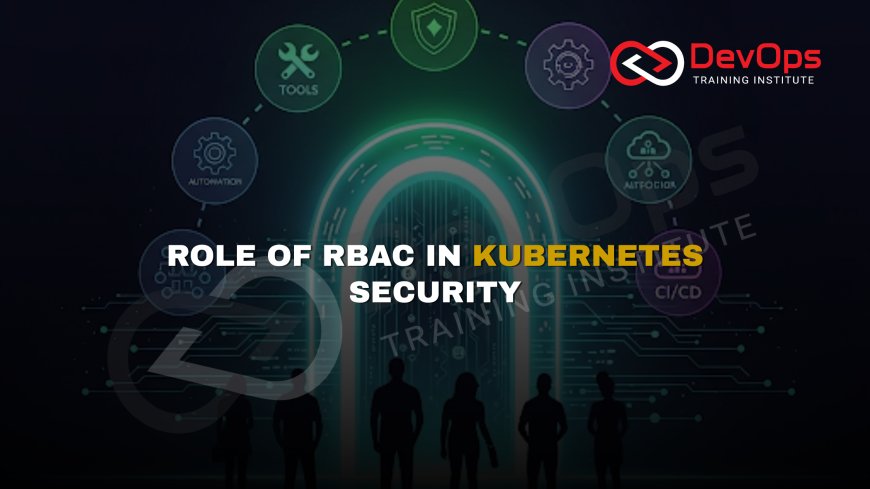
Kubernetes RBAC (role-based access control) decides what each user, group or service account may do with the Kubernetes API. You write Roles that list allowed verbs on resources, then bind them to subjects. Permissions are purely additive, so anything not granted is denied. Used with least privilege, RBAC limits the damage a stolen credential or a mistake can cause.
Key takeaways
- RBAC is authorization. It runs after authentication has identified who is calling, and it answers "is this identity allowed to do this action on this resource?"
- Four objects matter: Role, ClusterRole, RoleBinding and ClusterRoleBinding. A Role is namespaced, a ClusterRole is cluster-wide, and bindings attach them to users, groups or service accounts.
- There are no deny rules. Access is the union of every rule bound to a subject, so the safest design starts from nothing and adds narrowly.
- Wildcards,
cluster-admin, thesystem:mastersgroup and permissions to read Secrets or create Pods are the usual routes to over-privilege. - Kubernetes blocks privilege escalation through role edits: you cannot grant permissions you do not hold unless you have the
escalateorbindverb. - Review RBAC regularly with
kubectl auth can-iand by listing bindings. Access drifts over time.
Why RBAC matters for cluster security
The Kubernetes API server is the front door to everything: workloads, configuration, Secrets and node access. Anyone who can call it with broad rights can read credentials, start containers and change settings. RBAC is the control that narrows those rights per identity. It does not replace other defenses such as network policies, Pod Security Standards, image scanning or secret management. It sets the boundary for who can change the cluster, and it is the one that applies to every request.
Two common situations show why it matters. A CI job token that leaks should be able to deploy to one namespace and nothing else. A new developer who needs to read logs in staging should not be able to read production Secrets. Both are RBAC problems. For a quick catalog of rules to adopt, see 10 must-know Kubernetes RBAC rules, and for the wider checklist see 12 Kubernetes security best practices.
How the pieces fit
| Object | Scope | What it does |
|---|---|---|
| Role | One namespace | Lists allowed verbs on resources in that namespace |
| ClusterRole | Cluster-wide | Can cover cluster-scoped resources (like nodes), non-resource endpoints (like /healthz), or namespaced resources across all namespaces |
| RoleBinding | One namespace | Grants a Role or ClusterRole to subjects inside that namespace |
| ClusterRoleBinding | Cluster-wide | Grants a ClusterRole to subjects across the whole cluster |
A RoleBinding can point to a ClusterRole. The permissions then apply only inside the binding's namespace. This lets you define a role once, such as the built-in view, and hand it out per namespace. Subjects are users, groups or service accounts. Kubernetes does not store human users: they come from your authentication method, such as client certificates or an OIDC identity provider. All RBAC objects live in the rbac.authorization.k8s.io API group.
A first example
This Role lets its subjects read pods in the default namespace, and this binding gives it to a user named jane:
apiVersion: rbac.authorization.k8s.io/v1
kind: Role
metadata:
  namespace: default
  name: pod-reader
rules:
- apiGroups: [""]
  resources: ["pods"]
  verbs: ["get", "watch", "list"]
---
apiVersion: rbac.authorization.k8s.io/v1
kind: RoleBinding
metadata:
  name: read-pods
  namespace: default
subjects:
- kind: User
  name: jane
  apiGroup: rbac.authorization.k8s.io
roleRef:
  kind: Role
  name: pod-reader
  apiGroup: rbac.authorization.k8s.io
The empty string in apiGroups means the core API group. You can create the same thing imperatively:
kubectl create role pod-reader --verb=get,list,watch --resource=pods
kubectl create rolebinding my-sa-view \
  --clusterrole=view \
  --serviceaccount=my-namespace:my-sa \
  --namespace=my-namespace
Prefer YAML kept in Git for anything permanent, so changes are reviewed. Our posts on GitOps and secret management in GitOps workflows show that flow.
Enabling RBAC
RBAC is enabled by starting kube-apiserver with an authorization configuration file that includes - type: RBAC (the --authorization-config flag), or with --authorization-mode listing RBAC, for example --authorization-mode=Node,RBAC. Managed Kubernetes services turn it on for you. Check how your provider maps cloud identities to Kubernetes subjects, because that mapping decides who ends up in your bindings.
The built-in roles
| ClusterRole | Default binding | Access |
|---|---|---|
cluster-admin | system:masters group | Any action on any resource. Bound cluster-wide it controls the whole cluster, and bound with a RoleBinding it controls one namespace |
admin | None | Read and write on most namespace resources, including creating Roles and RoleBindings. No write access to ResourceQuotas or the namespace itself |
edit | None | Read and write on most namespace objects. Cannot view or change Roles or RoleBindings, but can read Secrets and run Pods as any ServiceAccount in the namespace |
view | None | Read-only on most namespace objects. Cannot see Roles, RoleBindings or Secrets |
The edit role deserves attention: because it can read Secrets and run Pods as any ServiceAccount in the namespace, it can effectively gain that ServiceAccount's API access. Treat "edit" as powerful, not as a middle setting. You can extend admin, edit and view with aggregation labels such as rbac.authorization.k8s.io/aggregate-to-view: "true" on your own ClusterRoles, which is how custom resources get added to the defaults.
Names that start with system: are reserved for Kubernetes. Avoid creating users or groups with that prefix, and take care when editing those roles because changes can break the cluster.
Least privilege in practice
The Kubernetes RBAC good practices page lists the habits worth adopting.
- Prefer namespace-level bindings. Use RoleBindings instead of ClusterRoleBindings wherever possible.
- Avoid wildcards. A rule with
resources: ["*"]orverbs: ["*"]also covers resource types and verbs added later, including those from custom resource definitions. Name resources and verbs explicitly. - Keep
cluster-adminrare. Do not use it for daily work. Give admins a normal account and let them step up only when needed, for example through impersonation. - Do not add people to
system:masters. Members bypass all RBAC checks, and removing a binding cannot revoke the access. - Restrict powerful service accounts. Do not run pods with strong tokens unless they need them, and keep untrusted workloads off the nodes where privileged pods run.
- Turn off automatic token mounting where not needed. Set
automountServiceAccountToken: falseon the ServiceAccount or Pod. A Pod-level setting overrides the ServiceAccount setting. - Review bindings for
system:unauthenticated. They grant access to anyone who can reach the API server. - Review regularly. Look for redundant entries and escalation paths. If a deleted user's name is reused, the new account inherits the old rights.
Permissions that quietly grant more than they seem
- Reading Secrets.
getreveals a Secret's content, and so dolistandwatch, because list responses include the full data. - Creating Pods or workloads. A subject that can create Pods in a namespace gets access to that namespace's Secrets, ConfigMaps and PersistentVolumes, and to the API access of any ServiceAccount there. Privileged Pods may reach the node. Enforce the Baseline or Restricted Pod Security Standard to limit this, and treat boundaries within a namespace as weak.
- Creating PersistentVolumes. Arbitrary volumes can use
hostPathto expose the node's filesystem. - The
system:noderole. It can read all Secrets. Prefer the Node authorizer and the NodeRestriction admission plugin. - Binding
system:serviceaccountstocluster-admin. This gives every application in the cluster full control, and the documentation strongly discourages it.
A limitation to remember: resourceNames cannot restrict deletecollection or top-level create, and it applies to list and watch only if the request includes a matching metadata.name field selector. A rule limited to one named ConfigMap is not as tight as it looks.
Privilege escalation prevention
The RBAC API stops users from raising their own privileges by editing roles. To create or update a Role or ClusterRole, you must already hold all the permissions it contains at the same scope, or have the escalate verb on roles or clusterroles. To create or update a binding, you must already hold the permissions of the referenced role, or have the bind verb on that role. This is why a team lead can be allowed to grant view and edit in their own namespace without being able to hand out cluster-admin. Grant escalate and bind sparingly, and name specific roles in resourceNames when you do.
Checking and auditing access
Test access before and after you change a rule. kubectl auth can-i asks the API server whether an action is allowed, and administrators can check on behalf of another identity with --as:
kubectl auth can-i list secrets --namespace=prod
kubectl auth can-i create pods --namespace=dev --as=jane
kubectl get rolebindings,clusterrolebindings -A
Use the last command to list who is bound to what, then look at each binding for broad roles. Add the audit log to the picture: it records who called which API, which helps you find unused permissions to remove. Pair RBAC with admission policy so that even permitted users cannot create unsafe objects. The posts on policy as code for Kubernetes admission controls and tools to manage Kubernetes secrets safely cover these companion controls.
A simple design pattern
| Persona | Suggested grant | Scope |
|---|---|---|
| Developer | Built-in edit or a narrower custom Role | Own team namespaces only |
| Read-only support or auditor | Built-in view | Namespaces they support |
| CI/CD deployer | Custom Role limited to Deployments, Services and ConfigMaps it manages | One namespace per pipeline |
| Namespace owner | Built-in admin | Their namespace |
| Platform administrator | Separate, audited cluster-admin binding to a group, used rarely | Cluster |
Bind to groups from your identity provider, not to individual names, so joiners and leavers are handled in one place. This table is a starting pattern, not a standard. Adjust it to how your teams are organized.
Common mistakes
- Binding every developer to
cluster-adminto stop access tickets. - Leaving the default ServiceAccount with extra permissions that every Pod in the namespace then inherits.
- Using wildcards because it is quicker to write.
- Believing a namespace is a hard security boundary for people who can create Pods in it.
- Granting access and never removing it when a person changes teams.
Learning path
RBAC appears in both the administrator and security certifications. The CKS training in Pune focuses on cluster hardening, and the CKA training in Pune covers the administration tasks, including roles and bindings. Both run in the classroom at Kharadi or live online.
Frequently asked questions
What is RBAC in Kubernetes?
It is the authorization mechanism that controls which users, groups and service accounts can perform which actions on which Kubernetes API resources. You define Roles or ClusterRoles, then bind them to subjects with RoleBindings or ClusterRoleBindings.
What is the difference between a Role and a ClusterRole?
A Role grants permissions inside one namespace. A ClusterRole is not namespaced and can cover cluster-scoped resources, non-resource endpoints, or namespaced resources in all namespaces.
Can I deny access with RBAC?
No. Kubernetes RBAC permissions are purely additive. Access is whatever the combined rules allow, so you control it by granting less.
Can a RoleBinding reference a ClusterRole?
Yes. The permissions then apply only within the namespace of the RoleBinding. This is a convenient way to reuse a role like view in many namespaces.
Why is cluster-admin considered risky?
It allows any action on any resource. It is bound to the system:masters group by default, and members of that group bypass RBAC checks. Keep it for a few audited identities and use narrower roles for daily work.
How do I check what a user can do?
Run kubectl auth can-i with the verb and resource, adding --as to test another identity if you have permission to impersonate. Also list RoleBindings and ClusterRoleBindings to see who holds broad roles.
Does RBAC protect Secrets?
Only if you restrict who can get, list or watch them, and who can create Pods that mount them. Remember that list responses include Secret data, and that Pod creation rights give indirect Secret access in that namespace.
Should service accounts get tokens automatically?
Only when the workload calls the Kubernetes API. Set automountServiceAccountToken: false for Pods that do not, and keep ServiceAccount permissions minimal for those that do.
References
What's Your Reaction?
 Like
0
 Dislike
0
 Love
0
 Funny
0
 Angry
0
 Sad
0
 Wow
0