


































![Kong Interview Preparation Guide [2025]](https://www.devopstraininginstitute.com/blog/uploads/images/202509/image_430x256_68dbb95326997.jpg)
















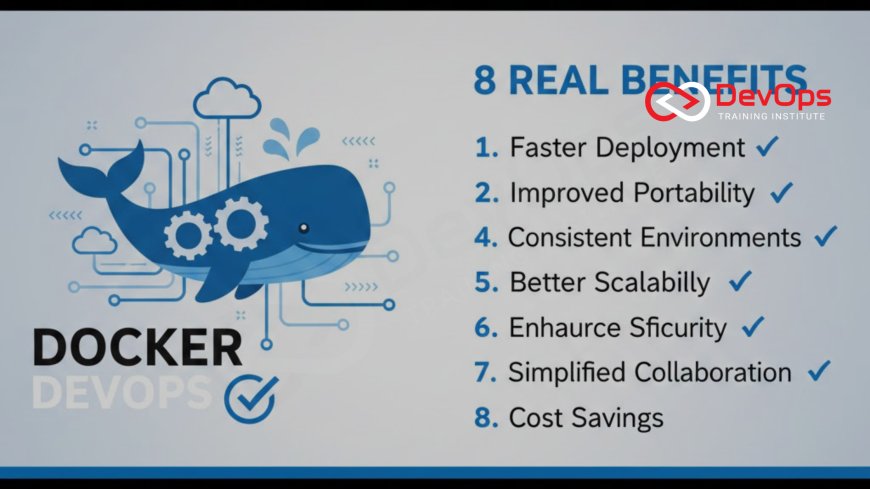
8 Real Benefits of Using Docker in DevOps
Discover the 8 biggest real-world benefits of Docker in modern DevOps workflows in 2025-2026. From consistent environments and faster onboarding to massive cost savings and seamless CI/CD – here’s why every serious team runs Docker.
Introduction: Why Docker Is Still the King of DevOps
Docker revolutionized software delivery over a decade ago and continues to dominate in 2025. More than 13 million developers and 80% of Fortune 1000 companies use Docker daily. Netflix deploys thousands of containers per day, Spotify runs over 10,000 microservices in Docker, and even serverless platforms like AWS Lambda and Cloud Run package code as containers under the hood.
The reason is simple: Docker solves the hardest, most expensive problems in modern software delivery. Below are the eight real, measurable benefits that make Docker non-negotiable for any serious DevOps practice. Most production-grade Docker deployments begin inside a properly segmented Virtual Private Cloud (VPC) for compliance and security.
1. Perfect Environment Consistency – Goodbye “It Works on My Machine”
The single biggest source of bugs and delays in traditional setups is environment differences. Developers use macOS, testers run Ubuntu VMs, staging has CentOS, and production runs Amazon Linux. Docker eliminates this chaos completely.
- Every dependency, library version, config file, and runtime is packaged inside the immutable image
- The exact same image runs everywhere – laptop, CI runner, staging cluster, production
- Onboarding time drops from days to under 30 minutes
- Support tickets caused by environment drift fall by 70-90%
Teams at PayPal, Visa, and GE reported that containerizing their apps cut environment-related incidents by over 80% within the first quarter.
2. Lightning-Fast Developer Onboarding and Local Development
Imagine a new engineer joining your team. Instead of spending two days installing databases, message queues, caching layers, and fighting version conflicts, they run one command:
docker compose up --build
Ten minutes later they have a fully functional local stack identical to production. Companies using Docker report average onboarding time dropping from 3–5 days to under 4 hours. That’s real money saved in productivity and salary.
3. Dramatically Faster and More Reliable CI/CD Pipelines
Traditional CI agents waste huge amounts of time installing dependencies on every run. Docker changes the game completely.
- Build the image once, cache layers aggressively
- Every job starts from a clean, identical base – no leftover state
- Run multiple test suites in parallel isolated containers simultaneously
- Typical real-world speed gains: 5–15× faster builds
- Flaky tests caused by agent pollution virtually disappear
Even self-hosted runners in private subnets can pull images securely using VPC endpoints or NAT Gateways.
4. Massive Infrastructure Cost Reduction
Virtual machines waste 60-80% of CPU and memory on the guest OS. Docker containers share the host kernel, so overhead is near zero.
Real-world examples:
- PayPal reduced server count by 50% after containerizing
- Spotify runs 10,000+ services on the same hardware that used to run 1,000 VMs
- A mid-sized fintech cut monthly cloud bill from $120k to $38k
You literally get 3–7× higher density and pay only for what your application actually uses.
5. True Portability Across Clouds and On-Premises
Write once, run anywhere is no longer marketing hype.
- Develop locally → deploy to AWS EKS → migrate to GCP GKE → run on Azure AKS with zero code changes
- Disaster recovery and burst capacity become trivial
- No more “but it only works on AWS” vendor lock-in
- Hybrid and multi-cloud strategies actually work
Large enterprises use VPC Peering or Transit Gateway to move containers seamlessly across accounts and regions.
6. Stronger Security and Reduced Attack Surface
Containers are inherently more secure than traditional deployments when best practices are followed:
- Run as non-root by default
- Use minimal base images (Alpine, Distroless)
- Scan images automatically in CI (Trivy, Snyk, Grype)
- Immutable infrastructure – no SSH patching needed
- Network policies and security groups limit blast radius
- Secrets injected at runtime instead of baked in
Many organizations now achieve CIS Docker Benchmark scores above 95% with zero manual effort.
7. Native Support for Microservices and Polyglot Architectures
Docker was built for microservices from day one. Each service gets its own container, its own CI/CD pipeline, its own scaling rules, and its own runtime (Node.js, Python, Go, Java – all coexist happily).
This enables:
- Independent deployment cycles
- Team ownership and reduced coordination overhead
- Best-tool-for-the-job language choices
- True scalability – only busy services get more instances
Netflix, Uber, and Shopify all credit Docker as the foundation of their microservices success.
8. Instant Rollbacks and Zero-Downtime Deployments
Traditional deployments are scary because rollback means redeploying code and praying. With Docker it’s trivial:
- Just point your load balancer or Kubernetes service to the previous image tag
- Rollback completes in seconds, not minutes or hours
- Blue-green and canary deployments become default, not special events
- MTTR drops dramatically – often to under 5 minutes
Traffic switching works flawlessly when route tables and Internet Gateways are configured correctly.
Conclusion
Docker isn’t just another tool – it’s the foundation of modern software delivery. The eight benefits above compound into massive business impact: faster time-to-market, drastically lower costs, dramatically higher reliability, and significantly happier engineering teams. Whether you’re a startup shipping twice a week or an enterprise deploying 100 times a day, Docker delivers ROI from day one. If your team isn’t fully containerized in 2025, you’re leaving enormous velocity, savings, and competitive advantage on the table. Start with one service today – the results will speak for themselves.
Frequently Asked Questions
Is Docker still worth learning in 2025?
Absolutely. 95%+ of Kubernetes workloads and most serverless platforms use Docker images. It’s the universal packaging format.
Does Docker add performance overhead?
Negligible – usually <2% CPU and <1% memory overhead compared to bare metal.
Should I run stateful apps like databases in Docker?
Great for development/test. Production databases usually run on managed services like Amazon RDS for durability and backups.
Is Podman a full Docker replacement?
Podman is daemonless and rootless, but Docker still has better ecosystem, IDE support, and enterprise adoption.
Can I use Docker without Kubernetes?
Yes! Docker Swarm, ECS, Nomad, or even plain Docker + Nginx work perfectly for many teams.
How long does it take to containerize a legacy app?
Most teams containerize a simple app in 1–2 days. Complex legacy apps take 2–6 weeks with proper planning.
What's Your Reaction?
 Like
0
Like
0
 Dislike
0
Dislike
0
 Love
0
Love
0
 Funny
0
Funny
0
 Angry
0
Angry
0
 Sad
0
Sad
0
 Wow
0
Wow
0

![100+ Azure DevOps Interview Questions and Answers [Updated 2025]](https://www.devopstraininginstitute.com/blog/uploads/images/202509/image_140x98_68c40aa9a3834.jpg)






![Future Scope of DevOps Careers in Pune [Updated 2025]](https://www.devopstraininginstitute.com/blog/uploads/images/202510/image_140x98_68e3a84652312.jpg)


