


































![Kong Interview Preparation Guide [2025]](https://www.devopstraininginstitute.com/blog/uploads/images/202509/image_430x256_68dbb95326997.jpg)
















Top 15 GitHub Actions Workflows for Automation
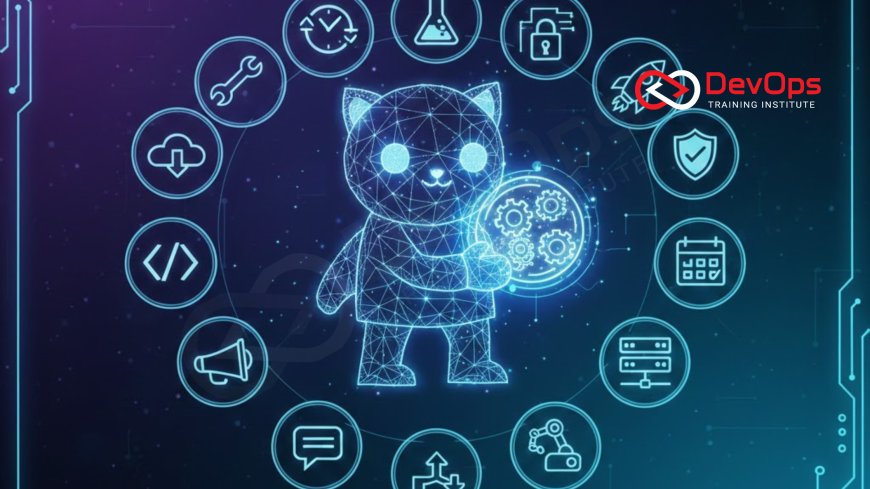
Unlock the full potential of your DevOps pipeline with the top 15 essential GitHub Actions workflows for automation. This guide provides actionable examples covering continuous integration, robust deployment strategies (GitOps, Canary), automated security scanning, infrastructure management, and project governance. Learn how to leverage GitHub's native CI/CD platform to streamline testing, enforce code quality, manage cloud resources, and simplify the entire software delivery lifecycle, enabling faster, safer, and more reliable releases in any modern, high-velocity development environment.
Introduction
GitHub Actions has rapidly become the cornerstone of modern, integrated CI/CD automation. As the native workflow engine within the world's largest platform for software development, it allows teams to automate virtually every aspect of the software delivery lifecycle, directly alongside their code. From compiling and testing code to deploying to Kubernetes clusters, managing cloud infrastructure, and enforcing security policies, GitHub Actions provides a powerful, event-driven solution that simplifies DevOps practices and accelerates the journey from code commit to production.
The strength of GitHub Actions lies in its simplicity (using YAML) and its tight integration with the Git workflow. Workflows can be triggered by any event—a pull request, a code push, a schedule, or a manual dispatch—enabling fine-grained control over the entire delivery process. For teams transitioning to DevOps continuous delivery pipeline models, mastering these workflows is essential for achieving the velocity and reliability required by cloud-native architectures. They are the key to building the automated guardrails necessary for safe and frequent releases.
This guide presents the top 15 essential GitHub Actions workflows that every modern DevOps team should adopt. We have categorized these workflows into the core areas of Continuous Integration, Continuous Delivery (Deployment), Governance (Security and Quality), and Infrastructure as Code (IaC) management. Implementing these high-impact workflows will not only boost your team's productivity but also significantly improve the quality, security, and traceability of your software releases. Let this list be your blueprint for maximizing automation within your GitHub repositories.
Pillar I: Continuous Integration (CI) and Quality Gates
CI workflows are the initial automated checks that run on every code change, forming the crucial first line of defense for quality and correctness. These must be fast, reliable, and provide immediate feedback to the developer directly within the pull request interface. Failure in this stage blocks the code from merging, preventing faulty or unformatted code from polluting the main branch.
1. Basic Build, Test, and Lint
The most foundational workflow: triggered on every push and pull request. It compiles the code (if applicable), runs unit tests, and executes a linter/formatter (e.g., Prettier, Black) to enforce coding standards. This workflow should be the fastest running and is mandatory for passing branch protection rules.
2. Automated Code Coverage Check
Runs alongside unit tests, this workflow measures code coverage percentage. It enforces a quality gate by failing the build if coverage drops below a defined threshold (e.g., 80%) or if the coverage of new code falls below 100%. This ensures that new features are fully tested, reinforcing code quality standards.
3. Software Composition Analysis (SCA)
A critical DevSecOps workflow that scans third-party dependencies (libraries, packages) for known vulnerabilities (CVEs) during the build phase. Tools like Dependabot, Snyk, or built-in GitHub features detect vulnerable dependencies and can be configured to automatically create pull requests to update the vulnerable libraries, proactively mitigating risk.
4. Static Application Security Testing (SAST)
Automates the security analysis of proprietary source code. SAST tools (e.g., CodeQL, SonarQube) scan the code for common security flaws (SQL injection, XSS) before deployment. This workflow should run on every pull request and block merges if high-severity issues are found, embedding security into the initial development feedback loop. This aligns with the principle of continuous threat modeling by constantly validating code security.
Pillar II: Continuous Delivery (CD) and Deployment
CD workflows handle the process of safely deploying code to various environments (staging, production). These workflows must be highly reliable, auditable, and support advanced deployment strategies to minimize risk and downtime. The key here is to make deployment a non-event, achieved through rigorous automation and controlled rollout.
5. Container Build and Publish
Triggered on merges to the main branch, this workflow builds the application, packages it into a Docker container image, tags the image with the commit SHA or version number, and pushes it to a container registry (e.g., GitHub Container Registry, Docker Hub). This creates the immutable artifact used for deployment.
6. Staging Environment Deployment
Automatically deploys the newly built container image to a non-production staging environment. This is often executed using Helm or raw Kubernetes manifests. This deployment is typically followed by a suite of automated integration and end-to-end tests to validate functionality in a near-production setting.
7. Production Deployment (Manual Approval)
This workflow targets the live production environment. It often requires environment protection rules, mandatory approvers (senior engineers), and timed rollout windows. The deployment process itself should be handled via a single, repeatable command. This workflow demonstrates controlled continuous delivery, where deployment is automated but gated by human oversight for critical environments.
8. GitOps Deployment Trigger
Instead of applying manifests directly, this workflow pushes updated Kubernetes manifest files (containing the new image tag) to a separate GitOps repository. This push then triggers a reconciliation agent (like Argo CD or Flux CD) in the target cluster to pull and apply the changes. This decouples the CI pipeline from direct cluster access, enhancing security and enforcing the GitOps model.
9. Automated Rollback on Failure
This critical workflow is triggered by an external monitoring system (via webhook) or the failure of post-deployment health checks. It runs a single job that reverts the deployment to the last known stable version, drastically reducing the Mean Time to Restore (MTTR) and minimizing user impact. Automation here is paramount for ensuring high service availability.
Pillar III: Infrastructure as Code (IaC) and Governance
These workflows treat infrastructure management as code (IaC) and enforce security and operational policies on that code. Running these checks within GitHub Actions integrates infrastructure governance directly into the standard code review process, ensuring infrastructure changes are reviewed and applied with the same rigor as application code. This is particularly crucial for managing the secure foundation of the application.
10. Terraform Plan and Security Scan
Triggered on pull requests to the IaC repository (e.g., Terraform, CloudFormation). It executes `terraform init` and `terraform plan`, posting the plan output as a comment for review. Crucially, it runs static analysis and policy-as-code scans (e.g., Checkov) against the IaC to ensure security and compliance rules are met before merging. It also includes an Infracost check for cost estimation.
11. Terraform Apply (Manual Approval)
Triggered only on merges to the main or deployment branch of the IaC repository. This workflow executes `terraform apply --auto-approve` from a secure, isolated runner. It requires environment protection rules and often uses dedicated cloud credentials or service accounts with specific, limited permissions for provisioning infrastructure, maintaining the highest security standard for the infrastructure change process.
12. Automated Dependency Updates
Uses Dependabot or similar tools to continuously scan for outdated application dependencies (e.g., npm, pip) and vulnerable base images. This workflow automatically creates pull requests to update these dependencies, ensuring the application remains current and secure, minimizing the attack surface and reducing technical debt. This contributes to better RHEL 10 security enhancements compliance if enterprise base images are used.
13. Secret Rotation Check
A scheduled workflow that checks the status of secrets stored in Vault or a cloud secret manager. It can be configured to alert if secrets are nearing expiration or to automatically trigger a rotation process for credentials used by the CI/CD pipeline or the application itself. This proactive management of secrets is crucial for mitigating security risk.
Pillar IV: Operational and Advanced Practices
These workflows focus on integrating the pipeline with operational intelligence (observability) and managing the pipeline infrastructure itself (self-hosted runners). They represent advanced practices for optimizing the performance and resilience of the entire DevOps ecosystem.
14. Metrics Collection and Observability Hook
This workflow runs at the end of the deployment cycle, using API calls to push key deployment data—such as deployment duration, change failure rate, and version number—to a centralized observability tool (e.g., Prometheus, Datadog). This enables the calculation of DORA metrics and provides operational insight into the effectiveness of the pipeline. Gathering this operational data is essential for managing the observability pillars and providing insights into the deployed system's health.
15. Automated Self-Hosted Runner Management
For custom hardware or environments requiring specific security contexts, self-hosted runners are necessary. This workflow automates the lifecycle management of these runners: provisioning the underlying virtual machine (VM) via IaC, registering the runner with GitHub, and ensuring the VM adheres to strict security policies. This ensures that the runner environment is consistent, secure, and always available, adhering to practices such as configuring SSH keys security in RHEL 10 for the host OS.
Conclusion
GitHub Actions provides a powerful, cohesive platform for automating the full spectrum of DevOps responsibilities. By implementing the 15 workflows detailed here, your team can achieve end-to-end automation, integrating continuous testing, robust security gates, advanced deployment strategies, and centralized infrastructure management directly into your Git workflow. The key to success is leveraging the tight integration of GitHub Actions to maintain the shortest possible feedback loop, enabling developers to fix issues quickly and confidently.
Adopting these practices transforms your repository into a highly efficient control plane for software delivery. Workflows that enforce SAST and SCA ensure code quality and security are baked in from the start, while automated deployments via GitOps or Canary releases minimize operational risk. The ability to automate IaC plans and cost estimations further streamlines the process, proving that speed and governance can coexist when automation is applied strategically. This commitment to continuous automation is what defines a modern, high-performing DevOps organization.
Start by automating your foundational CI tasks and incrementally add security and deployment complexity. As your proficiency grows, move toward advanced practices like self-hosted runner management and observability hooks to gain complete control and insight into your entire software supply chain. These workflows are the blueprint for operational excellence, ensuring that your team's DevOps continuous delivery pipeline is resilient, secure, and capable of handling any challenge presented by the complex world of cloud-native development. Embrace these tools to accelerate your journey to true continuous delivery and maximize your team's velocity and reliability.
Frequently Asked Questions
What is the benefit of running SAST and SCA in a pull request workflow?
It enables shift-left security, catching vulnerabilities and known weaknesses in dependencies immediately, before the code is merged, when it is cheapest and fastest to fix.
How does a GitOps deployment workflow differ from a standard CD workflow?
In GitOps, the workflow commits manifest updates to Git, and an agent in the cluster pulls the change, decoupling the CI pipeline from direct cluster execution and enhancing security.
What is the purpose of an Automated Rollback workflow?
It automatically reverts the deployment to the last stable version upon failure of post-deployment checks, drastically reducing the Mean Time to Restore (MTTR) and minimizing downtime.
How do environment protection rules enhance CI/CD security?
They enforce security requirements on sensitive deployment stages (like production), requiring conditions such as mandatory human approval, timed rollouts, and passing security scans before deployment is allowed.
Why is managing container image security critical in GitHub Actions?
The container image is the final immutable artifact; scanning it prevents known vulnerabilities in OS packages or libraries from reaching production, which is a key part of DevSecOps.
What is the role of the RHEL 10 hardening best practices in a deployment workflow?
The pipeline must check that the target deployment hosts, such as self-hosted runners or Kubernetes nodes, adhere to strict RHEL 10 hardening best practices, ensuring the underlying infrastructure is secure against host-level threats.
What are the DORA metrics, and how can GitHub Actions help track them?
DORA metrics measure DevOps performance (e.g., Deployment Frequency, MTTR). GitHub Actions workflows can be instrumented to record job start/end times and success/failure status, feeding data to monitoring tools for DORA calculation.
How does the Terraform Plan workflow enforce cost governance?
It integrates tools like Infracost to generate real-time cost estimates for the infrastructure changes and posts them directly to the pull request, enabling instant financial review and optimization, which is a key part of FinOps.
What is the importance of log management when using GitHub Actions?
Effective log management ensures that all workflow execution logs, including failed security scan outputs and deployment errors, are centralized, searchable, and retained for auditing and fast incident root cause analysis.
Why might a team choose to use Self-Hosted Runners instead of GitHub's default runners?
Self-hosted runners are used for custom hardware requirements, specific software needs, or environments requiring a strict network perimeter or compliance with internal security policies.
How can observability hooks in the CD workflow help with incident response?
They push deployment metadata (version, deployment time) to monitoring systems, allowing engineers to correlate an incident with the exact change that was just deployed, drastically speeding up root cause identification.
Why is automated dependency updating crucial for pipeline security?
It proactively mitigates risk by automatically submitting pull requests to update vulnerable dependencies, reducing the application's attack surface and minimizing the chance of exploitation.
How does GitOps using GitHub Actions enhance SSH keys security?
By using GitOps, the CI pipeline only requires permissions to write to a Git repository, not direct SSH access to production hosts, reducing the exposure of highly sensitive SSH keys and relying on the cluster's internal agents.
How is the release cadence managed using GitHub Actions?
The release cadence is managed by defining timed triggers and environment protection rules that control when and how often automated workflows can execute the final production deployment, maintaining predictability and stability.
What is the relationship between log management best practices and audit trails in GitHub Actions?
GitHub Actions logs form the primary audit trail; applying log management practices ensures these logs are retained, immutable, and searchable for forensic analysis and compliance verification, creating a single source of truth for all pipeline activity.
What's Your Reaction?
 Like
0
Like
0
 Dislike
0
Dislike
0
 Love
0
Love
0
 Funny
0
Funny
0
 Angry
0
Angry
0
 Sad
0
Sad
0
 Wow
0
Wow
0

![100+ Azure DevOps Interview Questions and Answers [Updated 2025]](https://www.devopstraininginstitute.com/blog/uploads/images/202509/image_140x98_68c40aa9a3834.jpg)






![Future Scope of DevOps Careers in Pune [Updated 2025]](https://www.devopstraininginstitute.com/blog/uploads/images/202510/image_140x98_68e3a84652312.jpg)


