


































![Kong Interview Preparation Guide [2025]](https://www.devopstraininginstitute.com/blog/uploads/images/202509/image_430x256_68dbb95326997.jpg)
















Top 15 GitLab CI/CD Pipeline Examples
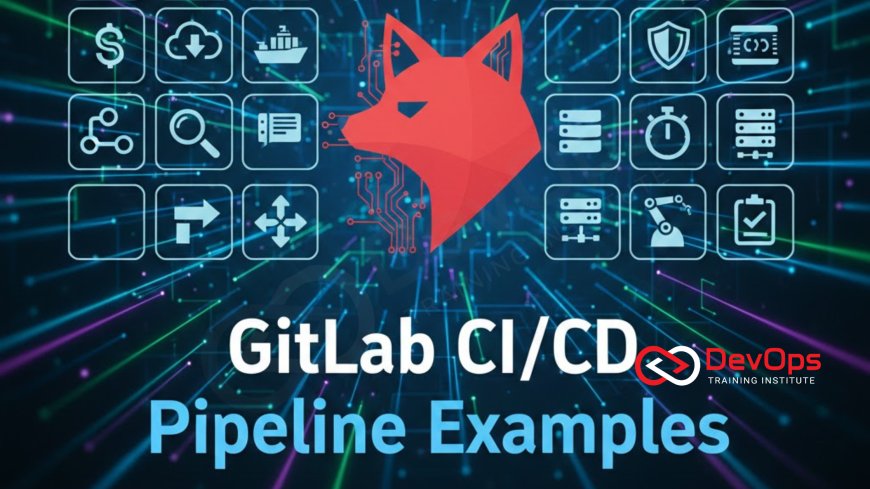
Master enterprise-grade automation by exploring 15 essential GitLab CI/CD pipeline examples, detailing real-world use cases from simple static site deployments to complex multi-cloud GitOps workflows. This comprehensive guide breaks down critical concepts like automated DevSecOps scanning, Docker image building, Terraform Infrastructure as Code (IaC) integration, and dynamic Review Apps. Learn how to structure your .gitlab-ci.yml file for maximum efficiency, leverage artifacts and caching, and implement robust security gates necessary for high-velocity, reliable software delivery across any architecture, ensuring your team achieves continuous deployment best practices.
Introduction
GitLab CI/CD has become a foundational tool in the modern DevOps landscape, leveraging its all-in-one platform philosophy to seamlessly integrate source code management, continuous integration, and continuous delivery. Unlike fragmented toolchains, GitLab uses a single, declarative file, the .gitlab-ci.yml, to define the entire software development lifecycle, from code commit to production deployment. This unification provides unmatched transparency, auditability, and ease of maintenance, which are critical requirements for scaling automation across large engineering teams. The power of GitLab lies in its flexibility, allowing it to orchestrate deployments across highly disparate environments, from simple static sites to complex, multi-cloud Kubernetes clusters.
For any organization aiming to achieve continuous delivery, understanding not just the syntax but the architectural patterns behind successful GitLab pipelines is essential. The following examples represent the most critical and frequently used configurations in high-performing teams, illustrating how GitLab can be leveraged to embed quality, security, and infrastructure management directly into the developer workflow. By treating the pipeline configuration itself as code—subject to version control and review—teams can eliminate manual deployment risks and drastically accelerate their software release cycles, making the CI/CD pipeline the central nervous system of the entire product delivery process.
Foundational CI Examples
The initial phase of any robust CI/CD pipeline focuses on quickly building the application, running unit tests, and preparing artifacts for subsequent stages. These foundational examples establish the basic structure, stages, and efficiency mechanisms (like caching) that ensure rapid feedback upon every code commit. Mastering these basic patterns is the prerequisite for building more complex, enterprise-grade pipelines, as they optimize the most time-consuming steps of the continuous integration process.
1. Simple Static Site Deployment: This basic yet crucial example defines the minimal stages required for deployment, typically involving a build stage and a deploy stage. The build stage compiles the static assets (HTML, CSS, JavaScript), and the deploy stage uses the built artifacts to push content to GitLab Pages or a cloud storage bucket (like AWS S3). This pipeline often utilizes GitLab's built-in variables and Pages runner configuration, showcasing how easily GitLab can handle rapid iteration for front-end development, ensuring the site is updated immediately upon merging code to the main branch.
2. Multi-Stage Build and Test: This standard pipeline defines explicit, sequential stages such as build, test, and deploy. In the build stage, dependencies are installed, and the application is compiled. In the test stage, unit and integration tests are executed, relying on the artifacts generated by the build stage. Only upon successful completion of the test stage does the pipeline proceed to the deploy stage. This structure enforces quality gates, preventing code with failing tests from ever reaching a live environment, which is fundamental to a reliable continuous delivery model.
3. Node.js Dependency Caching: Performance optimization is key to developer experience. This example utilizes GitLab's caching mechanism to drastically reduce CI execution time by saving reusable data between pipeline runs. For Node.js projects, the node_modules directory is cached, preventing the npm install command from downloading the same dependencies repeatedly. This advanced use of caching, defined with a unique key based on the project’s lock file (e.g., package-lock.json), ensures that pipeline execution time is kept to a minimum, accelerating the crucial feedback loop for developers.
Advanced Validation and Quality Gates
High-performing DevOps teams embed quality and security checks directly into the pipeline, transforming CI/CD from a mere delivery mechanism into an automated compliance and governance platform. These advanced examples demonstrate how GitLab can automatically enforce standards, run resource-intensive checks, and control access based on specific environment requirements, providing multi-layered protection against bugs and vulnerabilities.
4. Auto DevSecOps (SAST, DAST): GitLab excels at embedding security directly into the pipeline using its built-in Auto DevOps features and predefined templates. This example leverages pre-configured jobs for Static Application Security Testing (SAST) and Dynamic Application Security Testing (DAST). The SAST job scans source code for security flaws before compilation, while the DAST job tests the running application in a Review App environment for runtime vulnerabilities, generating security reports directly within the merge request interface. This approach embodies the "Shift Left" philosophy, integrating security validation seamlessly into the developer workflow.
5. Performance Testing with Artifacts: This example integrates dedicated performance or load testing tools (like JMeter or k6) into a specific pipeline stage. The job generates performance metrics and saves them as pipeline artifacts. These artifacts can then be compared against baseline performance data from previous successful runs to detect latency regressions. If the key performance metrics exceed predefined thresholds (e.g., API response time increased by 15%), the pipeline job automatically fails, preventing a performance-degrading change from reaching production and ensuring that service quality remains high.
6. Environment Specific Variables (Protected branches): Security best practices dictate that sensitive credentials must be restricted to specific environments, particularly production. This pipeline uses GitLab's protected branches feature and masked variables to ensure that the environment secrets required for deployment are only exposed to jobs running on the production branch. This example secures the deployment by ensuring that only authorized users, who can push code to a protected branch, can trigger the final deployment, minimizing the attack surface and enforcing strict access control policies for critical resources.
Containerization and Orchestration
For modern, cloud-native applications, GitLab CI/CD is essential for automating the entire container lifecycle: building the Docker image, pushing it to a centralized registry, and orchestrating its deployment onto Kubernetes clusters. These examples are fundamental for any team leveraging containerization, as they establish the patterns for immutability and declarative deployment that are central to managing microservices at scale.
7. Docker Build and Push to Registry: This core pipeline example uses the Docker-in-Docker (dind) service or a cloud-native build tool like Kaniko to safely build the application's Docker image within the GitLab Runner environment. Once the image is successfully built and tagged with the commit SHA, the pipeline authenticates to the GitLab Container Registry (or an external one like AWS ECR/GCR) and pushes the final, versioned image. This ensures that only immutable, tested artifacts are available for deployment, eliminating configuration drift at the application level.
8. Kubernetes Deployment via Agent (GitOps style): This advanced example utilizes the GitLab Agent for Kubernetes, a lightweight tool installed inside the cluster, to establish a secure, two-way connection between the cluster and the GitLab instance. Instead of using insecure credentials, the pipeline sends deployment manifests directly to the Agent, which applies the changes in a GitOps fashion. This pattern enhances security by allowing deployments without exposing sensitive cluster credentials to the CI job, providing a more robust and native deployment mechanism for managing multi-cluster environments.
9. Review App Deployment (Dynamic Environments): A high-impact feature, Review Apps automatically spin up a complete, temporary staging environment for every active merge request. This pipeline dynamically provisions a new Kubernetes namespace, deploys the code specific to that merge request, and generates a unique URL for the application. Developers, testers, and product managers can then immediately review and test the proposed changes in an isolated, production-like environment before the code is merged, accelerating feedback and improving the quality of code reviews exponentially.
Key GitLab CI/CD Pipeline Examples
The flexibility of GitLab CI/CD allows it to address virtually any deployment challenge. The following table highlights five critical pipeline examples, illustrating the core problem they solve and the advanced GitLab features they rely upon, demonstrating how specific configurations translate directly into improved velocity, security, and quality across the development process.
| # | Pipeline Example | Core Business Problem Solved | Key GitLab Feature Used |
|---|---|---|---|
| 1 | Auto DevSecOps Integration | Vulnerabilities discovered late in the cycle. | Predefined SAST/DAST Templates, Security Dashboards. |
| 2 | Review App Deployment | Slow manual QA process and lack of production-like testing environments. | Dynamic Environments, Auto-DevOps, Cleanup Policies. |
| 3 | Terraform Plan/Apply Workflow | Configuration drift and manual infrastructure provisioning errors. | CI/CD Variables, Manual Job Gates, Artifacts (Plan output). |
| 4 | Kubernetes Deployment via Agent | Exposing sensitive cluster credentials and relying on brittle direct API access. | GitLab Agent for Kubernetes (k8s-agent), Secure Cluster Access. |
| 5 | Cross-Project Pipeline Triggering | Dependencies between microservices and sequential deployment requirements. | trigger: keyword, CI/CD Job Tokens, Multi-Project Pipelines. |
Terraform and Infrastructure as Code
Infrastructure as Code (IaC) is foundational to modern DevOps, and its integration into the CI/CD pipeline ensures that infrastructure changes are treated with the same rigor and testing as application code. GitLab provides powerful native features for running Terraform and managing its state file, allowing teams to automate the provisioning, updating, and governance of their cloud networking resources directly from the pipeline, eliminating manual provisioning errors and configuration drift across different environments.
10. Terraform Plan/Apply Workflow: This canonical IaC example defines two manual jobs: terraform_plan and terraform_apply. The plan job runs automatically on a merge request, generating an artifact containing the plan output, which is then rendered in the merge request for peer review. The apply job is set to run only manually on the protected main branch and only after the plan is reviewed and approved. This strict governance model ensures that all infrastructure changes are transparent, reviewed, and deliberately applied, safeguarding the stability of the production environment from accidental or unreviewed changes.
11. AWS/Cloud Credential Rotation: Security is paramount when dealing with cloud accounts. This example utilizes GitLab's features for integrating with external secret management tools (like HashiCorp Vault or AWS Secrets Manager) via OIDC or environment variables. The pipeline job is configured to fetch short-lived, rotated cloud credentials right before executing the Terraform job, rather than relying on static, long-lived access keys. This significantly reduces the window of exposure for critical cloud credentials, which are often targets for attackers, and supports the best practices for securing deployment services against compromise.
12. Cross-Project Pipeline Triggering (Microservices): For microservices architectures where applications are logically separated into different GitLab projects, this example shows how a successful deployment in one service (e.g., the Authentication Service) can automatically trigger a dependent deployment in another service (e.g., the API Gateway). This ensures that upstream changes are reliably propagated downstream, using the trigger: keyword and CI/CD job tokens to manage communication across the different projects, essential for coordinated deployment in large-scale, interdependent systems.
Serverless and Cloud Functions
The increasing popularity of serverless architectures (AWS Lambda, Azure Functions, Google Cloud Functions) requires CI/CD pipelines that can handle function packaging, dependency management, and rapid deployment with zero infrastructure overhead. GitLab pipelines are uniquely suited to manage these workloads, often leveraging dedicated frameworks like the Serverless Framework to manage the deployment details, reducing the complexity associated with deploying highly distributed, event-driven applications that rely entirely on managed cloud services for their execution environment.
13. AWS Lambda Deployment: This pipeline utilizes a dedicated tool (such as the Serverless Framework or native cloud CLIs) within a GitLab Runner to package the Lambda function code and dependencies into a single deployment artifact (e.g., a ZIP file). The pipeline then uses short-lived IAM credentials fetched via OIDC to upload the package to AWS S3 and update the Lambda function configuration (e.g., environment variables, memory limits). This allows for highly efficient, automated deployment of serverless functions, enabling incredibly fast iteration cycles that are characteristic of function-as-a-service architectures.
14. Scheduled Pipeline (Cron Jobs/Nightly Builds): Not all pipeline runs are triggered by code commits. This simple but powerful example utilizes GitLab's native scheduler to run pipelines at predefined intervals (e.g., nightly, weekly). This is ideal for performing routine maintenance tasks, such as running end-to-end regression tests across the entire application suite, generating nightly application performance reports, or executing routine cleanup scripts to delete old resources or unused Review Apps. These scheduled runs ensure continued operational health and timely data generation without relying on human interaction.
15. Manual/Gated Production Deployment: While Continuous Deployment aims for full automation, many regulated industries require a final, manual approval gate before deploying to production. This pipeline uses the when: manual keyword on the final deploy_production job. The job is triggered automatically by a successful deployment to staging but halts until an authorized user manually clicks the "Play" button in the GitLab UI, providing the necessary human oversight for compliance purposes while keeping the rest of the delivery chain fully automated and efficient.
Advanced Practices and Network Governance
Enterprise-grade CI/CD extends into the realm of network governance, ensuring that the services deployed by the pipeline interact securely and efficiently. DevOps engineers must understand how the application deployment impacts the network infrastructure, from load balancing rules to firewall configuration, which is essential for ensuring application stability and security in complex cloud deployments.
Understanding networking is paramount. For instance, knowing the difference between physical addressing and logical protocols is crucial when managing deployment runners. The runner itself operates at the application layer to deploy code, but its communication relies on the physical infrastructure and underlying network protocols. Furthermore, securing the runners requires configuring firewalls to restrict traffic to only necessary ports, referencing knowledge of which specific services (like databases or APIs) run on which protocols, which is a key requirement for modern cloud networking.
The following are critical advanced practices for network and security governance within the pipeline:
- Implementing automated subnetting checks within Terraform code to ensure that newly provisioned infrastructure correctly supports internal traffic routing and external load balancing rules, preventing network bottlenecks before deployment.
- Reviewing deployment logs for connections being made over insecure or commonly exploited ports, failing the CI job if insecure ports (like port 21 or 23) are unintentionally exposed or utilized by the application in the staging environment.
- Utilizing network policy-as-code within Kubernetes (via Calico or similar tools) to define allowed communication paths between microservices, which is automatically applied by the pipeline immediately following deployment, enforcing zero-trust principles at the network layer.
- Ensuring that the CI/CD pipeline environment is configured to properly respect the differences between traditional on-premise networks and modern cloud networking paradigms, especially concerning DNS resolution, firewall implementation, and IP address management, requiring deep knowledge of both environments for hybrid solutions.
Conclusion
The 15 examples detailed in this guide illustrate the immense power and versatility of the GitLab CI/CD platform, proving that it is far more than just a tool for building code; it is a comprehensive, integrated system for automating the entire DevOps lifecycle. By embracing patterns like Auto DevSecOps, dynamic Review Apps, GitOps-style Kubernetes deployments, and automated Terraform workflows, engineering teams can embed quality, security, and governance directly into their development process. These practices accelerate feedback, minimize manual toil, and drastically reduce the risk associated with deploying software in complex, high-stakes production environments.
Ultimately, high-performing teams must treat their .gitlab-ci.yml file as the core architectural blueprint of their application, ensuring every line of code is traceable, auditable, and resilient. Mastering these advanced pipeline examples is the clearest path toward achieving continuous delivery excellence, allowing organizations to move from slow, painful releases to rapid, reliable, and continuous delivery of business value, securing their competitive edge in the fast-paced world of modern software development.
Frequently Asked Questions
What is the purpose of the .gitlab-ci.yml file?
It is the declarative YAML file used to define the entire CI/CD pipeline structure, stages, and job configurations within the GitLab project.
How does GitLab achieve GitOps deployment?
It uses the GitLab Agent for Kubernetes to securely link the cluster to the repository, automatically syncing the declarative state found in Git to the live cluster.
Why is caching important in GitLab CI/CD?
Caching saves reusable dependencies (like node_modules or Maven packages) between pipeline runs, significantly reducing execution time and boosting developer feedback speed.
What are Review Apps used for?
Review Apps create isolated, production-like environments for every merge request, allowing testers and product managers to validate changes before merging to the main branch.
How does GitLab handle sensitive cloud credentials?
It handles them via masked and protected CI/CD variables, external secret management integration (Vault), or using OIDC for short-lived cloud credentials.
What is the benefit of a multi-stage pipeline?
A multi-stage pipeline enforces sequential quality gates (Build -> Test -> Deploy), ensuring code fails early in the process and defects do not cascade downstream.
Why should DevOps engineers understand TCP/IP models?
Understanding these models is crucial for debugging network connectivity issues between deployment runners, cloud environments, and application services.
What is an artifact in GitLab CI/CD?
An artifact is a file or directory (e.g., compiled code, test reports, plan output) generated by a job that is passed to subsequent jobs or downloaded by users.
What is the purpose of cross-project triggering?
It coordinates deployment between interdependent microservices located in separate GitLab projects, ensuring that service dependencies are released in the correct order.
Which layer of the OSI model do deployment protocols typically operate on?
Deployment protocols like SSH, HTTPS, and API calls typically operate on the Application Layer (Layer 7), which is the topmost layer of the OSI model.
How do you prevent unreviewed Terraform changes?
By enforcing a manual job gate on the terraform apply step and requiring peer review of the terraform plan artifact within the merge request.
What is the difference between a cache and an artifact?
A cache saves external dependencies for speed (e.g., node_modules), while an artifact is output created during a job intended for use by a later stage (e.g., compiled binaries or plan output).
Why is knowing physical addressing important in the cloud?
While abstracted, understanding physical addressing helps in configuring specialized network controls (like VPC routing) and diagnosing low-level connectivity issues related to network interfaces or subnets.
What is the goal of the Scheduled Pipeline example?
The goal is to automate routine operational tasks like nightly regression testing, performance baselining, or generating regular compliance reports without a code commit trigger.
How are logs and metrics collected from deployed applications in GitLab?
GitLab itself does not collect logs; it integrates with third-party observability tools (Prometheus, Grafana, ELK) which collect and display application logs and metrics from the running service.
What's Your Reaction?
 Like
0
Like
0
 Dislike
0
Dislike
0
 Love
0
Love
0
 Funny
0
Funny
0
 Angry
0
Angry
0
 Sad
0
Sad
0
 Wow
0
Wow
0


![100+ Azure DevOps Interview Questions and Answers [Updated 2025]](https://www.devopstraininginstitute.com/blog/uploads/images/202509/image_140x98_68c40aa9a3834.jpg)






![Future Scope of DevOps Careers in Pune [Updated 2025]](https://www.devopstraininginstitute.com/blog/uploads/images/202510/image_140x98_68e3a84652312.jpg)


