


































![Kong Interview Preparation Guide [2025]](https://www.devopstraininginstitute.com/blog/uploads/images/202509/image_430x256_68dbb95326997.jpg)
















12 Kubernetes Add-ons That Improve Cluster Stability
Enhance your container orchestration strategy by exploring twelve essential Kubernetes add-ons designed to significantly improve cluster stability and performance. This expert guide covers everything from networking plugins and resource autoscalers to advanced observability tools and security controllers. Learn how to optimize your production environment, prevent common configuration errors, and ensure high availability for your microservices. Discover the best practices for managing internal traffic and external dependencies to build a resilient, enterprise grade Kubernetes ecosystem that can handle modern workloads with confidence and precision in today's demanding digital landscape.
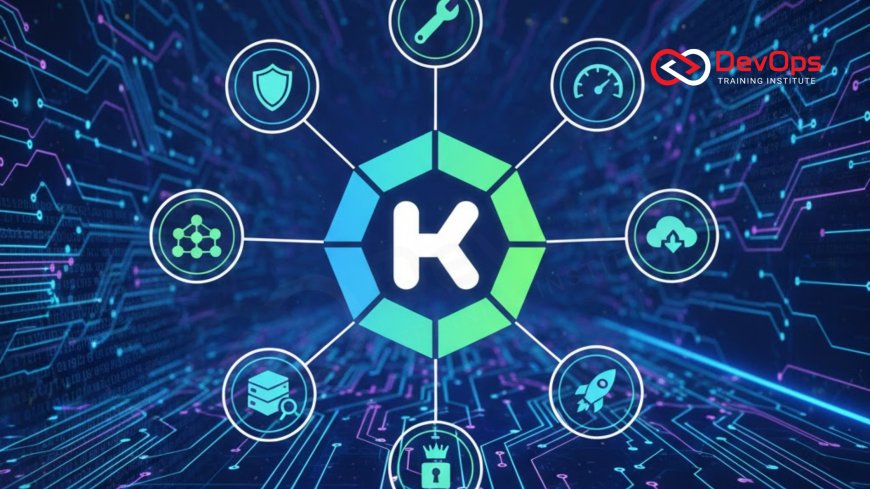
Introduction to Kubernetes Cluster Enhancement
Kubernetes has become the standard for container orchestration, but the base installation is often just the beginning of a production ready journey. To achieve true enterprise grade stability, administrators must look toward a curated ecosystem of add-ons that extend the core functionality of the platform. These extensions handle critical tasks such as automated scaling, advanced networking, and deep observability that are not always provided out of the box. By carefully selecting and integrating the right tools, engineering teams can transform a standard cluster into a self healing and highly resilient environment capable of supporting mission critical applications.
Improving stability is not just about adding more features; it is about filling the operational gaps that lead to downtime or performance degradation. Whether it is ensuring that your pods have the right amount of resources or automating the renewal of security certificates, these add-ons work behind the scenes to maintain system health. As we dive into the twelve essential tools for twenty twenty six, we will focus on how each one contributes to a more predictable and stable cluster state. Understanding these tools is vital for any professional looking to master the complexities of modern cloud native infrastructure and deliver consistent value to their organization.
Scaling and Resource Management Tools
One of the primary reasons clusters become unstable is resource exhaustion, where applications compete for limited CPU and memory. Add-ons like the Metrics Server and the Vertical Pod Autoscaler are essential for preventing these bottlenecks. The Metrics Server collects resource usage data from each node and pod, providing the necessary information for the Horizontal Pod Autoscaler to function correctly. Without these metrics, the cluster is essentially flying blind, unable to react to sudden changes in user demand or background processing requirements. These tools ensure that your continuous synchronization efforts are backed by sufficient compute power.
Furthermore, the Cluster Autoscaler takes this a step further by automatically adding or removing physical nodes from the underlying cloud provider. This ensures that you never run out of space to schedule new pods while also saving money during low traffic periods by scaling down. Using these tools helps maintain a healthy balance between performance and cost efficiency. When combined with specialized architecture patterns, automated scaling becomes the backbone of a resilient system that can weather any storm. It is a fundamental requirement for any team aiming for high availability in a dynamic cloud environment.
Advanced Networking and Ingress Control
Networking is often the most complex aspect of Kubernetes management, and standard services are frequently insufficient for complex traffic routing. Ingress controllers like NGINX or Traefik act as the gateway to your cluster, managing external access to your services with high precision. They provide essential features like load balancing, SSL termination, and name based virtual hosting. By centralizing these tasks, you reduce the complexity of individual application configurations and create a more stable path for incoming user requests to reach their intended destinations safely and quickly.
To further enhance internal communication, many teams adopt a service mesh like Istio or Linkerd. These add-ons provide deep visibility into how services interact and allow for advanced ChatOps techniques to be used for monitoring traffic shifts. A service mesh adds a layer of security and reliability by automatically encrypting traffic between pods and providing detailed telemetry data. This level of control is essential for identifying networking issues before they impact the end user experience. It ensures that your internal network is just as robust and secure as your external perimeter, which is a key component of modern zero trust security models.
Observability and Monitoring Extensions
You cannot stabilize what you cannot see, which makes observability add-ons a top priority for any Kubernetes administrator. Prometheus and Grafana are the industry standard duo for monitoring cluster health and visualizing complex data sets. Prometheus scrapes metrics from your applications and the Kubernetes API, while Grafana provides beautiful, interactive dashboards that help you spot trends and anomalies in real time. These tools allow you to set up sophisticated alerts that notify the team the moment a service begins to degrade, allowing for proactive intervention before a full outage occurs.
In addition to metrics, logging and tracing are vital for debugging complex microservices issues. Tools like Fluentd or Loki collect logs from every container in the cluster and centralize them for easy searching and analysis. This is particularly important when managing cluster states across multiple environments where tracking down a specific error can be like finding a needle in a haystack. By integrating these observability tools into your release strategies, you gain a clear understanding of how new code impacts the overall stability of the system. It turns raw data into actionable insights that drive better engineering decisions and faster incident resolution.
Core Add-ons for Kubernetes Stability
| Add-on Name | Category | Primary Benefit | Stability Impact |
|---|---|---|---|
| CoreDNS | Networking | Reliable service discovery | Critical |
| Cert-manager | Security | Automated SSL renewal | High |
| Velero | Backup | Disaster recovery | Very High |
| Descheduler | Scheduling | Optimizes pod placement | Medium |
| ExternalDNS | Networking | Syncs K8s with DNS providers | Medium |
Enforcing Security and Policy Standards
Stability and security are two sides of the same coin in a containerized world. If a malicious container gains access to your cluster, it can easily cause instability by consuming resources or crashing critical services. This is where admission controllers come into play. Tools like OPA Gatekeeper or Kyverno allow you to define and enforce fine grained policies on what can be deployed in your cluster. You can prevent pods from running as root, ensure that every image is pulled from a trusted registry, and require specific resource limits on every container.
By enforcing these standards at the gate, you eliminate entire classes of configuration errors that lead to unstable clusters. These tools act as a continuous audit system, ensuring that your environment remains compliant with your organization's safety protocols without requiring manual oversight. Furthermore, integrating secret scanning tools into your deployment pipelines ensures that sensitive data is never exposed within your cluster configuration. This multi layered approach to security not only protects your data but also ensures that your infrastructure remains reliable and predictable for your development teams and end users alike.
Backup and Disaster Recovery with Velero
No matter how many stability add-ons you use, you must always be prepared for the worst case scenario. Velero is the leading tool for managing backups and disaster recovery for Kubernetes clusters. It allows you to take snapshots of your cluster state and persistent volumes, storing them safely in offsite cloud storage. In the event of a catastrophic failure or an accidental deletion, you can restore your entire environment or specific namespaces with just a few commands. This provides an essential safety net that allows your team to operate with confidence and peace of mind.
Beyond disaster recovery, Velero is also incredibly useful for cluster migrations and environment cloning. You can easily move workloads from a development cluster to a production cluster or switch between different cloud providers without losing data. This flexibility is a key part of modern cultural change where infrastructure is seen as disposable and easily replaceable. By ensuring that your data is always backed up and portable, you reduce the fear of making significant changes to your infrastructure. It is a vital tool for any organization that takes its uptime and data integrity seriously in the modern digital age.
Best Practices for Managing Add-ons
- Use Helm for Installation: Always use Helm charts to manage your add-ons, as this provides a versioned and repeatable way to install and upgrade your tools.
- Keep It Lean: Only install the add-ons you actually need to avoid adding unnecessary complexity and resource overhead to your nodes.
- Monitor the Monitor: Ensure that your monitoring tools themselves are being monitored and have sufficient resources to operate under high cluster load.
- Automate Upgrades: Set up a regular schedule for upgrading your add-ons to ensure you have the latest security patches and stability improvements.
- Test in Staging: Never install a new add-on or upgrade an existing one in production without testing it thoroughly in a staging environment first.
- Check Compatibility: Always verify that your add-ons are compatible with your current containerd version and Kubernetes release.
- Verify Effectiveness: Use continuous verification to ensure that your add-ons are actually providing the stability benefits you expect them to.
Managing a growing list of add-ons requires a disciplined approach to maintenance and configuration. It is helpful to treat your add-on configurations as part of your application code, storing them in Git and using automated pipelines for deployment. This ensures that your entire cluster setup is documented and reproducible. As you become more comfortable with these tools, you can explore more advanced release strategies for your infrastructure itself. The ultimate goal is to create an invisible, self managing platform that allows your developers to focus purely on building great software while the add-ons handle the operational heavy lifting.
Conclusion on Cluster Stability Add-ons
In conclusion, the stability of a Kubernetes cluster is directly related to the quality of the add-ons and tools used to manage it. From automated scaling and robust networking to deep observability and secure policy enforcement, these twelve tools provide the necessary foundation for a production ready environment. By filling the gaps in the core Kubernetes platform, you create a system that is not only faster and more efficient but also significantly more resilient to failure. The journey to a stable cluster is a continuous process of learning, testing, and refinement as your workloads and organization evolve over time.
As you look toward the future, the role of AI augmented devops will likely play a larger part in how these add-ons are managed and optimized. Integrating AI augmented devops capabilities could lead to even more intelligent autoscaling and proactive incident prevention. By staying informed about the latest trends and best practices in the Kubernetes ecosystem, you can ensure that your infrastructure remains a powerful asset for your business. Start by implementing the most critical add-ons for your specific needs today, and build your way toward a more stable and reliable cloud native future for your entire engineering organization.
Frequently Asked Questions
What is a Kubernetes add-on?
A Kubernetes add-on is a tool or service that extends the core functionality of the cluster to provide additional operational features.
Why is CoreDNS considered a critical add-on?
CoreDNS provides the essential service discovery and name resolution that allows pods to communicate with each other within the cluster effectively.
How does the Metrics Server help with stability?
The Metrics Server provides real time resource usage data, enabling autoscalers to adjust pod counts before services become overwhelmed by traffic.
What is the benefit of using an Ingress Controller?
An Ingress Controller centralizes external access management, providing a secure and scalable way to route traffic to various services in the cluster.
Can I run a production cluster without add-ons?
While technically possible, it is highly discouraged as you would lack essential features like automated scaling, monitoring, and robust networking needed for uptime.
What is the difference between Prometheus and Grafana?
Prometheus is used for collecting and storing time series metrics data, while Grafana is used for visualizing that data in dashboards.
How does Cert-manager improve security and stability?
Cert-manager automates the process of obtaining and renewing SSL certificates, preventing downtime caused by expired security credentials on your external facing sites.
Is Velero necessary if I use cloud provider backups?
Yes, Velero provides a Kubernetes native way to back up both your data and the cluster configuration, making recovery much faster and simpler.
What role do admission controllers play in cluster health?
Admission controllers enforce policies that prevent misconfigured or insecure containers from being deployed, which significantly reduces the risk of system instability.
How often should I update my Kubernetes add-ons?
You should check for updates regularly and aim to stay within one or two minor versions of the latest release for security.
What is a service mesh and do I need one?
A service mesh manages internal service to service communication; it is recommended for complex microservices architectures that require high visibility and security.
Can add-ons impact the performance of my cluster?
Yes, every add-on consumes some resources, so it is important to monitor their impact and only install the tools you truly need.
What is the best way to install Kubernetes add-ons?
Using Helm charts is the industry standard for installing and managing add-ons, as it allows for versioning and easy configuration management.
How can I ensure my add-ons are configured correctly?
Use policy enforcement tools like OPA Gatekeeper to validate your configurations against best practices and internal organizational standards automatically and continuously.
What happens if a critical add-on fails?
Failure of a critical add-on like CoreDNS can cause widespread cluster issues, so they should be run with high redundancy and monitoring.
What's Your Reaction?
 Like
0
Like
0
 Dislike
0
Dislike
0
 Love
0
Love
0
 Funny
0
Funny
0
 Angry
0
Angry
0
 Sad
0
Sad
0
 Wow
0
Wow
0



![100+ Azure DevOps Interview Questions and Answers [Updated 2025]](https://www.devopstraininginstitute.com/blog/uploads/images/202509/image_140x98_68c40aa9a3834.jpg)






![Future Scope of DevOps Careers in Pune [Updated 2025]](https://www.devopstraininginstitute.com/blog/uploads/images/202510/image_140x98_68e3a84652312.jpg)


