


































![Kong Interview Preparation Guide [2025]](https://www.devopstraininginstitute.com/blog/uploads/images/202509/image_430x256_68dbb95326997.jpg)
















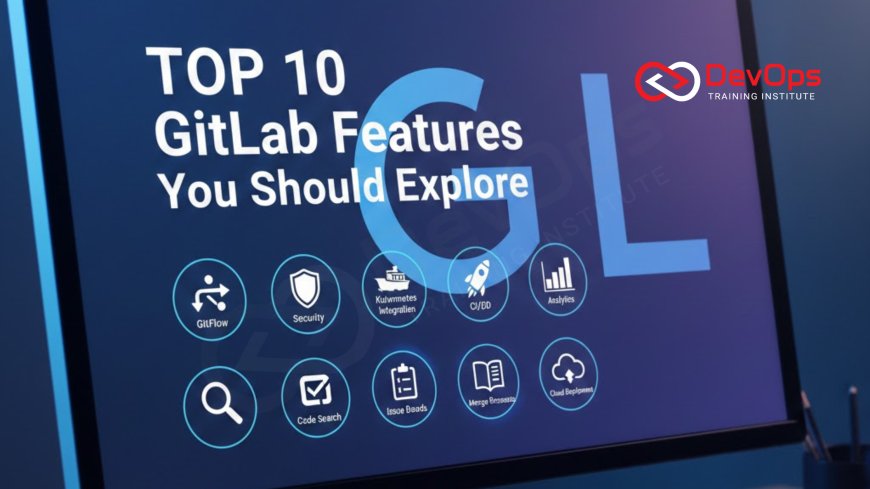
Top 10 GitLab Features You Should Explore
Discover the 10 most powerful and lesser-known GitLab features that top DevOps teams use daily in 2025–2026 to ship faster, collaborate better, and stay secure. From built-in CI/CD and Review Apps to Container Registry, Security Scanning, Value Stream Analytics, and Epic Roadmaps — this complete guide shows exactly why GitLab is the only tool many engineering organizations ever need.
Introduction
GitLab is no longer just a Git repository host. In 2025, it is the most complete DevOps platform on the planet — used by NASA, Goldman Sachs, Siemens, Ticketmaster, and over 100,000 organizations. The magic isn’t just that GitLab has CI/CD; it’s that everything lives in one place with one permission model, one UI, and one source of truth. Here are the ten GitLab features that will make you wonder how you ever lived without them.
1. Built-in CI/CD That Actually Works at Scale
GitLab CI/CD is fast, powerful, and included at every tier (even Free).
- Visual pipeline editor with auto-completion
- Review Apps for every branch
- Cache & artifacts that just work
- Merge request pipelines and merge trains
- Auto DevOps (one-click full stack)
Many teams replace Jenkins entirely after switching.
2. Review Apps – Instant Preview Environments
Every merge request automatically spins up a live, isolated environment with its own URL. Designers, product managers, and QA test the exact code under review — no more “works on my machine” excuses.
Works with Kubernetes, VMs, or static sites.
3. Integrated Container Registry – No Docker Hub Needed
GitLab hosts your Docker images next to your code with the same permissions.
- Built-in vulnerability scanning
- Cleanup policies (keep last N tags)
- Zero configuration
Perfect when images are pulled from private subnets using secure networking, just like VPC isolation.
4. Full DevSecOps Security Scanning Out of the Box
GitLab Ultimate includes 6 security scanners that run on every pipeline:
- SAST (static analysis)
- DAST (dynamic)
- Dependency scanning
- Container scanning
- License compliance
- Secret detection
Results appear directly in the merge request widget — security becomes part of the definition of done.
5. Value Stream Analytics & DORA Metrics Dashboard
See your real deployment frequency, lead time for changes, change failure rate, and time to restore — the four DORA metrics — in one beautiful dashboard. No extra tooling required.
Elite teams use this to prove continuous improvement to leadership.
6. Epics, Roadmaps & Issue Boards – Full Project Management
GitLab replaces Jira for many teams.
- Hierarchical epics with progress bars
- Quarterly roadmaps with drag-and-drop
- Swimlane issue boards
- Burndown charts and velocity
Everything linked to merge requests and commits.
7. GitLab Pages – Free Static Site Hosting
Deploy Hugo, Jekyll, Gatsby, VuePress, or any static site directly from your repository. Free HTTPS, custom domains, and unlimited traffic.
Perfect for documentation, marketing sites, or portfolio projects.
8. Package Registry – One Place for All Artifacts
Store npm, Maven, PyPI, Conan, Composer, NuGet, Helm charts, Terraform modules — all in the same project with the same permissions as your code.
No more separate Nexus or Artifactory instances.
9. Terraform Integration & Infrastructure as Code
GitLab manages Terraform state files, runs terraform plan on every MR, and shows drift detection. You can even trigger remote runs from the UI.
Full audit trail of who changed what infrastructure and when.
10. One-Click Kubernetes Cluster Integration
Connect your EKS, GKE, or AKS cluster in minutes. Then:
- Deploy from CI/CD with Helm or manifests
- See pod logs and status in merge requests
- Auto-install Ingress, Prometheus, Cert-Manager
- View real-time cluster health
Many teams run GitLab as the only interface to their clusters, leveraging Linux permission model for fine-grained RBAC.
GitLab Feature Comparison Table (Free vs Premium vs Ultimate 2025)
| Feature | Free | Premium | Ultimate |
|---|---|---|---|
| CI/CD + Review Apps | Yes | Yes + 10k minutes | Yes + 50k minutes |
| Security Scanning (6 tools) | No | Partial | Full |
| Value Stream Analytics | Basic | Advanced | DORA + custom |
Conclusion
GitLab’s greatest strength is that it removes tool sprawl. One platform, one login, one set of permissions, one source of truth — from planning to production. Whether you’re a startup of 5 or an enterprise of 50,000, GitLab scales beautifully and keeps getting better every month. Start with the Free tier today, explore these ten features, and watch your team’s velocity, security, and happiness increase dramatically. The all-in-one DevOps platform isn’t a dream — it’s GitLab in 2025.
Frequently Asked Questions
Is GitLab really free?
Yes — the Free tier includes unlimited private repos, CI/CD, container registry, and wiki.
Can GitLab replace Jenkins?
Yes. Most teams find GitLab CI faster, simpler, and cheaper to operate.
Does GitLab work with Kubernetes?
Perfectly — one-click cluster connection and Helm deployments.
Is the container registry secure?
Yes — built-in scanning and cleanup policies included.
Can I self-host GitLab?
Yes — GitLab Community Edition is free and widely used.
Does GitLab have Jira-like roadmaps?
Yes — Premium and Ultimate have beautiful drag-and-drop roadmaps.
Are security scans good enough to replace Snyk?
For most teams, yes — especially with Ultimate tier.
Can I use GitLab for documentation?
Yes — built-in wiki + GitLab Pages for public docs.
How many CI minutes do I get?
Free: 400 minutes/month on shared runners. Premium/Ultimate: 10k–50k.
Does GitLab support monorepos?
Yes — excellent performance even with millions of files.
Can I import from GitHub?
Yes — one-click import of repos, issues, PRs, and wiki.
Is GitLab Pages really unlimited?
Yes — unlimited projects and traffic with free HTTPS.
Does GitLab have compliance features?
Yes — audit logs, approval rules, and signed commits in Ultimate.
Can I run Ansible playbooks from GitLab?
Absolutely — just add a .gitlab-ci.yml job with ansible-playbook command.
Is GitLab better than GitHub in 2025?
For teams wanting one platform instead of ten separate tools — yes.
What's Your Reaction?
 Like
0
Like
0
 Dislike
0
Dislike
0
 Love
0
Love
0
 Funny
0
Funny
0
 Angry
0
Angry
0
 Sad
0
Sad
0
 Wow
0
Wow
0

![100+ Azure DevOps Interview Questions and Answers [Updated 2025]](https://www.devopstraininginstitute.com/blog/uploads/images/202509/image_140x98_68c40aa9a3834.jpg)






![Future Scope of DevOps Careers in Pune [Updated 2025]](https://www.devopstraininginstitute.com/blog/uploads/images/202510/image_140x98_68e3a84652312.jpg)


