



















































Top 10 CI/CD Tools to Automate Your Deployment Pipeline
Compare the top 10 CI/CD tools: GitHub Actions, GitLab CI/CD, Jenkins, Azure Pipelines, CircleCI, CodePipeline, Tekton, Argo CD and more.
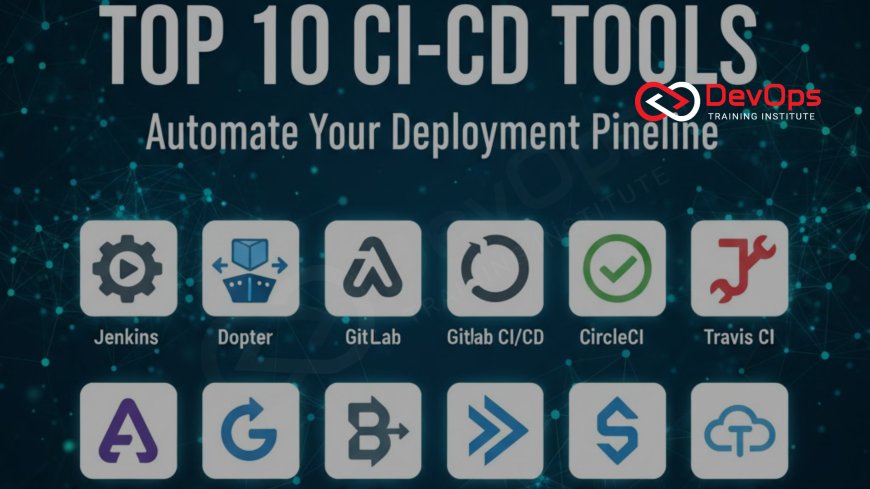
The top CI/CD tools for automating a deployment pipeline are GitHub Actions, GitLab CI/CD, Jenkins, Azure Pipelines, CircleCI, AWS CodePipeline, Bitbucket Pipelines, TeamCity, Tekton and Argo CD. Most teams pick a CI engine that sits next to their Git host, then add a GitOps tool such as Argo CD when they deploy to Kubernetes.
This guide compares the ten tools on hosting model, pipeline syntax, Kubernetes fit and the kind of team each one suits. It is part of our CI/CD pipeline examples series, and every feature named here was checked against the vendor's own documentation in November 2026. Prices change often, so this page does not quote them; check each vendor's pricing page before you decide.
Key takeaways
- Your Git host narrows the choice fastest: GitHub points to GitHub Actions, GitLab to GitLab CI/CD, Bitbucket to Bitbucket Pipelines and Azure Repos to Azure Pipelines.
- Jenkins and TeamCity suit teams that want to run and control their own build servers. Jenkins also has the largest plugin catalogue.
- Tekton and Argo CD run inside Kubernetes. Tekton runs pipeline steps as pods; Argo CD keeps a cluster in sync with manifests stored in Git.
- Argo CD is a delivery tool only. Pair it with a CI engine that builds, tests and pushes images.
- Every tool on this list defines pipelines as code in a file stored with the application, so pipeline changes go through review like any other change.
- Compare tools on runner model, secrets handling, approval controls and the effort to maintain them, not only on feature lists.
What a CI/CD tool does in a deployment pipeline
Continuous integration (CI) builds and tests every change as soon as it is pushed. Continuous delivery (CD) takes the tested build and promotes it through environments, usually with approvals before production. A CI/CD tool reads a pipeline file from the repository, starts jobs on runners or agents, passes artifacts between stages, stores secrets and reports results back to the pull request.
If you want the wider toolchain around the CI server (artifact repositories, scanners, infrastructure as code, feature flags and monitoring), read our companion guide to DevOps pipeline automation tools by stage. This page focuses on the engine that runs the pipeline.
Comparison table: the 10 CI/CD tools at a glance
| Tool | Hosting | Pipeline file | Main strength | Best fit |
|---|---|---|---|---|
| GitHub Actions | GitHub-hosted or self-hosted runners | .github/workflows/*.yml | Marketplace of reusable actions, OIDC to clouds | Code already on GitHub |
| GitLab CI/CD | GitLab.com or self-managed GitLab, GitLab Runner | .gitlab-ci.yml | Source, CI, registry and security scans in one product | Teams that want one platform |
| Jenkins | Self-hosted (open source) | Jenkinsfile | Plugin ecosystem, full control | Enterprises with custom or on-premises needs |
| Azure Pipelines | Microsoft-hosted or self-hosted agents | azure-pipelines.yml | Environments with approvals and checks, strong Windows support | Microsoft and Azure shops |
| CircleCI | Cloud, or self-hosted runners and server edition | .circleci/config.yml | Orbs, caching, parallel test splitting | Teams that want fast managed CI on GitHub, GitLab or Bitbucket |
| AWS CodePipeline + CodeBuild | Managed AWS service | Pipeline definition plus buildspec.yml | IAM-based access, native deploys to ECS, Lambda, EC2 | Workloads that live on AWS |
| Bitbucket Pipelines | Atlassian cloud, optional self-hosted runners | bitbucket-pipelines.yml | Built into Bitbucket, links to Jira | Atlassian users |
| TeamCity | Self-hosted server or TeamCity Cloud | Kotlin DSL (.teamcity folder) or UI | Build chains, JetBrains IDE integration | Java, .NET and mobile teams |
| Tekton | Any Kubernetes cluster | Task and Pipeline custom resources | Kubernetes-native building blocks | Platform teams building internal CI |
| Argo CD | Any Kubernetes cluster | Application custom resource | GitOps sync, drift detection, rollback to Git | Kubernetes deployments (pairs with any CI) |
1. GitHub Actions
GitHub Actions runs workflows defined in YAML files under .github/workflows. A workflow starts on events such as push, pull_request, a schedule or a manual workflow_dispatch, and runs jobs on GitHub-hosted runners (Linux, Windows, macOS) or on your own self-hosted runners. For Kubernetes-based runners, GitHub maintains Actions Runner Controller.
Features that matter in a deployment pipeline:
- Matrix builds to test several language versions or operating systems in parallel.
- Reusable workflows (
on: workflow_call) so many repositories share one approved pipeline. - Environments with required reviewers and environment-scoped secrets for production gates.
- OpenID Connect (OIDC) so a job can get short-lived cloud credentials from AWS, Azure or Google Cloud without storing long-lived keys.
name: ci
on:
  push:
    branches: [main]
  pull_request:
permissions:
  contents: read
jobs:
  test:
    runs-on: ubuntu-latest
    strategy:
      matrix:
        node: [20, 22]
    steps:
      - uses: actions/checkout@v7
      - uses: actions/setup-node@v7
        with:
          node-version: ${{ matrix.node }}
      - run: npm ci
      - run: npm test
Watch for: third-party actions run with your job's permissions, so pin them to a full commit SHA and keep the default GITHUB_TOKEN permissions minimal. Our guide to GitHub Actions for multi-environment deployment shows environment promotion in more detail.
2. GitLab CI/CD
GitLab CI/CD is built into GitLab. A .gitlab-ci.yml file at the repository root defines stages and jobs, and GitLab Runner executes them using executors such as Docker, Kubernetes or a plain shell. Because the same product holds the code, merge requests, container registry and security scanners, a single pipeline can build, scan and deploy without extra integrations.
rules:decide when a job runs (branch, tag, changed files, merge request).include:and CI/CD components let teams share templates across projects.environment:tracks deployments, and protected environments restrict who can deploy.needs:builds a directed acyclic graph so jobs start as soon as their inputs are ready.
stages: [build, test, deploy]

build:
  stage: build
  image: docker:27
  services: [docker:27-dind]
  script:
    - docker build -t "$CI_REGISTRY_IMAGE:$CI_COMMIT_SHORT_SHA" .
    - docker login -u "$CI_REGISTRY_USER" -p "$CI_REGISTRY_PASSWORD" "$CI_REGISTRY"
    - docker push "$CI_REGISTRY_IMAGE:$CI_COMMIT_SHORT_SHA"

unit-tests:
  stage: test
  image: node:22
  script:
    - npm ci
    - npm test

deploy-prod:
  stage: deploy
  script:
    - ./deploy.sh "$CI_COMMIT_SHORT_SHA"
  environment: production
  rules:
    - if: $CI_COMMIT_BRANCH == $CI_DEFAULT_BRANCH
      when: manual
For more patterns, see our 15 GitLab CI/CD pipeline examples.
3. Jenkins
Jenkins is the open-source automation server that many enterprises still run for CI/CD. You install and operate it yourself, which gives full control over where builds run and what they can reach, at the cost of patching, backups and plugin upgrades. Pipelines are written in a Jenkinsfile using either declarative or scripted syntax, and shared libraries let teams reuse pipeline code.
pipeline {
  agent any
  stages {
    stage('Build') {
      steps { sh 'mvn -B clean package' }
    }
    stage('Test') {
      steps { sh 'mvn -B test' }
      post { always { junit 'target/surefire-reports/*.xml' } }
    }
    stage('Deploy') {
      when { branch 'main' }
      steps {
        input message: 'Deploy to production?'
        sh './deploy.sh'
      }
    }
  }
}
Jenkins can run agents as Kubernetes pods through the Kubernetes plugin, so build capacity scales with demand. Keep the plugin count low and update regularly, because most Jenkins security advisories concern plugins. Our list of Jenkins plugins that make CI/CD easier covers the ones worth installing.
4. Azure Pipelines
Azure Pipelines is the CI/CD service in Azure DevOps. It builds code from Azure Repos, GitHub or Bitbucket Cloud, runs on Microsoft-hosted agents (Ubuntu, Windows, macOS) or self-hosted agents, and defines multi-stage pipelines in azure-pipelines.yml. Microsoft recommends YAML pipelines over the older Classic editor for new work.
Production gates work differently from most tools. Approvals and checks are configured on protected resources such as environments and service connections, not inside the YAML file, so a developer cannot remove a gate by editing the pipeline. Deployments to Azure can authenticate with workload identity federation instead of stored secrets.
trigger:
  branches:
    include: [main]

pool:
  vmImage: ubuntu-latest

stages:
- stage: Build
  jobs:
  - job: build
    steps:
    - script: dotnet build --configuration Release
    - script: dotnet test

- stage: Deploy
  dependsOn: Build
  jobs:
  - deployment: deploy_prod
    environment: production
    strategy:
      runOnce:
        deploy:
          steps:
          - script: echo "deploying"
5. CircleCI
CircleCI is a managed CI/CD service configured with .circleci/config.yml. It connects to GitHub, GitLab and Bitbucket, and offers Docker, Linux VM, macOS, Windows and Arm execution environments. Self-hosted runners and a server edition exist for teams that need builds inside their own network.
- Orbs package reusable configuration (for example, deploying to a cloud provider) that you import by name and version.
- Workflows chain jobs, add manual approval jobs and run jobs in parallel.
- Test splitting divides a test suite across parallel containers using timing data.
- Dependency caching and Docker layer caching reduce repeat build time.
CircleCI suits teams that do not want to run CI servers but need more control over compute types and caching than the default runners of their Git host provide.
6. AWS CodePipeline with CodeBuild
AWS CodePipeline orchestrates releases as stages and actions. CodeBuild does the build and test work using a buildspec.yml file, and deploy actions can target Amazon ECS, AWS Lambda, EC2 through CodeDeploy, CloudFormation and other services. Source can come from GitHub, GitLab or Bitbucket through AWS CodeConnections, from Amazon S3 or ECR, or from AWS CodeCommit.
V2 pipelines add trigger filters on branches, tags and file paths, pipeline-level variables and execution modes (superseded, queued or parallel). Access is controlled with IAM roles, which suits organisations that already govern everything through AWS accounts. Learn the CodeBuild and CodeDeploy pieces too; our AWS DevOps interview questions include worked buildspec and AppSpec examples.
7. Bitbucket Pipelines
Bitbucket Pipelines is the CI/CD feature built into Bitbucket Cloud. Each step runs in a Docker container defined in bitbucket-pipelines.yml. Pipes are prebuilt integrations for common tasks such as deploying to a cloud or sending a notification, and deployment environments (test, staging, production) give a history of what was released where. Self-hosted runners are available when builds need private network access.
The main reason to pick it is that your code and issues already live in Bitbucket and Jira, and you want commits, builds and deployments linked without a separate CI service.
8. TeamCity
TeamCity is JetBrains' CI/CD server, available as a self-hosted install (TeamCity On-Premises) or as TeamCity Cloud. Pipelines can be built in the UI or stored as code using the Kotlin DSL in a .teamcity directory, which gives type checking and IDE autocompletion. Build chains link configurations so a deployment runs only after its dependencies succeed, and agents can be pooled and assigned by project.
TeamCity is common in Java, .NET and game or mobile studios that use JetBrains IDEs and want a self-hosted server with less plugin maintenance than Jenkins.
9. Tekton
Tekton is an open-source framework for building CI/CD systems on Kubernetes. It defines pipelines as Kubernetes custom resources: a Task is a series of steps that run as containers in a pod, a Pipeline orders tasks, and TaskRun and PipelineRun objects execute them. Tekton Triggers starts runs from webhooks, and Tekton Chains signs and records provenance for what the pipeline produced.
Tekton graduated at the Continuous Delivery Foundation in 2022 and moved to the CNCF as an incubating project in March 2026. Red Hat OpenShift Pipelines is built on Tekton. It is a toolkit more than a finished product, so it suits platform teams who want to build an internal CI service on clusters they already run.
apiVersion: tekton.dev/v1
kind: Task
metadata:
  name: unit-test
spec:
  steps:
    - name: test
      image: golang:1.24
      workingDir: /workspace/source
      script: |
        go test ./...
  workspaces:
    - name: source
10. Argo CD
Argo CD is a declarative GitOps continuous delivery tool for Kubernetes and part of the Argo project, which graduated from the CNCF in December 2022. You describe the desired state of an application in Git (plain manifests, Helm charts or Kustomize), and Argo CD compares it with the live cluster. When they differ, it reports the application as OutOfSync and can sync automatically, prune deleted resources and revert manual changes.
apiVersion: argoproj.io/v1alpha1
kind: Application
metadata:
  name: payments
  namespace: argocd
spec:
  project: default
  source:
    repoURL: https://github.com/example/payments-config.git
    targetRevision: main
    path: overlays/production
  destination:
    server: https://kubernetes.default.svc
    namespace: payments
  syncPolicy:
    automated:
      prune: true
      selfHeal: true
Argo CD does not build or test code. A typical flow is: the CI tool builds and pushes an image, then updates the image tag in the config repository, and Argo CD rolls it out. Rolling back means reverting a Git commit. Our explainer on what GitOps is covers the model in more depth.
Other CI/CD tools worth knowing
- Flux CD: a CNCF-graduated GitOps toolkit, an alternative to Argo CD with a controller-based, CLI-first design.
- Spinnaker: an open-source multi-cloud delivery platform originally built at Netflix, used for complex deployment strategies.
- Google Cloud Build: Google Cloud's managed build service, configured with
cloudbuild.yaml. - Buildkite and Harness: commercial platforms; Buildkite pairs a hosted control plane with agents you run, and Harness focuses on deployment governance and verification.
How to choose a CI/CD tool
| If your situation is | Start with | Why |
|---|---|---|
| Code on GitHub, small or medium team | GitHub Actions | No extra service to connect; reusable workflows scale to many repos |
| You want source, CI, registry and scans in one product | GitLab CI/CD | One permission model and one UI |
| Builds must stay on-premises or in an air-gapped network | Jenkins, TeamCity or self-managed GitLab | You own the servers and network path |
| Azure subscriptions and Microsoft tooling | Azure Pipelines | Environments, checks and workload identity federation to Azure |
| Workloads run on AWS and access is governed by IAM | CodePipeline and CodeBuild | Native integration with AWS deploy targets and roles |
| Deploying many services to Kubernetes | Your CI tool plus Argo CD or Flux | Git becomes the record of what runs in each cluster |
| Platform team building an internal CI service on Kubernetes | Tekton | Composable custom resources you can wrap in your own interface |
Before committing, run a two-week trial with one real service and score each tool on these points:
- How runners or agents are provisioned, isolated and scaled.
- How secrets are stored, and whether OIDC or workload identity removes the need for long-lived keys.
- How production approvals are enforced and audited.
- How pipeline code is shared across repositories (templates, reusable workflows, orbs, shared libraries).
- Who will maintain the tool, and how much time upgrades take.
If you are deciding between the two most common choices, see our comparison of Jenkins and GitHub Actions.
Learning these tools hands-on
Most job descriptions ask for one CI engine in depth plus working knowledge of a second. A practical path is Jenkins or GitLab CI first, then GitHub Actions, then Argo CD once you are comfortable with Kubernetes. DevOps Training Institute runs Jenkins training and GitLab CI/CD training in our Kharadi, Pune classroom and live online across India, with labs that build a pipeline from commit to deployment.
Frequently asked questions
Which CI/CD tool is best for beginners?
GitHub Actions is the easiest place to start if your code is on GitHub, because there is nothing to install and the YAML is short. GitLab CI/CD is equally approachable on GitLab. Learn Jenkins next, since many existing enterprise pipelines run on it.
Is Jenkins still worth learning?
Yes. Many organisations, especially those with on-premises or regulated environments, still run Jenkins pipelines. Knowing declarative Jenkinsfile syntax, agents and shared libraries is useful even if you later move a team to a newer tool.
Should I choose GitHub Actions or GitLab CI/CD?
Follow your Git host. If code lives on GitHub, use GitHub Actions; if it lives on GitLab, use GitLab CI/CD. Both support YAML pipelines, reusable templates, environments, self-hosted runners and OIDC to cloud providers.
Is Argo CD a replacement for Jenkins or GitHub Actions?
No. Argo CD only handles delivery to Kubernetes by syncing the cluster with Git. You still need a CI tool to build, test and push images. The common pattern is CI in GitHub Actions, GitLab CI or Jenkins, and CD in Argo CD.
What is the difference between Tekton and Argo CD?
Tekton runs pipeline tasks, such as builds and tests, as pods in Kubernetes. Argo CD continuously applies manifests from Git to a cluster. Tekton covers the CI side and Argo CD the deployment side, so they are often used together.
Can I use more than one CI/CD tool in the same pipeline?
Yes, and it is common. A team might build with GitHub Actions, deploy to Kubernetes with Argo CD and run legacy jobs in Jenkins. Keep one source of truth for each stage so that two tools never deploy the same service.
Which CI/CD tools are free?
Jenkins, Tekton, Argo CD and Flux are open source, so the software is free and you pay only for the servers that run it. GitHub Actions, GitLab, CircleCI, Bitbucket Pipelines and Azure Pipelines offer free tiers with limits that change over time, so check each vendor's pricing page.
How do I secure a CI/CD pipeline?
Use OIDC or workload identity instead of stored cloud keys, give pipeline tokens the minimum permissions, pin third-party actions or plugins, protect production with approvals, and scan code and images in the pipeline. Keep secrets out of Git entirely.
References
- GitHub Docs: Workflow syntax for GitHub Actions
- GitHub Docs: Security hardening with OpenID Connect
- GitLab Docs: CI/CD YAML syntax reference
- Jenkins: Pipeline syntax
- Microsoft Learn: Define approvals and checks
- CircleCI: Configuration reference
- AWS: CodePipeline pipeline types
- Atlassian: Get started with Bitbucket Pipelines
- JetBrains: TeamCity Kotlin DSL
- Tekton: Concepts
- Argo CD documentation
- CNCF: Projects and maturity levels
What's Your Reaction?
 Like
0
 Dislike
0
 Love
0
 Funny
0
 Angry
0
 Sad
0
 Wow
0











