GitLab Certification Prep: CI/CD Exam Topics (2027)
Study guide for GitLab certification: 30 questions on CI/CD rules, needs, cache, variables, components and runners, with GitLab University pointers.
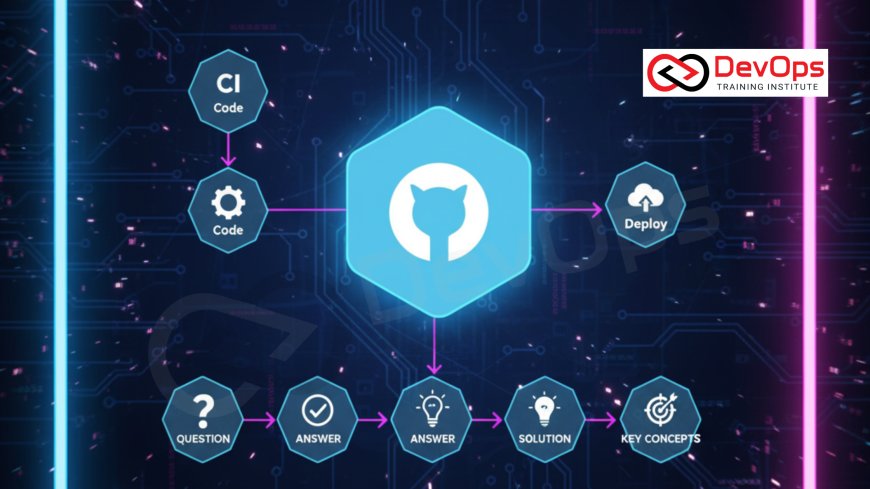
GitLab runs its certification program through GitLab University, with separate exams such as the GitLab Certified CI/CD Associate and the Git Associate. GitLab does not publish exam details in a form that stays fixed, so this guide gives you what to study: 30 answered questions on the CI/CD topics those exams and interviews rely on, checked against the GitLab docs.
Always confirm the exam format, price, retake policy and validity on GitLab's own certifications page, because third-party sites list different figures. For a general interview bank, read 90+ GitLab CI/CD interview questions. This post is the technical study list for certification preparation.
Key takeaways
- GitLab certifications are run from GitLab University. Treat any price or pass mark quoted outside GitLab's pages as unverified.
- Default stages are .pre, build, test, deploy and .post. A job with no stage runs in test.
- Know the rules keywords (if, changes, exists, variables, when), needs for out-of-order jobs, extends and include, cache versus artifacts, and runner executors.
- Protected variables reach only pipelines on protected branches or tags, and masked values must be single-line, at least 8 characters.
- CI/CD components are included with
include: componentand versioned by SHA, tag, branch or ~latest.
How to use this guide
Read each answer, then run the YAML in a test project. Certification questions are practical, so typing the config from memory is better revision than rereading. Hands-on practice with a guide is part of our GitLab training course.
Level 1: Pipeline fundamentals
1. What are the default stages in a pipeline?
.pre, build, test, deploy and .post, when you do not define stages. A job without a stage keyword runs in test. A pipeline that contains only .pre or .post jobs does not run.
2. What is the difference between a job, a stage and a pipeline?
A job is a unit of work with a script. Jobs in the same stage run in parallel, stages run in order, and a pipeline is the whole set triggered by a commit, merge request, schedule or API call.
3. How does workflow:rules differ from job rules?
workflow:rules decides whether the whole pipeline is created, and its when can only be always or never. If no rule matches, no pipeline runs. Job-level rules decide whether one job is added.
workflow:
  rules:
    - if: $CI_PIPELINE_SOURCE == "merge_request_event"
    - if: $CI_COMMIT_BRANCH == $CI_DEFAULT_BRANCH
4. What keywords can a rule use?
if, changes, exists, variables and when. Each rule needs at least one of if, changes, exists or when. changes allows up to 50 patterns per block, and exists performs a maximum of 50,000 checks.
5. How do you run a pipeline for merge requests?
Match $CI_PIPELINE_SOURCE == "merge_request_event" in rules or workflow:rules. Merge request pipelines run on the source branch contents, start when you create the merge request or push a commit, and need Developer role or higher. Rules brought in through include: do not satisfy that source check, so write them in .gitlab-ci.yml.
6. What does allow_failure default to?
True for manual jobs, false for jobs using when: manual inside rules, and false otherwise.
7. When do jobs run with needs?
needs lets a job start as soon as the listed jobs finish, ignoring stage order. An empty array starts the job immediately. A job can list up to 50 jobs on GitLab.com, artifacts download from needed jobs by default, and you should not combine needs with dependencies.
8. What does dependencies do?
It chooses which earlier jobs' artifacts a job downloads. If the needed artifacts have expired or been deleted, the job fails.
Level 2: Reuse, caching and variables
9. How do extends and include reduce duplication?
extends lets a job inherit from one or more hidden job templates by deep merge, with up to eleven levels allowed (aim for three or fewer). include pulls configuration from local, project, remote, template or component sources, up to 150 includes per pipeline by default.
10. How do you reference a CI/CD component?
include:
  - component: $CI_SERVER_FQDN/my-org/security-components/[email protected]
    inputs:
      stage: build
The version can be a commit SHA, a tag, a branch name, or ~latest and partial versions for published catalog components. Inside the component, inputs are read with $[[ inputs.name ]], and component files live in a top-level templates/ directory.
11. What types can spec:inputs have?
string (default), number, boolean and array, with up to 50 options per input.
12. Cache or artifacts?
Cache stores dependencies to speed up later jobs and is not guaranteed to exist. Artifacts are job outputs passed to later jobs and kept for download. The cache policy is pull-push by default, with pull and push available when a job only reads or only writes.
13. How do you key a cache on a lock file?
Use cache:key:files with up to 10 files, such as your lock file, so the cache changes only when dependencies change.
14. When are artifacts uploaded?
artifacts:when defaults to on_success. Set on_failure or always to keep test reports from failed jobs. If you do not set expire_in, the instance-wide setting applies.
15. What variable types exist?
Variable (default) and File. A File variable writes the value to a temporary file and puts that path in the environment variable, which suits tools that need a file. Variables defined in .gitlab-ci.yml cannot be File type.
16. What do masked and protected mean?
Masked values show as [MASKED] in job logs, and must be a single line with no spaces, at least 8 characters. Protected variables are available only to pipelines on protected branches or tags. Masking is not a guaranteed defense, so prefer a secrets manager or File variables for sensitive data.
17. Which variable wins when names collide?
Highest to lowest: policy variables, manual job variables, pipeline variables, project variables, group variables, instance variables, dotenv report variables, then .gitlab-ci.yml variables, deployment variables and predefined variables.
Level 3: Runners and delivery
18. Which runner executors should you know?
Docker, Docker Autoscaler, Instance and Kubernetes are actively developed. Shell, SSH, Parallels, VirtualBox and Custom are in maintenance mode, and Docker Machine is deprecated. Docker is the common choice for container builds, Kubernetes for cloud-native clusters, and Docker Autoscaler or Instance for autoscaling on cloud VMs.
19. How do you retry flaky jobs sensibly?
retry defaults to 0 and its max can be 0, 1 or 2. Use when to retry only on selected failure types such as script_failure or runner_system_failure, or exit_codes for specific codes.
20. How do you stop two deployments running at once?
Give the jobs the same resource_group. Jobs in a group are mutually exclusive across pipelines in the project.
21. How do you define environments?
Use the environment keyword with name and url. Sub-keywords include on_stop, action (start by default, plus prepare, stop, verify, access), auto_stop_in and deployment_tier. If the named environment does not exist, GitLab creates it.
22. What does interruptible do?
It defaults to false. When true, auto-cancel of redundant pipelines can cancel the job after a newer commit, which saves runner time on pushes to the same branch.
23. How do you fan out one job into many?
parallel takes a number from 1 to 200. parallel:matrix creates job variants from variable combinations, up to 200 permutations.
24. How do parent and child pipelines differ from multi-project pipelines?
Child pipelines run inside the same project using trigger:include. Multi-project pipelines trigger a pipeline in another project. Use children to split a large config and multi-project when separate repositories must be coordinated.
25. How do you give a job short-lived cloud credentials?
Use id_tokens, where each token needs an aud claim, and exchange the OIDC token with your cloud provider instead of storing static keys.
Scenarios
26. A job is skipped even though the branch is right. What do you check?
Read the rules in order: the first matching rule decides. Check for an earlier rule with when: never, a changes condition that did not match, and the pipeline source variable.
27. Builds are slow because dependencies reinstall on every job. Fix?
Add a cache keyed on the lock file, with pull-push in the first job and pull in later jobs. Consider a custom image that already contains the heavy dependencies.
28. A deploy job must not run on forks or random branches. How?
Restrict it with rules on the default branch or protected refs, and keep deploy secrets in protected variables so unprotected branches never receive them.
29. Too many pipelines run for each push to a merge request. Fix?
Choose between branch and merge request pipelines with workflow rules so only one is created, and mark long jobs interruptible so newer commits cancel older runs.
30. A team wants one shared security scan in 40 repositories. Design?
Publish a component in the CI/CD Catalog with inputs for stage and severity, version it with a semantic tag, and include it from each project at a pinned version. Update by bumping the version.
Keyword quick map for revision
| Need | Keyword to remember |
|---|---|
| Decide if a pipeline exists | workflow:rules (when is always or never) |
| Decide if a job exists | rules with if, changes, exists, variables, when |
| Skip stage order | needs (up to 50 jobs) |
| Choose which artifacts to fetch | dependencies |
| Share config | extends, include, components |
| Serialize deployments | resource_group |
| Fan out jobs | parallel and parallel:matrix (200 maximum) |
| Short-lived cloud access | id_tokens with an aud claim |
Cover the table, then write one YAML example for each row from memory. Check your answers against the YAML reference. Repeat the rows you missed two days later, because recall improves when the gap between attempts grows.
Related reading
For the broader topic set see advanced GitLab interview questions, scenario-based GitLab CI/CD questions and real-time GitLab CI/CD questions. For hands-on YAML, use 15 GitLab CI/CD pipeline examples, and for runner tuning see 15 GitLab runner optimization tips.
Frequently asked questions
Where do I find official GitLab certifications?
On GitLab University's certifications page. Names, formats and prices change, so check there before booking.
Which certifications does GitLab offer?
GitLab University lists certification exam pages including the GitLab Certified CI/CD Associate, Git Associate and Security Associate. Confirm the current catalogue on GitLab's page.
Is there a fixed exam price I can quote?
No. Prices appear in different places and have changed over time, so use only the figure on GitLab's own page when you register.
Do I need a course before the exam?
Preparation courses are offered, but check GitLab's exam page for stated prerequisites and recommendations.
What is the default job stage?
test.
Cache or artifacts for node_modules?
Cache, keyed on the lock file. Use artifacts for build outputs that later jobs need.
Which executor suits Kubernetes?
The Kubernetes executor, which creates a pod per job.
How do I version a component?
Use a semantic version tag and reference it after the @ sign. Catalog components must use semantic version tags.
Official references
What's Your Reaction?
 Like
0
 Dislike
0
 Love
0
 Funny
0
 Angry
0
 Sad
0
 Wow
0