


































![Kong Interview Preparation Guide [2025]](https://www.devopstraininginstitute.com/blog/uploads/images/202509/image_430x256_68dbb95326997.jpg)
















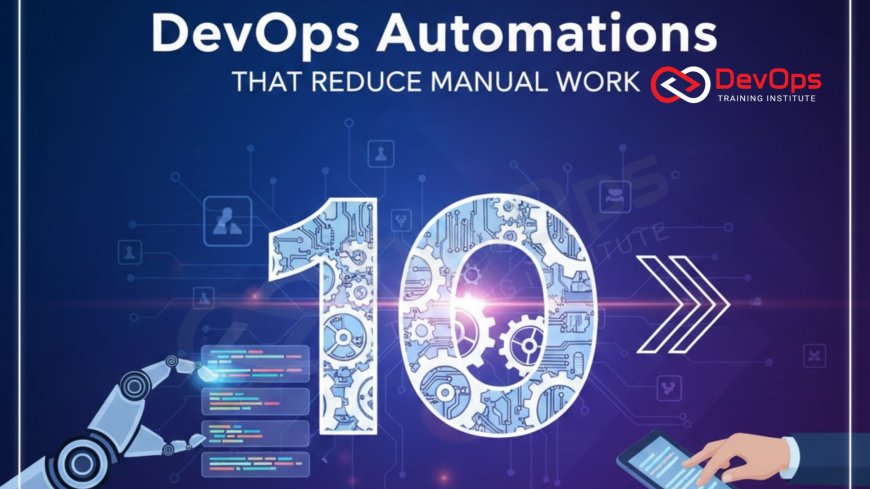
Top 10 DevOps Automations That Reduce Manual Work
Discover the top 10 high-impact DevOps automations that fundamentally eliminate manual toil, freeing up developers and operations teams for more strategic, innovative work. This detailed guide explores essential practices, ranging from Continuous Integration and Infrastructure as Code to Security Automation and Compliance as Code. Learn how automating repetitive, error-prone tasks like environment provisioning, patch configuration, and testing drastically improves deployment frequency, reduces costly human error, and ensures continuous compliance across your software delivery pipeline, paving the way for true engineering efficiency and reliability in any scale environment.
Introduction The Necessity of Toil Reduction
The term "toil" in the DevOps and Site Reliability Engineering (SRE) world refers to the manual, repetitive, tactical work that must be done but provides no lasting value. Tasks like manually restarting services, copying log files, or clicking through a deployment checklist are classic examples of toil. This manual effort is not only soul-crushing for highly skilled engineers but is also the single greatest source of human error and deployment delay in any software organization. The core tenet of DevOps is to automate these processes, thereby maximizing engineering time spent on innovation and feature delivery, not maintenance.
Successfully implementing DevOps at scale means making automation the default for every process that is repeatable, no matter how small. Every hour saved from manually updating a operating system or provisioning a new virtual machine is an hour gained for building new features or improving system architecture. The value of this automation is exponential: it ensures consistency, provides an immediate audit trail, and increases the predictability of the entire software delivery process. By transforming manual steps into idempotent, version-controlled code, teams achieve a level of resilience and speed that is otherwise impossible.
The most effective automation strategies target high-frequency, high-risk manual tasks across the entire development and operations lifecycle. This proactive elimination of toil is not just a technical exercise; it is a cultural and business mandate. It allows teams to respond to incidents faster, maintain higher security standards, and achieve true continuous delivery. We will explore the top 10 specific automations that deliver the highest return on investment by significantly reducing manual work and streamlining the software delivery value stream.
Automation Continuous Integration Automated Build and Test
The manual process of checking out code, running build scripts, and executing tests locally before merging is fragmented and unreliable. Continuous Integration (CI) automation eliminates this manual handoff by automatically triggering a build and test pipeline on every code commit. This ensures that the code base is always in a known, tested, and releasable state. CI tools like Jenkins, GitLab CI, or GitHub Actions manage the entire process: fetching code, compiling, creating an immutable artifact (like a container image), and running automated unit and integration tests.
The immediate benefit is the elimination of "integration hell," where developers work in isolation for long periods only to face complex, time-consuming integration issues when they finally merge. CI forces small, frequent merges, catching errors when they are freshest in the developer's mind and easiest to fix. This automation is pivotal for providing fast feedback. If a build fails or a test breaks, the developer is notified instantly, often within minutes, instead of hours or days later during a manual QA cycle. This tight feedback loop is the foundation of high-velocity development and minimizes the time spent debugging upstream problems.
Automation Continuous Delivery/Deployment Automated Rollout and Rollback
Manually deploying software across environments (staging, pre-prod, production) is a high-risk, error-prone activity that involves human configuration, clicking, and checking. Continuous Delivery (CD) automation transforms this manual process into a single-click, or fully automated, deployment pipeline. Using orchestration tools like Argo CD or Spinnaker, the pipeline handles everything: artifact promotion, environment specific configuration injection, service mesh traffic steering, and execution of database migrations.
The most crucial aspect of CD automation is the built-in, automated rollback capability. If post-deployment health checks fail (e.g., higher error rates or latency), the system automatically triggers a rollback to the last known good version without human intervention. This eliminates the frantic, stressful, and often error-ridden manual process of "hot-fixing" a broken production environment. Automating rollout and rollback dramatically reduces the Mean Time to Recovery (MTTR), which directly impacts business continuity and customer trust by limiting the duration of any potential outage in the cloud environment.
Automation Infrastructure as Code Environment Provisioning
Manually spinning up infrastructure—logging into a cloud console, clicking to provision a server, configuring networking—is tedious, slow, and leads directly to "configuration drift." Infrastructure as Code (IaC) tools like Terraform or Pulumi allow engineers to define environments using declarative code, such as HCL or YAML. This code is stored in version control (Git), meaning infrastructure changes are auditable, reviewable, and repeatable.
IaC automates the entire provisioning process, enabling teams to spin up an identical, complex environment (servers, load balancers, databases) in minutes, not days. This eliminates the manual toil associated with maintaining environment parity between development, staging, and production. Furthermore, IaC allows for the easy deployment of ephemeral test environments that can be used for a single purpose and then automatically decommissioned, saving significant cloud costs and management overhead. The use of version-controlled infrastructure definition provides clear, auditable records of every change ever made to the infrastructure.
Automation Configuration Management Automated Server Hardening and Patching
Manually logging into individual operating system instances to install security patches, update services, or adjust firewall rules is the definition of operational toil. Configuration Management (CM) tools like Ansible, Chef, or Puppet automate this repetitive task by defining the "desired state" of every server in code. These tools continuously enforce that state, ensuring consistency across the entire fleet of virtual and physical machines.
CM automation is essential for security at scale. It ensures that security hardening policies (e.g., closing unused ports, managing user accounts, disabling insecure services) are applied consistently and automatically across every server when it is provisioned and throughout its lifecycle. When a zero-day vulnerability is announced, CM tools enable an organization to execute a global patching campaign in minutes or hours, rather than days or weeks of manual effort, significantly reducing exposure time. This capability frees up operations teams from constant reactive maintenance.
Table of Automations and Toil Reduction
The following table summarizes the core purpose of the top 10 DevOps automations and the primary type of manual work they eliminate from the software delivery lifecycle.
| Automation Category | High-Value Toil Eliminated | Primary Tool Examples |
|---|---|---|
| Continuous Integration (CI) | Manual compilation, dependency management, and local testing before merging. | Jenkins, GitLab CI, GitHub Actions |
| Continuous Delivery (CD) | Manual deployment steps, configuration updates, and emergency rollback procedures. | Argo CD, Spinnaker, Harness |
| Infrastructure as Code (IaC) | Manual server/network provisioning, clicking in cloud consoles, environment setup. | Terraform, AWS CloudFormation, Pulumi |
| Configuration Management | Manual server patching, running setup scripts, and enforcing security hardening policies. | Ansible, Chef, Puppet |
| Automated Testing | Repetitive functional and regression testing cycles, manual load testing execution. | Selenium, JUnit, JMeter, Cypress |
| Security Automation | Manual code review for secrets, dependency checks, and security audit sign-offs. | Snyk, SonarQube, Checkmarx |
| Secrets Management | Manual distribution, rotation, and injection of API keys and database credentials. | HashiCorp Vault, AWS Secrets Manager |
| Compliance as Code | Manual evidence collection for audits, periodic compliance checks, and policy reviews. | Open Policy Agent (OPA), Chef InSpec |
| Monitoring and Self-Healing | Manual service restarts, de-duplicating alerts, and manually initiating rollbacks. | Prometheus, Datadog, PagerDuty, Kubernetes |
| Disposable Environments | Maintaining static test/staging environments and manually cleaning them between runs. | Docker, Kubernetes, Vagrant, Hypervisors |
Automation Automated Testing Continuous Quality Validation
One of the largest sources of manual toil in traditional models is the Quality Assurance (QA) team spending days or weeks performing repetitive regression testing before every release. Automated testing, encompassing unit tests, integration tests, and end-to-end tests, eliminates this cycle. These tests are fully integrated into the CI pipeline, running automatically on every code commit. This ensures that the bulk of the QA effort shifts from manual execution to test development and exploratory testing of new features, providing a massive efficiency gain.
Furthermore, automation extends to non-functional testing, such as performance and load testing using tools like JMeter or k6. Manually setting up test rigs, generating load, and analyzing results is time-consuming and inconsistent. Automated load testing runs as part of the CD pipeline, validating application performance against known baselines before deployment. If performance degrades, the pipeline stops, providing immediate, quantified data on the issue, preventing performance problems from impacting users and eliminating the need for reactive firefighting post-release.
Automation Security Automation DevSecOps Scanning
Security is often the final manual gate, involving lengthy scans and human review that dramatically slow down the release process. DevSecOps automation shifts these checks left, integrating security scans into the developer workflow and CI pipeline. Static Application Security Testing (SAST) tools automatically scan source code for common vulnerabilities like SQL injection or cross-site scripting the moment a developer commits code. Similarly, Dynamic Application Security Testing (DAST) runs against the running application in a test environment, simulating attacks automatically.
This automated scanning significantly reduces manual security review time and prevents insecure code from ever merging into the main branch. Another critical automation is dependency scanning, where tools automatically check all open source libraries and packages for known Common Vulnerabilities and Exposures (CVEs). If a known risk is detected, the build fails instantly. This proactive, automated enforcement eliminates the toil of manual dependency tracking and greatly improves the security posture with zero impact on release velocity.
Automation Secrets Management Dynamic Credential Injection
Managing application credentials—database passwords, API keys, certificates—manually involves generating them, securing them in various places, and rotating them periodically, all of which is high-risk, high-toil work. Secrets Management automation, using tools like HashiCorp Vault or cloud native services, centralizes credential storage and automatically injects them into the running application at deploy time or runtime.
The primary toil reduction comes from automated rotation and dynamic creation. Instead of manually updating a spreadsheet or configuration file every few months, the system automatically rotates keys and generates single-use or short-lived credentials for the application. This eliminates the risk of human error in key management and removes the toil of manual rotation, ensuring compliance with security policies. By decoupling secrets from application code and configuration files, the security team’s burden is significantly reduced while security itself is hardened.
Automation Compliance as Code Automated Audit and Governance
For organizations in regulated industries, gathering evidence, performing manual policy checks, and preparing for audits is a massive time sink. Compliance as Code transforms regulatory requirements (like HIPAA or SOC 2) into automated, executable tests and policies using tools like Open Policy Agent (OPA). These policies are embedded directly into the CI/CD pipeline and infrastructure code.
This automation provides continuous, real-time assurance that the application and its infrastructure are always compliant. If an IaC change violates a rule (e.g., attempting to provision a storage bucket without encryption), the pipeline fails instantly. This eliminates the need for lengthy, painful pre-audit preparation and manual spot checks. The system automatically generates the necessary auditable records and reports, turning compliance from a reactive, periodic nightmare into an invisible, continuous function of the delivery system.
Automation Monitoring, Alerting, and Self-Healing
Manually monitoring dashboards, chasing down noisy alerts, and restarting failing services constitutes immense operational toil. DevOps automation in the operational phase focuses on intelligent alerting and self-healing mechanisms. Monitoring tools (like Datadog or Prometheus) are configured to automatically suppress redundant alerts and intelligently notify the correct on-call team only for actionable events. This reduces alert fatigue, saving engineering time.
Self-healing takes this a step further. Platforms like Kubernetes are configured to automatically detect a failed application instance or a performance degradation and restart the container, scale out the service, or isolate the problem without human intervention. This automation handles common transient failures, eliminating the need for engineers to be paged for routine, self-recoverable events. The result is higher service uptime and a significant reduction in late-night manual intervention, freeing up the team for proactive, strategic work.
Automation Disposable Environments Automatic Provisioning and Teardown
The manual toil of maintaining stable, non-drifted staging and testing environments is notorious. Developers often waste time troubleshooting issues that are unique to a specific, static environment. Disposable, or ephemeral, environments solve this by automating the provisioning of a clean, production-like environment (using IaC and containers/VMs) for every feature branch or pull request. The key is that the environment is automatically torn down the moment the pull request is merged or closed.
This automation ensures maximum environment parity, as every test runs on a fresh, clean, and consistent environment defined in code. It eliminates the toil of manually managing, troubleshooting, and cleaning up static environments that inevitably drift out of sync. Furthermore, it provides substantial cost savings by ensuring resources (virtual machines, hypervisors, databases) are consumed only when actively needed for testing, greatly optimizing cloud or data center utilization and promoting resource governance.
Conclusion A Permanent Shift from Toil to Innovation
The journey to modern DevOps is defined by the strategic adoption of automation to eliminate manual toil. The top 10 automations discussed—from foundational CI/CD to advanced security, compliance, and self-healing practices—represent the highest-value changes an organization can implement. By transforming repetitive, error-prone tasks into automated code, organizations gain more than just speed; they gain predictability, consistency, and resilience.
The ultimate goal is to free human engineers from the drudgery of maintenance and firefighting, allowing them to focus their skills on creative, high-impact activities: building new product features, optimizing core algorithms, and improving the developer experience itself. The tools and methodologies exist to automate nearly every step of the software delivery process, making toil reduction an achievable, measurable, and continuous pursuit. Embracing these automations is the single most effective way to scale engineering output and achieve true agility in the modern technological landscape.
Frequently Asked Questions
What is "toil" in the context of DevOps?
Toil is manual, repetitive, tactical work that must be done but provides no lasting value, such as restarting services or manually patching software.
How does CI automation reduce manual work for developers?
It automatically compiles code and runs initial tests on every commit, eliminating manual local builds and saving debugging time later.
What is the primary benefit of IaC for environment provisioning?
It eliminates the manual, error-prone process of setting up infrastructure, ensuring environments are provisioned identically and quickly via code.
What is open source software's role in automation?
Many foundational automation tools like Jenkins, Ansible, and Prometheus are open source, providing flexibility and community-driven innovation.
What problem does Configuration Management solve?
It solves configuration drift and manual patching by defining and enforcing the desired state of servers and services through automation.
Why is automated rollback critical to CD?
It automatically reverts a broken deployment to the last stable version, minimizing downtime and eliminating frantic manual intervention during an incident.
How does Secrets Management reduce security toil?
It automates the secure storage, injection, and rotation of sensitive credentials, removing the manual risk of hard-coding and managing keys.
What is the "Shift Left" philosophy in DevSecOps?
It means integrating security checks like vulnerability scanning early in the development and CI process, rather than relying on late-stage audits.
What is the purpose of a disposable environment?
It provides a fresh, production-like testing ground for every feature and is automatically deleted afterward, saving cost and eliminating drift.
How do monitoring tools enable self-healing?
They detect service failures or performance issues and automatically trigger remediation actions, such as restarting containers or scaling resources.
What is Compliance as Code?
It is the practice of converting regulatory requirements into automated, executable tests embedded in the CI/CD pipeline for continuous auditing.
What kind of testing is automated besides unit tests?
Integration testing, end-to-end testing, performance testing, and security vulnerability scanning are all routinely automated.
What is an idempotent script in automation?
A script that can be run multiple times without causing unintended side effects, always resulting in the same desired end state.
How does automation help with auditability?
By defining everything as code (IaC, CM), every change is versioned in Git, providing clear, unalterable auditable records of who did what and when.
What is an example of an automation tool using hypervisors?
Tools like Vagrant use virtualization software (VirtualBox, VMware) to automate the provisioning and management of development virtual machines.
What's Your Reaction?
 Like
0
Like
0
 Dislike
0
Dislike
0
 Love
0
Love
0
 Funny
0
Funny
0
 Angry
0
Angry
0
 Sad
0
Sad
0
 Wow
0
Wow
0



![100+ Azure DevOps Interview Questions and Answers [Updated 2025]](https://www.devopstraininginstitute.com/blog/uploads/images/202509/image_140x98_68c40aa9a3834.jpg)






![Future Scope of DevOps Careers in Pune [Updated 2025]](https://www.devopstraininginstitute.com/blog/uploads/images/202510/image_140x98_68e3a84652312.jpg)


