What Is IPv6 and Is It Replacing IPv4 in the Cloud?
IPv6 explained for cloud engineers: 128-bit addressing, dual stack, AWS VPC IPv6 setup, egress-only gateways, NAT64 and why public IPv4 now costs money.
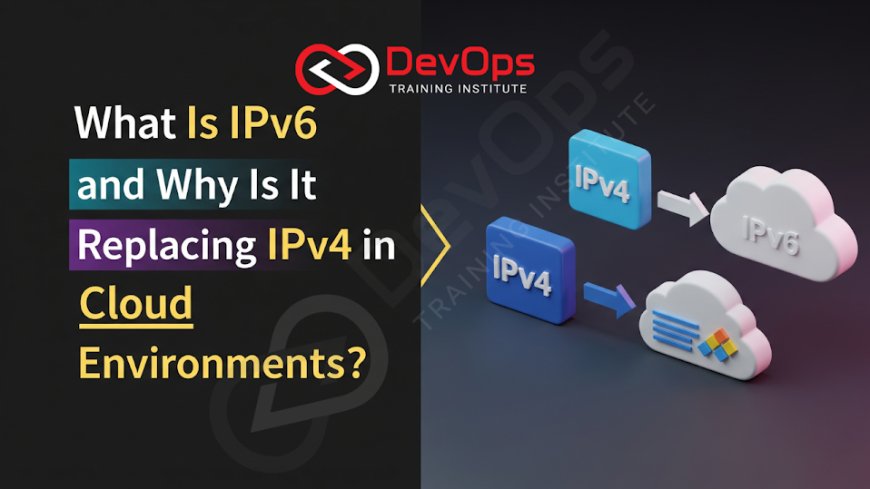
IPv6 is the successor to IPv4 and uses 128-bit addresses instead of 32-bit, which removes the address shortage. It will not replace IPv4 overnight. Cloud networks run both side by side (dual stack), and some run IPv6-only. Cloud adoption is growing because public IPv4 addresses now cost money and are scarce, while IPv6 addresses are plentiful.
This guide is for engineers who meet IPv6 in a cloud console, a Kubernetes cluster or an interview. It explains the protocol differences that matter in practice, what AWS does with IPv6 inside a VPC, and a safe way to move from IPv4 to dual stack. If you need the layer model first, start with our pillar post on the OSI model, since IP addressing lives at Layer 3.
Key takeaways
- An IPv4 address has 32 bits (for example 10.0.1.0). An IPv6 address has 128 bits, written as eight groups of four hexadecimal digits.
- IPv4 and IPv6 will coexist for years. The practical path is dual stack first, IPv6-only for selected workloads later.
- AWS charges $0.005 per hour for every public IPv4 address, whether it is in use or idle. Using IPv6 for internal traffic reduces how many public IPv4 addresses you need, which is a concrete cost reason to plan for it.
- In an AWS VPC, Amazon-provided IPv6 addresses are globally unique and public by default. Control reachability with routes, security groups and network ACLs.
- IPv6 does not make a network secure by itself. Filtering rules must cover IPv6 as well as IPv4, or you create a gap.
- An IPv6-only workload that needs an IPv4-only service uses DNS64 and a NAT gateway for NAT64.
IPv4 versus IPv6 at a glance
| Feature | IPv4 | IPv6 |
|---|---|---|
| Address length | 32 bits | 128 bits |
| Written as | Four decimal numbers: 10.0.1.0 | Eight hexadecimal groups: 2001:db8:85a3::8a2e:370:7334 |
| CIDR block example | 10.0.0.0/16 holds 65,536 addresses | 2001:db8:1234:1a00::/56 holds 2^72 addresses |
| Typical address type in cloud | Private ranges plus scarce public addresses mapped through NAT | Globally unique addresses, no address translation needed for reachability |
| Fragmentation | Routers may fragment packets | Only the source node fragments (RFC 8200) |
| Minimum link MTU | Varies by link | 1280 bytes |
| UDP checksum | Optional | Required by default |
| DNS record | A | AAAA |
| Public address cost on AWS | $0.005 per hour per public IPv4 address | Not billed as a scarce public IPv4 address; check the pricing page for data transfer and other charges |
The protocol facts come from RFC 8200. The AWS pricing figure comes from the Amazon VPC pricing page, which lists $0.005 per hour for in-use and idle public IPv4 addresses. Its worked example shows six in-use addresses for 30 days costing $21.60.
Reading IPv6 addresses
You can drop leading zeros in each group and replace one run of all-zero groups with a double colon. AWS documents this example: 2001:0db8:85a3:0000:0000:8a2e:0370:7334 compresses to 2001:db8:85a3::8a2e:370:7334. You may use the double colon only once in an address, otherwise it is ambiguous.
CIDR notation works the same way as in IPv4. The prefix length says how many leading bits are the network. The AWS example 2001:db8:1234:1a00::/56 covers every address from 2001:db8:1234:1a00:: through 2001:db8:1234:1aff:ffff:ffff:ffff:ffff. Our post on CIDR notation covers the maths for IPv4, which transfers directly.
Why cloud platforms are moving toward IPv6
IPv4 addresses are scarce and now cost money
The IPv4 space is exhausted, so cloud providers have started to charge for each public address. AWS says it charges for all public IPv4 addresses, including those on running instances and Elastic IPs. A fleet of 100 public-facing instances is a visible line on the bill. Moving traffic to IPv6 can reduce the number of public IPv4 addresses you need.
Private IPv4 ranges run out inside big organisations
A large company with many VPCs, on-premises networks and Kubernetes clusters can run out of non-overlapping RFC 1918 ranges, which makes VPC peering and transit routing painful. IPv6 gives each VPC its own unique range, so overlap problems disappear.
Simpler addressing for scale
Because IPv6 addresses are globally unique, workloads can talk directly without translation. You still decide what is reachable, using routing and firewall rules, but the troubleshooting is easier when the address a packet shows is the real address of the workload.
Clients and services already support it
Many AWS services offer dual-stack or IPv6-only endpoints. AWS documents which ones do in a table that shows the support level per service, including partial support for some services. Check the table for each service you depend on, because support varies.
How IPv6 works inside an AWS VPC
- You can request an Amazon-provided IPv6 CIDR block when you create a VPC. AWS assigns the range; you cannot choose it. The documentation example is a /56.
- Subnets can be IPv4-only, dual stack or IPv6-only. The AWS example for a subnet block is a /64.
- Amazon-provided IPv6 addresses are always advertised on the internet and are globally unique, so they are public by default. You control reachability with route tables, security groups and network ACLs.
- AWS reserves five IPv6 addresses in each subnet, including the one used by the VPC router.
- Private IPv6 addresses (unique local addresses starting fc or fd, or global addresses you own) are available through VPC IP Address Manager and are not routed to the internet from AWS. AWS lists no charge for private IPv6 addresses.
Outbound-only access with an egress-only internet gateway
IPv4 private subnets use a NAT gateway for outbound access. IPv6 addresses are public by default, so for the same outbound-only behaviour you use an egress-only internet gateway. It allows connections that start inside your VPC and blocks connections that start from the internet. It is stateful, there is no charge for the gateway itself, and you cannot attach a security group to it, though you can use a network ACL on the subnet.
Talking to IPv4-only services
An IPv6-only subnet cannot reach an IPv4-only server directly. DNS64 on the Route 53 Resolver synthesizes an IPv6 address by prefixing the IPv4 address with 64:ff9b::/96, and a NAT gateway performs the NAT64 translation to IPv4. This lets IPv6-only workloads use legacy dependencies while you migrate.
Set up a dual-stack VPC from the CLI
These commands create a VPC with an Amazon-provided IPv6 block, a dual-stack subnet, and outbound-only IPv6 routing. Replace the IDs with your own. The IPv6 block shown in the subnet command is the documentation example, and you must use the range AWS assigned to your VPC.
# 1. VPC with an IPv4 block and an Amazon-provided IPv6 block
aws ec2 create-vpc --cidr-block 10.0.0.0/16 --amazon-provided-ipv6-cidr-block

# 2. Dual-stack subnet (use a /64 from the VPC's IPv6 range)
aws ec2 create-subnet --vpc-id vpc-0abc1234567890def \
  --cidr-block 10.0.1.0/24 \
  --ipv6-cidr-block 2001:db8:1234:1a00::/64

# 3. Egress-only gateway and an IPv6 default route
aws ec2 create-egress-only-internet-gateway --vpc-id vpc-0abc1234567890def
aws ec2 create-route --route-table-id rtb-0abc1234567890def \
  --destination-ipv6-cidr-block ::/0 \
  --egress-only-internet-gateway-id eigw-0abc1234567890def

# 4. Allow HTTPS from IPv6 clients on a security group
aws ec2 authorize-security-group-ingress --group-id sg-0abc1234567890def \
  --ip-permissions 'IpProtocol=tcp,FromPort=443,ToPort=443,Ipv6Ranges=[{CidrIpv6=::/0}]'
Security group rules for IPv4 do not cover IPv6. If you only wrote 0.0.0.0/0 rules, IPv6 clients are blocked, and if you opened broad IPv6 rules by copying them, you may have exposed more than you meant to. Review both families together.
Check IPv6 from a Linux host
ip -6 addr show             # IPv6 addresses on each interface
ip -6 route                 # IPv6 routing table
ping -6 example.com         # test IPv6 reachability
curl -6 -I https://example.com
dig AAAA example.com +short # does the name publish an IPv6 address?
If dig AAAA returns nothing, the service has no IPv6 address, and an IPv6-only client will need DNS64 and NAT64 to reach it.
Security: what changes and what does not
IPv6 is sometimes sold as "more secure". The protocol itself does not make your network safe. What changes in practice:
- Without NAT, a workload's real address is exposed, so firewall rules are the only barrier. Security groups and network ACLs are the main barrier.
- Rules written only for IPv4 leave IPv6 paths unfiltered or unusable, depending on the default. Test both.
- Logging and monitoring must handle 128-bit addresses. Check that your VPC Flow Logs consumers, SIEM parsers and allow lists accept IPv6 formats.
- Address-based allow lists in third-party tools often hold only IPv4 ranges. Ask your vendors whether they publish IPv6 ranges.
- Network scanning is less practical in a huge address space, but obscurity is not a control.
For the AWS filtering layers, see our guides to VPC security and NACLs and security groups.
A safe migration path
- Inventory. List internet-facing endpoints, internal services, third-party dependencies and monitoring tools. Note which are IPv4-only.
- Add IPv6 to a non-production VPC first. Create dual-stack subnets and publish AAAA records for a test service.
- Update filtering. Add IPv6 rules to security groups and network ACLs with the same intent as the IPv4 rules.
- Test applications. Look for code that parses IP addresses with IPv4-only regular expressions, stores addresses in a 15-character database column, or logs addresses in a fixed-width format.
- Roll out dual stack to production gradually, starting with a load balancer or a single service. Watch error rates and latency.
- Use IPv6-only for new internal workloads once their dependencies support it or sit behind DNS64 and NAT64.
- Remove public IPv4 addresses where they are no longer needed, and measure the cost saving.
Related reading: subnetting for efficiency and security, NAT and subnetting and NAT gateways in AWS.
Will IPv6 fully replace IPv4?
Not soon. Both protocols run across the internet today, and the transition is gradual, as AWS itself notes in its VPC documentation. Existing systems, hardware, vendor tools and private networks keep IPv4 in use. The sensible expectation for an engineer is a long period of dual stack, with IPv6-only areas growing where costs and address limits push hardest. Learning both is part of the job.
If you want guided practice on subnets, routing and Linux networking, see our Linux administration training and the AWS Solutions Architect Associate course, both in the Kharadi, Pune classroom or live online.
Frequently asked questions
What is IPv6 in simple terms?
IPv6 is the newer version of the Internet Protocol. It gives every device a 128-bit address instead of IPv4's 32-bit address, which provides far more addresses than the world needs and removes the shortage that forces IPv4 networks to share addresses through NAT.
Is IPv6 replacing IPv4?
Gradually. Cloud and internet services run both at once, which is called dual stack. IPv4 will remain in use for a long time, so engineers need to work with both.
Why does AWS charge for public IPv4 addresses?
Public IPv4 addresses are a limited resource. AWS lists a charge of $0.005 per hour for each public IPv4 address, in use or idle, on its VPC pricing page. Using IPv6 for internal traffic reduces how many public IPv4 addresses you need.
What is an egress-only internet gateway?
It is a VPC component for IPv6 that lets instances start outbound connections to the internet while blocking connections started from the internet. It is the IPv6 counterpart to what a NAT gateway does for private IPv4 subnets.
Can IPv6-only servers reach IPv4-only websites?
Yes, with DNS64 and NAT64. The resolver builds a synthetic IPv6 address for the IPv4 site using the 64:ff9b::/96 prefix, and a NAT gateway translates the traffic to IPv4.
Is IPv6 more secure than IPv4?
Not automatically. Because IPv6 addresses are globally unique, you depend on firewall rules, security groups and network ACLs to control who can connect. Make sure those rules cover IPv6 and not just IPv4.
Do I need to learn IPv6 for DevOps and cloud jobs?
Yes, at a working level. You should read an IPv6 address, understand prefixes, configure dual-stack subnets and security rules, and troubleshoot with tools such as ip -6 and dig AAAA.
Official references
What's Your Reaction?
 Like
0
 Dislike
0
 Love
0
 Funny
0
 Angry
0
 Sad
0
 Wow
0