


































![Kong Interview Preparation Guide [2025]](https://www.devopstraininginstitute.com/blog/uploads/images/202509/image_430x256_68dbb95326997.jpg)
















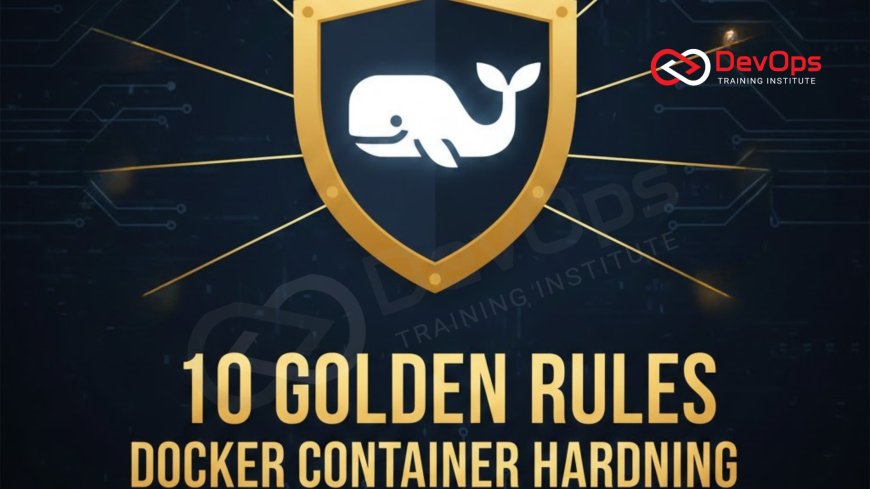
10 Golden Rules of Docker Container Hardening
Explore the 10 Golden Rules for Docker container hardening, offering comprehensive, actionable strategies to secure your containerized applications from build to runtime. This expert guide dives deep into best practices, including using minimal base images, eliminating unnecessary privileges, implementing strong user separation, and leveraging kernel security features. Learn how to minimize the attack surface, manage secrets effectively, and integrate security scanning into your continuous integration pipeline. Essential for DevOps engineers, security specialists, and architects, these rules provide the framework for building robust, secure, and compliance-ready container environments, transforming your security posture against modern threats, safeguarding your critical data and code.
Introduction
The rise of Docker and containerization has revolutionized software deployment, enabling unprecedented speed and consistency across environments. However, this agility comes with a heightened responsibility for security. A container is only as secure as its weakest link, and misconfigurations can expose the entire host system, the network, and sensitive data to severe risk. Container hardening is the proactive, continuous process of minimizing the attack surface and establishing protective barriers around your containerized applications, from the moment the image is built to the moment the container is running in production. It is not an optional afterthought but a fundamental requirement for any serious cloud-native deployment.
The security model for containers is inherently different from that of traditional virtual machines. While a VM provides hardware-level isolation, containers share the operating system kernel with the host and other containers. This shared kernel introduces unique risks, where a successful breach of a poorly configured container could potentially allow an attacker to escape the container's boundaries and compromise the underlying host. Therefore, effective container hardening must focus on strict isolation, minimizing privileges, and leveraging the advanced security features provided by the Linux kernel. The 10 Golden Rules presented here distill the most critical best practices into an actionable roadmap, ensuring your container strategy is built on a foundation of robust security from the ground up.
Golden Rule Eliminate the Unnecessary and Minimize the Attack Surface
The first and most effective golden rule of container hardening is to ruthlessly eliminate anything the container does not absolutely need to run. Every file, every installed package, and every unnecessary dependency represents a potential entry point for an attacker. By minimizing the attack surface, you reduce the number of paths an attacker can exploit and significantly decrease the risk of undiscovered vulnerabilities lurking in unused components. This practice starts with the base image selection and continues through the application build process, ensuring the final artifact is as lean as possible, reducing the security profile significantly.
This rule requires a disciplined approach to image creation. Avoid using large, general-purpose base images like ubuntu or centos for production workloads. Instead, use ultra-minimal images such as Alpine Linux or, better yet, Distroless images, which contain only the application and its runtime dependencies, lacking shells, package managers, and other common utilities. The absence of these tools means that even if an attacker manages to breach the container, they lack the basic commands (like bash, wget, or apt) typically used for reconnaissance and lateral movement. This deliberate reduction in the operating environment transforms the security posture of the entire containerized application.
Furthermore, ensure that the final production image does not contain any development or build tools, secret keys, or temporary files generated during the build process. Utilizing multi-stage builds in your Dockerfiles is the ideal technical solution for this. The first stage contains all the necessary compilers and dependencies for building the application, and the final, small production stage copies only the compiled application binary and essential runtime libraries. This strict separation ensures the production environment is minimal and clean, achieving true image immutability, thereby maximizing the benefit of a clean, minimal starting point for security checks.
Golden Rule Never Run as Root and Enforce Least Privilege
Running a containerized process as the root user is one of the most common and dangerous security misconfigurations. If an attacker successfully compromises a container running as root, they gain root privileges inside that container. Due to the shared kernel model, this dramatically increases the risk of a container escape, where the attacker can leverage kernel vulnerabilities to gain root access to the underlying Docker host, compromising the entire cluster. This rule mandates strict adherence to the Principle of Least Privilege, meaning the application process should only possess the minimum necessary permissions to function correctly, preventing privilege escalation.
To enforce this, you must explicitly define a non-root user in your Dockerfile using the USER instruction, for example, USER appuser. This user should be created with the bare minimum set of permissions needed by the application. Even better, run the container with rootless mode, a feature available in modern Docker and Kubernetes runtimes that executes the container daemon itself without root privileges. This provides an additional layer of sandboxing, isolating the container runtime from the host kernel and mitigating the impact of a potential container engine vulnerability. Applying this least privilege model is fundamental to managing the security of your containers.
The Principle of Least Privilege also extends to the Linux capabilities granted to the container. By default, Docker grants a large set of kernel capabilities that are often not required by most applications, such as NET_ADMIN (network administration) or SYS_ADMIN (system administration). Many production applications simply need to run, read files, and listen on a port. You should explicitly drop all unnecessary capabilities using the --cap-drop ALL flag during runtime and only add back the specific ones needed (e.g., NET_BIND_SERVICE to bind to ports below 1024). This fine-grained control over kernel capabilities and permissions severely restricts what an attacker can do even if they manage to compromise the application process, making exploitation much more difficult and less fruitful.
Golden Rule Manage Secrets Securely and Decouple from Image
Secrets, which include API keys, database credentials, and cryptographic certificates, should never be stored directly within the Docker image or committed to source control. Storing secrets in the image exposes them to anyone who gains access to the image registry or the filesystem of a running container, making them easy targets for attackers. The golden rule dictates that secrets must be decoupled from the application image and injected securely at runtime using dedicated secrets management tools. This protects the sensitive data throughout the build and deployment pipeline and provides a mechanism for rapid secret rotation in the event of a compromise.
Dedicated secrets management solutions are essential for this purpose. Tools like HashiCorp Vault, AWS Secrets Manager, Azure Key Vault, or Kubernetes Secrets (often encrypted by an external provider) should be used to store and manage all sensitive information. These tools ensure that secrets are encrypted at rest, and access is strictly controlled via identity-based authentication and authorization policies. The application should only be granted temporary, narrowly scoped access to retrieve its required secrets just before or during startup, often leveraging short-lived tokens, preventing attackers from gaining persistent access to the secrets store, even if the application is compromised.
Golden Rules of Container Hardening Architecture
| Golden Rule Focus | Principle | Technical Control / Dockerfile Instruction | Security Benefit |
|---|---|---|---|
| Minimalism | Eliminate Unnecessary Packages | Use FROM scratch or distroless; Multi-stage builds | Reduces the attack surface and minimizes vulnerability exposure. |
| Privilege | Never Run as Root (Least Privilege) | USER non-root-user; --cap-drop ALL | Prevents container-to-host privilege escalation attacks. |
| Data Protection | Secrets Management | Do not use ENV; Inject at runtime via K8s Secrets/Vault | Protects credentials from being exposed in image layers or source control. |
| Immutability | Read-Only Filesystem | --read-only flag at runtime | Prevents attackers from writing malicious files or tampering with binaries. |
| Isolation | Use Runtime Security Profiles | Seccomp, AppArmor, or SELinux profiles | Restricts container kernel syscalls, adding an extra layer of defense against kernel exploits. |
| Networking | Restrict Network Access | Kubernetes Network Policies; EXPOSE only necessary ports | Segments container traffic and prevents lateral movement or unauthorized egress. |
| Scanning | Continuous Vulnerability Scanning | Integrate tools like Clair or Trivy into the CI pipeline | Provides automated, continuous feedback on known CVEs and prevents vulnerable images from reaching production. |
Golden Rule Make the Container Filesystem Read-Only
Making the container's root filesystem read-only is an incredibly effective hardening measure that turns a common Linux filesystem feature into a powerful security control. The container is designed to be an immutable artifact, and its binary contents should ideally never change after creation. By running the container with a read-only filesystem, you prevent an attacker from achieving a crucial goal after a breach: writing new files to the filesystem. This is typically done by adding malicious scripts, backdoors, or attempting to modify application binaries to maintain persistence.
This rule is implemented using the --read-only flag when running a Docker container, or by configuring the readOnlyRootFilesystem setting in Kubernetes. When this flag is set, all attempts by the container process to write to the main filesystem will fail. If the application requires temporary storage for logging or caching, it should be configured to write to explicit volumes, such as an external volume or a tmpfs mount (in-memory filesystem). These exceptions are tightly controlled, ensuring that the bulk of the container's operational files remain protected and untampered. The simplicity of this control makes it one of the most high-impact hardening measures you can implement, protecting the integrity of your deployed code.
Golden Rule Enforce Strong Kernel Security Profiles
Since containers share the host kernel, the kernel itself is the last line of defense against a container escape. Kernel security profiles allow you to restrict the set of Linux system calls (syscalls) that a process inside the container can execute. By filtering the available syscalls, you can effectively isolate the container from potentially dangerous or unnecessary kernel functions, significantly reducing the attack surface on the shared host operating system. This is a critical security layer that directly addresses the unique vulnerability posed by the containerization model, turning a shared kernel into a protected environment.
Two primary mechanisms exist for this: Seccomp (Secure Computing Mode) and AppArmor or SELinux. Seccomp is a Linux kernel feature that allows filtering of syscalls, and Docker uses a default seccomp profile that blocks over 44 potentially dangerous syscalls. However, custom seccomp profiles can be created to further restrict the process to only the syscalls it truly needs, which is the gold standard for production hardening. AppArmor and SELinux are Linux security modules that implement mandatory access control (MAC), allowing administrators to restrict container capabilities like network access, file permissions, and resource usage with fine-grained control. Leveraging these profiles, which are explicitly designed for isolation, is essential for maintaining the integrity of the host environment against potentially malicious container workloads.
Implementing custom security profiles requires detailed analysis of your application's behavior to avoid accidentally blocking legitimate calls, which can cause the application to crash. Tools exist to profile an application and automatically generate a baseline profile of necessary syscalls. Integrating the use of these custom profiles into your deployment manifests (e.g., Kubernetes SecurityContext) ensures that the profile is consistently applied across all environments. This proactive approach to kernel security ensures that even if an attacker finds a zero-day vulnerability in your application, their ability to execute arbitrary code and interact with the host kernel is severely limited by the granular restrictions enforced by the kernel's security profiles, protecting not just the container but the entire cluster.
Golden Rule Restrict Network Access and Segment Traffic
By default, Docker containers can often communicate freely with each other and, in some configurations, with the entire external network, facilitating lateral movement for an attacker. The golden rule for networking is to restrict all inbound and outbound traffic to only the ports and destinations explicitly required for the application's function. This involves implementing Network Segmentation to isolate containers and services from one another, ensuring that a compromise in one container cannot easily spread to others or to sensitive backend systems. This is particularly vital in multi-tier applications where, for example, a public-facing web container should never have direct access to a database container.
In Kubernetes environments, this is achieved using Network Policies. These policies define rules that specify which pods can communicate with which other pods, and on which ports. By defaulting to a deny-all posture and only whitelisting the necessary communication paths (e.g., the web frontend can talk to the API service on port 8080, but the API service cannot initiate a connection to the frontend), you create a robust firewall layer within the cluster. Similarly, ensure that the Docker Host's firewall is configured to only expose the ports necessary to access the container services, shielding the internal container networking from the outside world. Using the EXPOSE instruction in the Dockerfile only serves as documentation; the actual network filtering must be done at the runtime and cluster level.
Furthermore, restrict the container's ability to communicate with the host's operating system utilities and metadata services. For example, some cloud environments expose sensitive instance metadata via a local IP address (like 169.254.169.254). A misconfigured container could exploit this to steal temporary credentials. Network policies should be implemented to prevent containers from accessing such internal IP ranges. The principle of minimum necessary access for the network must be rigidly enforced across all layers of the infrastructure, turning the network into a protective barrier instead of a wide-open highway for unauthorized lateral movement.
Golden Rule Integrate Continuous Vulnerability Scanning
Container images are built from layers, many of which are provided by third-party packages (like Alpine Linux or Python libraries). These packages are constantly being discovered to have new vulnerabilities (CVEs). A Docker image that was secure last week may be vulnerable today. Therefore, hardening is not a static one-time effort; it must be a continuous process of scanning, remediation, and patching. The golden rule mandates that vulnerability scanning must be integrated directly into the CI/CD pipeline, acting as an automated gatekeeper that prevents known vulnerable images from ever reaching the container registry or, more importantly, the production cluster.
Tools like Trivy, Clair, and Snyk analyze the layers of your Docker image against public CVE databases. The output should not be a static report; it should be a policy enforcement point. For example, the CI pipeline should be configured to automatically fail the build if the image contains any critical or high-severity vulnerabilities. This fail-fast approach forces developers to update dependencies and rebuild the image before it can be deployed, embedding security as a fundamental quality gate, just like unit tests. This ensures that the risk from third-party code is constantly minimized, making the resulting image inherently more trustworthy before being used for production. The continuous nature of this process is what prevents dependency rot and maintains long-term security hygiene.
Golden Rule Audit and Harden the Host Operating System
The security of the container is inextricably linked to the security of the underlying host operating system. The container runtime (Docker daemon or containerd) runs on the host, and if the host is compromised, all containers running on it are potentially compromised as well. Therefore, a critical golden rule is to apply the same rigorous hardening standards to the host OS as you would to any mission-critical server, following standard security procedures. This includes removing all unnecessary services, using the principle of least privilege for host users, and ensuring the kernel is regularly patched to defend against the latest container escape vulnerabilities.
Key hardening steps for the Docker host include:
- Disable all non-essential services and ports.
- Ensure the host operating system and kernel are fully up-to-date with security patches.
- Configure strict firewall rules (using iptables or UFW) to only allow necessary traffic to the host, primarily for administrative access and for the exposed container ports.
- Implement host-level security mechanisms like AppArmor or SELinux to enforce separation between the Docker daemon and the rest of the host system.
- Monitor the host aggressively for unusual behavior or resource usage that might indicate a container compromise or attempted escape.
Furthermore, never expose the Docker socket directly to containers unless absolutely necessary and ensure that privileged access for users to the host is strictly controlled via audited mechanisms like sudo, which is a common vector for escalation attacks. The integrity of the host environment is the foundation upon which all container security rests, and a failure to harden the host makes all container-level hardening efforts ultimately brittle.
Golden Rule Define Resource Limits to Prevent Denial of Service
Containers are not infallible. A misbehaving or compromised container can consume excessive system resources (CPU, memory, disk I/O), leading to a Denial of Service (DoS) condition on the host and impacting all other containers running on it. This is often referred to as a "noisy neighbor" problem, where an issue in one application brings down unrelated services due to resource exhaustion. The golden rule here is to proactively define and enforce strict resource limits on every container, ensuring that no single workload can monopolize the host's resources and maintain cluster stability.
This rule is implemented using the resources limits and requests in Kubernetes or the --memory and --cpus flags in Docker. Setting resource requests guarantees a minimum amount of resources, while setting resource limits caps the maximum resources a container can consume. By configuring these limits, you prevent a compromised application from launching a resource-intensive process (like a cryptocurrency miner or a fork bomb) that consumes all available CPU or memory, causing the host to crash. While not strictly a vulnerability fix, this control is vital for overall system stability and resilience, ensuring that security failures do not cascade into widespread downtime. This is an essential operational security practice that guards against resource exhaustion attacks.
Conclusion
The 10 Golden Rules of Docker container hardening provide a comprehensive, multi-layered strategy for securing containerized workloads. These rules mandate a shift in mindset, treating the container as an immutable, disposable, least-privileged entity. The foundational secrets lie in minimizing the attack surface by using minimal base images and multi-stage builds, enforcing strict user separation by never running as root, and leveraging advanced Linux kernel features like Seccomp to isolate processes. Furthermore, security must be integrated as a continuous process through automated vulnerability scanning, preventing vulnerable code from ever reaching production environments. The combination of these practices, applied diligently from the Dockerfile to the deployment runtime, transforms a risky container environment into a resilient, security-first deployment platform.
Adherence to these rules is non-negotiable for achieving enterprise-grade security and compliance. Leaders must prioritize investments in automation and tooling to support these rules, ensuring that practices like secrets management, network segmentation, and read, write, and execute permissions management are systematically enforced across all environments. By focusing on minimizing the blast radius of any potential compromise, hardening the host OS, and relying on automated safety nets, organizations can fully realize the speed and agility benefits of containerization without compromising the integrity of their most critical systems. These 10 rules are the indispensable blueprint for operationalizing security in the modern cloud-native world, ensuring that your containers are truly secure from build to runtime and protecting your valuable application assets.
Frequently Asked Questions
Why is running as root inside a container dangerous?
Running as root increases the risk of a container escape, where an attacker can gain root privileges on the underlying host operating system.
What is the benefit of using a minimal base image like Distroless?
Minimal images reduce the attack surface by removing shells, package managers, and other binaries unnecessary for the application's runtime.
How does a multi-stage build enhance security?
It ensures the final production image only contains the application and its runtime, excluding all development and build-time tools and files.
What is the purpose of Seccomp profiles in container hardening?
Seccomp profiles restrict the set of Linux kernel system calls a container process can use, limiting the potential for kernel exploits.
Why should secrets never be stored in the Docker image?
Storing secrets in the image exposes them in every layer and to anyone with access to the image registry, creating a major security risk.
How does making the filesystem read-only improve security?
It prevents an attacker from writing malicious scripts or modifying application binaries to establish persistence inside the container.
What is the primary function of Network Policies in hardening?
Network Policies segment container traffic, restricting which containers can communicate with each other, thus preventing lateral movement after a breach.
Why must vulnerability scanning be continuous, not a one-time step?
Continuous scanning is needed because new vulnerabilities (CVEs) are constantly discovered in the underlying software dependencies.
What is the security risk addressed by setting resource limits?
Resource limits prevent a misbehaving or compromised container from causing a Denial of Service (DoS) by exhausting the host's resources.
How does a custom AppArmor profile contribute to isolation?
AppArmor implements mandatory access control, restricting a container's permissions to specific files and network resources on the host.
What is the importance of hardening the host OS alongside containers?
The host OS shares the kernel with containers; if the host is compromised, all containers on it can potentially be breached.
What is the safest way to manage credentials that containers need at runtime?
The safest way is using dedicated secrets management tools like Vault or Kubernetes Secrets, injecting them securely at runtime.
How can group management and user separation enhance container security?
It ensures that the application runs with a non-root user and minimal group privileges, limiting potential damage from a compromise.
What is the principle behind dropping unnecessary kernel capabilities?
It follows the Principle of Least Privilege, removing powerful kernel functions (like system administration) that the application does not require.
What is the best way to manage host user access for administering Docker?
Host user access should be strictly controlled and audited, often leveraging secure sudo access policies to prevent unauthorized administrative actions.
What's Your Reaction?
 Like
0
Like
0
 Dislike
0
Dislike
0
 Love
0
Love
0
 Funny
0
Funny
0
 Angry
0
Angry
0
 Sad
0
Sad
0
 Wow
0
Wow
0

![100+ Azure DevOps Interview Questions and Answers [Updated 2025]](https://www.devopstraininginstitute.com/blog/uploads/images/202509/image_140x98_68c40aa9a3834.jpg)






![Future Scope of DevOps Careers in Pune [Updated 2025]](https://www.devopstraininginstitute.com/blog/uploads/images/202510/image_140x98_68e3a84652312.jpg)


