


































![Kong Interview Preparation Guide [2025]](https://www.devopstraininginstitute.com/blog/uploads/images/202509/image_430x256_68dbb95326997.jpg)
















12 Automation Workflows for Cloud Infrastructure
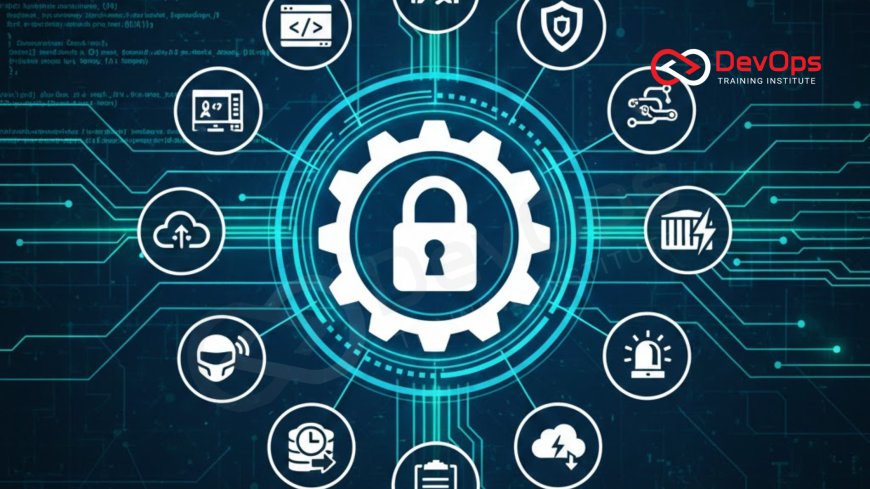
Master the essentials of cloud infrastructure automation by exploring 12 powerful workflows designed to boost operational efficiency and system reliability. This comprehensive guide details how to implement Infrastructure as Code (IaC) for provisioning, automate security compliance, streamline patching, manage configurations, and execute flawless disaster recovery plans. Learn how to leverage tools like Terraform, Ansible, and Kubernetes to reduce human error, accelerate development cycles, and maintain a consistent, secure cloud environment across AWS, Azure, and Google Cloud. These automation strategies are vital for achieving true cloud-native DevOps maturity and managing infrastructure at enterprise scale.
Introduction
The journey to modern, scalable cloud operations is defined by one core principle: automation. In the dynamic world of cloud infrastructure, relying on manual processes for provisioning, configuration, deployment, and management is not only slow but also inherently error-prone and a major security liability. Automation transforms cloud infrastructure from a collection of manually managed servers and services into a programmable, repeatable, and resilient platform. It allows organizations to achieve the speed and consistency required for high-velocity software delivery, effectively making the entire infrastructure a predictable, version-controlled resource. This shift is what enables organizations to scale rapidly, reduce operational costs, and meet the demanding uptime requirements of modern applications.
Infrastructure automation leverages a suite of powerful tools and methodologies, most notably Infrastructure as Code (IaC), to define the desired state of the environment in human-readable files. These files are treated exactly like application code, subject to version control, peer review, and automated testing. This approach moves the focus from managing individual machines to managing codified definitions, allowing teams to tear down and rebuild entire environments on demand with guaranteed consistency. The 12 workflows detailed in this guide represent essential automation patterns that every mature cloud organization implements. They cover the full spectrum of cloud operations, from initial resource creation and ongoing maintenance to security enforcement and emergency response, providing a holistic view of true operational excellence.
Workflow Provisioning with Infrastructure as Code
The first and most fundamental workflow involves provisioning cloud resources using Infrastructure as Code (IaC). This process transforms the act of creating servers, networks, databases, and load balancers from a series of manual clicks in a cloud console into a repeatable script managed in a Git repository. Tools like Terraform, AWS CloudFormation, or Azure Resource Manager are used to define the entire infrastructure stack declaratively. This means the code describes the desired end state, and the tool figures out the steps to achieve it. This approach provides a massive boost in efficiency and consistency, as environments can be spun up or destroyed in minutes, not days.
The key benefit of this workflow is the elimination of configuration drift at the infrastructure level. Since the code is the single source of truth, provisioning new environments is consistently identical, eliminating the subtle differences between dev, staging, and production that often lead to hard-to-find bugs. Furthermore, IaC enables automated testing of infrastructure changes, allowing teams to validate their configuration against best practices and security standards before deployment. This proactive approach significantly reduces the Change Failure Rate (CFR) and ensures that all environments are consistently compliant from the moment they are created, making the infrastructure a reliable, predictable foundation for applications.
Workflow Continuous Configuration Management
While IaC (e.g., Terraform) handles provisioning the base infrastructure (virtual machines, networks), Continuous Configuration Management (CCM) focuses on the software installed on those machines (operating system settings, application dependencies, user accounts). Tools like Ansible, Chef, or Puppet are used to automate the enforcement of configuration policies across the fleet of running servers. This workflow ensures that every machine maintains the correct software and security settings throughout its operational life, preventing configuration drift at the operating system level.
The CCM workflow is particularly crucial for security and compliance. It automates the process of hardening operating systems, ensuring that services are stopped, necessary packages are installed, and key security settings are enforced. For instance, using Ansible, teams can automate the creation and management of user accounts, ensuring that user and group management adheres to strict internal policies, automatically applying least privilege principles. This automation ensures that system configurations are consistent, audit-ready, and resilient against unauthorized changes. By treating configuration policies as code, any deviation is quickly identified and remediated, moving away from mutable infrastructure toward more consistent and reliable deployments.
Workflow DevSecOps Security Automation
Security automation, or DevSecOps, integrates security checks and enforcement directly into the automated CI/CD and infrastructure pipelines, ensuring that security is a continuous process, not a final gate. This workflow leverages tools for static and dynamic analysis, vulnerability scanning, and compliance checking to prevent security issues from ever reaching production. For infrastructure, this means scanning IaC templates for misconfigurations before deployment and continuously monitoring live environments for compliance violations after deployment. This proactive approach is fundamental to operating securely at the speed of the cloud, embedding security responsibilities across the entire development team.
Key automations within this workflow include using tools to scan Terraform code for adherence to security best practices, such as ensuring that storage buckets are not publicly exposed or that security groups restrict unnecessary ports. Furthermore, this workflow automates the process of securing access to critical systems. For example, by integrating with an identity provider, secure sudo access can be dynamically provisioned only when needed and automatically revoked, eliminating long-term, high-privilege credentials. This automation of security governance ensures that every provisioned resource and every deployed application adheres to the defined security baseline, drastically reducing the organization's attack surface and improving overall compliance posture against industry standards.
12 Essential Cloud Automation Workflows
| Workflow Category | Workflow Name | Primary Tool/Technique | Core Operational Benefit |
|---|---|---|---|
| Provisioning | Infrastructure as Code (IaC) Provisioning | Terraform, CloudFormation, Pulumi | Guaranteed environment consistency and rapid resource creation. |
| Configuration | Continuous Configuration Management (CCM) | Ansible, Chef, Puppet | Ensures OS and application settings are always compliant and drift-free. |
| Security | DevSecOps Policy Enforcement | SAST, DAST, Policy-as-Code (OPA) | Automates security checks and enforces compliance before deployment. |
| Maintenance | Automated OS Patching and Updates | Cloud-native patch managers (AWS SSM, Azure Update Management) | Reduces vulnerabilities and eliminates manual maintenance toil. |
| Resilience | Automated Backup and Recovery Scheduling | Cloud Backup Services (e.g., AWS Backup) and Cron/Rsync | Guarantees data protection and low Recovery Point Objective (RPO). |
| Resilience | Disaster Recovery (DR) Orchestration | IaC combined with failover tools/scripts | Ensures rapid and reliable failover to a secondary region (low RTO). |
| Monitoring | Proactive Alerting and Auto-Remediation | Prometheus, CloudWatch, Serverless Functions | Automatically fixes known issues (e.g., restarts a failing service). |
| Scalability | Dynamic Auto-Scaling | Kubernetes HPA, Cloud Auto Scaling Groups | Automatically adjusts resources to meet demand, optimizing costs. |
| Resource Mgmt | Automated Resource Tagging | Custom policies in IaC and cloud governance tools | Enables accurate cost allocation, compliance tracking, and inventory management. |
| Deployment | Immutable Infrastructure CI/CD | Docker, Kubernetes, GitOps (ArgoCD/Flux) | Eliminates patching running servers; entire servers are replaced with new images. |
| Self-Service | Developer Self-Service Provisioning | Internal platform portals, Terraform Cloud, Backstage | Empowers developers to quickly provision non-prod environments securely. |
| Cost Mgmt | Automated Shutdown of Non-Prod Resources | Serverless functions (Lambda/Functions) triggered by schedules | Optimizes cloud costs by terminating resources during off-hours. |
Workflow Disaster Recovery Orchestration
A manual disaster recovery (DR) plan is a plan designed to fail. The complexity, time pressure, and human stress during a major outage make manual steps unreliable and slow. Therefore, automating the entire DR failover and failback process is a critical workflow for business continuity. This involves using IaC to define the secondary (or tertiary) recovery environment and orchestrating the data replication and application deployment across regions or availability zones. This automation guarantees a low Recovery Time Objective (RTO), ensuring that services can be restored quickly and reliably after an incident.
The DR automation workflow relies heavily on the consistency provided by IaC and CCM. Since the recovery environment is defined as code, the team can be confident that the failover site is an exact replica of the production site's infrastructure and configuration. The actual failover process is executed via pre-tested automation scripts or specialized cloud DR services, which automatically switch DNS records, bring up standby databases, and start application services in the new region. This level of preparation and automation is the only way to ensure that backup recovery procedures work flawlessly under pressure, providing the necessary assurance for compliance and executive teams that service continuity is maintained regardless of unforeseen events. Regular, automated testing of the DR plan itself ensures that the scripts remain current and effective as the primary environment evolves.
Workflow Automated Backup and Data Management
Data loss is one of the most severe risks in the cloud, making automated backup and data management workflows non-negotiable. This workflow involves establishing automated schedules for backing up critical data stores (databases, block storage, object storage) and ensuring those backups are securely stored, encrypted, and replicated to separate, geographically distinct locations. The key is to automate not just the backup job but also the management lifecycle, including retention policies and cleanup, ensuring that old backups are systematically removed to manage costs and compliance requirements.
For Linux-based systems, this often involves sophisticated scheduling using cron combined with robust tools like rsync for file synchronization and cloud-native services for volume snapshots. The ability to automate backups in Linux using rsync and cron ensures that file-level data can be managed efficiently, securely stored, and reliably retrieved. More advanced automation focuses on creating secure, verifiable archives. For instance, teams automate the process of compressing and encrypting data before it is moved to cold storage, ensuring that the necessary security controls are applied before data leaves the live environment. This systematic approach guarantees a low Recovery Point Objective (RPO), meaning the maximum amount of data lost after a recovery event is minimized, safeguarding the integrity of customer and business information.
Workflow Immutable Infrastructure CI/CD
The concept of immutable infrastructure is a game-changer for stability and maintenance, and it is entirely dependent on automation. This workflow dictates that once a server (or container) is deployed, it is never modified, patched, or configured in place. Instead, any required change, whether an application update or an operating system patch, triggers the creation of an entirely new server image or container. This new immutable artifact is then deployed, replacing the old one. The previous instance is simply decommissioned. This approach eliminates the risk of configuration drift on running servers and dramatically simplifies the maintenance process.
The immutable CI/CD workflow relies on tools like Docker for image creation and Kubernetes for orchestration. The pipeline automates the process of building the image, running all tests against it, and then deploying the entirely new, tested artifact. This automation ensures that every deployment is a clean, predictable state transition, eliminating the need to log into a server for manual fixes or patches, which are notorious sources of error and security vulnerabilities. By automating the full lifecycle from image build to server replacement, teams drastically reduce the Mean Time to Recovery (MTTR) for both application and infrastructure failures. Furthermore, this process naturally incorporates the use of secure archive files, where old, decommissioned server images can be securely stored or audited, ensuring a clean and auditable history of the infrastructure.
Workflow Proactive Remediation and Observability
Moving beyond simply alerting, a mature cloud operation automates the response to known issues through proactive remediation. This workflow uses observability tools (monitoring, logging, tracing) to detect anomalies and trigger automated, pre-defined corrective actions. This approach minimizes the time between failure and fix (MTTR), often resolving issues before they are noticed by customers. Automating common fixes frees up valuable engineering time that would otherwise be spent on repetitive operational toil.
For example, if a monitoring system detects a particular service exceeding a memory threshold, the automation workflow might automatically trigger a serverless function (like AWS Lambda) to restart the service container or terminate and replace the unhealthy instance. These auto-remediation scripts are defined as code, tested, and version-controlled, providing a safe, repeatable way to manage known operational states. This extends to security, where an automated script might respond to a policy violation by revoking temporary credentials or isolating a compromised network segment. This combination of deep observability and automated response is the ultimate goal of Site Reliability Engineering (SRE), ensuring that the system can maintain high reliability with minimal human intervention, making the infrastructure inherently self-healing.
Workflow Automated Resource Tagging and Cost Optimization
As cloud infrastructure grows, managing costs, inventory, and compliance becomes unmanageable without automation. The Automated Resource Tagging workflow ensures that every single resource provisioned in the cloud (VMs, storage, network components) is instantly labeled with standardized tags (e.g., project name, owner, environment, cost center). This is typically enforced directly within the IaC code. This mandatory tagging enables the next level of automation: cost optimization.
Cost Optimization automation uses resource tags and scheduled serverless functions to identify and eliminate wasteful spending. The most common automation here is the scheduled shutdown of non-production environments (Dev, QA, Staging) during off-hours (evenings and weekends). This simple script-based workflow can yield massive cost savings, often reducing monthly cloud spend by 30% or more. The automation ensures that only authorized, active resources remain running, providing clear visibility into resource usage and cost allocation for finance and executive teams. By combining mandatory tagging with scheduled cleanup, the organization maintains operational efficiency and financial accountability, which is essential for scaling in the cloud. This systematic management of costs is made possible by automating the entire resource lifecycle, from creation to termination.
Conclusion
The 12 automation workflows discussed here define the blueprint for a high-performing cloud infrastructure organization. They collectively move operations away from manual, reactive processes toward a proactive, programmatic, and continuous model. The foundation is laid by Infrastructure as Code and Continuous Configuration Management, which ensure environment consistency and eliminate configuration drift. Security is embedded from the start through DevSecOps, automating compliance and access control. Resilience is guaranteed by automated Disaster Recovery orchestration and rigorous data backup policies, ensuring low RTO and RPO metrics.
The ultimate goal of these workflows is to achieve operational excellence and free up engineering teams to focus on innovation. Workflows like Immutable Infrastructure CI/CD and Proactive Remediation reduce operational toil, while Automated Resource Tagging and Cost Optimization align technical performance with business financial goals. By embracing these automation patterns—from automatically provisioning a new environment in minutes to instantly rolling back a configuration change with a single Git commit—organizations achieve the velocity, reliability, and security necessary to dominate the digital landscape. These 12 workflows are not optional enhancements; they are the essential operating instructions for the modern cloud-native enterprise.
Frequently Asked Questions
What is the difference between IaC and Configuration Management?
IaC provisions the raw infrastructure resources (VMs, networks), while Configuration Management configures the software and settings on those machines.
Which tool is commonly used for declarative provisioning of multi-cloud infrastructure?
Terraform is a commonly used tool for declarative provisioning of infrastructure across multiple cloud providers like AWS, Azure, and GCP.
How does automation help with Disaster Recovery (DR)?
Automation ensures rapid, reliable failover and failback to a recovery site, significantly reducing the Recovery Time Objective (RTO) during an incident.
Why is Immutable Infrastructure considered more reliable?
It is more reliable because servers are never patched in place; any change results in a tested replacement, eliminating configuration drift and manual errors.
What is the primary benefit of Automated OS Patching workflows?
The primary benefit is consistently reducing security vulnerabilities across the server fleet without requiring repetitive, error-prone manual administrative work.
What is DevSecOps automation for infrastructure?
It involves using Policy-as-Code and scanning tools to enforce security rules and compliance checks on IaC templates before they are deployed.
How does Automated Resource Tagging save costs?
It enables cost visibility and triggers automated actions, like the scheduled shutdown of non-production resources during off-hours to reduce spend.
What role do serverless functions play in Proactive Remediation?
Serverless functions are used to execute automated, small corrective actions, such as restarting a service or isolating a resource, in response to monitoring alerts.
Why are compressed files important for automated backups?
Compressed files reduce storage requirements and transfer times, making the automated backup process more efficient, faster, and less costly.
What is the goal of the Automated Backup and Data Management workflow?
The goal is to guarantee a low Recovery Point Objective (RPO) by ensuring backups are scheduled, secure, and reliably stored offsite.
How does self-service provisioning benefit developers?
It allows developers to quickly and securely provision their own non-production environments using simple, pre-approved configurations, boosting velocity.
Why is tracking the Manual Intervention Ratio important?
It tracks the maturity of the automation by measuring the human-required steps in the pipeline, which are the main source of delays and errors.
What does Continuous Configuration Management ensure about OS settings?
It ensures that all Operating System and application settings are consistently enforced and that the servers do not drift from their desired state over time.
How does IaC support rapid cluster rebuilding?
IaC defines the entire cluster structure as code, allowing a new, identical cluster to be spun up instantly from the repository for disaster recovery or testing.
Why is it critical to automate the enforcement of file permissions?
Automated enforcement of file permissions is critical for security, ensuring that only authorized users or services have the necessary access to system files.
What's Your Reaction?
 Like
0
Like
0
 Dislike
0
Dislike
0
 Love
0
Love
0
 Funny
0
Funny
0
 Angry
0
Angry
0
 Sad
0
Sad
0
 Wow
0
Wow
0

![100+ Azure DevOps Interview Questions and Answers [Updated 2025]](https://www.devopstraininginstitute.com/blog/uploads/images/202509/image_140x98_68c40aa9a3834.jpg)






![Future Scope of DevOps Careers in Pune [Updated 2025]](https://www.devopstraininginstitute.com/blog/uploads/images/202510/image_140x98_68e3a84652312.jpg)


