


































![Kong Interview Preparation Guide [2025]](https://www.devopstraininginstitute.com/blog/uploads/images/202509/image_430x256_68dbb95326997.jpg)
















20 Monitoring Alerts You Must Configure in Cloud
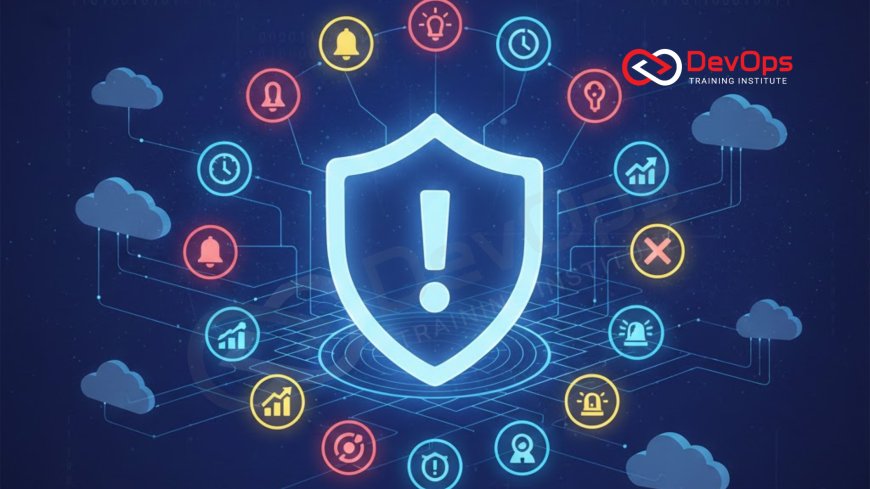
Secure your cloud infrastructure and ensure peak application performance by implementing these 20 essential monitoring alerts across compute, networking, database, and security layers. This comprehensive guide details the critical thresholds and metrics you need to track to proactively detect failures, performance bottlenecks, and unauthorized access in AWS, Azure, or GCP environments. Learn to configure alerts for high resource utilization, error rates, and key security events to minimize downtime and maintain operational excellence. Mastering these alerts is a fundamental step for all cloud architects and DevOps engineers aiming for reliable, cost-effective, and resilient cloud operations.
Introduction
Moving applications to the cloud offers tremendous benefits in terms of scalability and agility, but it also shifts the responsibility for operational vigilance directly onto the engineering team. In the highly dynamic, distributed environment of the cloud, relying on manual checks is simply insufficient. Monitoring and alerting become the literal eyes and ears of your operational team, providing the critical, real-time feedback necessary to maintain service health, manage costs, and enforce security. Without a robust and carefully tuned alerting strategy, issues can escalate from minor hiccups to catastrophic outages in a matter of minutes, directly impacting revenue and customer trust. The sheer volume of data generated by cloud resources necessitates a strategic approach to monitoring.
An effective alerting strategy focuses on two key goals: catching known failure modes before they impact customers and alerting on anomalies that represent unknown or emerging problems. This list of 20 essential alerts is designed to cover the most critical technical and security dimensions of any modern cloud deployment, regardless of the specific provider (AWS, Azure, or GCP). These alerts move beyond the simplistic "server is down" message to focus on leading indicators of failure, performance degradation, and potential security breaches. By implementing these specific checks and setting appropriate thresholds, you can drastically reduce your Mean Time to Acknowledge (MTTA) and Mean Time to Recover (MTTR), which are two of the most important metrics in DevOps and Site Reliability Engineering (SRE). Mastering these configurations is not just good practice; it is a non-negotiable requirement for operational excellence in the cloud.
Essential Compute and Performance Alerts
Your compute resources, whether they are Virtual Machines (VMs), containers (Kubernetes Pods), or serverless functions, form the backbone of your application. Performance degradation here is the most common cause of user-facing latency and errors. The key is to alert on metrics that signal an impending problem before the resource runs out of capacity or fails entirely. Proactive alerting on utilization trends allows your automated scaling mechanisms to kick in or provides your operations team with enough lead time to intervene and prevent an outage. These alerts ensure that your application consistently performs at the expected service level, maintaining a smooth user experience.
The following are the must-have alerts for core compute resources:
- High CPU Utilization: Alert when CPU usage sustains above a high threshold, such as 85%, for a significant period (e.g., 5 minutes). This is often the first sign of a service under heavy load or a runaway process.
- Low Disk Space: Alert when available disk space drops below a critical threshold (e.g., 10%). Running out of disk space can lead to application crashes, logging failures, and even operating system instability, which is why configuring automated backups must always be paired with this alert.
- Memory Utilization Warning: Alert when memory usage exceeds a warning threshold (e.g., 75%). Unlike CPU, sustained high memory use often indicates a memory leak or inefficient resource handling, which can eventually lead to swapping or Out-Of-Memory (OOM) errors.
- Load Balancer Target Group Health Check Failures: Alert when the number of healthy targets behind a load balancer drops below a minimum required count. This immediately signals that a significant portion of your application tier has failed or become unresponsive to health checks.
- Request Queue Depth or Lag: Alert when the queue of pending requests to a service or load balancer exceeds a predefined limit. This indicates that your backend services are unable to process incoming traffic fast enough, causing massive latency or client timeouts.
Application Health and Error Alerts
Application health alerts are crucial because they directly measure the quality of the service delivered to the user, irrespective of the underlying infrastructure's health. Your servers might be perfectly healthy, but if the application is returning errors or taking too long to respond, the customer experience is broken. These alerts focus on HTTP status codes and the internal performance metrics of the application itself. They often require integration between the cloud monitoring tools and Application Performance Monitoring (APM) tools to gain the necessary insight into the application logic.
Alerting on errors allows the team to pinpoint failures that may not immediately bring down the entire system but are nonetheless degrading the service. For example, a spike in temporary database connection errors might indicate a failing connection pool, a subtle but significant issue. By focusing on these application-level metrics, the operations team moves from simple infrastructure management to true service reliability management, prioritizing issues based on their direct impact on the end-user. This approach aligns perfectly with SRE principles, which prioritize the user's perception of service quality.
Key application-centric alerts include:
- High HTTP Error Rate (5xx/4xx): Alert when the rate of HTTP status codes in the 5xx (Server Error) or critical 4xx (Client Error) range exceeds a small percentage (e.g., 1%). A sudden spike in 5xx errors is the most direct signal of a severe application failure.
- Elevated API Latency: Alert when the P95 or P99 latency (the 95th or 99th percentile response time) of your main API endpoints rises above a predefined service level objective (SLO). Latency is a critical measure of user experience, and a gradual increase often signals a performance bottleneck before a hard failure occurs.
- Log Volume Spike: Alert when the volume of logs generated by a key application service dramatically increases. While not a direct error, this often indicates that a service is stuck in a loop, is excessively verbose due to a caught exception, or is experiencing unexpected conditions.
- Critical Log Messages: Alert on the presence of specific, high-priority keywords or phrases in the application logs, such as "Fatal Error," "Uncaught Exception," or "Authentication Failed." This provides immediate notification for issues that the structured metrics might miss, and should be carefully configured by the team responsible for managing user management roles and application access.
Database and Data Storage Alerts
| Alert Category | Metric to Monitor | Threshold Example | Reason for Alert |
|---|---|---|---|
| Database Performance | Database Connection Utilization | Sustained usage > 90% of available connections for 5 min. | Prevents connection pool exhaustion, leading to application failure. |
| Database Performance | Read/Write Latency (P95) | Latency > 500ms for 10 consecutive minutes. | Signals slow queries, resource contention, or disk I/O bottlenecks. |
| Data Integrity/Cost | Data Storage Consumption | Available storage < 15% of total capacity. | Prevents hard stop or failure to accept new writes; signals scaling necessity. |
| Data Integrity/Backup | Backup Failure Status | Status = Failed or Incomplete for any scheduled automated backup job. | Critical alert; ensures data recoverability and compliance. |
| Queueing Service Health | Message Queue Depth/Age | Message count > 1,000 or message age > 30 minutes. | Indicates downstream workers are failing or unable to process messages fast enough. |
| File/Object Storage | Object Storage Policy Violation | Bucket setting changed to Public or non-encrypted. | High-priority security alert for exposed sensitive data. |
Databases and data storage services are the source of truth for most applications, making their performance and integrity paramount. Database bottlenecks, typically caused by inefficient queries, connection exhaustion, or high I/O latency, are common causes of cascading failures across microservices architectures. Because most cloud databases are managed services (like RDS, Azure SQL, or Cloud SQL), monitoring focuses less on OS-level metrics and more on the internal database metrics exposed by the cloud provider, such as connection counts, lock wait times, and throughput. These services often include integrated backup recovery best practices that must be rigorously monitored.
A crucial alert is related to automated backups. Automated cloud backups are a safety net, but if the backup job fails or is incomplete, your entire disaster recovery plan is compromised. Setting a critical alert that triggers whenever the backup status is anything other than successful is non-negotiable for data integrity and business continuity. Similarly, for asynchronous or batch processing applications, monitoring message queue services (like SQS, Kafka, or Pub/Sub) for increasing queue depth or message age is vital. A growing queue signals that the downstream workers responsible for processing that data are struggling or have failed, creating a major processing lag.
Network and Latency Alerts
In cloud environments, network performance often dictates application performance, especially for microservices communicating across zones or regions. Network alerts focus on connectivity, data transfer rates, and the time it takes for data to move between different parts of your infrastructure. Latency issues can be subtle, manifesting as intermittent timeouts or slow response times, making them difficult to diagnose without proactive alerting. These alerts often involve measuring traffic flow between virtual private clouds (VPCs), subnets, or specific endpoints to detect anomalies.
A fundamental network alert is High Network Packet Loss. While some minimal packet loss is normal, a spike above a low threshold (e.g., 1%) can indicate serious problems, such as saturated network interfaces, routing issues, or denial-of-service activity. Similarly, monitoring Network Throughput Saturation is essential. If data transfer rates approach the maximum allocated bandwidth for an instance or a network gateway, the instance will soon start throttling, leading to network delays and cascading service degradation. This proactive monitoring allows for scaling up the network resources before the bottleneck occurs, ensuring continuous data flow and application responsiveness.
For services exposed externally, an alert on DNS Resolution Latency is also highly recommended. If the time it takes for a client to resolve your application's domain name increases, it may indicate issues with your DNS provider, edge network, or caching layer. Since DNS is the first step in any external connection, a failure here can effectively make your service unreachable, even if the backend is perfectly healthy. Implementing robust network-level monitoring provides essential visibility into the often-opaque infrastructure layer, ensuring that the foundational communication pathways remain fast and reliable for all your distributed services.
Cost and Billing Alerts
One of the largest operational risks in cloud environments is cost overruns due to misconfigurations, runaway processes, or traffic spikes. Unlike on-premises infrastructure where capital expenditure is fixed, cloud expenditure is highly variable. Uncontrolled costs can quickly drain budgets and shock executive teams. Cost alerts are therefore crucial not only for finance but also for engineering teams, driving responsible resource consumption and ensuring that cloud usage aligns with financial forecasts. These alerts leverage the cloud provider’s native billing APIs and should be configured immediately upon launching new environments.
The core cost alert is Budget Exceeded Notification. This involves setting granular budgets for individual projects, departments, or services (e.g., EC2, Lambda, S3). The alert should trigger when consumption reaches a certain percentage (e.g., 80% or 90%) of the allocated monthly budget, allowing time to investigate and mitigate before the budget is fully spent. A more advanced alert is Anomaly in Daily Spend. This tracks the typical daily spending rate and triggers an alert if the current day's spend dramatically exceeds the rolling average (e.g., 50% jump). This often catches unexpected resource consumption, such as accidental deployment of overly large instances or the activation of an extremely high-cost service that was not planned, protecting against costly errors that can result from unauthorized user additions or changes to the environment.
Security and Compliance Alerts
Security alerts are non-negotiable in the cloud, serving as the first line of defense against breaches, data leakage, and compliance violations. Unlike performance alerts, which are typically warnings, security alerts are almost always critical and require immediate attention, as a high MTTR on a security incident can have catastrophic consequences. These alerts rely heavily on integrating the cloud provider's security and auditing services (like AWS CloudTrail, Azure Monitor, or GCP Audit Logs) with your central alerting mechanism. Ensuring the security of the infrastructure is as vital as the application's functionality.
Critical security and compliance alerts include:
- Root/Admin Login: Alert immediately whenever the cloud provider’s root account or a highly privileged administrative user successfully logs in. These accounts should be used only in extreme emergencies. Successful login indicates a high-risk operational event or a potential compromise of the most powerful credential.
- IAM Policy Modification: Alert on any changes to critical Identity and Access Management (IAM) policies, especially those granting new or elevated administrative privileges. This helps to detect potential privilege escalation attacks or accidental permission changes that could expose resources.
- Security Group/Firewall Rule Change: Alert on any modification that opens a port (especially RDP/SSH/or common service ports like 80/443) to the public internet (0.0.0.0/0). This is a common attack vector and misconfiguration that bypasses perimeter security.
- API Call Limit Violation: Alert when the rate of API calls from a specific user or IP address exceeds typical limits. This can indicate an automated attack, a bot scraping data, or credential compromise, and is a vital component of protecting highly privileged accounts and securing sudo access for privileged users.
System and OS-Level Alerts
Even in the cloud, basic operating system (OS) and host-level alerts remain relevant for VMs and containers running custom workloads. These alerts focus on the underlying health of the host environment, complementing the higher-level cloud-specific metrics. A failure at this level, such as a process crash or kernel panic, can result in immediate service disruption. These alerts often require the installation of a monitoring agent (like Prometheus Node Exporter or CloudWatch Agent) on the host system to capture the necessary granular data, offering insights often missed by native cloud monitoring.
A key system alert is High Disk I/O Wait Time. If the time the CPU spends waiting for disk I/O operations increases significantly, it indicates that the system is bottle-necked by storage access, usually due to heavy database load or logging activity. This is a leading indicator of performance degradation that requires investigation into storage class optimization or query efficiency. Another vital alert is Process Crash/Abnormal Exit. Alerting on the unexpected termination of critical application processes or key system services ensures that the operations team is immediately notified when core components fail to run as intended, potentially preventing a full system failure, and ensuring the application owner is immediately aware of unexpected changes to the host environment.
Final system-level alerts often focus on the lifecycle of the host itself. Alerting on a Host Degradation Warning (issued by the cloud provider, indicating a hardware issue or impending retirement) or Unexpected Instance Restart provides necessary advance warning or immediate feedback on system stability problems. These alerts are crucial for user and group management visibility, as they often rely on proper configuration of host-level agents and log collection services to function correctly and report to the central monitoring platform, ensuring that even ephemeral compute resources are tracked rigorously throughout their lifecycle.
Cost Optimization and Cleanup Alerts
Monitoring for cost optimization is a key part of cloud operations and contributes directly to the organization's financial health. These alerts help eliminate wasteful spending on underutilized or forgotten resources. Over time, development and testing environments can accumulate idle instances, unattached storage volumes, and unused snapshots, which continue to incur charges. Proactively alerting on these wasteful resources ensures that the cloud footprint remains lean and cost-effective, adhering to financial governance and preventing unnecessary capital leakage. This practice is often referred to as FinOps, blending financial accountability with DevOps principles.
One essential optimization alert is Underutilized Instance Alert. This triggers when an instance has consistently low CPU utilization (e.g., < 5%) over a long period (e.g., 14 days) but is not part of a known, intentionally idle resource pool. This signals a candidate for downsizing or termination, providing a direct mechanism to reduce compute costs. Another crucial alert is Unattached Volume/Disk Alert. Alerting on block storage volumes (EBS in AWS, persistent disks in GCP) that are not currently attached to any active instance ensures that resources left behind after instance termination are quickly identified and cleaned up. Without these alerts, these costs can silently accrue for months, draining the budget unnecessarily. Implementing these optimization alerts is a direct way for engineering leaders to demonstrate financial responsibility.
Conclusion
The journey to operational excellence in the cloud is defined by the maturity of your monitoring and alerting strategy. The 20 alerts detailed here—covering everything from core compute performance and application health to critical security events and cost anomalies—form the essential playbook for any team committed to building and running resilient, secure, and cost-effective cloud infrastructure. By moving beyond basic "ping checks" and focusing on metrics that predict failure, measure user experience, and track security governance, organizations can drastically reduce downtime and mitigate risk.
A robust alerting framework, built on these foundational 20 KPIs, is the engine of a high-performing DevOps team, enabling minimal MTTR and minimal MTTA. The goal is to ensure that every event that truly matters is escalated to the right team immediately, with sufficient context to resolve the issue quickly. Investing in the proper configuration of these monitoring alerts is the most impactful proactive step an organization can take to safeguard its application integrity and maintain the trust of its customers, transforming cloud operations from a reactive, fire-fighting exercise into a state of highly efficient, predictable operational control.
Frequently Asked Questions
What is the difference between monitoring and alerting?
Monitoring is the ongoing collection and visualization of metrics, while alerting is the automated notification when those metrics cross predefined critical thresholds.
Why are P95 and P99 latency important to monitor?
They measure the experience of the majority of your users, specifically the slowest transactions, which directly correlates with perceived service quality.
What is the primary risk of a low disk space alert?
The primary risk is a hard application crash, failure of log collection, or potential OS instability when the system runs out of storage space.
Which alert is most crucial for avoiding cloud cost overruns?
The Budget Exceeded Notification is most crucial, as it provides a critical warning before the allocated financial limit is fully spent.
Why should Root/Admin login attempts be a critical alert?
These highly privileged accounts should be used rarely, so any login suggests a high-risk operational event or a potential credential compromise requiring immediate attention.
What is the significance of monitoring Load Balancer Health Check Failures?
It signals that a significant percentage of the application's backend capacity is failing to respond, indicating a major service disruption or deployment issue.
What is the benefit of monitoring Message Queue Depth?
It helps detect a bottleneck where downstream workers are failing to process messages, preventing a severe backlog of critical asynchronous tasks.
Should you alert on low CPU utilization?
Yes, low CPU utilization alerts can indicate a failed application process, a runaway autoscaler, or a forgotten, underutilized instance wasting money.
Why is it important to alert on API Call Limit Violation?
This alert can signal a potential automated attack, unauthorized scraping activity, or a compromised credential being misused at high frequency.
What is the role of the security group change alert?
It acts as a critical security check, notifying administrators immediately when a firewall rule is accidentally or maliciously opened to the public internet.
What is MTTA and how do alerts impact it?
MTTA is Mean Time to Acknowledge. Well-configured alerts reduce it by ensuring the right person is notified instantly and automatically.
How do you configure an alert on an unattached EBS volume?
This is typically done by creating an alert based on cloud provider inventory metrics that track the state of block storage volumes, driving cost savings and cleanup.
What does a high Disk I/O Wait Time alert indicate?
It indicates that the system is severely constrained by its storage performance, often due to an extremely high database load or inefficient queries.
What is the purpose of monitoring system log keywords like "Fatal Error"?
This provides immediate notification of critical failures that may not yet be reflected in the aggregated performance metrics, catching subtle application issues.
How often should alert thresholds be reviewed?
Alert thresholds should be reviewed regularly, especially after major architectural changes or when file permissions are updated, or at least every quarter to avoid alert fatigue.
What's Your Reaction?
 Like
0
Like
0
 Dislike
0
Dislike
0
 Love
0
Love
0
 Funny
0
Funny
0
 Angry
0
Angry
0
 Sad
0
Sad
0
 Wow
0
Wow
0

![100+ Azure DevOps Interview Questions and Answers [Updated 2025]](https://www.devopstraininginstitute.com/blog/uploads/images/202509/image_140x98_68c40aa9a3834.jpg)






![Future Scope of DevOps Careers in Pune [Updated 2025]](https://www.devopstraininginstitute.com/blog/uploads/images/202510/image_140x98_68e3a84652312.jpg)


