


































![Kong Interview Preparation Guide [2025]](https://www.devopstraininginstitute.com/blog/uploads/images/202509/image_430x256_68dbb95326997.jpg)
















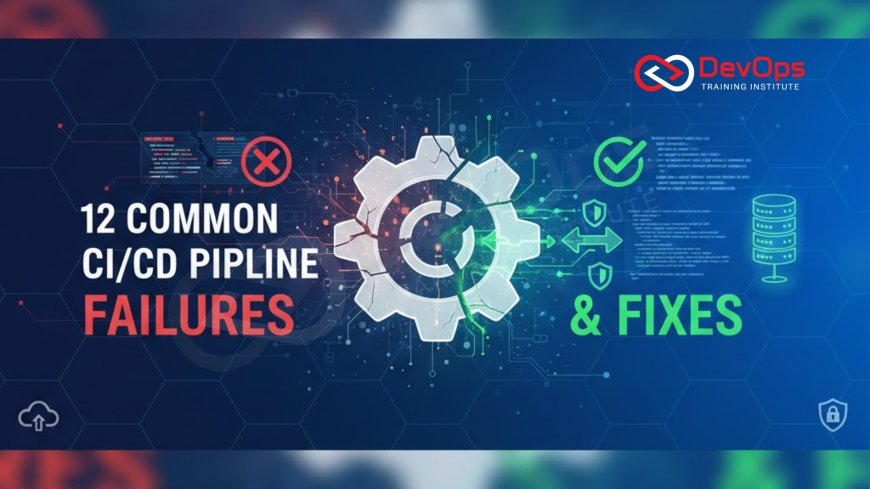
12 Common CI/CD Pipeline Failures & Fixes
Identify and resolve the 12 most common failures plaguing Continuous Integration and Continuous Delivery (CI/CD) pipelines. This practical guide provides immediate, actionable fixes for issues ranging from flaky tests and merge conflicts to resource starvation, dependency hell, and slow deployment speeds. Learn how to implement robust solutions like pipeline parallelism, intelligent caching, artifact immutability, and security hardening to ensure a fast, stable, and reliable software delivery flow, accelerating your release cadence and achieving true continuous deployment in any high-velocity DevOps environment.
Introduction
The Continuous Integration and Continuous Delivery (CI/CD) pipeline is the automated engine of modern DevOps. Its purpose is to transform code into reliable, production-ready software as quickly and safely as possible. However, due to its inherent complexity—integrating multiple tools, environments, and dependencies—the CI/CD pipeline is also prone to a variety of failures. When the pipeline fails, the entire development team grinds to a halt, directly impacting velocity and the business's ability to deliver value. Troubleshooting these failures efficiently is a core skill for any DevOps engineer.
Failures in the pipeline can manifest in many forms: intermittent test failures, long build times that waste resources, deployments that fail only in production, or silent security vulnerabilities introduced via dependencies. These issues often stem from a lack of consistency, poor resource management, or inadequate separation of concerns within the pipeline stages. The key to maintaining a healthy pipeline is recognizing these common failure modes quickly and applying systematic, automated fixes rather than resorting to manual intervention or temporary workarounds. A truly stable pipeline is one that provides rapid, trustworthy feedback, enabling fast decision-making.
This comprehensive guide details 12 of the most common CI/CD pipeline failures encountered in real-world scenarios and, more importantly, provides concrete, best-practice solutions to fix them permanently. We've organized these issues into categories spanning code quality, speed, integrity, and security. By implementing these preventative and corrective measures, you can dramatically improve the stability and efficiency of your DevOps continuous delivery pipeline, ensuring continuous flow and maximizing your team's ability to deliver high-quality software with confidence and speed.
Pillar I: Speed and Performance Failures
Pipeline performance is critical; a slow pipeline defeats the purpose of Continuous Integration by delaying feedback and slowing down the organizational release cadence. These failures often stem from inefficient resource use and repetitive, unoptimized tasks.
1. Failure: Excessive Build Time (Slow Feedback Loop)
Cause: Running unnecessary tests, rebuilding dependencies from scratch, insufficient parallelization, or using underpowered build agents. A long build time means delays before a developer gets confirmation on their code's integrity.
Fix: Implement Caching and Parallelism. Use intelligent caching for dependencies and build artifacts (e.g., Maven, npm, Docker layers). Execute unit tests, integration tests, and security scans in parallel across multiple agents. Use faster runners or optimize resource requests for agents (e.g., sufficient CPU/RAM allocation for your Kubernetes runners).
2. Failure: Dependency Hell and Build Inconsistency
Cause: Relying on external, non-versioned package sources or using different local vs. pipeline environments, leading to unpredictable builds (e.g., the build works locally but fails in CI due to slightly different dependency versions). This causes environment drift and wastes time trying to replicate failures.
Fix: Containerize Everything and Lock Dependencies. Use version-locked dependency files (`package-lock.json`, `Gemfile.lock`). More importantly, containerize the build environment itself (using a Docker image with pre-installed tools) to ensure the execution environment is identical everywhere. For applications, use minimal, immutable container images built from standardized, secure base images.
3. Failure: Resource Starvation on Build Agents
Cause: Pipeline agents (VMs or Pods) run out of CPU, memory, or disk space, causing jobs to fail intermittently or slow to a crawl. This is common when resource limits are set too low or not defined at all in a shared container orchestration environment like Kubernetes.
Fix: Define and Monitor Resource Limits. Implement resource requests and limits (CPU/Memory) for all CI/CD runners, especially if they are Kubernetes Pods, to prevent resource contention. Implement automated cleanup jobs for workspace and disk space, or use ephemeral runners that are destroyed after each job. Monitor agent health using observability tools to prevent recurring resource failures.
Pillar II: Integrity and Reliability Failures
Integrity failures erode trust in the pipeline's output, leading developers and QA teams to bypass automated checks. Reliability issues, such as flaky tests, are perhaps the single biggest destroyer of confidence in any Continuous Integration system.
4. Failure: Flaky Tests (Intermittent Failures)
Cause: Tests that randomly pass or fail without any code change. Common culprits include: reliance on specific timing, shared state, asynchronous operations, or ordering dependencies. Flaky tests destroy trust in the entire CI system, leading developers to ignore legitimate failures.
Fix: Isolate State and Implement Retries. Ensure tests are fully isolated and clean up their state. Use testing frameworks with built-in retry logic for integration or end-to-end tests that are prone to transient network issues (like connecting to an external mock service). Use modern frameworks like Playwright or Cypress that offer superior waiting and synchronization capabilities over older technologies like raw Selenium.
5. Failure: Deployment Fails Due to Configuration Drift
Cause: The configuration between the staging environment (where tests pass) and the production environment (where deployment fails) is inconsistent. This "drift" is often caused by manual changes or incomplete Infrastructure as Code (IaC) coverage between environments. Configuration drift is a notorious source of hard-to-debug production issues.
Fix: Adopt GitOps and IaC Strictness. Make Git the single source of truth for ALL configuration (Config as Code). Use tools like Terraform or Ansible to manage environments. Use reconciliation tools (Argo CD/Flux CD) to continuously enforce the desired state, automatically flagging or reverting manual changes. Never allow manual changes to the target environments without being codified and reviewed first.
6. Failure: Artifact Immutability is Broken (Security Risk)
Cause: A built artifact (e.g., a container image) is modified after being built, or the pipeline allows an old, unverified artifact to be promoted. This breaks the immutability principle and introduces serious security and traceability risks, potentially opening the door to supply chain attacks.
Fix: Enforce Artifact Signing and Verification. Use digital signatures (Notary, Cosign) to sign artifacts immediately after a successful build. The deployment stage must verify this signature, rejecting any artifact that is unsigned or whose signature is invalid. Ensure all build steps use fully versioned and signed base images and dependencies. The artifact must be demonstrably immutable.
7. Failure: Environment Cleanup Failures
Cause: Temporary testing environments (e.g., ephemeral Kubernetes namespaces) are spun up but not reliably destroyed, leading to resource exhaustion, runaway cloud costs, and conflict with subsequent pipeline runs. This is a common source of intermittent failures and financial waste, especially in cloud infrastructure.
Fix: Use Automated Teardown Hooks. Implement dedicated teardown steps with guaranteed execution (e.g., using `finally` blocks or pipeline-level `always` sections) to destroy temporary resources, even if the primary testing stage fails. Enforce RHEL 10 post-installation checklist security practices to ensure services like cron or systemd cleanup scripts are running correctly on host nodes for any cleanup tasks.
Pillar III: Security and Governance Failures
Security failures in the pipeline often lead to the most serious consequences, such as data leaks or production environment compromise. These issues must be caught and remediated instantly to maintain the integrity of the software supply chain. These failures highlight a weak DevSecOps posture and a lack of proper governance controls.
8. Failure: Secrets Leakage in Logs or Code
Cause: Secrets (API keys, credentials) are inadvertently printed to build logs, passed as clear-text environment variables, or accidentally committed to Git. This provides an attacker with credentials necessary to pivot from the pipeline to production systems.
Fix: Centralized Secrets Management. Use dedicated Secrets Management tools (Vault, Key Vault) to inject short-lived credentials into the build agent's memory at runtime. Never print secrets to logs, and implement automated secrets detection tools (Gitleaks, Detect Secrets) as a mandatory check on every commit and log stream. Ensure configuration files are strictly audited for embedded secrets.
9. Failure: Unsafe Container Image Configuration
Cause: Container images are built with weak security defaults (e.g., running as root, unnecessary capabilities, weak file permissions). This violates the principle of least privilege and increases the damage an attacker can inflict upon a container breakout.
Fix: Enforce Runtime Security Contexts. Use image scanning tools (Trivy, Clair) to check for vulnerabilities. More importantly, enforce least privilege at runtime by validating that Kubernetes manifests set `runAsUser` to non-root, drop unnecessary capabilities, and use SELinux or AppArmor policies for host-level protection. This is a core part of RHEL 10 hardening best practices applied to containers.
10. Failure: Vulnerability in Third-Party Dependencies
Cause: New vulnerabilities (CVEs) are discovered in open-source libraries used by the application, or the pipeline is slow to update existing vulnerable packages. This leaves the deployed application exposed to known, easily exploitable threats.
Fix: Automate SCA and Policy Gates. Implement Software Composition Analysis (SCA) tools (Snyk, Dependency-Check) in the build stage to scan dependencies against known CVE databases. Configure a strict quality gate to fail the build if any high-severity vulnerability without a patch is detected, ensuring that vulnerable code never reaches the deployment stage. This is a critical security control and a requirement for modern compliance.
Pillar IV: Advanced Operational Failures
These failures relate to deep operational or architectural issues that affect the system's ability to handle traffic and maintain resilience. Addressing them requires advanced observability and specialized tools to manage distributed systems and resource contention.
11. Failure: Unstable Performance After Deployment
Cause: Deployment is successful, but the application exhibits sudden performance degradation (high latency, low throughput) under load. Traditional functional tests passed, but a load test or Canary release monitoring failed to catch the issue, often caused by inefficient database queries, resource contention, or poor application code performance.
Fix: Integrate Performance Testing and Tracing. Automate load/performance testing (JMeter, Gatling) as a mandatory pipeline stage before production. More critically, integrate Distributed Tracing (OpenTelemetry, Jaeger) to identify the specific service calls or database queries causing the latency spike. Use observability tools to compare pre- and post-deployment performance metrics (Canary Analysis). The ability to quickly correlate performance degradation with a specific code change using tracing is key.
12. Failure: Network Policy Conflicts Post-Deployment
Cause: Deployment succeeds, but services cannot communicate, often due to overly restrictive or conflicting network policies (e.g., Kubernetes NetworkPolicy or host firewall rules). These issues are common in microservices when API Gateways or Service Mesh proxies are misconfigured.
Fix: Version Control Network Policy and Validate. Treat all network policies (e.g., Kubernetes manifests, host iptables/firewalld rules for RHEL 10 firewall management) as code and store them in Git. Use validation tools (e.g., Policy-as-Code with OPA) in the CI pipeline to verify policies before they are applied. For complex environments, simulate the network policies against the live deployment topology to confirm correct flow before execution, preventing unexpected service isolation.
Conclusion
A resilient CI/CD pipeline is the most valuable asset in a DevOps organization, but it requires continuous attention and hardening. The 12 failure modes and their systematic fixes outlined here provide a roadmap for achieving stability and velocity. From combating flaky tests with isolation and automation to fortifying against security threats with secrets management and artifact signing, the core solution always lies in shifting control left and treating every pipeline stage as a quality and security gate.
The most mature pipelines are defined by their ability to automatically prevent, detect, and self-remediate these failures. Implementing best practices such as immutable artifacts, centralized Secrets Management, comprehensive observability, and automated security scanning ensures that the entire software delivery process is predictable, auditable, and trustworthy. By adopting these solutions, you transform troubleshooting from a reactive scramble into a proactive, data-driven engineering discipline, ensuring the continuous, reliable flow of value to your customers.
Invest in the tooling and the discipline required to maintain these standards. A clean, fast, and secure pipeline is the ultimate enabler of a high-velocity DevOps culture, allowing your team to focus on innovation rather than operational toil. Use this guide as your blueprint for continuous pipeline improvement, proving that speed and stability are not trade-offs but complementary goals achievable through rigorous automation and adherence to the best practices of modern software delivery, ensuring that your team maintains a predictable and successful flow of code to production.
Frequently Asked Questions
What is the primary consequence of flaky tests in the CI/CD pipeline?
Flaky tests destroy developer trust in the CI system, causing them to ignore or bypass legitimate failures, which allows critical bugs to slip into later stages or production.
How does GitOps prevent configuration drift failure?
GitOps makes Git the single source of truth; reconciliation agents continuously revert any manual changes in the environment back to the state defined in Git, ensuring consistency.
What is the most effective fix for reducing slow build times?
The most effective fix is a combination of implementing intelligent caching for dependencies/artifacts and maximizing parallelism across multiple build agents.
Why is RHEL 10 hardening best practices relevant to pipeline security failures?
The pipeline should verify that the underlying host OS and base container images adhere to hardening best practices, preventing security failures that start at the infrastructure level.
How should secrets be handled in the pipeline to prevent leakage?
Secrets must be stored in centralized vaults (e.g., HashiCorp Vault) and injected as short-lived credentials into the build agent's memory at runtime, never stored in logs or SCM.
How does distributed tracing help fix unstable performance after deployment?
Distributed tracing allows engineers to identify the exact service call or database query that introduced latency after a deployment, pinpointing the performance regression source quickly across the distributed system.
What is the benefit of artifact signing in the pipeline?
Artifact signing cryptographically verifies the integrity and origin of the artifact, ensuring it has not been tampered with and preventing unverified images from being deployed to production, mitigating supply chain attacks.
What is the role of Software Composition Analysis (SCA) in preventing failures?
SCA tools scan third-party dependencies for known vulnerabilities, failing the build instantly if a high-severity vulnerability without a patch is detected, preventing the deployment of vulnerable code.
How does a release cadence impact pipeline stability?
A disciplined, high-velocity release cadence encourages small, frequent changes, which are easier to test, merge, and debug, making the pipeline inherently more stable and reducing the impact of any single failure.
How does firewall management relate to network policy conflicts?
Host firewall management (e.g., `firewalld` rules in RHEL) must be consistently managed via IaC alongside container network policies to prevent conflicts that block necessary service communication post-deployment.
Why should temporary environments use automated teardown hooks?
Automated teardown hooks ensure that temporary testing environments are reliably destroyed after use, even if tests fail, preventing resource leaks, unnecessary cloud costs, and conflict with subsequent pipeline runs.
How do API Gateways simplify troubleshooting in microservices?
API Gateways centralize traffic, authentication, and policy enforcement, providing a single point of entry and observation (logs, metrics) for ingress traffic, simplifying the initial diagnosis of external failures.
What is the essential fix for ensuring build consistency across all environments?
The essential fix is containerizing the build environment itself, ensuring that all tools, dependencies, and execution contexts are identical for local, CI, and deployment builds.
What is the critical failure caused by insufficient resource limits in Kubernetes runners?
Insufficient resource limits cause resource starvation, leading to intermittent job failures, slow performance, and potential cascading failures due to throttling, demanding careful resource allocation and monitoring.
How can configuring SSH keys security in RHEL 10 prevent pipeline failure?
By ensuring that the CI/CD pipeline uses secure, temporary SSH keys for authenticated actions (e.g., deployment to a node) rather than static, exposed credentials, you prevent security failures from compromised credentials, which could lead to unauthorized access and pipeline sabotage.
What's Your Reaction?
 Like
0
Like
0
 Dislike
0
Dislike
0
 Love
0
Love
0
 Funny
0
Funny
0
 Angry
0
Angry
0
 Sad
0
Sad
0
 Wow
0
Wow
0

![100+ Azure DevOps Interview Questions and Answers [Updated 2025]](https://www.devopstraininginstitute.com/blog/uploads/images/202509/image_140x98_68c40aa9a3834.jpg)






![Future Scope of DevOps Careers in Pune [Updated 2025]](https://www.devopstraininginstitute.com/blog/uploads/images/202510/image_140x98_68e3a84652312.jpg)


