


































![Kong Interview Preparation Guide [2025]](https://www.devopstraininginstitute.com/blog/uploads/images/202509/image_430x256_68dbb95326997.jpg)
















15 DevOps Commands Freshers Must Learn
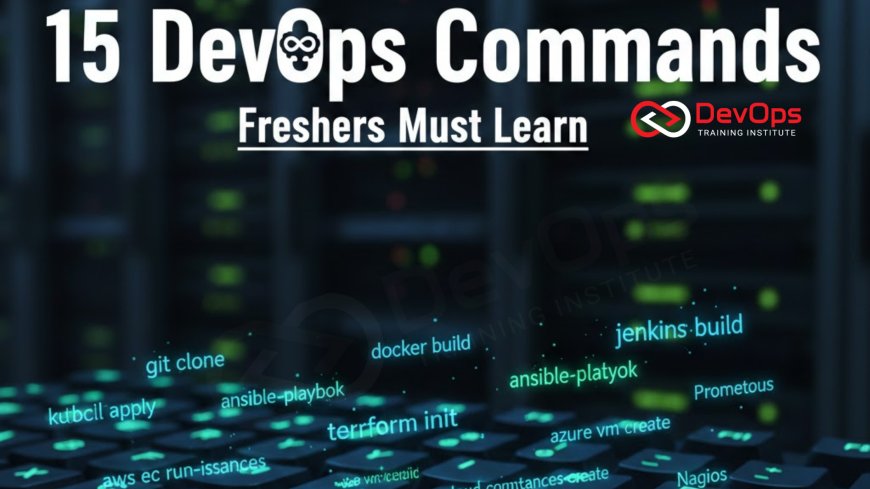
Equip yourself for success in the fast-paced world of engineering by mastering the fifteen essential DevOps commands that every fresher must learn in twenty twenty six. This beginner friendly guide provides a clear roadmap through the most important tools for container management, infrastructure as code, and cloud orchestration. Learn how to navigate the terminal with confidence, troubleshoot failing services, and manage deployments like a professional. Whether you are aiming for a career as a site reliability engineer or a cloud architect, understanding these core commands is the first step toward building a robust technical foundation and staying competitive in today's demanding digital landscape.
Introduction to the DevOps Command Line
For anyone starting a career in DevOps, the command line is your most powerful tool and your closest companion. While modern platforms offer beautiful graphical interfaces, the true power of automation and system management lies in the terminal. Mastering the command line allows you to interact directly with servers, orchestrate complex container environments, and automate repetitive tasks that would otherwise take hours of manual work. In twenty twenty six, the ability to navigate a Linux shell and execute precise commands is not just a plus; it is a fundamental requirement for every engineering role.
Learning these commands is about more than just memorizing syntax; it is about understanding the underlying systems they control. As a fresher, you will frequently find yourself troubleshooting production issues, managing code repositories, and deploying infrastructure across various cloud providers. A solid grasp of the command line ensures that you can move fast and solve problems with precision. This guide introduces fifteen essential commands that form the backbone of a successful DevOps workflow, providing you with the technical confidence to handle real world challenges in the modern software delivery lifecycle.
Mastering Git for Version Control
Git is the industry standard for version control, and knowing its core commands is essential for collaboration in any technical team. The git clone command is usually the first one you will use, allowing you to create a local copy of a remote repository so you can start working on the code. Once you have made your changes, git commit is used to record those changes in your local history with a descriptive message. These commands ensure that every change is tracked and that your continuous synchronization with the rest of the team remains seamless and organized.
As you become more advanced, you will need to manage different versions of the code simultaneously. The git branch command allows you to create isolated environments for new features or bug fixes, preventing your experimental code from breaking the main production line. When your work is ready, git push sends your local updates to the central server for review. Understanding these commands is a vital part of the cultural change toward collaborative development, where every engineer takes responsibility for the integrity and quality of the shared codebase.
Essential Linux System Navigation
Most DevOps tools run on Linux, so being comfortable with the Linux filesystem is a non negotiable skill. The ls command is used to list the contents of a directory, helping you see which files and folders are present. To move between these directories, you use the cd command. These two simple commands are the foundation of all terminal work, allowing you to explore the server environment and locate the configuration files or logs you need to manage your applications effectively. They are the starting point for any incident handling session in a remote server.
Beyond navigation, you must know how to view and edit files directly from the terminal. The cat command allows you to display the entire contents of a file quickly, which is great for small configuration files. For larger files like system logs, the tail command is indispensable, especially with the -f flag, which shows you new log entries in real time as they are generated. This real time visibility is critical for diagnosing why a service is failing or identifying performance bottlenecks. Mastering these Linux basics ensures that you can manage your architecture patterns with ease at the infrastructure level.
Docker and Container Management
In the age of microservices, containerization is everywhere, and Docker is the tool that brought it to the mainstream. The docker build command is used to turn a simple text file, known as a Dockerfile, into a runnable container image. This image contains everything your application needs to run, ensuring consistency across development, staging, and production environments. Once your image is ready, docker run is the command that actually starts the container, bringing your application to life in an isolated environment that is easy to scale and manage.
Managing running containers requires another set of essential commands. The docker ps command gives you a snapshot of all active containers, showing their IDs, names, and status. If you need to stop a container that is misbehaving, docker stop is the command to use. For freshers, learning to navigate these container commands is the first step toward mastering more complex orchestration systems like Kubernetes. It allows you to build a resilient and portable technical environment where your software can run anywhere with the same predictable results, regardless of the underlying hardware or cloud provider.
15 Essential DevOps Commands Summary
| Command | Tool Category | Primary Use | Importance |
|---|---|---|---|
| git clone | Git | Download repository | High |
| ls -la | Linux | List all files | High |
| docker ps | Docker | Show containers | Critical |
| kubectl get pods | Kubernetes | Check pod status | Critical |
| terraform apply | Terraform | Deploy infrastructure | Medium |
Kubernetes Orchestration Basics
As you move into larger environments, you will likely encounter Kubernetes, the industry leader for container orchestration. The kubectl get pods command is the most frequently used command in this ecosystem, allowing you to check the status of all your running application instances at once. It tells you if your pods are running, pending, or failing, providing the high level visibility needed to manage large scale cluster states. This command is the starting point for any troubleshooting effort within a Kubernetes cluster.
If a pod is failing, the kubectl logs command is your best friend. It allows you to see the output of the application running inside the pod, which is essential for finding the root cause of crashes or errors. For even deeper investigation, kubectl describe provides detailed information about the pod's configuration, events, and resource usage. These commands allow you to maintain continuous synchronization between your desired state and the actual state of the cluster, ensuring that your applications remain healthy and responsive to user traffic.
Infrastructure as Code with Terraform
Modern DevOps teams don't manually create servers; they use Infrastructure as Code (IaC) to define their entire cloud environment. Terraform is the leading tool for this, and the terraform plan command is essential for safe deployments. It shows you exactly what changes Terraform will make to your infrastructure before any real resources are created or destroyed. This preview step is critical for preventing accidental outages and ensuring that your release strategies are predictable and safe for the business.
Once you have reviewed the plan, terraform apply is the command that actually executes the changes, provisioning your servers, databases, and networks in the cloud. For freshers, learning these commands is the gateway to understanding how global scale infrastructure is managed in twenty twenty six. It allows you to treat your infrastructure with the same rigor and version control as your application code. By integrating secret scanning tools into this workflow, you can ensure that no sensitive cloud credentials are accidentally exposed in your configuration files, keeping your environment secure and compliant.
Top 15 Commands Every DevOps Fresher Needs
- ssh: Securely connect to remote servers to perform maintenance or troubleshooting tasks directly on the host.
- grep: Search for specific text patterns within files or command output, which is invaluable for filtering large log files.
- top/htop: Monitor system resource usage in real time, helping you identify processes that are consuming too much CPU or memory.
- curl: Test network connectivity and API endpoints by sending requests and viewing the responses directly from the terminal.
- chmod/chown: Manage file permissions and ownership, ensuring that your applications have the correct access to system resources.
- df -h: Check the available disk space on your server, preventing outages caused by full filesystems.
- netstat/ss: View active network connections and open ports, which is essential for troubleshooting networking and security issues.
- kubectl exec: Open an interactive shell inside a running Kubernetes pod to perform live debugging of the container environment.
- docker images: List all the container images stored on your local machine, helping you manage your local development storage.
- terraform init: Prepare your working directory for Terraform by downloading the necessary providers and modules for your cloud environment.
Mastering these fifteen commands will give you a significant advantage as you begin your DevOps journey. They cover the entire spectrum of modern engineering, from low level system administration to high level cloud orchestration. As you practice these commands, focus on understanding the "why" behind each one, and try to incorporate them into your daily incident handling and development routines. By utilizing ChatOps techniques, you can even share the output of these commands with your team in shared channels, fostering a culture of transparency and collective learning.
Conclusion on Technical Command Mastery
In conclusion, the journey from a DevOps fresher to a seasoned professional is paved with the mastery of the command line. These fifteen commands represent the most critical tools you will use every day to build, deploy, and manage modern software systems. By becoming proficient in Git, Linux, Docker, Kubernetes, and Terraform, you are setting yourself up for long term success in an ever changing technical landscape. Remember that the terminal is not something to be feared but a powerful ally that allows you to operate with speed, precision, and automation.
As you continue to grow, look for ways to combine these commands into automated scripts and CI CD pipelines. Staying informed about AI augmented devops trends will also help you stay ahead of the curve as new tools and technologies emerge. Utilizing continuous verification strategies will ensure that your commands and automation are always delivering the intended results. The future of DevOps is bright for those who master the fundamentals today. Start typing, keep experimenting, and use the power of the command line to drive innovation and excellence in everything you do.
Frequently Asked Questions
Which operating system is best for learning DevOps commands?
Linux is the industry standard for DevOps; most tools are built for Linux environments and servers in twenty twenty six.
Do I need to be an expert in Linux to start in DevOps?
No, you can start with basic navigation and file management commands and gradually build your expertise as you work on projects.
What is the purpose of the 'sudo' command?
The 'sudo' command allows a permitted user to execute a command as the superuser or another user, providing administrative privileges.
How do I get help for a specific command in the terminal?
You can usually add '--help' after a command or use the 'man' command followed by the command name for documentation.
What is a shell script in DevOps?
A shell script is a file containing a series of commands that the shell executes in sequence to automate repetitive technical tasks.
Can I run these commands on a Windows machine?
Yes, you can use tools like WSL (Windows Subsystem for Linux) or Git Bash to run Linux-style commands on Windows effectively.
Why is Git so important for DevOps freshers?
Git allows teams to track code changes, collaborate on features, and maintain a history of the project, which is essential for teamwork.
What does 'kubectl' stand for?
Kubectl is the command-line tool for controlling Kubernetes clusters, allowing you to manage deployments, services, and other core cluster resources.
How can I practice these commands safely?
You can use local development environments like Docker Desktop, Minikube, or free cloud tier accounts to practice without affecting production systems.
Is it important to memorize all command flags?
No, it is more important to understand what the command does; you can always look up specific flags in the documentation.
What is the difference between 'git pull' and 'git fetch'?
Git fetch downloads changes from the remote server, while git pull downloads and immediately merges them into your current local branch.
How do I stop a command that is currently running?
You can usually stop a running terminal command by pressing 'Ctrl + C' on your keyboard, which sends an interrupt signal.
What is a container image?
A container image is a lightweight, standalone, and executable package that includes everything needed to run a specific piece of software application.
What does 'IaC' stand for in DevOps?
IaC stands for Infrastructure as Code, which involves managing and provisioning your computer data centers through machine-readable definition files and scripts.
How can I learn these commands faster?
The best way to learn is by using them in real projects, following tutorials, and building your own automated local development environments.
What's Your Reaction?
 Like
0
Like
0
 Dislike
0
Dislike
0
 Love
0
Love
0
 Funny
0
Funny
0
 Angry
0
Angry
0
 Sad
0
Sad
0
 Wow
0
Wow
0





![100+ Azure DevOps Interview Questions and Answers [Updated 2025]](https://www.devopstraininginstitute.com/blog/uploads/images/202509/image_140x98_68c40aa9a3834.jpg)






![Future Scope of DevOps Careers in Pune [Updated 2025]](https://www.devopstraininginstitute.com/blog/uploads/images/202510/image_140x98_68e3a84652312.jpg)


