How GitOps Keeps Git and Cluster State in Sync
How Argo CD and Flux detect Git changes, diff live state, self-heal drift and prune, with YAML, polling vs webhook defaults and sync troubleshooting.
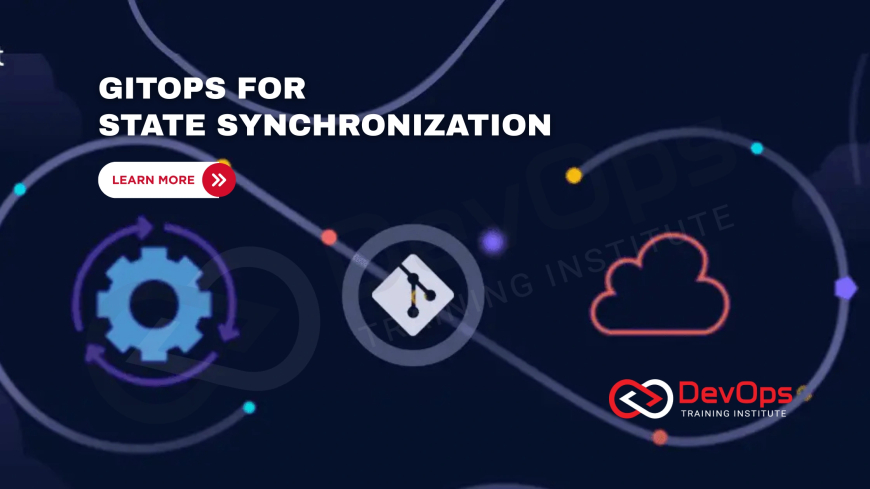
GitOps keeps Git and a cluster in sync with a reconciliation loop. An agent inside the cluster, such as Argo CD or Flux, fetches the desired manifests from Git on an interval or webhook, renders them, compares them with live objects through the Kubernetes API, and applies the difference. Continuous re-checks catch both new commits and manual drift.
This article explains that loop step by step: how changes are detected, how the diff is calculated, what self-heal and prune actually do, and what to tune when sync is slow or noisy. If you need the concept first, read what GitOps is and how it improves infrastructure automation.
Key takeaways
- The OpenGitOps project defines four principles: declarative, versioned and immutable, pulled automatically, and continuously reconciled. Synchronization is the last two in practice.
- By default Argo CD polls Git every 120 seconds plus up to 60 seconds of jitter. Flux polls on the
intervalyou set per source. Webhooks make both react within seconds. - Detecting a change and applying it are separate steps. An application can be OutOfSync and stay that way until a person or an automated sync policy acts.
- Self-heal reverts manual changes to live objects. Prune deletes objects that were removed from Git. Both are off by default in Argo CD; Flux Kustomizations make prune an explicit field.
- Fields set by controllers (replica counts from an HPA, injected sidecars, defaulted values) need ignore rules or they show as permanent drift.
- Sync is only as safe as the repository. Branch protection, review and signed commits are part of the system.
The four parts of the sync loop
| Part | Argo CD | Flux |
|---|---|---|
| Source of desired state | Git repo, Helm repo or OCI registry referenced in an Application | GitRepository, HelmRepository, OCIRepository or Bucket objects |
| Fetch and render | repo-server clones the repo and renders plain YAML, Kustomize, Helm or a plugin | source-controller fetches an artifact; kustomize-controller or helm-controller renders it |
| Compare | application-controller diffs rendered manifests against live state | kustomize-controller and helm-controller use server-side apply dry runs to detect drift |
| Act | Sync (manual or automated) applies changes, optionally pruning and self-healing | Apply on every interval; prune if prune: true |
Both tools run inside the cluster and pull from Git. That is the pull model: CI never needs cluster credentials, and the only thing that writes to the cluster is the agent. Our post on why GitOps is preferred over push-based deployments covers the security side of that choice.
Step 1: detecting a change in Git
The agent learns about new commits in one of two ways.
Polling
Argo CD checks each repository on a timer set by timeout.reconciliation in the argocd-cm ConfigMap. The default is 120 seconds, with up to 60 seconds of jitter (timeout.reconciliation.jitter) to spread load, so a commit is usually noticed within three minutes. Flux checks each source on its own spec.interval.
apiVersion: source.toolkit.fluxcd.io/v1
kind: GitRepository
metadata:
  name: shop
  namespace: flux-system
spec:
  interval: 1m
  url: https://github.com/example/shop-config
  ref:
    branch: main
Webhooks
Polling hundreds of repositories every minute wastes API quota and is still slow. Both tools accept webhooks from GitHub, GitLab, Bitbucket and others. Argo CD exposes an /api/webhook endpoint on its API server; Flux uses a Receiver object in notification-controller. A push event triggers an immediate refresh, and polling stays on as a fallback in case a webhook is lost.
apiVersion: notification.toolkit.fluxcd.io/v1
kind: Receiver
metadata:
  name: github-shop
  namespace: flux-system
spec:
  type: github
  events: ["push"]
  secretRef:
    name: webhook-token
  resources:
  - kind: GitRepository
    name: shop
Step 2: rendering desired state
Git rarely holds the final YAML. The agent renders it first: Kustomize overlays for each environment, Helm charts with values files, or Jsonnet. Rendering must be deterministic. A Helm chart that generates a random password or a timestamp on every render will show as changed on every comparison, and the application never settles. Generate such values once and store them as secrets, or use a lookup pattern the tool supports.
Argo CD caches rendered manifests per commit, which is why a new commit can take a moment longer to show up than a hard refresh of an unchanged one.
Step 3: comparing desired and live state
The agent reads the live objects from the Kubernetes API and diffs them against the rendered manifests. A naive field-by-field comparison would flag almost everything, because the API server adds defaults, status fields and metadata. Both tools handle this:
- Argo CD normalizes known defaults and can use server-side diff, which asks the API server for a dry-run apply result and compares that.
- Flux runs a server-side apply dry run and only reports fields it manages.
The result is a sync status. In Argo CD, an Application is Synced when live matches Git and OutOfSync when it does not. Health is reported separately (Healthy, Progressing, Degraded, Missing), so an application can be Synced but Degraded if its pods crash.
Expected differences: ignoreDifferences
Some fields are owned by something else on purpose. A HorizontalPodAutoscaler changes spec.replicas; a mutating webhook injects a sidecar; cert-manager fills in a CA bundle. Tell the agent to ignore them, or it will keep reverting the HPA's work.
apiVersion: argoproj.io/v1alpha1
kind: Application
metadata:
  name: shop
  namespace: argocd
spec:
  project: default
  source:
    repoURL: https://github.com/example/shop-config
    targetRevision: main
    path: overlays/prod
  destination:
    server: https://kubernetes.default.svc
    namespace: shop
  ignoreDifferences:
  - group: apps
    kind: Deployment
    jsonPointers:
    - /spec/replicas
  syncPolicy:
    automated:
      prune: true
      selfHeal: true
    syncOptions:
    - RespectIgnoreDifferences=true
A simpler fix for the HPA case is to remove replicas from the Deployment manifest in Git entirely, so there is nothing to compare.
Step 4: applying the difference
Detection does not imply action. What happens next depends on the sync policy.
| Setting | Argo CD | Flux | Effect |
|---|---|---|---|
| Automatic apply of new commits | syncPolicy.automated | Always on for a Kustomization or HelmRelease (unless suspended) | New commits reach the cluster without a click |
| Revert manual changes | selfHeal: true | Reapplied every interval | kubectl edits are overwritten |
| Delete removed objects | prune: true | prune: true | Objects deleted from Git are deleted from the cluster |
| Pause | Disable automated sync | flux suspend kustomization shop | Freeze during an incident |
The equivalent Flux object:
apiVersion: kustomize.toolkit.fluxcd.io/v1
kind: Kustomization
metadata:
  name: shop
  namespace: flux-system
spec:
  interval: 10m
  sourceRef:
    kind: GitRepository
    name: shop
  path: ./overlays/prod
  prune: true
  wait: true
  timeout: 5m
Ordering with sync waves and dependencies
Some objects must exist before others: a namespace before its deployments, a CRD before its custom resources, a database migration Job before the new app version. Argo CD orders resources with the argocd.argoproj.io/sync-wave annotation and runs hooks (PreSync, Sync, PostSync, SyncFail) around a sync. Flux orders whole Kustomizations with dependsOn.
How drift gets corrected
Configuration drift is any difference between the cluster and Git that did not come from a commit. Typical causes are a hotfix with kubectl edit, a script that scaled a deployment, or an operator that changed a field. The loop handles it like this:
- Someone runs
kubectl scale deploy/api --replicas=1in production. - On the next reconciliation, the agent sees live replicas 1 and desired replicas 3.
- The Application turns OutOfSync and, if notifications are configured, an alert goes to the team channel.
- With self-heal on, the agent applies the manifest and replicas return to 3. With self-heal off, the drift stays visible until someone syncs.
Argo CD also watches live resources through the Kubernetes watch API, so it can notice drift between Git polls. The controller.self.heal.timeout.seconds parameter sets a minimum gap between self-heal attempts for one application, which stops two controllers fighting over a field from turning into a tight loop.
For drift outside Kubernetes, such as cloud resources managed by Terraform, see 12 configuration drift tools for DevOps teams.
An end-to-end example: from commit to running pods
Here is how one image update travels through a typical setup with an application repo, a config repo and Argo CD.
- A developer merges a change to the application repo. CI builds and tests it, then pushes image
shop-api:1.8.3to the registry. - The last CI step opens a pull request against the config repo that changes the image tag in
overlays/prod/kustomization.yaml. A reviewer approves it, or a policy auto-merges it for lower environments. - The merge fires a webhook. Argo CD refreshes the Application, renders the overlay and sees that the Deployment's image differs from the live one. The Application turns OutOfSync.
- Automated sync applies the new Deployment. Kubernetes starts a rolling update.
- Argo CD reports Progressing while new pods start, then Healthy when the rollout completes. If the pods crash, health turns Degraded and a notification goes out.
- To roll back, revert the commit in the config repo. The same loop applies the previous tag.
The CI system never holds cluster credentials, and the config repo history is the deployment log. That history is what auditors usually ask for.
Letting the agent update image tags
Step 2 can also be automated from the cluster side. Flux's image-reflector-controller scans a registry for new tags, and image-automation-controller commits the new tag back to Git according to a policy such as "latest semver in 1.x". Argo CD Image Updater does a similar job for Argo CD. Either way the change still lands in Git first, so the reconciliation loop stays the single path into the cluster.
apiVersion: image.toolkit.fluxcd.io/v1beta2
kind: ImagePolicy
metadata:
  name: shop-api
  namespace: flux-system
spec:
  imageRepositoryRef:
    name: shop-api
  policy:
    semver:
      range: "1.x"
Check the API version against the Flux release you run, because the image automation APIs have moved between versions.
Syncing many clusters
One Git repository often drives several clusters: dev, staging, and production in two regions. The loop is the same, but you need a way to stamp out one sync definition per cluster.
- Argo CD ApplicationSet generates Applications from a template and a generator. The cluster generator creates one Application per registered cluster; the Git directory generator creates one per folder.
- Flux is usually installed in every cluster, each one bootstrapped against its own path in the same repository, for example
clusters/prod-mumbai.
apiVersion: argoproj.io/v1alpha1
kind: ApplicationSet
metadata:
  name: shop
  namespace: argocd
spec:
  generators:
  - clusters:
      selector:
        matchLabels:
          env: prod
  template:
    metadata:
      name: 'shop-{{name}}'
    spec:
      project: default
      source:
        repoURL: https://github.com/example/shop-config
        targetRevision: main
        path: overlays/prod
      destination:
        server: '{{server}}'
        namespace: shop
      syncPolicy:
        automated:
          prune: true
          selfHeal: true
Rolling a change through clusters one at a time is a release-process decision, not a sync feature. Common patterns are separate branches or folders per environment with promotion pull requests, or ApplicationSet's progressive sync feature, which is still marked alpha in Argo CD documentation. Our post on GitOps in multi-cluster setups covers when this is worth the effort.
Scaling the reconciler
A single Argo CD instance managing thousands of Applications spends most of its time rendering and diffing. Signs of strain are slow refreshes, high repo-server CPU and long queues in the controller metrics. Options documented by Argo CD include:
- Running more repo-server replicas, since rendering is the expensive step.
- Sharding the application controller across several replicas, each owning a subset of clusters.
- Excluding resource kinds the controller does not need to watch with
resource.exclusionsinargocd-cm. - Using webhooks and raising
timeout.reconciliation, so polling does less work. - Splitting very large Applications, because one huge diff is slower than several small ones.
Flux scales differently: each controller reconciles its own objects on their own intervals. Set long intervals (10 to 60 minutes) on stable Kustomizations and rely on webhooks for fast reaction; use --concurrent flags on controllers when many objects reconcile at once.
Measuring the loop
Both tools export Prometheus metrics. Useful ones to graph and alert on:
| Question | Argo CD | Flux |
|---|---|---|
| Which apps are out of sync or unhealthy? | argocd_app_info with sync_status and health_status labels | gotk_reconcile_condition (or the resource's Ready condition via kube-state-metrics, depending on version) |
| How long does reconciliation take? | argocd_app_reconcile histogram | gotk_reconcile_duration_seconds |
| Are syncs failing? | argocd_app_sync_total by phase | Ready=False events and notification alerts |
| Is Git fetching slow? | argocd_git_request_duration_seconds | source-controller reconcile duration |
Metric names change between releases, so confirm them against the metrics page for your version before writing alerts. Lead time from merge to Healthy is also a good proxy for one of the DORA metrics, deployment lead time.
Troubleshooting sync
| Symptom | Likely cause | What to check |
|---|---|---|
| Commit not picked up for minutes | Polling only, webhook missing or failing | Webhook delivery logs in the Git host; argocd app get shop --refresh or flux reconcile source git shop |
| App flips between Synced and OutOfSync | Non-deterministic rendering, or a controller changing a field | Diff output; add ignoreDifferences or fix the chart |
| Synced but Degraded | Manifests applied, workload unhealthy | Pod events and logs; health is separate from sync |
| Deleted resource still running | Prune disabled | Enable prune, or delete manually after confirming |
| Sync fails on a CRD resource | CRD not installed yet | Sync waves or dependsOn; Argo CD's SkipDryRunOnMissingResource=true |
| Manual hotfix keeps disappearing | Self-heal working as designed | Commit the fix to Git, or pause sync during the incident |
Useful commands:
# Argo CD
argocd app get shop --refresh        # fetch Git now and show status
argocd app diff shop                 # what differs from Git
argocd app sync shop --prune         # apply, deleting removed objects
argocd app history shop              # past syncs and revisions

# Flux
flux get kustomizations -A
flux reconcile kustomization shop --with-source
flux diff kustomization shop --path ./overlays/prod
flux events --for Kustomization/shop
Keeping the loop trustworthy
- Protect the source. The agent applies whatever is on the tracked branch. Require pull request review, status checks and, where possible, signed commits. Flux can verify commit signatures on a GitRepository.
- Keep secrets out of plain Git. Use Sealed Secrets, SOPS or External Secrets Operator.
- Separate app code and config repos when CI writes image tags, so a pipeline commit does not trigger a loop of rebuilds.
- Limit blast radius with Argo CD Projects or Flux multi-tenancy, which restrict which repos can deploy to which namespaces.
- Alert on OutOfSync and Degraded through Argo CD Notifications or Flux notification-controller, so drift is seen even when self-heal is off.
Choosing between tools? Our list of the top 8 GitOps tools for Kubernetes compares Argo CD, Flux and others, and how Argo CD and Flux enable declarative deployments looks at their models side by side. To prepare for interviews, see the 70+ Argo CD interview questions.
GitOps with Argo CD is part of the Kubernetes and CI/CD modules in our DevOps training, in our Kharadi, Pune classroom and live online.
Frequently asked questions
How does GitOps keep the cluster in sync with Git?
An agent in the cluster fetches manifests from Git, renders them, compares them with live objects and applies the differences. It repeats this on an interval and on webhook events, so new commits and manual changes are both detected.
How often does Argo CD check Git?
By default every 120 seconds plus up to 60 seconds of jitter, set by timeout.reconciliation in argocd-cm. Configure a Git webhook to make it react within seconds.
What is the difference between sync status and health status?
Sync status says whether live objects match Git. Health status says whether those objects are working, for example whether a Deployment's pods are ready. An app can be Synced and Degraded at the same time.
What does self-heal do in Argo CD?
With self-heal enabled under an automated sync policy, Argo CD reapplies Git's version when a live object drifts, for example after a kubectl edit. Without it, the app shows OutOfSync until someone syncs.
What does prune do?
Prune deletes cluster objects that were removed from Git. Without prune, deleting a manifest leaves the object running in the cluster.
Why does my app keep showing OutOfSync?
Usually a field is changed by something other than Git, such as an HPA setting replicas, or the manifests render differently each time. Remove the field from Git, add an ignoreDifferences rule, or make rendering deterministic.
Do I need webhooks for GitOps?
No, polling works on its own, but webhooks cut the delay from minutes to seconds and reduce load on your Git host. Keep polling on as a fallback.
How should I make an emergency change in a GitOps cluster?
The cleanest way is a fast-tracked commit to Git. If you must change the cluster directly, pause automated sync for that app first, then commit the fix and resume sync.
References
What's Your Reaction?
 Like
0
 Dislike
0
 Love
0
 Funny
0
 Angry
0
 Sad
0
 Wow
0