How Feature Toggles Enable Low-Risk Continuous Deployment
How feature toggles enable continuous deployment with minimal risk: toggle types, rollout flow, OpenFeature, CI testing, canaries and toggle debt.
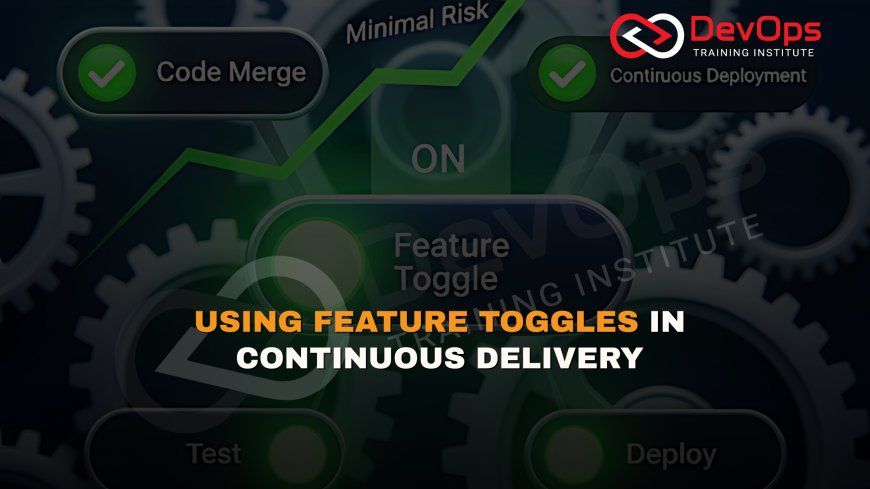
Feature toggles let teams deploy code to production with new behaviour switched off, then turn it on separately, for a few users first and everyone later. Because deploying no longer means releasing, teams can merge and ship small changes many times a day, and a problem is fixed by flipping a toggle instead of rolling back a deployment.
This guide looks at the mechanics of using toggles for continuous deployment: the four kinds of toggle and why they need different handling, how to wire toggles into code and pipelines, how to test with them, and how to stop them turning into permanent clutter. The toggle categories follow Pete Hodgson's article "Feature Toggles (aka Feature Flags)" on martinfowler.com, and the OpenFeature details were checked on openfeature.dev in November 2026. If you want the shorter overview first, read how feature flags enable safe continuous deployment.
Key takeaways
- A toggle separates deploying code from releasing a feature, so unfinished work can ship to production switched off.
- Hodgson's article groups toggles into release, experiment, ops and permissioning toggles. They differ in how long they live and how dynamic their decisions are.
- Release toggles should be short-lived. Each one is a code path you must test and later remove.
- OpenFeature, a CNCF incubating project, provides a vendor-neutral API for flag evaluation, with providers that connect to the flag system of your choice.
- Toggles complement canary releases. A canary tests a new build, while a toggle controls a feature within that build.
- Give every toggle an owner and an expiry date, and make stale toggles fail a check.
Why continuous deployment needs toggles
Continuous deployment means every change that passes the pipeline goes to production automatically. That works well for small, finished changes. It is harder for features that take weeks to build, because you do not want half a checkout redesign in front of customers, and you also do not want a long-lived branch that drifts from main and causes painful merges.
Toggles resolve that conflict. Developers merge to main daily, behind a toggle that is off in production. The code is deployed, runs through the same pipeline as everything else, and is exercised by tests, but users do not see it. When the feature is ready, someone turns the toggle on, perhaps first for staff, then for a small percentage of users, then for everyone. This is how toggles support trunk-based development, where the main branch is always releasable.
Toggles also change what a rollback looks like. If the new feature causes errors, you switch it off. That takes effect as quickly as your flag system propagates changes, usually without a new build or deployment. The rest of the release, including bug fixes that shipped alongside the feature, stays in place.
The four kinds of toggle
Treating every toggle the same way is a common source of trouble. Hodgson's article sorts them by two properties: longevity (how long the toggle exists) and dynamism (how often its decision changes).
| Toggle type | Purpose | Typical lifetime | How dynamic |
|---|---|---|---|
| Release toggle | Ship unfinished or unreleased code switched off | Days to a couple of weeks; longer for product-led launches | Mostly static, changed per release |
| Experiment toggle | A/B or multivariate tests | Hours to weeks, until results are meaningful | Per user or per request |
| Ops toggle | Control operational behaviour, such as turning off an expensive feature under load | Mostly short; kill switches may stay indefinitely | Must change quickly without a release |
| Permissioning toggle | Give certain users access, such as beta or premium features | Can last years | Per request |
For continuous deployment, release and ops toggles matter most. Release toggles let incomplete work ship safely. Ops toggles act as kill switches, so you can turn off a risky integration or a heavy report during an incident. Experiment and permissioning toggles use the same technology but belong more to product management than to deployment safety.
How a toggle-driven release works
A typical flow for one feature looks like this:
- Create the toggle in your flag system, default off in every environment, with an owner and a planned removal date.
- Merge code behind it in small pull requests. Each passes CI and deploys to production with the toggle off.
- Turn it on in test environments and run automated and exploratory tests with it on and off.
- Enable it for internal users in production, using targeting by user ID, email domain or a staff attribute.
- Roll out by percentage, for example 5, 25, 50 and 100 percent, watching errors, latency and business metrics at each stage.
- Remove the toggle once the feature is fully on and stable, deleting the old code path and the flag definition.
Steps 4 and 5 make toggles a form of progressive delivery. Percentage rollouts should be sticky: a user who saw the new feature should keep seeing it, which flag systems handle by hashing a stable identifier such as the user ID. Our post on why feature flags are essential for progressive delivery covers targeting and rollout strategies in more depth.
Implementing toggles in code
Keep decisions out of business logic
The simplest toggle is an if statement. That is fine for one or two, but as toggles multiply, scattered checks make code hard to read and hard to clean up. Hodgson's article recommends separating the decision point (where code asks "is this on?") from the decision logic (how the answer is worked out), and passing the decision into the code that needs it. In practice, put toggle checks at a few clear entry points, such as the route handler or a factory that chooses an implementation, rather than deep inside functions.
Use a standard evaluation API
OpenFeature is an open specification with SDKs for many languages, and the project describes itself as a CNCF incubating project. Your code calls the OpenFeature API, and a provider connects that API to whichever flag system you use: a commercial service, an open source server, or a local file. Switching flag vendors then means changing the provider, not every toggle check. OpenFeature also defines an evaluation context for data such as user ID or region, and hooks for logging, telemetry and validation around each evaluation.
import { OpenFeature } from '@openfeature/server-sdk';

const client = OpenFeature.getClient();

async function checkoutHandler(req, res) {
  const context = { targetingKey: req.user.id, country: req.user.country };
  const useNewCheckout = await client.getBooleanValue('new-checkout-flow', false, context);
  return useNewCheckout ? newCheckout(req, res) : legacyCheckout(req, res);
}
Note the default value false. If the flag system is unreachable, the code falls back to the safe, existing behaviour. Always choose defaults that keep users on the known path.
Decide where evaluation happens
Server-side evaluation keeps targeting rules and user data on your servers. Client-side evaluation in browsers or mobile apps is needed for UI changes, but anything sent to a client can be inspected, so never use a client-side toggle to hide something users must not access. Use real authorisation for that.
Toggles in the CI/CD pipeline
Toggles change how you think about pipeline stages. The pipeline still builds, tests and deploys every commit. What it no longer does is decide when users see a feature. Some practices that help:
- Test both states. Run the test suite with new toggles on and off, at least for the toggles touched by a change. Testing every combination is impossible once you have many toggles, so focus on the expected production states and the next planned state.
- Store flag definitions as code where possible. Many flag systems let you manage definitions through an API, Terraform provider or files in Git, so changes are reviewed.
- Record flag changes as events. Send flag changes to the same place as deployment events, so when errors rise you can see whether a deploy or a flag flip came just before.
- Restrict who can change production flags. A toggle flip is a production change and deserves the same access control and audit trail as a deployment.
When something goes wrong, the timeline should show both deployments and flag changes. Our list of monitoring dashboards every DevOps team should build includes a release view that suits this.
Toggles and canary releases together
Toggles and canaries reduce different risks. A canary release, such as one run with Argo Rollouts on Kubernetes, sends a small share of traffic to a new build and checks infrastructure-level signals. It catches problems in the build itself: a broken dependency, a memory leak, a bad configuration. A toggle controls a single feature within a build that is already running everywhere. It catches problems in feature behaviour and lets product teams time a launch.
A sound pattern is to ship the build through a canary with new features switched off, confirm the build is healthy, then roll out features one by one with toggles. If an error appears, you know whether it came from the build or from a specific feature. See how canary deployments minimise risk in Kubernetes for the build side.
Managing toggle debt
Every toggle doubles the number of paths through the code it guards. Ten independent toggles mean over a thousand possible combinations. Old toggles also make code harder to read and can be flipped by mistake years later. Hodgson's article treats toggles as inventory with a carrying cost and suggests several practices:
- Create a removal task in the backlog when you create a release toggle.
- Give each toggle an expiry date.
- Add a "time bomb" test that fails once a toggle passes its expiry, so it cannot be forgotten.
- Set a limit on the number of active toggles, so a new one requires removing an old one.
Removing a toggle means deleting the losing code path, the toggle check and the flag definition, then deploying. Do it soon after the feature reaches 100 percent, while the people who wrote it still remember what it does.
Risks to watch
Database and API changes
A toggle cannot hide a schema change that breaks the old code path. Use expand-and-contract migrations so both paths work against the same schema while the toggle exists.
Performance of flag evaluation
Calling a remote service for every flag check adds latency and a dependency. Most SDKs cache rules locally and evaluate in memory, updating in the background. Check how yours behaves when the flag service is down.
Inconsistent state across services
If two services evaluate the same toggle independently, one may see it on while the other sees it off during propagation. Design features so that mixed states do not corrupt data, or evaluate once and pass the decision along with the request.
Security and compliance
Toggles are not access control. Keep authorisation checks in place even when a feature is hidden, and keep an audit log of who changed which flag and when.
To practise building pipelines with trunk-based development, toggles and automated rollouts, our DevOps training runs in our Kharadi, Pune classroom and live online. For more on the delivery model these tools support, read how progressive delivery strategies improve user experience.
Choosing a flag management approach
Teams usually start with toggles in configuration files or environment variables. That is enough for a handful of release toggles that change only with deployments, but it breaks down as soon as you need percentage rollouts, per-user targeting or changes without a redeploy. At that point you need a flag service: either a commercial platform, a self-hosted open source server, or a small internal service backed by a database. The decision usually turns on a few questions. How quickly must a change reach every instance? Does user data used for targeting need to stay inside your network? Who outside engineering, such as product managers or support, needs to change flags? How will you keep an audit trail?
Whatever you choose, keep the application code independent of it through a thin wrapper or the OpenFeature API. That keeps the cost of switching low and makes testing easier, because tests can inject a simple in-memory provider with fixed flag values. Name toggles consistently, for example with a team prefix and a short description of the behaviour, and record the owner and expiry in the flag system itself so the information travels with the flag.
Finally, plan for the flag service failing. Decide what each critical toggle should default to if evaluation fails, test that behaviour, and make sure an outage of the flag system cannot block deployments or take the application down with it.
Frequently asked questions
What is the difference between a feature toggle and a feature flag?
They are the same thing. Feature toggle, feature flag, feature switch and feature flipper all describe a runtime setting that turns code paths on or off without a new deployment.
How do feature toggles reduce deployment risk?
They separate deploying from releasing. New code ships switched off, is enabled gradually for small groups, and can be turned off quickly if it misbehaves, without rolling back the whole deployment.
What are the main types of feature toggles?
Pete Hodgson's article on martinfowler.com describes four: release toggles for unfinished features, experiment toggles for A/B tests, ops toggles for operational control such as kill switches, and permissioning toggles for giving specific users access.
How long should a release toggle stay in the code?
As short a time as possible. Hodgson suggests release toggles typically last a week or two. Remove the toggle and the old code path soon after the feature is fully enabled and stable.
What is OpenFeature?
OpenFeature is an open specification and set of SDKs for feature flag evaluation, and a CNCF incubating project. Your code calls the OpenFeature API, and a provider connects it to the flag management system you choose.
Should I use feature toggles or canary releases?
Use both. A canary checks that a new build is healthy on a small share of traffic, while toggles control individual features inside a build. Ship the build through a canary with features off, then enable features with toggles.
Can feature toggles be used for security restrictions?
No. Toggles decide which code path runs, but they are not authorisation. Client-side toggles in particular can be inspected by users. Keep proper access checks in place for anything users must not reach.
References
What's Your Reaction?
 Like
0
 Dislike
0
 Love
0
 Funny
0
 Angry
0
 Sad
0
 Wow
0