How DevSecOps Secures Every Stage of the DevOps Lifecycle
Map DevSecOps controls to eight lifecycle stages from plan to monitor, with owners, evidence, a reference pipeline, gates and a sensible rollout order.
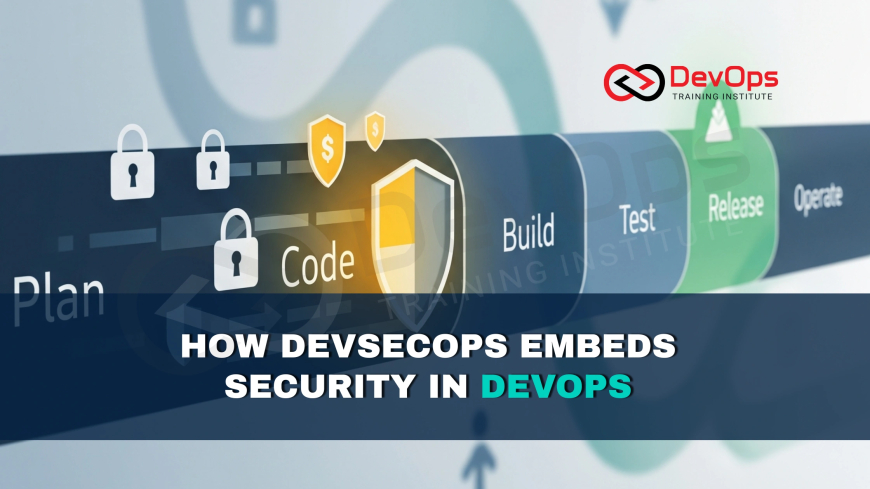
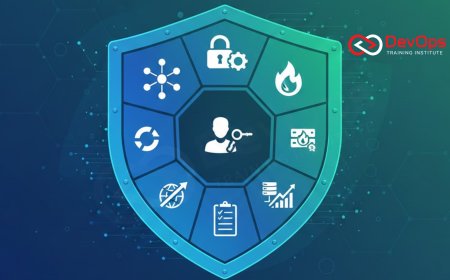
DevSecOps adds a security control, an owner and a piece of evidence to every stage of the DevOps lifecycle: threat modeling at plan, secret and code checks at commit, dependency and image scans at build, dynamic tests at test, signing at release, policy checks at deploy, and detection and patching at operate and monitor. The aim is that security checks run as automatically as unit tests.
This guide maps the whole lifecycle, including the right-hand stages that teams often skip, and gives a reference pipeline you can adapt. The early "shift left" phases are covered in more depth in how DevSecOps shifts security left, phase by phase. If you need a definition first, read 18 DevSecOps principles and 12 key components of a DevSecOps architecture.
Key takeaways
- Treat the lifecycle as a loop of eight stages: plan, code, build, test, release, deploy, operate and monitor. Each needs at least one automated control.
- Shifting left does not mean stopping at build. Signing, deploy-time policy, runtime detection and patching are part of the same loop.
- For each control, decide three things up front: who owns it, what blocks a release, and what evidence it leaves behind.
- NIST SP 800-218, the Secure Software Development Framework (version 1.1, published February 2022), and the OWASP DevSecOps Guideline are two public references to design against. SLSA v1.2 defines Build and Source tracks for supply chain assurance.
- Start with secret scanning, dependency scanning and image scanning, because they are cheap and catch common problems. Add the rest in order.
- Measure outcomes such as time to fix critical findings, not just the number of scans run.
The lifecycle at a glance
| Stage | Security activity | Example control | Typical owner |
|---|---|---|---|
| Plan | Threat modeling, security requirements | Threat model reviewed per feature | Product owner and security champion |
| Code | Secret detection, secure coding checks | Pre-commit hook, protected branches, code review | Developers |
| Build | Dependency scanning, SAST, SBOM, image scan | Scanners in CI, SBOM stored with the artifact | Platform or CI owners |
| Test | DAST, API tests, IaC scanning | Baseline dynamic scan against staging | QA and security |
| Release | Signing, provenance, approvals | Signed image, recorded build provenance | Release engineering |
| Deploy | Policy as code, signature verification | Admission control in the cluster | Platform team |
| Operate | Hardening, patching, secrets rotation | Patch cadence, managed secrets | Operations and SRE |
| Monitor | Detection, alerting, incident response | Audit logs, runtime alerts, runbooks | SRE and security operations |
The OWASP DevSecOps Guideline lists a similar set of pipeline activities: secrets scanning, software composition analysis (SCA), static, interactive and dynamic testing (SAST, IAST, DAST), infrastructure scanning, supply chain security and compliance checks. Use it as a checklist, not as a mandate to adopt everything on day one.
Stage by stage
Plan: decide what can go wrong
Security starts before code exists. For any feature that handles identity, payments, personal data or a new external interface, run a short threat modeling session: draw the data flow, list the trust boundaries, and write down the abuse cases next to the user stories. Turn the outcomes into testable requirements, for example "all service-to-service traffic uses mutual TLS" or "tokens expire after a fixed time".
Tools exist to support this; see threat modeling tools for DevSecOps pipelines and where continuous threat modeling fits. Evidence: the threat model document linked from the ticket.
Code: stop secrets and obvious flaws early
The cheapest fix is the one made before a commit leaves the developer's machine. A secret scanner can run as a pre-commit hook and again in CI. Gitleaks, for instance, scans a Git history with gitleaks git, a directory with gitleaks dir, and offers a pre-commit hook; --redact hides the secret values in the output. Its README says the project is feature complete and receives security patches only, so check whether it still fits your needs against alternatives.
gitleaks git --redact -vPair this with branch protection (reviews required, no direct pushes to main), signed commits if your policy asks for them, and a rule that a leaked credential is always rotated, not just deleted from history. Read who should maintain secrets management for ownership.
Build: scan what you ship
The build stage sees dependencies, container images and the compiled output, so it is where most automated checks live.
- SCA finds known vulnerable libraries in your dependency files.
- SAST analyzes your own source code for insecure patterns.
- Image scanning inspects the OS packages and libraries in the container.
- SBOM generation records what went into the artifact. Syft, for example, writes one with
syft IMAGE -o cyclonedx-jsonor-o spdx-json=./sbom.json. See how an SBOM supports compliance.
trivy fs --severity HIGH,CRITICAL --ignore-unfixed .
trivy image --severity HIGH,CRITICAL --ignore-unfixed registry.example.com/shop/api:1.4.2
The Trivy docs confirm that --severity filters results and that --ignore-unfixed hides vulnerabilities that have no fix yet. Hiding unfixed findings keeps the gate actionable, but track them separately so they are not forgotten.
Decide the gate policy in writing. A common starting point is to fail the build on new critical findings that have a fix available, and report lower severities without blocking.
Test: attack the running application in a safe place
Dynamic testing sends requests to a running build and watches the responses. The ZAP baseline scan is designed for pipelines: it spiders the target for one minute by default, waits for passive scanning to finish, and performs no active attacks. Run it only against systems you own and are authorized to test, such as a staging environment.
docker run -t ghcr.io/zaproxy/zaproxy:stable zap-baseline.py -t https://staging.example.comIts exit codes are 0 for success, 1 if at least one check FAILs, 2 if there are warnings but no failures, and 3 for any other failure, which makes gating simple. Setup details are in integrating OWASP ZAP into a CI/CD pipeline.
Also scan infrastructure code at this stage. Misconfigured storage, open security groups and over-broad IAM roles are far cheaper to catch in a pull request than in production. Trivy's config command accepts the same --severity filter, and preventing misconfigurations in infrastructure as code goes deeper.
Release: prove where the artifact came from
Once an artifact passes the gates, sign it so later stages can verify it. Cosign supports keyless signing with an OIDC identity: cosign sign IMAGE. The docs examples reference images by digest (image@sha256:...), which pins the exact content that was signed, so sign and deploy by digest rather than by a mutable tag.
cosign sign registry.example.com/shop/api@sha256:$DIGEST
cosign verify registry.example.com/shop/api@sha256:$DIGEST \
  [email protected] \
  --certificate-oidc-issuer=https://accounts.example.com
The identity and issuer flags state who is allowed to have signed the image, which is what makes verification meaningful. SLSA v1.2 describes a Build track that grades how trustworthy your build process and provenance are, and a Source track for source control practices. Use it to set a target level rather than as a pass or fail test. For attack scenarios and where controls break them, see where DevSecOps integrations prevent supply chain attacks.
Deploy: enforce policy at the door
A pipeline check can be bypassed by someone who deploys by hand. An admission controller in the cluster is the second line: it can reject workloads that run as root, use unsigned images or lack resource limits. Learn the options in Gatekeeper versus Kyverno and admission controllers. Roll policy out in audit mode first, review what would have been blocked, then enforce.
Also apply least privilege to the deployment path itself. Decide who can approve a production release, and keep that separate from who writes the code. The access question is discussed in who controls access to production.
Operate: keep running systems healthy
Most real incidents involve something that was safe at release and became unsafe later: a new vulnerability in a dependency, an expired certificate, a forgotten credential. Operate-stage controls include a patch cadence with service-level targets by severity, scheduled rebuilds of base images, rotation of secrets and certificates, backup and restore tests, and periodic access reviews. Re-scan images that are already running, because a clean scan at build time says nothing about vulnerabilities published since.
Monitor: detect, respond, feed back
Collect audit logs for the cluster, the cloud account and the CI system. Alert on events that matter: a new admin role binding, a public bucket, a container started from an unsigned image, repeated failed logins. Have a runbook for each alert, and rehearse incident response. After every incident, add a new check earlier in the pipeline so the same class of mistake is caught sooner. That feedback is what makes it a loop. For tooling choices see cloud-native security tools for Kubernetes.
A reference pipeline
This sequence is tool-agnostic. Map each line to a job in your CI system and keep the gates you can defend.
- On every push: secret scan, lint, unit tests, dependency scan.
- On every pull request: SAST, IaC scan, required review from a code owner.
- On merge to main: build the image, scan it, generate the SBOM, push by digest.
- After build: sign the image and store the SBOM and provenance next to it.
- On staging deploy: run the ZAP baseline scan and smoke tests.
- On production deploy: the cluster verifies the signature and policy before admitting the workload.
- Continuously: re-scan running images, watch audit logs, and open tickets for new findings with an owner and a due date.
The failing-the-build part depends on your scanner's exit codes. Many scanners can exit non-zero when findings exceed a threshold, but flag names differ per tool, so check each tool's documentation rather than copying flags between tools.
Common mistakes
- Scanning without ownership. A report nobody triages becomes noise. Assign each finding class to a team.
- Blocking on everything. If every medium finding fails the build, developers will find ways around the gate. Block on a short list, report the rest.
- Treating DAST as a replacement for design review. Dynamic scans find some classes of bugs, not business logic flaws.
- Ignoring the right side. Pipelines pass, then production drifts. Include operate and monitor in your plan.
- Tool sprawl. Five scanners with overlapping output waste time. Pick one per job and integrate it well.
- No exception process. Allow time-boxed, approved exceptions with an expiry date, or people will disable the check.
Rolling it out in a sensible order
- Turn on secret scanning in CI and pre-commit for all repositories.
- Add dependency and image scanning in report-only mode, then block on critical, fixable findings.
- Scan infrastructure code in pull requests.
- Generate and store an SBOM for every release artifact.
- Sign images and verify signatures at deploy time.
- Add a baseline DAST scan to staging.
- Introduce admission policies in audit mode, then enforce.
- Define patch targets and runtime alerts with named owners.
Track a few outcome measures: how long critical findings stay open, the share of repositories with secret scanning, the share of production images that are signed, and how many policy exceptions are active. Do not report scan counts as success. Also compare against a framework occasionally: the NIST SSDF describes secure development practices that you can map your pipeline to.
For a structured path into this work, the DevSecOps course covers secure pipelines, scanning and policy hands-on, and the DevOps course builds the CI/CD base. Both are offered in the classroom in Kharadi, Pune and live online.
Frequently asked questions
How does DevSecOps integrate security into every stage of the DevOps lifecycle?
By adding an automated control and an owner to each stage: threat modeling at plan, secret checks at code, dependency and image scans at build, dynamic tests at test, signing at release, policy checks at deploy, and patching, detection and response at operate and monitor.
What is the difference between DevOps and DevSecOps?
DevOps focuses on fast, reliable delivery through automation and collaboration. DevSecOps keeps that approach and makes security a shared responsibility built into the same pipeline instead of a separate review at the end.
Which security checks should I add to CI/CD first?
Start with secret scanning, dependency scanning and container image scanning. They are quick to add, find common problems, and do not require you to redesign your pipeline.
What do SAST, DAST and SCA mean?
SAST analyzes source code without running it. DAST tests a running application from the outside. SCA identifies known vulnerabilities in third-party libraries listed in your dependencies.
Why sign container images?
Signing lets the cluster verify that an image came from your pipeline and was not changed afterwards. Combined with a deploy-time policy, it stops unsigned or tampered images from running.
Does DevSecOps slow delivery down?
Poorly designed gates can. Automated checks that run in minutes, block only on high-confidence findings, and give clear fixes usually cost less time than late security reviews and emergency patches.
Which frameworks can guide a DevSecOps program?
Useful public references include NIST SP 800-218 (the Secure Software Development Framework), the OWASP DevSecOps Guideline and the SLSA specification. Pick one as a checklist and map your pipeline to it.
Official references
What's Your Reaction?
 Like
0
 Dislike
0
 Love
0
 Funny
0
 Angry
0
 Sad
0
 Wow
0