


































![Kong Interview Preparation Guide [2025]](https://www.devopstraininginstitute.com/blog/uploads/images/202509/image_430x256_68dbb95326997.jpg)
















10 Best Practices for Scaling Jenkins Agents
Unlock the full potential of your CI/CD infrastructure by mastering the ten best practices for scaling Jenkins agents in twenty twenty six. This expert guide provides a deep dive into dynamic provisioning, ephemeral builds, and resource optimization strategies tailored for high growth DevOps teams. Learn how to eliminate build queues, reduce cloud costs with spot instances, and implement robust monitoring to ensure your Jenkins environment remains agile and responsive under any workload. Discover the roadmap to a truly scalable Jenkins architecture that empowers your developers to ship code faster and more reliably in today's demanding and competitive cloud native landscape.
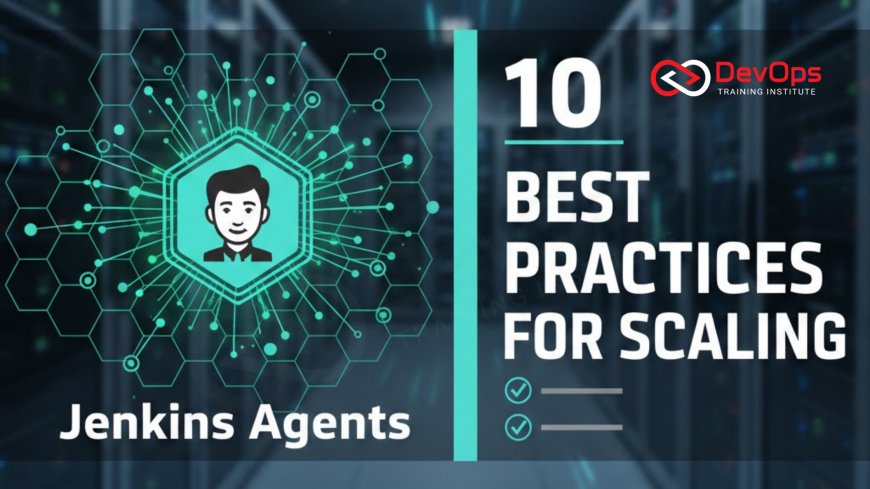
Introduction to Scaling Jenkins Infrastructure
Jenkins remains the backbone of many enterprise CI/CD pipelines, but its performance often hinges on the efficiency of its distributed build system. As teams grow and the number of concurrent commits increases, a centralized Jenkins controller can quickly become a bottleneck if it is also responsible for executing build tasks. Scaling Jenkins agents is the process of offloading these resource intensive jobs to a fleet of "worker" nodes, ensuring that the controller stays responsive and focused on its primary role: orchestrating the software delivery lifecycle across the organization.
In twenty twenty six, scaling is no longer just about adding more physical servers to a data center. It involves embracing cloud native principles like elasticity and ephemeral computing to match infrastructure capacity with real time demand. By following these ten best practices, your DevOps team can build a Jenkins environment that is not only powerful enough to handle peak loads but also cost effective and easy to maintain. These strategies focus on reducing "agent drift," minimizing idle time, and ensuring that every build runs in a clean, predictable environment every single time it is triggered.
Shift to Dynamic and Ephemeral Agents
The most impactful shift you can make in your Jenkins architecture is moving from static, long lived agents to dynamic, ephemeral ones. Static agents are permanent machines that stay online even when they are not running builds, which often leads to wasted cloud spending and "dirty" environments where leftovers from previous builds interfere with new ones. Dynamic agents are provisioned on demand for a specific job and are immediately destroyed once the task is complete. This ensures that every developer gets a fresh environment, which is a core tenet of modern cultural change in technical teams.
To implement this, you can leverage plugins for Kubernetes or major cloud providers like AWS and Azure. When a job enters the queue, Jenkins communicates with the cloud API to spin up a new container or virtual machine. This approach allows your infrastructure to scale horizontally to hundreds or even thousands of agents during the busiest hours of the day and scale back to zero at night. It effectively eliminates build queues while ensuring that your continuous synchronization between code and production is never delayed by lack of hardware availability. It is the gold standard for high performing teams.
Optimize Agent Resource Allocation
Once you have dynamic provisioning in place, the next step is to optimize how resources are allocated to each individual agent. Over provisioning leads to high costs, while under provisioning causes slow build times or frequent out of memory errors. Best practices for twenty twenty six suggest using "right sizing" techniques where you define specific CPU and memory limits for different types of jobs. For instance, a simple unit test might only need a fraction of a core, whereas a complex Java compilation or an Android build might require multiple cores and significant RAM to complete efficiently.
Using architecture patterns that support granular resource control allows you to maximize the density of your build fleet. In a Kubernetes environment, you can use pod templates to define these resource requests and limits. This prevents a single "greedy" build from starving other processes on the same node. Regularly reviewing your build logs to identify the actual peak usage of your jobs will help you refine these settings over time, ensuring a lean and mean infrastructure that provides the best performance for the lowest possible cost to your organization.
Leverage Spot Instances and Fleet Management
For many organizations, the cost of running a massive fleet of build agents can be a significant portion of their monthly cloud bill. One of the best ways to reduce this expense is to use Spot Instances (AWS) or Preemptible VMs (Google Cloud). these are spare cloud capacities offered at a deep discount, sometimes up to ninety percent off the standard price. Because build agents are designed to be ephemeral and easily replaceable, they are the perfect candidates for this type of infrastructure. If an instance is reclaimed by the cloud provider, Jenkins simply reschedules the job on a new agent.
Using an EC2 Fleet or similar management tool allows you to mix different instance types and purchase models to ensure high availability even when spot capacity is low. This strategy is an essential component of modern incident handling for infrastructure costs. It allows teams to run massive test suites and experimental branches that might otherwise be too expensive to justify. By integrating these cost saving measures directly into your scaling logic, you turn your Jenkins setup into a competitive advantage that enables more frequent testing and faster feedback loops for the entire engineering department.
Scaling Jenkins Agents Comparison Table
| Agent Type | Scalability | Cost Efficiency | Maintenance Effort |
|---|---|---|---|
| Static (Bare Metal/VM) | Low | Low | High |
| Cloud VM (EC2/Azure) | High | Medium | Medium |
| Kubernetes Containers | Extreme | Very High | Low (Automated) |
| Serverless (Fargate) | High | Medium | Very Low |
Implementing Smart Labeling and Workload Isolation
As your agent fleet grows, it becomes critical to ensure that jobs are matched with the right environments. Smart labeling is a practice where you tag agents with specific capabilities, such as "linux," "high-cpu," "docker," or "ios." In your Jenkinsfile, you can then request an agent based on these labels. This ensures that a heavy database migration doesn't end up on a small container intended for linting scripts. Workload isolation takes this further by dedicated specific node pools for sensitive tasks, such as production deployments or cluster states management, protecting them from the noise of general dev builds.
Effective labeling also simplifies the process of updating your toolchains. Instead of updating every machine, you can roll out a new agent image with a "new-toolchain" label and gradually migrate jobs to it. This supports safe release strategies for your infrastructure. By isolating workloads, you also improve security; for example, you can use admission controllers in Kubernetes to ensure that only agents in a specific secure namespace can access production secrets. This multi tiered approach to organization makes your scaled Jenkins environment much easier to navigate and secure for the long term.
Mastering Connectivity and Launch Methods
The way your agents connect to the Jenkins controller is a vital factor in their stability at scale. For cloud and container based agents, the "Inbound" (previously JNLP) launch method is generally preferred. This allows the agent to initiate the connection to the controller, which is much easier to manage through firewalls and NAT gateways than the older SSH method. For scaling to work smoothly, you must ensure that your network infrastructure can handle the influx of hundreds of simultaneous connections without dropping packets or hitting connection limits on your load balancer.
Using ChatOps techniques can help your team monitor these connections in real time. If a sudden surge of agents fails to connect, an automated alert can notify the on call engineer through a chat channel. Furthermore, for very large installations, consider using a specialized agent protocol like WebSockets to improve connection resilience over unreliable networks. Providing a stable communication channel ensures that your continuous synchronization efforts aren't disrupted by simple networking hiccups, which can be incredibly frustrating for developers waiting for their build results.
Top 10 Practices for Jenkins Agent Scaling
- Isolate the Controller: Never run builds on the Jenkins controller node; set its executor count to zero to keep the UI and scheduler responsive.
- Use Containerized Agents: Prefer containerd based agents for faster startup times and better resource isolation than traditional virtual machines.
- Automate Agent Cleanup: Ensure your scaling logic includes a "max idle time" to shut down agents immediately after they finish their tasks.
- Cache Dependencies: Use external volumes or centralized caches like Nexus to prevent agents from downloading the same libraries for every single build.
- Implement Secret Scanning: Use secret scanning tools to ensure that dynamically provisioned agents aren't accidentally exposing credentials in logs.
- Monitor Agent Health: Use the Prometheus plugin to track agent startup times, failure rates, and resource utilization across your entire fleet.
- Version Your Agent Images: Treat your agent Dockerfiles as code and version them in Git to ensure reproducibility across all your build environments.
- Optimize Workspace Size: Use the "Wipe out repository and force clone" option sparingly; instead, use incremental updates or shared volumes to speed up clones.
- Throttle Concurrent Builds: Use the Throttle Concurrent Builds plugin to prevent a single project from monopolizing all available cloud capacity.
- Continuous Verification: Regularly run continuous verification tests to ensure your scaling policies are meeting the team's SLA for build wait times.
These practices form the core of a modern Jenkins strategy that can survive the transition to twenty twenty six and beyond. It is about creating a "self healing" system where infrastructure issues are detected and resolved automatically without manual intervention. As your team becomes more comfortable with these tools, you will find that the operational burden of managing Jenkins decreases significantly, even as your build volume grows. This allows you to focus on the more interesting parts of DevOps, like improving your release strategies and driving innovation across the software engineering organization.
Conclusion: Building a Future-Ready Jenkins Fleet
In conclusion, scaling Jenkins agents is a journey from static, rigid infrastructure to a dynamic, elastic, and containerized ecosystem. By embracing ephemeral agents, optimizing resource allocation, and leveraging cost effective cloud models, you can create a build environment that meets the demands of modern software development. The goal is to make the infrastructure invisible to the developers, providing them with a fast and reliable "paved road" from code commit to production. These ten best practices provide the blueprint for achieving that vision while maintaining high standards of security and operational excellence.
As the industry moves toward more AI augmented devops capabilities, we can expect Jenkins to become even smarter in how it manages its agents. From predictive autoscaling based on historical traffic patterns to automated troubleshooting of failed builds, the future is bright for those who master these foundational scaling principles today. By staying focused on automation, efficiency, and developer experience, you are positioning your organization for long term success in an increasingly complex and fast paced digital world. Start small, implement one practice at a time, and watch your Jenkins performance reach new heights.
Frequently Asked Questions
Why should I avoid running builds on the Jenkins controller node?
Running builds on the controller can consume critical CPU and memory, making the Jenkins UI unresponsive and causing the entire system to crash.
What is the difference between static and dynamic Jenkins agents?
Static agents are permanent machines, while dynamic agents are created on demand for a specific job and destroyed immediately after use.
How does Kubernetes help in scaling Jenkins build agents?
Kubernetes allows Jenkins to spin up lightweight containers as agents, providing extreme scalability, isolation, and very efficient resource utilization for builds.
Can I use Spot Instances for my Jenkins build fleet?
Yes, Spot Instances are ideal for Jenkins agents because they offer significant cost savings for tasks that are ephemeral and easily replaceable.
What is the benefit of using labels for Jenkins agents?
Labels allow you to route specific jobs to agents with the required tools or hardware, ensuring optimal performance and consistency for every build.
How do I prevent "agent drift" in my Jenkins environment?
Using ephemeral agents that are destroyed after one use ensures a clean environment every time, effectively eliminating any potential for agent drift.
What launch method is best for cloud based Jenkins agents?
The Inbound (JNLP) launch method is often best for cloud environments as it allows agents to connect to the controller through firewalls.
Does scaling agents improve the speed of individual build jobs?
While scaling doesn't speed up a single job, it reduces queue times, allowing multiple jobs to run in parallel and improving overall throughput.
How can I monitor the performance of my scaled agents?
You can use the Prometheus plugin and Grafana dashboards to track metrics like agent usage, startup times, and resource consumption in real time.
What is an ephemeral build environment in a DevOps context?
It is a short lived, automated environment created specifically for a task and destroyed immediately after, ensuring no residue remains for future jobs.
Is it possible to scale Jenkins agents across multiple clouds?
Yes, by using different cloud plugins, you can distribute your build workloads across AWS, Azure, and Google Cloud to avoid vendor lock in.
How do I handle secrets in a dynamically scaled environment?
Use Jenkins credentials or a centralized vault to inject secrets into agents at runtime, ensuring they are never hardcoded in your images.
What role does containerd play in modern Jenkins scaling?
Containerd is a lightweight runtime that allows for faster agent startup and better resource management compared to using the full Docker daemon.
Can small teams benefit from dynamic Jenkins agent scaling?
Yes, even small teams benefit from lower costs and cleaner environments by using dynamic scaling instead of maintaining permanent build servers.
What is the first step to take when starting to scale?
The first step is to move at least one heavy job to a separate agent and set the controller's executors to zero.
What's Your Reaction?
 Like
0
Like
0
 Dislike
0
Dislike
0
 Love
0
Love
0
 Funny
0
Funny
0
 Angry
0
Angry
0
 Sad
0
Sad
0
 Wow
0
Wow
0




![100+ Azure DevOps Interview Questions and Answers [Updated 2025]](https://www.devopstraininginstitute.com/blog/uploads/images/202509/image_140x98_68c40aa9a3834.jpg)






![Future Scope of DevOps Careers in Pune [Updated 2025]](https://www.devopstraininginstitute.com/blog/uploads/images/202510/image_140x98_68e3a84652312.jpg)


