


































![Kong Interview Preparation Guide [2025]](https://www.devopstraininginstitute.com/blog/uploads/images/202509/image_430x256_68dbb95326997.jpg)
















12 Best Practices for Docker Volume Management
Master the top twelve Docker volume best practices for twenty twenty six to ensure absolute data persistence and high performance in your containerized environments. This extensive guide provides deep insights into volume drivers, security hardening, and automated backup strategies tailored for modern DevOps teams. Learn how to distinguish between bind mounts and volumes, implement read-only safeguards, and manage data at scale across multi-cloud clusters. Whether you are orchestrating complex microservices or managing simple stateful applications, these essential tips will help you eliminate data loss risks and optimize your infrastructure for a more resilient and predictable production lifecycle today.
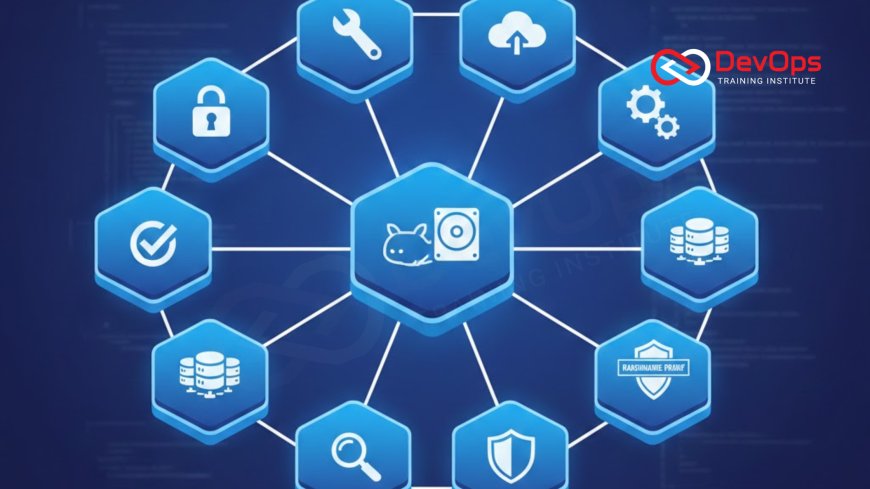
Introduction to Docker Volume Management
In the ephemeral world of containers, managing persistent data is one of the most critical challenges facing DevOps engineers. Containers are designed to be stateless—started, stopped, and replaced in seconds—which means any data written directly to their internal writable layer is lost forever once the container is removed. Docker volumes are the primary mechanism for decoupling data from the container lifecycle, providing a stable and high-performance way to store databases, user uploads, and application logs. As we move into twenty twenty six, mastering these storage patterns has become essential for building reliable, production-ready systems.
Effective volume management is not just about keeping data; it is about ensuring that data is secure, portable, and easily recoverable. By treating storage as a first-class citizen in your continuous synchronization efforts, you can build applications that handle failure gracefully without risking the integrity of your most valuable digital assets. This guide explores twelve essential best practices that range from basic naming conventions to advanced cloud-integrated storage drivers. Understanding these principles will provide the technical confidence needed to manage complex stateful workloads in a dynamic and highly automated cloud environment.
Prefer Named Volumes Over Bind Mounts
One of the most fundamental choices in Docker storage is whether to use volumes or bind mounts. While bind mounts map a specific path on the host machine directly into the container, volumes are managed entirely by Docker and stored in a dedicated directory on the host. For production environments, named volumes are strongly preferred because they offer better isolation and portability. They do not depend on the specific directory structure of the host machine, making your containers much easier to move between different servers or cluster states without encountering permission issues or missing file errors.
Named volumes also provide access to a wide range of volume drivers, allowing you to store data on external network shares or cloud storage providers seamlessly. This abstraction simplifies the cultural change within teams by providing a consistent interface for managing data regardless of the underlying hardware. Bind mounts should generally be reserved for development workflows where you need to sync source code from your local machine into a running container for real-time testing. For any application data that needs to persist through updates and migrations, named volumes are the industry standard for reliability and performance.
Implementing the Principle of Least Privilege with Read-Only Volumes
Security is a paramount concern in modern DevOps, and the storage layer is a frequent target for exploitation. Many applications only need to read data from a volume, such as configuration files or static assets, rather than write to it. By mounting these volumes as read-only using the :ro flag, you provide an essential security layer that prevents a compromised container from modifying or deleting critical system files. This simple step significantly reduces the attack surface of your containerized infrastructure and is a core component of building a zero-trust environment.
Using read-only volumes also helps prevent accidental data corruption caused by application bugs or misconfigurations. It ensures that the "source of truth" for your configuration remains immutable during runtime, leading to more predictable release strategies. For stateful applications like databases, you should only allow write access to the specific data directories that require it, keeping everything else locked down. This disciplined approach to permissions ensures that your incident handling processes are simplified, as the risk of unauthorized data modification is proactively mitigated at the infrastructure level.
Centralizing Data with External Volume Drivers
As your infrastructure scales across multiple nodes and cloud providers, local volumes can become a limitation because they are tied to a single physical host. To achieve true high availability, you should utilize external volume drivers that connect your containers to network-attached storage (NAS) or cloud-native services like AWS EBS, Azure Disk, or Google Persistent Disk. These drivers allow a volume to be detached from one node and reattached to another automatically if a server fails, ensuring that your stateful microservices can recover in seconds without manual intervention.
By moving data management to the infrastructure level, you can leverage advanced features like automated snapshots, encryption at rest, and cross-region replication. This integration is a key part of modern architecture patterns designed for global resilience. External drivers also simplify continuous synchronization between different clusters by providing a unified storage pool. This ensures that no matter where your containers are running, they always have access to the same consistent data set, which is vital for maintaining a smooth and reliable user experience in a busy production environment.
Docker Volume Management Comparison Table
| Storage Type | Best Use Case | Portability | Management Level |
|---|---|---|---|
| Named Volumes | Production App Data | High (Docker-managed) | Easy (Docker CLI) |
| Bind Mounts | Local Development / Config | Low (Host-dependent) | Manual (Host OS) |
| tmpfs Mounts | Sensitive Secrets / Cache | Zero (In-memory) | N/A (Ephemeral) |
| Cloud Drivers | Multi-node Databases | Extreme (Networked) | Advanced (Cloud API) |
Automating Backup and Recovery Pipelines
A volume without a backup is a single point of failure that can jeopardize your entire business. You must implement automated backup pipelines that regularly snapshot your volume data and store it in an offsite location. A common technique involves using a temporary sidecar container that mounts the target volume, creates a compressed archive of the data, and uploads it to a secure cloud bucket. This ensure that even if a host is completely destroyed, your application can be restored to a previous stable state with minimal data loss.
By utilizing ChatOps techniques, you can receive real-time notifications about the success or failure of these backup jobs directly in your team's communication channels. It is also essential to perform regular "restore drills" to verify that your backups are actually functional. A backup that cannot be restored is useless during a crisis. This proactive approach to data integrity ensures that your organization can recover from incident handling scenarios with speed and technical confidence, maintaining the high standards of uptime expected in the modern digital age.
Enforcing Cleanup with Regular Volume Pruning
Over time, unused and "dangling" volumes can accumulate on your hosts, consuming valuable disk space and making management more difficult. Dangling volumes are those that are no longer associated with any active container, often left behind after a container removal or a failed deployment. Regularly running the docker volume prune command is a best practice that helps keep your environment lean and orderly. This prevents disk-full errors that can cause production containers to crash unexpectedly, which is a common cause of system instability in busy clusters.
In 2026, many teams are automating this cleanup through scheduled cron jobs or as part of their GitOps workflow. However, you must be careful when using the -a flag, as it will remove all unused volumes, including those you might be keeping for temporary backup or future use. By implementing a consistent labeling strategy for your volumes, you can create more targeted cleanup scripts that only remove truly obsolete data. This disciplined maintenance is a hallmark of high-performing DevOps organizations, ensuring that infrastructure resources are used efficiently and that the system remains responsive to new deployment requests at all times.
Best Practices for Production Volume Stability
- Use Descriptive Names: Avoid anonymous volumes; always give your volumes meaningful names that reflect their purpose, such as pg_data_prod.
- Monitor Disk Usage: Set up alerts to notify the team when volume storage reaches 80% capacity to prevent service interruptions and data corruption.
- Optimize Container Runtimes: Check if you should use containerd for better efficiency in volume mounting and overall performance.
- Apply Resource Quotas: Use admission controllers in Kubernetes to limit the amount of storage each namespace or pod can request.
- Secure Secrets in tmpfs: Use tmpfs mounts for sensitive temporary data that should never be written to disk, ensuring it exists only in memory.
- Version Your Configs: Manage your volume definitions in GitOps to maintain a clear history of how your storage is configured.
- Verify After Updates: Incorporate continuous verification to confirm that your volumes are mounting correctly after an infrastructure upgrade.
Following these best practices will transform your volume management from a manual chore into a robust, automated engine for data persistence. It is important to remember that as your application evolves, your storage requirements will also change. Regularly reviewing your volume drivers and backup policies based on real-world performance data will help you stay ahead of potential bottlenecks. By prioritizing security and automation today, you are building a technical foundation that can support the rapid growth and complexity of your business for years to come.
Conclusion on Mastering Docker Persistence
In conclusion, the twelve best practices for Docker volume management discussed in this guide provide a comprehensive roadmap for ensuring data reliability and security in twenty twenty six. From the isolation of named volumes to the high availability of cloud drivers and the safety of read-only mounts, each strategy plays a vital role in your overall DevOps success. By automating your backup, cleanup, and monitoring processes, you create a self-healing infrastructure that protects your data through every stage of the lifecycle. Embracing these principles allows your team to focus on innovation while the tools handle the heavy lifting of storage orchestration.
Looking ahead, the integration of AI augmented devops will likely further simplify how we manage stateful containers by predicting storage needs and automatically tuning performance. Staying informed about AI augmented devops trends will help you maintain a competitive edge. Ultimately, the goal of volume management is to make the persistence layer invisible to the developer, providing a seamless and reliable "paved road" for your applications. By adopting these twelve patterns today, you are preparing your organization for a more resilient, secure, and future-proof containerized world.
Frequently Asked Questions
What is the difference between a volume and a bind mount?
Volumes are managed by Docker and isolated from the host OS, while bind mounts map a specific host path directly into the container.
Why are named volumes preferred for production?
Named volumes offer better isolation, are easier to back up, and don't depend on the specific directory structure of the host server machine.
How can I back up a Docker volume?
Use a temporary container to mount the volume, create a tar archive of the data, and upload it to a secure cloud bucket storage.
What happens to volume data when a container is deleted?
Volume data persists independently of the container lifecycle; it remains on the host until you explicitly delete the volume using Docker commands.
Can multiple containers share the same volume?
Yes, multiple containers can mount the same volume simultaneously, which is useful for sharing configuration or centralizing logs across different services and microservices.
How do I remove unused Docker volumes?
Use the docker volume prune command to safely remove all volumes that are not currently being used by at least one active container.
What is a dangling volume?
A dangling volume is a volume that is no longer referenced by any container, often left behind after a container removal or failed deployment.
Are Docker volumes encrypted by default?
No, standard volumes are not encrypted; you must use a specialized volume driver or underlying disk encryption to protect your sensitive data at rest.
What is a tmpfs mount used for?
A tmpfs mount stores data in the host's memory rather than on disk, making it ideal for sensitive secrets or high-speed temporary caches.
Can I limit the size of a Docker volume?
Standard local volumes don't support size limits, but many external cloud drivers allow you to define specific quotas for each provisioned volume and resource.
What role does an admission controller play in storage?
Admission controllers enforce policies that prevent unauthorized storage requests or insecure volume configurations from being deployed into a Kubernetes cluster or production environment.
How does GitOps help with volume management?
GitOps ensures that your volume configurations are version-controlled, providing a clear history and automated synchronization between your repository and live clusters and environments.
Does containerization impact the speed of data access?
Docker volumes have very low overhead, providing near-native performance for most applications, though network-based drivers can introduce some latency for remote data access.
What is the first step in starting volume management?
The first step is to identify all stateful data in your application and ensure it is moved from the container layer to named volumes.
How often should I test my volume recovery process?
You should perform automated recovery tests at least once a month and conduct deep manual disaster recovery drills quarterly for your most critical services.
What's Your Reaction?
 Like
0
Like
0
 Dislike
0
Dislike
0
 Love
0
Love
0
 Funny
0
Funny
0
 Angry
0
Angry
0
 Sad
0
Sad
0
 Wow
0
Wow
0






![100+ Azure DevOps Interview Questions and Answers [Updated 2025]](https://www.devopstraininginstitute.com/blog/uploads/images/202509/image_140x98_68c40aa9a3834.jpg)






![Future Scope of DevOps Careers in Pune [Updated 2025]](https://www.devopstraininginstitute.com/blog/uploads/images/202510/image_140x98_68e3a84652312.jpg)


