


































![Kong Interview Preparation Guide [2025]](https://www.devopstraininginstitute.com/blog/uploads/images/202509/image_430x256_68dbb95326997.jpg)
















15 Jenkins Pipeline Templates for Faster Production
Master the art of automated software delivery with our comprehensive guide on fifteen essential Jenkins pipeline templates designed for high-speed production. This detailed resource covers everything from basic continuous integration and containerized builds to advanced cloud native deployments and security-first workflows. Learn how to structure your Jenkinsfiles for maximum efficiency, reduce manual errors, and implement industry-standard best practices that empower your engineering team to ship high-quality code faster and more reliably in today's competitive digital landscape.
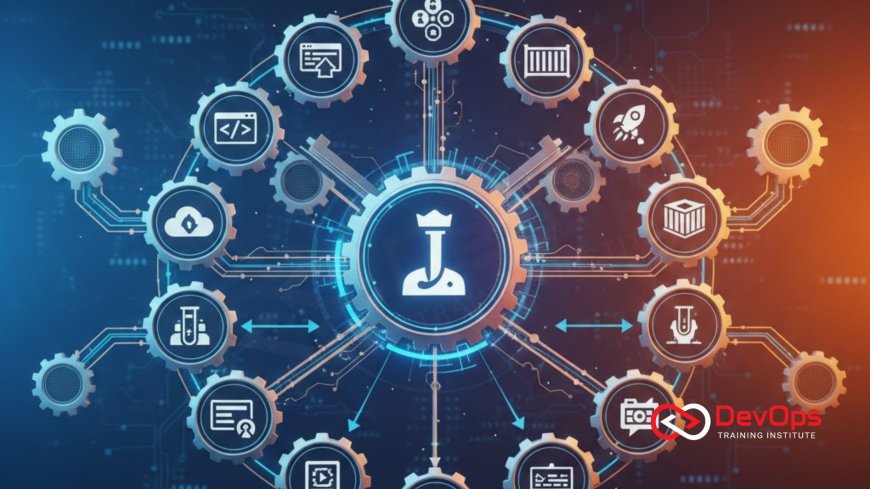
Introduction to Pipeline as Code Efficiency
Jenkins has long been the cornerstone of the automation world, providing a flexible and robust platform for managing complex software delivery lifecycles. As we move into twenty twenty six, the move toward Pipeline as Code has become a mandatory requirement for any high performing engineering team. By defining your build, test, and deployment logic within a version controlled Jenkinsfile, you ensure that your delivery process is as auditable and reproducible as your application code itself. This approach eliminates the fragile nature of manually configured jobs and allows for a more standardized way of shipping software across the entire organization.
For many beginners and even seasoned professionals, starting with a blank Jenkinsfile can be a daunting task. Pipeline templates serve as the essential scaffolding that helps you get up and running quickly while following established best practices. These templates are not just about saving time; they are about embedding quality and security into the very fabric of your delivery process. In this guide, we will explore fifteen diverse templates that cover a wide range of technical scenarios, ensuring that you have the right starting point for any project, whether it is a simple web application or a complex microservice architecture running in the cloud.
Foundational Continuous Integration Templates
The first and most critical template every team needs is a solid Continuous Integration (CI) foundation. This template focuses on the immediate feedback loop, triggering a build and running unit tests every time a developer pushes code to the repository. A good CI template handles the environment setup, dependency management, and test execution with precision. By catching bugs at the earliest possible stage, you prevent minor issues from snowballing into production outages. This fundamental layer of automation is what allows developers to merge their changes with confidence, knowing that the automated quality gate is protecting the main branch from regressions.
As you refine your CI templates, you should consider incorporating static code analysis and linting as mandatory steps. These tools help maintain a consistent coding standard and identify potential technical debt before it becomes a problem. The goal of a foundational CI pipeline is to provide a fast and reliable "paved road" for the engineering team. When your build process is predictable and automated, you reduce the cognitive load on your developers, allowing them to focus on creating new features and solving complex business problems rather than fighting with build failures or manual configuration hurdles in the terminal.
Containerized Build and Image Management
In the modern world of containerization, your Jenkins pipeline must be adept at building and managing Docker images. A specialized containerization template automates the process of creating an image from a Dockerfile, tagging it with a unique version or commit hash, and pushing it to a secure private registry. This ensures that your production environment always pulls from a trusted and versioned source of truth. By utilizing containerd or other efficient runtimes, you can optimize how these images are eventually executed in your production clusters, leading to faster startup times and better resource utilization.
Security is a paramount concern during the container build process. Your template should include a step for scanning the resulting image for known vulnerabilities before it is allowed to be pushed to the registry. This proactive approach to security ensures that you are not accidentally shipping unpatched libraries or insecure base images to your production environment. Furthermore, by automating the cleanup of old local images on your Jenkins agents, you maintain a clean and efficient build infrastructure. This container centric workflow is a vital component of any cloud native technical strategy, providing the portability and scalability needed for modern distributed systems.
Advanced Deployment Strategies for High Availability
Once your code is built and containerized, the next challenge is deploying it safely. Advanced templates for release strategies like blue-green deployments or canary releases are essential for achieving zero downtime. A blue-green template maintains two identical production environments, allowing you to test the new version in the green environment before switching traffic over. This provides an incredible safety margin, as rolling back is as simple as flipping the traffic back to the blue environment. These patterns are critical for mission critical applications where even a few minutes of downtime can result in significant financial loss or damage to the brand's reputation.
Canary templates take a slightly different approach by gradually exposing the new version to a small percentage of users. The pipeline monitors key performance indicators and error rates for the canary group and automatically rolls back if it detects any anomalies. This data driven approach to deployment ensures that you catch subtle bugs that might not be visible in a staging environment. By implementing these sophisticated templates, you empower your team to ship code more frequently while actually increasing the overall stability of the system. It turns the stressful "deploy day" into a routine, automated event that happens many times a week with high precision and technical confidence.
15 Jenkins Pipeline Templates for Production
| Template Name | Primary Use Case | Key Stage | Technical Focus |
|---|---|---|---|
| Basic CI | Web Applications | Unit Testing | Dependency Mgmt |
| Docker Build/Push | Microservices | Image Tagging | Registry Integration |
| K8s Helm Deploy | Orchestrated Apps | Helm Upgrade | Cluster Config |
| Serverless (Lambda) | Event Driven | Zip & Upload | Cloud API Calls |
| Infrastructure (IaC) | Cloud Resources | Terraform Plan | State Management |
| Multi-Region Sync | Global Apps | Parallel Deploy | Latency Optimization |
Security First and DevSecOps Integration
In the security conscious landscape of twenty twenty six, security cannot be an afterthought; it must be integrated into every stage of the pipeline. A DevSecOps template incorporates secret scanning tools to ensure that no developer has accidentally committed API keys or passwords to the codebase. It also performs software composition analysis to identify vulnerable third party dependencies. By making security checks a mandatory part of the build process, you protect your organization from data breaches and ensure that your software is secure by design from the very first line of code.
Beyond scanning, your template should also enforce compliance with organizational policies. For example, you can use admission controllers in your Kubernetes clusters to ensure that only images from your trusted registry are allowed to run. By automating these policy checks within your Jenkins pipeline, you eliminate the human error that leads to security vulnerabilities. This integrated approach to security fosters a culture of shared responsibility, where every engineer understands the importance of protecting the production environment. It turns the security team from a "bottleneck" into a partner that provides automated guardrails for the entire development organization.
Cloud Native and Kubernetes Orchestration
Deploying to Kubernetes requires a specialized set of pipeline steps that handle cluster authentication, namespace management, and resource application. A Kubernetes template often uses Helm to manage complex application releases, providing a standardized way to define your application's state. By utilizing GitOps, you can ensure that your live production environment is always in sync with your version controlled configuration files. This approach eliminates configuration drift and ensures that your cluster remains in a healthy and predictable state even as your scale grows.
For teams managing high volume applications, your template should also incorporate automated scaling and health checks. The pipeline can verify that new pods are healthy and ready to receive traffic before completing the deployment. If a health check fails, the pipeline can automatically trigger a rollback, protecting the user experience. This level of orchestration is essential for building resilient and scalable systems that can handle the demands of the modern digital economy. By mastering these cloud native templates, you position your team to take full advantage of the power and flexibility of modern orchestration platforms while maintaining high standards of reliability and performance across all your cluster states.
Continuous Verification and Feedback Loops
The job of a pipeline doesn't end once the code is in production. Advanced templates incorporate continuous verification to monitor the application's health and performance in real time. This stage involves querying monitoring tools to ensure that the new version hasn't caused a spike in latency or error rates. If the system detects a performance regression, the pipeline can automatically alert the team via ChatOps or even trigger an automated rollback. This closed loop system ensures that your production environment remains stable and that you are always meeting your service level objectives.
Feedback loops are also critical for the development team. Your pipeline should send notifications to your team's chat channels with the results of every build and deployment. By using ChatOps techniques, you bring visibility and transparency to the delivery process, ensuring that everyone is aligned on the current status of the software. This transparency helps build trust within the team and allows for faster collaboration when issues do arise. It turns the CI/CD pipeline from a "black box" into a collaborative engine that drives continuous improvement and innovation across the entire engineering department, making your release process a major competitive advantage for the business.
Best Practices for Pipeline Maintenance
- Version Your Pipelines: Always store your Jenkinsfiles in the same repository as your application code to ensure they are versioned and synchronized.
- Keep It Dry: Use shared libraries to store common pipeline steps and logic, reducing duplication and making maintenance much easier across multiple projects.
- Optimize Agent Usage: Use ephemeral Docker agents for your builds to ensure a clean environment every time and to save on cloud infrastructure costs.
- Implement Gated Releases: For production deployments, include a manual approval step to ensure a final human review before code goes live to users.
- Monitor Pipeline Performance: Regularly review your build times and success rates to identify bottlenecks and areas where you can optimize your build automation.
- Secure Jenkins Itself: Ensure your Jenkins master and agents are properly secured with role based access control and the latest security patches.
- Use Declarative Syntax: Prefer the declarative Jenkins pipeline syntax over scripted pipelines for better readability and a more structured approach to pipeline as code.
Maintaining a healthy pipeline ecosystem requires ongoing attention and a commitment to technical excellence. As your application evolves, your templates must also adapt to meet new requirements and challenges. By following these best practices, you ensure that your delivery process remains fast, secure, and reliable. It is also important to consider who drives cultural change within your organization, as the success of any technical tool depends on the people and processes that surround it. By fostering a culture of automation and collaboration, you set your team up for long term success in an ever changing digital world.
Conclusion on Mastering Jenkins Pipelines
In conclusion, the fifteen Jenkins pipeline templates discussed in this guide provide a comprehensive roadmap for any team looking to accelerate their production delivery. From the foundational CI steps to the advanced orchestration of Kubernetes and the proactive security of DevSecOps, these templates offer a proven path to success. By embracing Pipeline as Code and automating every stage of your delivery lifecycle, you eliminate manual silos and reduce the risk of human error. The journey toward a faster, more reliable production environment begins with these essential starting points, which you can customize to meet your team's unique technical needs.
As we look toward the future, the integration of AI augmented devops will likely further simplify and optimize our delivery pipelines. Staying informed about these trends will ensure that your team remains at the cutting edge of technical innovation. Ultimately, the goal is to build a "self healing" delivery engine that empowers your developers to ship software with unprecedented speed and confidence. By prioritizing automation, security, and continuous feedback today, you are building a future proof technical foundation that will support your organization's growth and success for years to come. Start small, automate one task at a time, and build your way toward a world class CI/CD practice.
Frequently Asked Questions
What is a Jenkinsfile and why is it important?
A Jenkinsfile is a text file that contains the definition of a Jenkins pipeline; it is important because it allows you to manage your build process as code.
What is the difference between declarative and scripted pipelines?
Declarative pipelines offer a more structured and beginner-friendly syntax, while scripted pipelines provide more flexibility and power for complex, custom logic and workflows.
How can I speed up my Jenkins build times?
You can speed up builds by using parallel execution for independent tasks, optimizing your container images, and using persistent caches for your dependencies and build artifacts.
Can I use Jenkins to deploy to any cloud provider?
Yes, Jenkins has a massive ecosystem of plugins that allow it to integrate with AWS, Azure, Google Cloud, and many other providers and services seamlessly.
What is a "shared library" in the context of Jenkins?
A shared library is a separate repository where you store reusable Groovy scripts and functions that can be imported into any Jenkinsfile across your organization.
How do I handle secrets like API keys in a Jenkinsfile?
You should never hardcode secrets; instead, use the Jenkins credentials store to safely inject sensitive data into your pipeline as environment variables or files.
What role does a "build agent" play in Jenkins?
A build agent is a separate machine or container that actually executes the steps defined in your pipeline, offloading the work from the main Jenkins master.
Is it possible to automate rollbacks in Jenkins?
Yes, by incorporating health checks and monitoring data, you can program your pipeline to automatically revert to the previous version if the new release fails.
How does Jenkins integrate with Kubernetes?
Jenkins can use Kubernetes to dynamically spin up build agents as pods and can use tools like kubectl or Helm to deploy applications into the cluster.
What is a "multi-branch" pipeline in Jenkins?
A multi-branch pipeline automatically creates a unique build job for every branch in your repository, ensuring that every feature and fix is tested independently.
Can Jenkins help with infrastructure as code?
Yes, Jenkins can be used to run Terraform or CloudFormation scripts, ensuring that your infrastructure is provisioned and managed automatically alongside your application code.
What is the benefit of using "parallel" stages in a pipeline?
Parallel stages allow you to run multiple independent tasks, such as unit tests and security scans, at the same time, significantly reducing the total build duration.
How often should I update my Jenkins plugins?
You should review and update your plugins at least once a month to ensure you have the latest features, performance improvements, and security patches.
What is a "pipeline trigger" in Jenkins?
A trigger is an event that starts a pipeline, such as a code push to Git, a scheduled time, or the completion of another upstream job.
What is the first step in creating my first Jenkins pipeline?
The first step is to create a simple Jenkinsfile in your repository with a "Hello World" stage and configure a pipeline job in Jenkins to point to it.
What's Your Reaction?
 Like
0
Like
0
 Dislike
0
Dislike
0
 Love
0
Love
0
 Funny
0
Funny
0
 Angry
0
Angry
0
 Sad
0
Sad
0
 Wow
0
Wow
0




![100+ Azure DevOps Interview Questions and Answers [Updated 2025]](https://www.devopstraininginstitute.com/blog/uploads/images/202509/image_140x98_68c40aa9a3834.jpg)






![Future Scope of DevOps Careers in Pune [Updated 2025]](https://www.devopstraininginstitute.com/blog/uploads/images/202510/image_140x98_68e3a84652312.jpg)


