


































![Kong Interview Preparation Guide [2025]](https://www.devopstraininginstitute.com/blog/uploads/images/202509/image_430x256_68dbb95326997.jpg)
















12 Best Practices for Automating Server Management
Master the art of automated server management with these 12 essential best practices, designed to drastically reduce operational toil, increase system stability, and free up valuable engineer time for innovation. This comprehensive guide walks you through the foundational principles of modern infrastructure automation, covering everything from adopting Infrastructure as Code (IaC) with tools like Terraform and Ansible to implementing continuous monitoring, robust configuration management, and disciplined state enforcement. Learn how to transition from reactive fire-fighting to proactive, policy-driven maintenance. We explore the critical importance of secure credential handling, centralized log aggregation, automated patching, and immutable infrastructure patterns that minimize configuration drift and ensure repeatable deployments across hybrid cloud environments. Whether you are a systems administrator new to automation or a seasoned DevOps engineer looking to refine your workflows, understanding these practices is key to building resilient, scalable, and highly efficient IT operations that can support rapid business growth and minimize human error while significantly improving overall security posture against emerging threats.
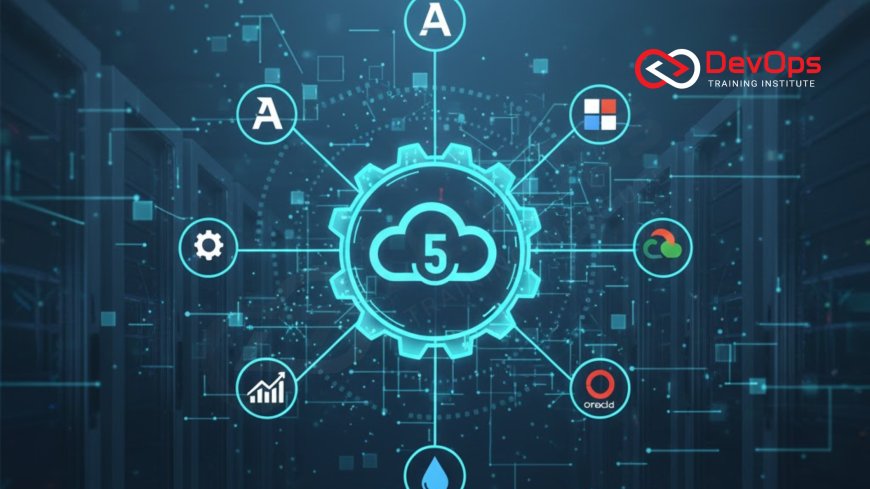
1. Embrace Infrastructure as Code (IaC) Unreservedly
Infrastructure as Code (IaC) is not merely a technical toolset; it is a fundamental philosophical shift in how systems are managed, moving away from manual, one-off configuration changes to a declarative, version-controlled approach. This practice treats infrastructure setup, configuration, and even teardown with the same rigor and tooling traditionally applied to application code development, which is critical for achieving true automation and eliminating the dangerous phenomenon known as "configuration drift." By using tools like Terraform or Pulumi to provision the underlying hardware and network resources, and configuration management tools like Ansible, Chef, or Puppet to manage the operating system and installed software, you create a single source of truth for your entire environment. This codified, human-readable blueprint lives in a version control system like Git, meaning every change is tracked, reviewed, and tested before being applied. The benefits are profound: infrastructure changes become repeatable, auditable, and rollback is trivial, significantly reducing the risk of errors during scaling or recovery operations. Adopting IaC is the essential first step on the journey toward mature server automation, ensuring that every server, whether physical, virtual, or containerized, is built exactly the same way every time, achieving unprecedented consistency and reliability in even the most complex, distributed environments across hybrid cloud platforms.
2. Implement Comprehensive Configuration Management
Effective automation hinges on the ability to consistently manage the state of every server component, ensuring that the desired configuration is enforced continuously and automatically rectified if deviations occur.
- Define Desired State: Explicitly define the correct state for every server component, from package versions and directory permissions to service configuration files, using declarative language within tools like Ansible or SaltStack. This clarity ensures that the goal of the automation is always well-understood and measurable.
- Automated Idempotence: Ensure all configuration scripts are idempotent, meaning running the script multiple times yields the same result without causing unintended side effects or configuration changes if the system is already in the desired state. This is vital for safety in continuous automation loops.
- Scheduled Enforcement: Configure your configuration management tool to run at regular, short intervals across all servers (e.g., every 30 minutes). This proactive enforcement rapidly detects and corrects any unauthorized manual changes or configuration drift, maintaining system integrity.
- Agent vs. Agentless: Choose the right tool based on your needs: Agentless tools (like Ansible) use SSH for communication and require less setup on the target server, while Agent-based tools (like Chef or Puppet) offer more robust real-time monitoring and state reporting, requiring a daemon to run on each managed server.
- Environment Segmentation: Maintain separate, strictly isolated configuration repositories for development, staging, and production environments, and use parameterized variables to manage the slight differences between them, preventing accidental cross-environment changes.
- Credential Management Integration: Securely integrate the configuration tool with a dedicated secrets vault (like HashiCorp Vault or AWS Secrets Manager) to ensure no sensitive data, passwords, or API keys are ever stored in plain text within your configuration files or version control system, addressing a major security vulnerability.
- Service Restart Policy: Automate the delicate process of service restarts after configuration changes, only restarting the affected service when necessary, and implementing logic to verify that the service successfully started and is reporting healthy metrics post-restart, minimizing disruption to end-users.
3. Centralize Log Aggregation and Analysis
Individual server logs are virtually useless in a large-scale, automated environment. Centralizing and analyzing this data is a key practice for monitoring system health and automating incident response.
- Implement a Centralized Stack: Use a robust centralized logging platform like the ELK stack (Elasticsearch, Logstash, Kibana) or Splunk. This allows data from thousands of servers to be collected in one place for rapid searching and correlation, which is vital for troubleshooting complex failures.
- Standardize Log Formats: Ensure all application and system logs across all servers use a standardized, machine-readable format, preferably JSON, to allow for easy parsing and indexing by the central aggregation system, making automated analysis reliable.
- Automate Alerting Rules: Write automated rules and triggers that analyze log streams in real-time, looking for patterns indicative of imminent failure (e.g., a sudden increase in 5xx errors or repetitive failure messages) and automatically escalating the issue to the appropriate team or triggering an automated remediation action.
- Long-Term Retention Policy: Define and enforce a strict log management policy for retaining logs to meet compliance requirements and facilitate long-term forensic analysis, typically involving tiered storage to balance cost and accessibility.
- Security Event Monitoring: Specifically route and flag security-relevant logs (authentication failures, permission changes, access attempts) to be monitored more aggressively, feeding them into a Security Information and Event Management (SIEM) system for threat detection and automated response actions.
- System-Wide Correlation: Automate the correlation of logs across different services and servers using unique transaction or trace IDs. This allows a single user request failure to be tracked across multiple microservices and infrastructure components, vastly speeding up root cause analysis.
- Anomaly Detection: Implement machine learning or statistical anomaly detection on aggregated log data to automatically identify unusual logging behavior (e.g., a critical application logging significantly more or less than normal) that might indicate a subtle, non-obvious operational problem before it escalates to a full outage.
4. Adopt the Principle of Immutable Infrastructure
Immutable Infrastructure represents an advanced automation pattern that radically simplifies server management and eliminates configuration drift by changing how servers are updated. The core principle is simple: servers are never modified, patched, or updated in place after they are deployed. Instead, whenever a change is needed (a configuration update, a new patch, or an application upgrade), a new server image is built from scratch, fully tested, and then deployed to replace the old servers entirely. The old servers are decommissioned and destroyed, which is a key part of the immutability promise. This "bake and replace" model offers huge reliability benefits; since the new image is built from the same IaC scripts and verified in a testing environment, you gain near-certainty that the version you deploy to production is exactly the one you validated, eliminating the risk of unmanaged changes accumulating on running servers. While this practice requires robust automated build and deployment pipelines (often using tools like Packer to create the base images), the trade-off is worth it, as it vastly simplifies rollback procedures—simply reverting to the previous, known-good image—and ensures consistency across development, staging, and production environments, significantly improving security and compliance posture through predictable server state.
5. Secure Credential Management and Rotation
Automating access to thousands of servers and critical services requires a secure, automated system for managing secrets, moving far beyond storing credentials in simple plaintext files.
- Use a Dedicated Secrets Vault: Implement a central, highly secure secrets management system, such as HashiCorp Vault, AWS Secrets Manager, or Azure Key Vault, as the only authorized location for storing sensitive data like API keys, database credentials, and private SSH keys.
- Principle of Least Privilege: Ensure that automated deployment and configuration tools only have access to the specific secrets required for their current task and nothing more. Automated processes should use short-lived, ephemeral credentials whenever possible, rather than long-lived tokens that pose a greater risk if compromised.
- Automated Rotation: Schedule and enforce automatic rotation of all credentials on a regular basis (e.g., every 30-90 days). This rotation process should be fully automated and seamless, meaning the secrets vault updates the secret, and all consuming applications and servers automatically retrieve the new value without requiring manual intervention or service disruption.
- Just-in-Time Access: For manual access (which should be rare), implement a just-in-time (JIT) system where engineers must request temporary, time-bound access, which is automatically revoked after a set period, significantly limiting the window of opportunity for attackers.
- Audit Trail: Mandate that the secrets vault maintains an unchangeable audit trail of every access, retrieval, and modification of any secret, enabling security teams to track who accessed what and when, which is essential for compliance and forensic analysis.
- Service Identity: Utilize cloud provider Identity and Access Management (IAM) roles or service accounts instead of hardcoded credentials wherever possible. This allows a server's identity to grant it access to other services, eliminating the need to manage many of the conventional secrets entirely.
- Client-Side Encryption: If secrets must temporarily reside on a local system (e.g., during deployment), ensure they are encrypted at rest and only decrypted in memory at the moment of use, using secure environment variables or other client-side encryption techniques to mitigate local file system snooping risks.
6. Implement Continuous Monitoring and Automated Health Checks
Automation must extend beyond just deploying and configuring servers; it must continuously verify their health and performance in real-time to ensure they are meeting Service Level Objectives (SLOs). A robust monitoring system is the eyes and ears of your automated infrastructure, providing the critical data needed to trigger remediation workflows. This involves setting up comprehensive observability across three pillars: metrics (like CPU, memory, request latency), logs (covered previously), and traces (tracking requests across microservices). Crucially, you must focus on user-centric metrics (what the user experiences, like API response time or error rate) rather than just simple machine metrics (like disk space). Automated health checks go a step further by being integrated directly into load balancers and deployment pipelines; if a server fails its deep health check—which might involve a synthetic transaction against the application itself—it is automatically taken out of rotation until it passes, preventing bad traffic from reaching a failing instance. Furthermore, monitoring should not just alert a human; it should, whenever possible, trigger an automated runbook. For example, if memory usage on a non-critical server exceeds 95%, the monitoring system should automatically trigger a script to restart the process or scale the cluster before an alert is even sent to the on-call engineer, transforming the system into a self-healing entity, which drastically reduces Mean Time to Recovery (MTTR).
7. Integrate Automated Patching and Vulnerability Scanning
Patching remains one of the most time-consuming manual tasks, yet it is critically important for security. Full automation is the only way to keep pace with emerging vulnerabilities across a large fleet.
Automated Patch Deployment
Leverage configuration management tools or dedicated patch management services to automatically apply operating system and application patches during scheduled maintenance windows, ensuring that this process is non-disruptive.
Always use a staggered deployment strategy—patching a small canary group first—and monitor for any service degradation before rolling the patch out to the rest of the production fleet.
Continuous Vulnerability Scanning
Implement continuous vulnerability scanners that automatically audit all server images and running containers against known CVE databases. The scanner's output should be directly integrated into the deployment pipeline to block images with critical flaws.
Automate the reporting of severe vulnerabilities into your ticketing system and trigger a high-priority, automated remediation workflow to address the most urgent security gaps without delay.
8. Enforce Zero-Touch Provisioning and Bootstrapping
The goal of true automation is to reach a state where a new server can be provisioned and ready for application traffic with absolutely no manual intervention from a human operator, making the environment truly scalable.
- Golden Images: Build and maintain Golden Images (pre-configured server templates containing all baseline settings, hardening, and configuration management agents) that are used for all new deployments, minimizing the work needed during the bootstrap phase.
- Cloud-Init/User Data: Utilize cloud provider features like Cloud-Init (for Linux) or User Data to pass initial configuration instructions to the server upon first boot. This data typically points the new server to the configuration management server to pull its final state.
- Automated Discovery: Implement service discovery tools (like Consul or etcd) that allow new servers to automatically register themselves with the load balancer, monitoring systems, and other internal services as soon as they are healthy, without requiring manual registration steps.
- Security Hardening: Automate all security hardening steps, including applying least-privilege configurations and setting up tools like SELinux or AppArmor, as part of the initial golden image creation, ensuring every new server is secure by default from the moment it boots.
- Network Configuration Automation: Ensure that basic network parameters, IP assignments, DNS registration, and Firewalld commands are managed entirely by the IaC platform (Terraform) or a centralized IPAM solution, removing any manual network configuration tasks during deployment.
- Post-Provisioning Verification: Include automated checks that run immediately after the server is provisioned and bootstrapped to verify that it is fully operational, meeting all the requirements specified in the post-installation checklist, and ready to accept application traffic before marking it as "in-service."
- Decommissioning Automation: Fully automate the de-provisioning process, ensuring that when a server is destroyed, all its associated resources (IP addresses, DNS records, monitoring entries) are automatically cleaned up, preventing resource sprawl and security risks from orphaned assets.
9. Apply Policy and Governance Automation
Managing servers at scale requires automated governance to ensure compliance with security policies, internal standards, and regulatory requirements like HIPAA or GDPR. Manual compliance checks are non-scalable, inconsistent, and prone to error, which is why policy enforcement must be embedded directly into the automation workflow. Tools like Open Policy Agent (OPA) allow you to write policy as code, defining rules such as "No public S3 buckets are allowed in production" or "All servers must be running the latest minor OS version" using a declarative language. This policy layer sits in your CI/CD pipeline, automatically reviewing infrastructure changes (Terraform plans) and server configurations (Ansible playbooks) before they are applied. If a change violates a policy, the deployment is automatically blocked, providing a non-negotiable, proactive guardrail against human error or policy divergence. This automated enforcement ensures continuous compliance, meaning your server fleet is always adhering to the required security and operational standards, reducing the risk of audit failures and ensuring that the configuration for all elements, including the crucial file system management settings, is constantly monitored for unauthorized deviations from the baseline policy.
10. Standardize Application Deployment Workflows
Effective server automation means providing a consistent, self-service mechanism for application teams to deploy their code without manual intervention, which is often best achieved through containerization and orchestration.
- Containerize Applications: Encapsulate all applications and their dependencies into standardized containers (Docker images) to ensure they run identically across all server environments (development, staging, production), simplifying the deployment target.
- Adopt Orchestration: Use a container orchestration platform like Kubernetes or ECS to manage the deployment, scaling, and self-healing of application containers across the underlying server fleet, abstracting the application layer from the infrastructure layer.
- Blue/Green Deployments: Automate advanced deployment strategies such as Blue/Green or Canary releases. This minimizes downtime by spinning up a completely new environment (Blue) for the new version, testing it, and then instantly switching traffic, allowing the old (Green) environment to be easily rolled back or destroyed.
- Automated Rollbacks: Ensure the deployment pipeline has built-in, automated rollback capabilities triggered by monitoring alerts. If a new deployment causes key performance indicators (like error rates or latency) to violate their SLO, the system should automatically revert to the last stable version.
- Service Mesh Integration: Implement a Service Mesh (like Istio or Linkerd) to automate critical networking functions between microservices, including traffic management, security policies, and observability, further reducing manual network configuration on the application layer.
- Version Pinning: Automate the strict version pinning of all application dependencies and deployment artifacts to ensure that production deployments are always built from a known, immutable set of code and configuration, preventing unexpected behavior from spontaneous updates.
- API-Driven Deployment: Expose the deployment mechanism via a simple, secured API or an internal self-service portal. This allows application teams to trigger deployments directly without needing access to the underlying configuration management tools or servers, promoting developer autonomy while maintaining operational safety.
11. Treat Training and Documentation as Code
Automation is only as effective as the people who manage and troubleshoot it. Ensuring that operational knowledge is up-to-date and accessible is a best practice that prevents institutional knowledge loss and supports high-velocity operations.
- Version Control Documentation: Store all runbooks, procedural documentation, architecture diagrams, and service definitions in the same version control system (Git) as your infrastructure code. This ensures documentation changes are peer-reviewed and tied to the corresponding code changes.
- Automated Runbook Generation: Where possible, automate the generation of operational runbooks directly from configuration files and IaC templates. For example, a runbook for service restart should pull the actual service name and restart command directly from the configuration management script.
- Interactive Training Environments: Automate the spin-up of disposable, realistic training environments using IaC. These sandboxes allow new engineers to practice troubleshooting incidents and executing complex commands without any risk to the production system.
- Internal Tool Documentation: Ensure all custom automation tools and scripts have comprehensive, automated help documentation and clear guidelines on how they should be used, including clear parameters and expected outputs.
- Blameless Post-Mortems: Mandate a "Documentation Review" step in the blameless post-mortem process, ensuring that any knowledge gaps exposed during an incident result in an immediate, mandatory documentation update, directly integrating learning back into your knowledge base.
- User-Friendly Interfaces: Abstract complex automation scripts behind simple internal web UIs or ChatOps commands, making it easier for non-specialist engineers to safely perform routine operational tasks like scaling resources or checking the status of a service.
- Peer Review Culture: Institute a culture where new automation scripts or infrastructure changes cannot be merged without a review from a peer who has verified that the change is well-documented and that the operational impact is clearly understood and documented.
12. Automate User and Access Management Lifecycle
The process of granting, modifying, and revoking server access for engineers is a prime candidate for automation, eliminating manual errors and tightening security compliance significantly.
Automated Provisioning and Deprovisioning
Integrate your Identity Management system (IdM) with your configuration management tool to automatically provision and deprovision user accounts, ensuring that access is immediately revoked when an employee leaves the organization.
The entire user management lifecycle, from initial account creation to group assignment and permission setting, should be codified and applied uniformly across all servers based on the user's role, eliminating manual intervention.
Policy-Driven Permissions
Use role-based access control (RBAC) defined in code to dictate what actions different groups of users are allowed to perform on which servers, ensuring that developers only have necessary access to development environments and read-only access to production.
Automate the auditing of user permissions against the defined RBAC policy regularly, automatically flagging and correcting any deviations, such as an engineer manually granting themselves elevated privileges, to maintain security integrity.
Automation Best Practices: Tooling and Goals Summary
| Best Practice | Key Tool Examples | Primary Operational Goal |
|---|---|---|
| Infrastructure as Code (IaC) | Terraform, CloudFormation, Pulumi | Repeatable, auditable, and disposable infrastructure provisioning. |
| Configuration Management | Ansible, Chef, Puppet, SaltStack | Continuous state enforcement and elimination of configuration drift. |
| Centralized Logging | ELK Stack (Elasticsearch, Logstash, Kibana), Splunk | System-wide visibility, rapid correlation, and automated alerting. |
| Immutable Infrastructure | Packer, Docker, Kubernetes | Guaranteed consistency and simplified, instant rollbacks. |
| Secure Credential Management | HashiCorp Vault, AWS Secrets Manager, Azure Key Vault | Storage of secrets, automated rotation, and JIT access control. |
| Continuous Monitoring | Prometheus, Grafana, Datadog, New Relic | Real-time service health verification and self-healing trigger mechanisms. |
Conclusion: Automation is the Bridge to Operational Excellence
The move toward automated server management is no longer an optional organizational goal; it is a prerequisite for achieving operational excellence, scaling modern applications, and maintaining a competitive edge in a cloud-native world. The 12 best practices outlined here form a cohesive, strategic framework that moves organizations beyond simple scripting to a mature, policy-driven automation philosophy. At its core, this transformation is about codifying human knowledge into machine execution, minimizing the opportunity for error, inconsistency, and toil. By embracing IaC, enforcing configurations with tools like Ansible, utilizing Firewalld commands for automated security, and centralizing data through robust monitoring and logging, organizations gain unprecedented control, speed, and visibility over their environments. The ultimate goal is to create a self-healing, self-managing infrastructure where the majority of operational events are handled by automated systems, allowing skilled engineers to focus on higher-value activities like architectural improvement and innovation. Implementing these practices is a phased journey, but one that drastically improves system reliability, strengthens security posture, and fundamentally changes the role of IT teams from reactive caretakers to proactive infrastructure engineers.
Frequently Asked Questions
What is the difference between Infrastructure as Code (IaC) and Configuration Management?
IaC tools like Terraform focus on provisioning the infrastructure itself: creating virtual machines, networks, databases, and load balancers. They handle the "what" and "where" of your resources. Configuration Management tools like Ansible handle the "how" inside those resources: installing packages, setting up the operating system, writing configuration files, and starting services. They work together, with IaC laying the foundation and Configuration Management building on top.
Why is configuration drift a major problem in server management?
Configuration drift occurs when manual, undocumented changes are made to a production server, causing it to deviate from its intended baseline configuration. Over time, this makes the server unique, difficult to troubleshoot, and impossible to reproduce, leading to unexpected failures, security holes, and inconsistent behavior between environments. Automation's primary goal is to eliminate this drift by continuously enforcing the codified desired state.
How often should I run my automated patching routine?
Automated patching should run on a continuous basis, ideally weekly or bi-weekly, with emergency patches for critical vulnerabilities deployed immediately. The goal is to minimize the exposure window. Implementing a robust testing environment and a staggered, automated rollout (like canary deployments) is more important than the frequency, ensuring that patches don't break production services.
What is a "Golden Image" and why use it?
A Golden Image is a pre-built, hardened, and fully configured server image (or template) that contains the necessary base operating system, security settings, and essential software. Using Golden Images for new server deployment ensures that every server starts from a known, verified state, significantly speeding up the provisioning process and simplifying security compliance checks.
How does automated log management help with security?
Automated log management centralizes security-relevant events from all servers into one place, making it possible to correlate activities and detect anomalies across the entire environment. This enables the automated creation of security alerts for suspicious patterns, such as multiple failed login attempts across different machines, which a local log file would never reveal.
Should all manual operational tasks be automated?
The ideal goal is to automate all repetitive, tactical, and error-prone tasks that scale linearly with the number of servers, often referred to as 'toil'. However, automation efforts should be prioritized based on risk and frequency. Complex, rare, or highly cognitive tasks are often better documented in automated runbooks rather than fully automated until the service is mature and well understood.
What are the key components of a self-healing infrastructure?
A self-healing infrastructure relies on three core automated components: comprehensive monitoring to detect failure, automated health checks to verify service readiness, and automated remediation logic (runbooks) that trigger pre-defined actions (like restarting a service, scaling out, or reverting a deployment) in response to specific, predictable failures without requiring human intervention.
How can I automate user management securely across a large fleet of servers?
Secure user management automation is typically achieved by integrating a centralized Identity Management (IdM) solution (e.g., Active Directory, LDAP, or an external provider) with your configuration management tool. This allows you to define user roles and permissions in code (RBAC) and have the configuration tool automatically create, update, and, crucially, revoke user accounts and SSH keys across all managed servers instantly based on IdM changes.
What is the benefit of a blameless post-mortem in automation practices?
A blameless post-mortem focuses on identifying systemic and procedural root causes of an incident, rather than human error. In an automated environment, it's critical because it forces teams to codify the fix (often by automating it) and update documentation, directly improving the resilience of the overall system and preventing the same class of failure from occurring again, fostering a culture of continuous learning.
How does SELinux fit into server automation best practices?
SELinux (Security-Enhanced Linux) is a mandatory access control system that adds a powerful layer of security to Linux servers. In automation, the best practice is to codify SELinux policy configurations within your configuration management tool. This ensures that every server is hardened with a consistent, strict policy automatically upon provisioning, without manual configuration, preventing a wide range of exploits and unauthorized file system access.
What is the most critical first step for a team starting server automation?
The most critical first step is to establish version control (Git) for all server configurations and operational scripts. This practice of treating configuration and operations as code is the foundation that enables all other best practices, providing a vital audit trail, collaboration framework, and rollback capability for every change.
Why is it important to automate the clean-up of old resources?
Automating the de-provisioning and clean-up of old servers, snapshots, and network resources prevents 'resource sprawl'—the accumulation of orphaned, running assets. This sprawl leads to unnecessary cloud costs, performance overhead, security risks from unmanaged systems, and general operational complexity that hinders future automation efforts.
How does automated monitoring relate to my post-installation checklist?
In a mature environment, the post-installation checklist is transformed into a set of automated health checks and SLO verification routines performed by the monitoring system. Instead of manual checks, monitoring continuously verifies that the server meets all the operational, security, and performance criteria defined in the initial checklist, providing a live, continuous audit of the server's readiness.
What is meant by the term "Idempotence" in automation?
Idempotence is the property of a configuration script or automation process where running it once or running it fifty times produces the exact same result on the target system. This is crucial because it allows configuration management tools to run continuously and safely, only making changes when necessary and ensuring that the final state is always consistent, regardless of the system's starting condition.
How do I automate file system management tasks?
File system management tasks, such as creating logical volumes, mounting network file systems, or setting specific partition permissions, are automated using the resource management capabilities of configuration management tools like Ansible or Chef. The desired state of the file system is declaratively written in a playbook, and the tool enforces this state, ensuring consistency across all servers and removing the need for error-prone manual commands.
What's Your Reaction?
 Like
0
Like
0
 Dislike
0
Dislike
0
 Love
0
Love
0
 Funny
0
Funny
0
 Angry
0
Angry
0
 Sad
0
Sad
0
 Wow
0
Wow
0

![100+ Azure DevOps Interview Questions and Answers [Updated 2025]](https://www.devopstraininginstitute.com/blog/uploads/images/202509/image_140x98_68c40aa9a3834.jpg)






![Future Scope of DevOps Careers in Pune [Updated 2025]](https://www.devopstraininginstitute.com/blog/uploads/images/202510/image_140x98_68e3a84652312.jpg)


