


































![Kong Interview Preparation Guide [2025]](https://www.devopstraininginstitute.com/blog/uploads/images/202509/image_430x256_68dbb95326997.jpg)
















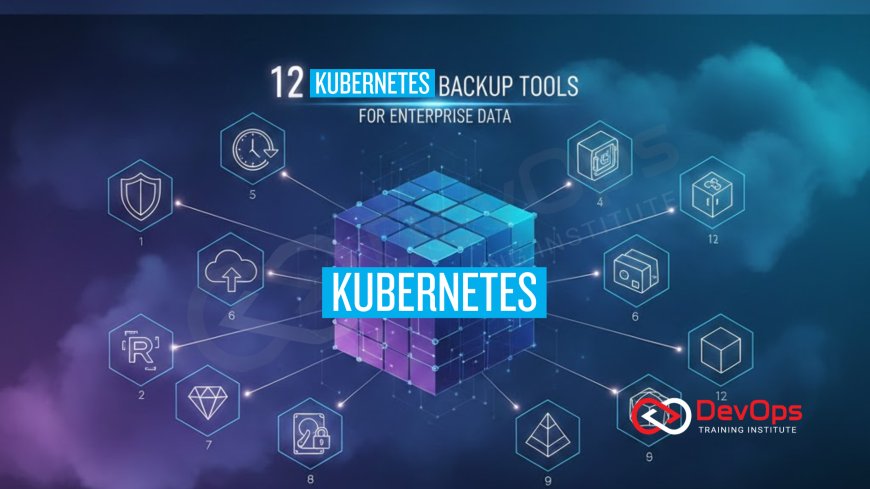
12 Kubernetes Backup Tools for Enterprise Data
Explore 12 essential Kubernetes backup tools designed for enterprise data protection, ensuring high availability and disaster recovery for your cloud-native workloads. This guide covers solutions for backing up persistent volumes (PVs), cluster state (etcd), and application configurations. Learn about open-source favorites like Velero, commercial leaders like Commvault and Veeam, and cloud-native solutions that integrate seamlessly with your storage and CI/CD pipelines, ensuring data integrity and compliance in demanding DevOps environments, directly contributing to a robust release cadence.
Introduction
Kubernetes provides exceptional resilience and high availability for stateless applications, but managing the persistent data (volumes, databases, configurations) stored by stateful applications remains a critical challenge, especially in enterprise environments. Data loss, whether due to human error, cyberattack, or infrastructure failure, is unacceptable. Therefore, a robust, automated Kubernetes backup strategy is non-negotiable for any organization running mission-critical workloads on containers.
A true Kubernetes backup is complex because it must capture three distinct components simultaneously: 1) the Persistent Volumes (PVs) holding the actual application data; 2) the Kubernetes cluster state (the data stored in the etcd key-value store, including deployment manifests, Service definitions, and configurations); and 3) the application-specific configurations and secrets. The backup tool must handle application-consistent snapshots, ensure data integrity, and integrate seamlessly with the cloud-native ecosystem, including the Container Storage Interface (CSI) and various cloud providers.
This guide explores 12 leading Kubernetes backup tools tailored for enterprise needs, covering both popular open-source choices and commercial solutions with advanced features like compliance reporting and multi-cluster management. Mastering these tools is vital for DevOps and Site Reliability Engineering (SRE) teams, ensuring data protection, accelerating disaster recovery, and maintaining the highest standards of operational resilience. By strategically selecting and implementing the right tools, you can fortify your cloud-native platform against data loss and minimize downtime, ensuring business continuity.
Category I: Open-Source and Community Solutions
Open-source tools provide flexible, community-driven solutions that are foundational for many Kubernetes backup strategies. They are excellent starting points for small to mid-sized teams and often serve as the core engine for more advanced, self-built solutions. The primary tool in this category, Velero, is widely adopted and sets the standard for application-level cluster state backup.
1. Velero (The Open-Source Standard)
Velero (formerly Heptio Ark) is the most popular open-source tool for safely backing up and restoring Kubernetes cluster resources and persistent volumes. Velero backs up cluster objects (like deployments and services) by querying the Kubernetes API and storing them as YAML files, while PV data is handled via cloud provider snapshots or the CSI (Container Storage Interface). It stores all backup metadata in object storage (e.g., S3, Azure Blob). Velero is essential for scheduled backups, filtering resources by label, and performing application mobility between clusters.
2. etcd Backup Operators
Since etcd holds the entire state of the Kubernetes cluster, backing it up is critical. Many Kubernetes distributions (like kubeadm or RKE) include operators or features specifically designed to automate the scheduled snapshotting of the etcd database. These operators ensure that the etcd data is consistent and can be reliably restored to recreate the cluster state precisely as it was at the time of the snapshot. This focus on etcd is fundamental to disaster recovery planning, ensuring that the control plane itself can be reliably recovered.
3. CSI Snapshotting and Volume Cloning
The Container Storage Interface (CSI) is the standard interface that allows Kubernetes to interact with various storage systems. Many CSI drivers (for AWS EBS, Google PD, NetApp, etc.) support the CSI Snapshot feature. While not a full application backup tool, using CSI snapshots directly is the most efficient and native way to create point-in-time copies of Persistent Volumes. Tools like Velero leverage CSI to achieve application-consistent data backup, making this an essential technology for enterprise data protection, particularly when integrating security modules like SELinux into the host configuration.
4. Strimzi Cluster Operator (Kafka Backup)
For applications that rely on specialized stateful components like Apache Kafka, general backup tools may not be sufficient. Strimzi (the Kafka Operator) includes functionality to manage and automate the backup of Kafka clusters, including configurations, topics, and offsets. This highlights the trend toward application-aware backups, where the tool understands the specific state and requirements of complex stateful applications, ensuring data integrity and consistency during recovery. Using application-specific operators simplifies the challenge of complex distributed data systems.
Category II: Commercial and Cloud-Native Leaders
Commercial and specialized cloud-native solutions often provide the necessary enterprise features—such as centralized management, role-based access control (RBAC), guaranteed performance SLAs, and integration with legacy backup systems—that large organizations require. These tools typically offer a more polished user interface, advanced reporting, and deeper integrations with cloud provider APIs and security frameworks, making them ideal for regulated environments.
5. Kasten K10 by Veeam
Kasten K10 is a leading data management platform built specifically for Kubernetes. It focuses on application-centric backup, meaning it captures the entire application—data, configuration, and cluster resources—with a single policy. Kasten offers advanced features including automated discovery, policy-driven protection, security via role-based access control, and integration with both traditional storage and cloud-native CSI snapshotting, making it a powerful choice for enterprise data management. It simplifies complex recovery operations into single-click actions.
6. Commvault Complete Data Protection
Commvault, a leader in traditional enterprise data protection, has developed robust capabilities for Kubernetes. Their solution extends enterprise-grade features (e.g., long-term retention, centralized governance, compliance reporting) to Kubernetes clusters, offering comprehensive protection for both container data and the cluster state. This is often preferred by large enterprises that need to unify container backups with their existing, established data protection frameworks, ensuring consistency across their entire IT landscape, from virtual machines to cloud-native platforms.
7. Veeam Backup & Replication (K8s Integration)
Veeam, renowned for VM backup, has integrated Kubernetes support into its flagship Backup & Replication product, often leveraging the technology acquired through Kasten. This provides a unified backup console for managing hybrid environments, allowing IT operations teams familiar with Veeam to extend their existing policies and infrastructure to cover their new Kubernetes workloads. This integration simplifies management and reduces the learning curve for teams transitioning to containerized applications.
8. Portworx PX-Backup (Data Management Focus)
Portworx is known for its cloud-native storage solution, and PX-Backup is its specialized data protection offering. It leverages the deep integration with Portworx storage but can also protect workloads running on other CSI-compatible storage. PX-Backup emphasizes cross-cloud and cross-cluster migration, disaster recovery, and policy-driven automation, often supporting advanced capabilities like application-aware disaster recovery (DR) that ensures service dependencies are managed during failover, which is critical for complex microservices.
Category III: Specialized and Integrated Tools
This category covers tools that address niche requirements, such as security compliance, GitOps integration, and hybrid/multi-cloud data management. These tools often work in conjunction with the core backup engine (like Velero) or are integral parts of a larger platform, providing the final layers of assurance required in regulated, high-security environments. These specialized tools are crucial for achieving DevSecOps compliance and maintaining a high level of operational integrity.
9. TrilioVault for Kubernetes
TrilioVault offers a robust platform for data migration, application mobility, and backup/recovery, focusing heavily on multi-cloud and multi-cluster use cases. It supports both application-centric backup and comprehensive disaster recovery across heterogeneous Kubernetes environments, making it a favorite for organizations with complex, distributed cloud infrastructure. Its focus on portability ensures business continuity even during major infrastructure shifts.
10. Cloud Native Backup Services (EKS/AKS/GKE)
Major cloud providers now offer native backup services integrated directly into their managed Kubernetes offerings. For example, AWS Backup supports EKS. These services leverage native cloud APIs and provide centralized management within the cloud console, often simplifying setup and providing strong performance guarantees. While they promote vendor lock-in, their deep integration and high performance make them a practical choice for organizations fully committed to a single cloud platform.
11. Stash by KubeDB (Database Focus)
Stash is a backup and recovery solution focused specifically on backing up databases (like Postgres, MySQL, MongoDB, etc.) running inside Kubernetes. Developed by the Kubedb team, Stash understands the database application context, ensuring consistent, valid backups of stateful data. It manages the entire backup/restore process through Kubernetes Custom Resources, making it perfectly aligned with the cluster's native API. This focus on database integrity is essential for data-driven applications.
12. Backup Verification and Audit Tools
In enterprise environments, proving that a backup is valid is often as important as creating it. Specialized tools focus on Backup Verification, which involves automatically restoring a recent backup into an isolated test cluster and running health checks against the recovered application and data. Furthermore, integrating the backup process with auditing tools (which check and report on policies, retention, and encryption) is vital for meeting regulatory compliance requirements. This verification step ensures that recovery efforts are not hampered by corrupted or incomplete backups, providing operational assurance and maintaining compliance, which is critical for continuous threat modeling validation.
Security and Compliance Integration
For enterprise-grade data protection, the backup process must be inherently secure and compliant. This means ensuring that backup data is encrypted both in transit and at rest, that access to backup tools is protected via RBAC, and that the underlying infrastructure is hardened. For the underlying host operating system running the Kubernetes worker nodes, this means ensuring that the system is configured to minimize the attack surface. For example, the security configuration of the nodes must be automated and verifiable.
Implementing a comprehensive security policy requires that the pipeline ensures that all host hardening best practices are consistently applied across all Kubernetes nodes. This is often achieved by using Infrastructure as Code (IaC) or Configuration Management tools that apply security settings automatically upon provisioning. The CI/CD pipeline should include a step to validate that all nodes adhere to this policy. Furthermore, all access to the backup storage targets (e.g., S3 buckets) must use short-lived, least-privilege credentials and be protected by strong encryption keys, often managed by a dedicated secrets management solution. This defense-in-depth approach ensures that the backup data—the most valuable asset—is protected even if the production cluster itself is compromised.
This commitment to security extends to data recovery. The restoration process must also be subject to strict access controls and integrity checks, preventing an attacker from restoring a malicious or outdated version of the application. The principle of immutable artifacts applies here: ensuring that backup copies cannot be modified after creation. By integrating these security and compliance checks directly into the backup tool and the surrounding DevOps pipeline, organizations can confidently meet regulatory requirements and demonstrate the necessary level of data governance, aligning with the principles of secure cloud-native operations and providing the necessary assurance for continuous delivery. This level of proactive security is a non-negotiable requirement for enterprise data management and is key to achieving a resilient release cadence.
Conclusion
A successful Kubernetes adoption hinges on the ability to reliably protect and restore application data. The 12 tools and technologies discussed—from the application-centric open-source power of Velero and the enterprise capabilities of Commvault and Kasten, to the underlying mechanisms of CSI snapshots and etcd operators—provide a comprehensive array of options for enterprise data protection. The modern Kubernetes backup strategy must move beyond simple volume snapshots to capture the entire application state, including cluster resources, data, and configurations, ensuring application consistency during recovery.
For organizations operating at scale, the focus must be on automation, security, and verification. Backup policies must be policy-driven and automatically executed; data must be encrypted and protected by least-privilege access; and regular verification of restored backups must be performed to guarantee recovery success. By integrating these robust backup solutions with your CI/CD pipeline and ensuring that your entire infrastructure, including the host OS, adheres to strict security standards, you build a truly resilient cloud-native platform.
Choose your tools strategically: leverage Velero for flexibility, opt for Kasten or Commvault for enterprise features, and rely on CSI snapshots for speed. This layered approach ensures that your mission-critical applications are protected against all forms of data loss, accelerating disaster recovery, and providing the operational assurance necessary to maintain trust and compliance in a high-velocity DevOps environment. Your backup strategy is the final, critical insurance policy for your most valuable asset: your data.
Frequently Asked Questions
What are the three essential components of a complete Kubernetes backup?
A complete backup must capture the Persistent Volumes (data), the cluster state (etcd), and the application manifests (deployments, services, configs).
What is the primary benefit of using Velero for Kubernetes backup?
Velero provides application-centric backup and restore by capturing the entire set of cluster resources and managing PV snapshots via cloud provider or CSI integration, allowing for portability and disaster recovery.
How does the Container Storage Interface (CSI) assist in backups?
CSI provides a standardized way for backup tools like Velero to trigger native storage snapshots of Persistent Volumes, ensuring efficient, point-in-time data copies.
Why is RHEL 10 post-installation checklist compliance important for Kubernetes backups?
It ensures that the underlying host OS nodes are stable, securely configured, and have proper resources, guaranteeing the reliability of storage drivers and backup agents.
What is "application-centric backup" as offered by Kasten K10?
Application-centric backup captures the PV data, configuration, secrets, and cluster resources as a single unit, ensuring that the entire application can be restored consistently.
How does Commvault typically appeal to large enterprises for Kubernetes?
Commvault appeals by allowing enterprises to extend their existing, trusted data protection policies, governance, and long-term retention frameworks to cover their new containerized workloads, ensuring consistency.
What is the role of etcd backup in disaster recovery?
Etcd backup is critical because it stores the entire state and configuration of the Kubernetes control plane, allowing the cluster's structure and resource definitions to be reliably rebuilt after a total failure.
Why is data encryption critical for backup storage?
Backup data is often the most sensitive. Encryption ensures that the data is protected both in transit and at rest, even if the backup target (e.g., S3 bucket) is compromised, maintaining security configuration.
What is the difference between a Volume Snapshot and an Application Backup?
A Volume Snapshot is a copy of the data only. An Application Backup includes the volume data, plus the necessary Kubernetes YAML manifests and configurations to make the application run again.
How does Portworx PX-Backup assist in multi-cloud disaster recovery?
It enables policy-driven data migration and application recovery across different cloud providers or clusters, ensuring business continuity even if an entire cloud region is lost.
How does a backup solution prove compliance with RHEL 10 hardening best practices?
By using hardened host images (verified by the pipeline) and relying on secure configurations (like encrypted volumes), the backup solution inherits and protects the security posture of the underlying infrastructure.
What is the importance of configuring SSH keys security in RHEL 10 for the backup process?
SSH key security ensures that privileged access to the Kubernetes worker nodes (where backup agents may run) is strictly controlled and audited, protecting the backup process from host-level compromise.
Why is continuous verification of restored backups a best practice?
Continuous verification ensures that the recovered application and data are actually viable and complete, preventing recovery efforts from being hampered by corrupted or incomplete backups when an incident actually occurs.
What role does log management best practices play during recovery?
Robust log management ensures that comprehensive audit trails are available during and after the restore process for forensic analysis, helping confirm the integrity and timeline of the recovery operation.
How do cloud native backup services (e.g., AWS Backup for EKS) simplify the process?
They simplify the process by providing deep integration with cloud APIs for native snapshotting, centralized management within the cloud console, and seamless access to cloud object storage for data archiving.
What's Your Reaction?
 Like
0
Like
0
 Dislike
0
Dislike
0
 Love
0
Love
0
 Funny
0
Funny
0
 Angry
0
Angry
0
 Sad
0
Sad
0
 Wow
0
Wow
0

![100+ Azure DevOps Interview Questions and Answers [Updated 2025]](https://www.devopstraininginstitute.com/blog/uploads/images/202509/image_140x98_68c40aa9a3834.jpg)






![Future Scope of DevOps Careers in Pune [Updated 2025]](https://www.devopstraininginstitute.com/blog/uploads/images/202510/image_140x98_68e3a84652312.jpg)


