Scenario-Based Dynatrace Interview Questions (2027)
36 scenario-based Dynatrace interview questions with answers: Dynatrace Operator on Kubernetes, problems, DQL, SLOs, Site Reliability Guardian, Workflows.
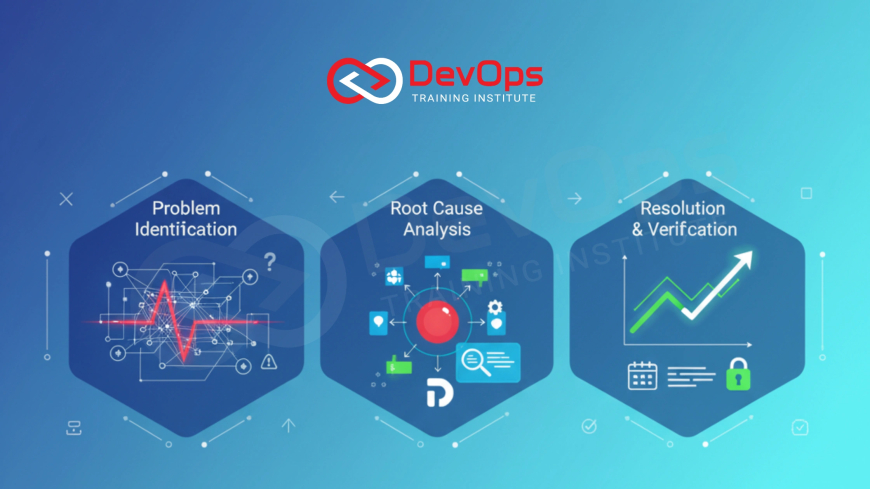
Scenario-based Dynatrace interview questions describe a situation, such as a missing Kubernetes cluster, an alert storm or a slow release, and ask what you would check and change. This page has 36 scenarios with direct answers, grouped by experience level, covering OneAgent, the Dynatrace Operator, problems, DQL, SLOs, Site Reliability Guardian and Workflows.
If you need definitions first, read our 85+ Dynatrace interview questions guide. For hands-on setup tasks, see Dynatrace engineer interview questions. This page sticks to "what would you do if" questions. Product names and features were checked against docs.dynatrace.com in November 2026.
Key takeaways
- Good scenario answers follow one pattern: confirm the symptom, check data coverage, find the cause, fix, then prevent.
- Kubernetes monitoring is deployed through the Dynatrace Operator. Current docs list three options: Kubernetes platform monitoring alone, plus Application observability, or plus Full-Stack observability.
- Dynatrace groups related anomalies into a single problem and runs root cause analysis on the topology. Current docs call this AI layer Dynatrace Intelligence.
- DQL queries data stored in Grail, the Dynatrace data lakehouse for logs, metrics, traces and events.
- Site Reliability Guardian validates releases against objectives, and Workflows automate actions such as Slack, Jira or HTTP calls.
How to answer a Dynatrace scenario
| Step | What to say | Dynatrace feature you might name |
|---|---|---|
| 1. Confirm | Is the symptom real and how many users does it affect? | Problems app, service overview |
| 2. Coverage | Is the data actually arriving? | OneAgent status, Operator pods, ingest logs |
| 3. Cause | What changed and which entity is the root cause? | Root cause analysis, deployment events, traces |
| 4. Fix | Smallest safe change | Rollback, config change, alert tuning |
| 5. Prevent | Catch it earlier next time | SLOs, Site Reliability Guardian, Workflows |
Freshers (scenarios 1 to 12)
1. A new Linux host does not appear in Dynatrace after you installed OneAgent. What do you check?
Confirm the installer finished and the OneAgent service is running, then check the host can reach the Dynatrace environment or ActiveGate over the network (proxy and firewall rules). Finally confirm the installer used the right environment ID and token. Most "missing host" cases are network or token problems.
2. A Java service runs on a monitored host but shows no traces. Why?
Deep monitoring of a process needs the process to restart after OneAgent is installed, so the agent can inject into it. Restart the application, then check the process group in the UI to confirm deep monitoring is enabled for it.
3. Your manager asks why response time on the checkout service went up yesterday. Where do you start?
Open the service, select yesterday's time frame and compare response time with throughput and failure rate. Then look at the service flow and response time breakdown to see whether the time is spent in code, a database call or a downstream service.
4. You get a problem notification that lists ten affected services. Do you open ten tickets?
No. Dynatrace combines connected anomalies into one problem to reduce alert noise. Read the root cause entity in the problem, work that, and track the problem as one incident.
5. Logs from an application are not visible in Dynatrace. What do you check?
Whether log monitoring is enabled for that host or process group, whether the log file path is covered by the ingest rules, and whether a filter or masking rule drops the records. Then run a simple DQL query such as fetch logs | filter loglevel == "ERROR" to confirm data arrives.
6. A teammate asks how to count error logs in the last hour. What do you show them?
A DQL query in a Notebook:
fetch logs
| filter loglevel == "ERROR"
| summarize numErr = count()
Set the time frame to the last hour in the Notebook. Add by: fields to the summary to group by host or service.
7. You need to show error trends on a dashboard. How?
Use makeTimeseries to turn log records into a chart, for example counting ERROR and SEVERE logs in 5 minute intervals grouped by log level, then pin the result to a dashboard.
8. A synthetic browser monitor fails but users report no issues. What do you suspect?
The monitor itself: changed page elements broke a click step, the test location cannot reach the site, or credentials used by the script expired. Check the failed step's screenshot and the location before treating it as an outage.
9. Someone asks whether Dynatrace replaces Prometheus in your Kubernetes cluster. How do you answer?
Not necessarily. Many teams keep Prometheus exporters and let Dynatrace ingest those metrics, so existing instrumentation is reused. The decision depends on cost, team skills and which dashboards and alerts people already rely on.
10. A developer cannot see data for their service in Dynatrace but you can. Why?
Access permissions. Their user group lacks access to the relevant data or environment. Check the IAM policies and group assignment rather than the monitoring setup.
11. An alert fires every night at 2 a.m. during a batch job. What do you do?
Confirm it is expected load, then adjust the anomaly detection settings for that service or schedule a maintenance window for the batch period, so real problems at that time are still caught.
12. How would you explain the difference between a metric, a log and a trace to an interviewer using a Dynatrace example?
A metric is a number over time, such as service response time. A log is a timestamped text record from the application. A trace (a PurePath in Dynatrace terms) follows one request across services. In a slow checkout, the metric shows it is slow, the trace shows where, and the log shows the error message.
2 to 5 years (scenarios 13 to 26)
13. A Kubernetes cluster you deployed through the Dynatrace Operator shows nodes but no application traces. What happened?
The cluster was probably set up with Kubernetes platform monitoring only. That option covers the cluster, nodes and workloads at the platform level. Application traces need the Application observability or Full-Stack observability option on top. Check the configured option and that pods were restarted after injection was enabled.
14. After an Operator upgrade, some namespaces stopped reporting. What do you check?
The Operator and its webhook pods first, then the namespace selector in the configuration that decides which namespaces get injection. Read the Operator release notes for changed defaults, and redeploy a test pod in an affected namespace to see whether injection happens.
15. A team says Dynatrace is "too noisy". How do you reduce alert fatigue without hiding real issues?
List the top alert sources for a month. Remove alerts nobody acts on, tune anomaly detection for services with known patterns, route problems by ownership so each team sees only its own, and alert on user-facing SLOs rather than every resource metric.
16. A release went out and error rates rose ten minutes later. How do you prove the link?
Make sure the pipeline sends a deployment event to Dynatrace. The event then appears on the service timeline and in the problem, so you can show the error spike started after the deployment on the same service. Without deployment events, you depend on guesswork.
17. How would you block a bad release automatically?
Use Site Reliability Guardian. Define a guardian with objectives such as error rate and response time, each retrieved with a DQL query and given thresholds. Trigger validation from the pipeline through a workflow and fail the pipeline stage if the guardian returns Fail or Error.
18. A guardian keeps returning Info after you switched to auto-adaptive thresholds. Is it broken?
No. Auto-adaptive thresholds need at least five validations to learn before they take effect, and the objective returns Info during that learning phase.
19. Problems should create Jira tickets and post to Slack. How do you set it up?
Build a workflow with an event trigger filtered to the relevant problems, then add Jira and Slack actions. Include the problem link and root cause entity in the message so responders do not have to search for it.
20. A workflow you built does not run. What do you check?
The trigger filter (does it match the event?), the execution history for errors, the connection credentials for Slack or Jira, and permissions. Running workflows needs the automation:workflows:run permission.
21. Log ingest costs jumped this month. How do you investigate?
Query log volume by source with DQL to find which hosts or applications grew. Then drop debug logs at ingest, apply filtering rules for noisy sources, and agree retention needs with each team.
22. A database call shows as the root cause, but the DBA says the database is healthy. What next?
Look at the calls themselves in traces: the number of calls per request, the statements, and connection pool wait time. A new N+1 query pattern or pool exhaustion in the application looks like a slow database from the service's view.
23. Users in one region report slowness, but backend services look normal. Where do you look?
Real user monitoring data split by geography, and the frontend breakdown: DNS, network, server time and browser rendering. A CDN or regional network issue shows up there while backend metrics stay flat.
24. You need monitoring for a third-party SaaS API your service depends on. How?
Watch the outgoing calls from your service to that API in traces, and add an HTTP synthetic monitor against the API's health endpoint. Alert on the dependency separately so its outages are not blamed on your service.
25. How would you define an SLO for a login service?
Pick a user-facing indicator, for example the share of login requests that succeed in under a set response time, and a target over a rolling window. Track the error budget, and slow down releases when it burns faster than planned.
26. A host shows high CPU but no problem was raised. Is that a bug?
Not necessarily. Dynatrace raises problems based on detected anomalies and impact, not on every high value. If high CPU here does matter, set a custom threshold for that host group and explain why.
Senior (scenarios 27 to 36)
27. You are rolling Dynatrace out to 40 teams. How do you keep configuration consistent?
Treat configuration as code: store settings in Git and apply them through the Dynatrace configuration tooling or API from a pipeline. Give teams templates for dashboards, alerting and SLOs, and review changes like any other code.
28. Security asks how you prevent sensitive data from reaching Dynatrace. What do you say?
Mask personal data at capture: configure data masking for request attributes, URLs and logs, and avoid capturing request bodies unless needed. Restrict access by policy, and review what log sources are ingested.
29. Two teams argue over whose service caused an outage. How do you settle it?
Use the problem's root cause analysis and the service flow, together with deployment and configuration events, to show the sequence. Present the data in the post-incident review and keep the discussion blameless.
30. Leadership wants one number for "is the platform healthy". What do you give them?
A small set of SLOs for the critical user journeys, shown with remaining error budget. A single availability number hides too much, while three or four journey SLOs are still easy to read.
31. A migration from another APM tool to Dynatrace is planned. What risks do you raise?
Gaps in coverage during cut-over, lost historical baselines, alert rules that do not map one to one, and teams losing dashboards they rely on. Run both tools in parallel for critical services until alerting is validated.
32. Dynatrace itself becomes unreachable during an incident. What is your fallback?
Kubernetes and cloud provider native tools: kubectl events and logs, cloud metrics, and application logs on disk. Keep a short runbook for working without your main observability platform.
33. How would you use Dynatrace data to reduce cloud cost?
Compare requested resources with actual usage per workload, find idle or oversized hosts and pods, and feed that into rightsizing. Include the data in capacity reviews rather than making one-off cuts.
34. A canary release needs automatic promotion. Where does Dynatrace fit?
The deployment tool (for example Argo Rollouts or your pipeline) handles traffic shifting. Dynatrace supplies the health signal: a guardian or DQL query comparing canary error rate and latency with the stable version, which decides promote or roll back.
35. Your Workflows send hundreds of messages during a large outage. How do you fix it?
Trigger on problems, not individual events, add conditions so only new or escalated problems notify, and group notifications per owner. Test the workflow against a replay of past problems.
36. What would you change first in a Dynatrace setup you inherited?
Check data coverage of critical services, then deployment events from pipelines, then alert routing by ownership. Without those three, root cause analysis and SLOs cannot be trusted.
How to prepare
- Start a Dynatrace free trial and install OneAgent on a VM with a small sample app.
- Deploy the Dynatrace Operator on a test Kubernetes cluster and compare platform monitoring with Full-Stack observability.
- Write five DQL queries in a Notebook: error count, error trend, slowest services, top log sources, deployments per day.
- Create one guardian and one workflow that posts to a test Slack channel.
- Practise each scenario above out loud using the five-step pattern.
Observability concepts carry across tools; our observability vs monitoring guide explains the maturity path, and the most asked Dynatrace interview questions cover short-answer rounds. For hands-on monitoring labs, see our Prometheus and Grafana training in Pune.
FAQ
What are scenario-based Dynatrace interview questions?
Questions that describe a production situation, such as missing data, an alert storm or a failed release, and ask how you would investigate and fix it using Dynatrace.
How is Dynatrace deployed on Kubernetes?
Through the Dynatrace Operator. Current docs list Kubernetes platform monitoring alone, or combined with Application observability or Full-Stack observability.
What is DQL in Dynatrace?
Dynatrace Query Language. It queries data in Grail, the Dynatrace data lakehouse for logs, metrics, traces and events, without defining a schema first.
What does Site Reliability Guardian do?
It validates releases or services against objectives measured with DQL and thresholds, and returns Pass, Warning, Fail, Error or Info so pipelines can decide whether to proceed.
How do Dynatrace Workflows help in incidents?
They automate actions on events, schedules or on demand, such as posting to Slack, opening Jira tickets or calling an HTTP endpoint.
Why does Dynatrace show one problem for many alerts?
It combines connected anomalies into one problem and identifies the root cause entity, which reduces alert load for responders.
Do I need a certification to answer these questions?
No. Hands-on practice with a trial environment matters more. Dynatrace runs its own certification program if you want a credential; check Dynatrace University for current details.
Official references
What's Your Reaction?
 Like
0
 Dislike
0
 Love
0
 Funny
0
 Angry
0
 Sad
0
 Wow
0