ELK Stack for Centralized Logging in DevOps
How ELK centralizes DevOps logs: what Elasticsearch, Logstash, Kibana and Beats do; ports, a working pipeline, ILM retention and Kubernetes setup.
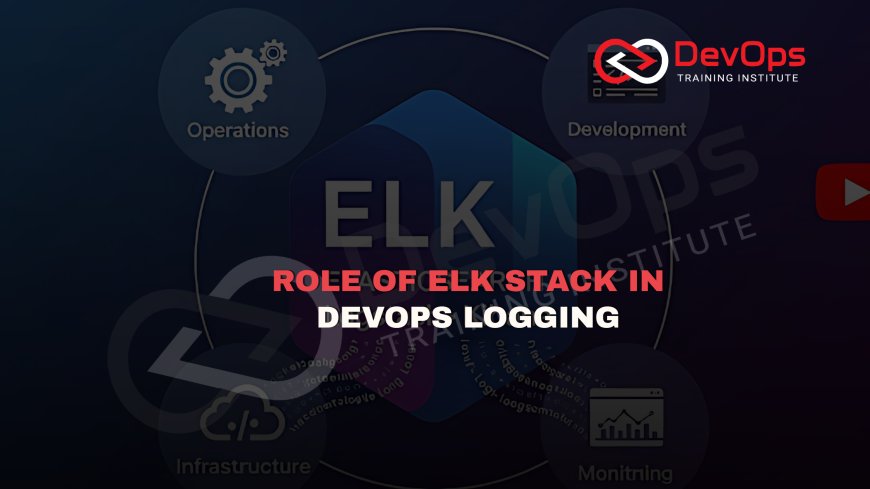
The ELK Stack gives a DevOps team one place to collect, store, search and visualize logs from every server, container and application. Beats or Elastic Agent ship the logs, Logstash parses and enriches them, Elasticsearch indexes them for fast search, and Kibana turns them into searches, dashboards and alerts that responders use during incidents.
This guide explains what each component does, how data flows through the stack, how to configure a basic pipeline and how to keep storage under control. It is part of our observability tools cluster. If you are still deciding whether to centralize logs at all, start with why teams should adopt centralized logging early.
Key takeaways
- ELK stands for Elasticsearch, Logstash and Kibana. Elastic now calls the wider product family the Elastic Stack, which also includes Beats and Elastic Agent.
- The current Elasticsearch release on Elastic's download page is 9.5.6, released on 2 November 2026. Keep all stack components on matching versions.
- Filebeat sends to Logstash on port 5044 by default. Elasticsearch listens for HTTP on 9200 and Kibana on 5601.
- Logstash pipelines have three sections: input, filter and output. Filters run in the order they appear in the file.
- Index lifecycle management (ILM) with data streams controls cost by rolling over indices and moving or deleting old data automatically.
- The main value for DevOps is faster incident diagnosis: one query across every service instead of logging in to each server.
Why DevOps teams need centralized logs
In a monolith on a single server, a developer could read a log file with tail -f. In a system of microservices running in containers, the same request passes through many processes on different nodes, and those containers may be deleted minutes later along with their local logs. Searching by hand stops working.
Centralized logging collects every log line into one searchable store, keeps it after the container is gone and lets engineers filter by service, environment, request ID or error code. For DevOps teams this supports several daily jobs: diagnosing incidents, checking a deploy for new errors, auditing who did what and spotting slow trends before they cause outages.
The components and what each one does
| Component | Role | Default port |
|---|---|---|
| Beats (for example Filebeat) | Lightweight agents that read log files or system data and ship them | Sends to Logstash on 5044 |
| Elastic Agent | A single agent that can collect logs, metrics and security data, managed centrally through Fleet | Depends on output |
| Logstash | Server-side pipeline that receives, parses, enriches and routes events | Beats input listens on 5044 |
| Elasticsearch | Distributed search and analytics engine that stores and indexes the events | HTTP on 9200 |
| Kibana | Web interface for search, dashboards, alerting and stack management | HTTP on 5601 |
Elasticsearch
Elasticsearch stores each log event as a JSON document in an index. It splits indices into shards spread across nodes, so search and storage scale out by adding nodes. Replica shards keep copies on other nodes so the cluster survives a node failure. For logs, Elastic recommends data streams: a named stream such as logs-checkout-production that writes to hidden backing indices and rolls them over automatically.
Logstash
Logstash receives events from many inputs, transforms them with filters and sends them to one or more outputs. Typical filter work includes parsing unstructured text with grok, parsing JSON, converting timestamps with date, adding geographic data, removing sensitive fields and dropping noise. You do not always need Logstash. If your applications already log structured JSON, Beats or Elastic Agent can send directly to Elasticsearch and use ingest pipelines for light processing.
Kibana
Kibana is where engineers spend their time. Discover lets them search and filter events, dashboards show error rates and top messages over time, and alerting rules notify a team when a query crosses a threshold. Kibana also manages index templates, lifecycle policies, users and roles.
Beats and Elastic Agent
Filebeat is the usual shipper for log files. It tracks its read position in each file, so it resumes after a restart without resending everything, and it applies back pressure when the destination is slow. Elastic Agent bundles several collection types into one process and is managed from Kibana through Fleet, which suits larger fleets where editing config files on every host is impractical.
How data flows through the stack
- An application writes a log line to a file or to standard output.
- Filebeat or Elastic Agent reads it, adds host and container metadata and ships it.
- Logstash (optional) parses the line into fields, enriches it and drops what you do not need.
- Elasticsearch indexes the event into a data stream.
- Kibana queries Elasticsearch to show searches, dashboards and alerts.
- ILM moves older data to cheaper tiers and deletes it when the retention period ends.
A minimal working pipeline
The Filebeat output below sends events to Logstash. If you leave out the port, Filebeat uses 5044.
# filebeat.yml
filebeat.inputs:
  - type: filestream
    id: app-logs
    paths:
      - /var/log/myapp/*.log

output.logstash:
  hosts: ["logstash.internal:5044"]
A Logstash pipeline then parses JSON log lines, sets the event time from the application's own timestamp and writes to Elasticsearch.
input {
  beats {
    port => 5044
  }
}

filter {
  json {
    source => "message"
  }
  date {
    match => ["timestamp", "ISO8601"]
  }
  mutate {
    remove_field => ["password", "card_number"]
  }
}

output {
  elasticsearch {
    hosts => ["https://es01.internal:9200"]
    data_stream => "true"
  }
}
In production, add TLS and credentials to the Elasticsearch output, and store secrets in the Logstash keystore instead of the config file. Check plugin options against the documentation for your exact stack version before you deploy.
Managing storage and cost with ILM
Logs grow every day, so retention is the main cost lever. Index lifecycle management defines phases that data moves through as it ages:
| Phase | Typical use for logs |
|---|---|
| Hot | Current data being written and searched often |
| Warm | No longer written to; can be made read-only and have fewer replicas |
| Cold | Searched rarely; moved to cheaper, slower hardware |
| Frozen | Kept for occasional search at the lowest storage cost |
| Delete | Removed with its data and metadata when retention ends |
Not every team needs every phase. A small team might keep 14 days hot and then delete. A regulated team might keep a year of audit logs in a cheaper tier. Write the retention rules down with your security and compliance owners before you set the policy, because deleted data cannot be recovered.
Other ways to control cost include dropping debug logs in production, sampling very high-volume success logs, mapping only the fields you search on and avoiding high-cardinality fields that bloat indices.
How DevOps teams use ELK day to day
Incident diagnosis
During an outage, responders filter to the affected service and time window, group errors by message and look for the first occurrence. If every service logs a shared request or trace ID, one search shows the full path of a failing request. This is the single biggest reason teams run ELK.
Deploy verification
After a release, a saved Kibana view comparing error counts before and after the deploy time shows quickly whether the new version introduced problems. Pair it with metrics from Prometheus for latency and saturation.
Security and audit
Authentication logs, sudo activity, Kubernetes audit logs and cloud audit trails can all land in the same cluster. Role-based access in Kibana keeps sensitive indices visible only to the people who need them.
Trend analysis
Dashboards of warning counts, slow query logs and retry messages show degradation that has not yet become an outage. Our guide to monitoring signals that indicate imminent failure lists which ones to watch.
Running ELK on Kubernetes
On Kubernetes, containers write to standard output and the kubelet stores those streams on the node. A DaemonSet runs one Filebeat or Elastic Agent pod per node to read those files and add pod, namespace and label metadata. Elastic publishes Elastic Cloud on Kubernetes (ECK), an operator that deploys and manages Elasticsearch and Kibana as custom resources. For more options, see 12 Kubernetes logging tools and 10 hidden Kubernetes logs you should check.
Securing the stack
Logs often hold the most sensitive data in a company: user identifiers, internal hostnames, error messages that reveal how the system is built. Treat the logging cluster as a production system with its own security plan.
Elastic's documentation says HTTP TLS encryption is optional in self-managed environments but strongly recommends turning it on. Transport traffic between Elasticsearch nodes can be secured automatically or configured by hand. In practice, that means:
- TLS on every hop: shipper to Logstash, Logstash to Elasticsearch, browser to Kibana.
- Separate service accounts for each shipper and pipeline, each with write access only to the data streams it needs.
- Kibana roles that map to teams, so the payments team sees payments logs and only the security team sees audit data.
- Network rules that keep ports 9200, 5044 and 5601 reachable only from the hosts that need them.
- An audit trail of who searched or exported sensitive indices, if your compliance rules ask for one.
Keeping the cluster healthy
A logging cluster fails in predictable ways, and most of them show up in a few numbers. Watch disk use on data nodes, because Elasticsearch stops allocating shards when disks fill up and eventually blocks writes. Watch heap use and garbage collection pauses on each node. Watch the cluster health colour: green means every shard and replica is assigned, yellow means some replicas are missing, and red means at least one primary shard is unassigned and some data cannot be searched.
Shard count matters as much as data volume. Thousands of tiny shards waste memory, so roll over by size or age rather than creating a new index for every small service every day. Data streams with an ILM rollover rule handle this for you.
Plan upgrades too. Upgrade Elasticsearch before Kibana, test on a staging cluster first, and keep Beats or Elastic Agent within the versions your cluster supports. A logging outage during an incident is the worst possible time to find a version mismatch.
Common mistakes
- Logging unstructured text everywhere, then writing fragile grok patterns to parse it. Log JSON at the source.
- No retention policy, so the cluster fills its disks and stops accepting writes.
- Mismatched versions between Beats, Logstash, Elasticsearch and Kibana.
- Exposing ports 9200 or 5601 to the internet without authentication and TLS.
- Sending passwords, tokens or card numbers into logs. Mask them in the application or in the pipeline.
- One giant index for everything, which makes retention and access control hard. Split by data stream.
ELK compared with other logging options
| Option | Strength | Consider when |
|---|---|---|
| Self-managed ELK | Full-text search and rich dashboards, full control | You have people to run and upgrade the cluster |
| Elastic Cloud | Same stack, operated by Elastic | You want ELK features without running nodes |
| Grafana Loki | Indexes labels rather than full text, which keeps storage small | You already use Grafana and mostly filter by labels |
| Cloud provider logging (CloudWatch Logs, Azure Monitor, Cloud Logging) | No servers to run, close integration with the provider | Most workloads are on one cloud |
For a wider comparison, read 20 log aggregation tools by pipeline layer.
Preparing for ELK interviews and projects
Employers usually ask how you would design a pipeline, handle a cluster that has gone red or yellow, set retention and secure the stack. Practise by building a small three-service app, shipping its logs and creating a dashboard and an alert. Our 80+ ELK Stack interview questions cover the topics in depth. If you want structured, hands-on practice, the ELK Stack training is available in our Kharadi, Pune classroom and live online for learners elsewhere in India.
Frequently asked questions
What does ELK stand for?
ELK stands for Elasticsearch, Logstash and Kibana. Elasticsearch stores and searches data, Logstash processes it and Kibana visualizes it. With Beats and Elastic Agent added, Elastic calls the family the Elastic Stack.
Do I need Logstash in every ELK setup?
No. If applications already write structured JSON logs, Filebeat or Elastic Agent can send directly to Elasticsearch and use ingest pipelines for light parsing. Logstash is useful for heavy parsing, enrichment and routing to several destinations.
Which ports does the ELK Stack use?
Elasticsearch serves HTTP on 9200, Kibana on 5601, and the Logstash Beats input listens on 5044, which is also Filebeat's default Logstash port. Never expose these to the internet without TLS and authentication.
How do I stop Elasticsearch from running out of disk?
Use data streams with an index lifecycle management policy that rolls over indices and deletes them after your retention period. Drop debug logs in production, sample noisy success logs and map only fields you search.
Is ELK good for Kubernetes logging?
Yes. Run Filebeat or Elastic Agent as a DaemonSet to read container logs on each node and add pod metadata. Elastic Cloud on Kubernetes can deploy and manage Elasticsearch and Kibana as Kubernetes resources.
What is the current version of Elasticsearch?
Elastic's download page lists Elasticsearch 9.5.6, released on 2 November 2026. Check the page before you install, and keep Beats, Logstash and Kibana on matching versions.
How is ELK different from Grafana Loki?
Elasticsearch indexes the full content of log events, which gives fast full-text search at higher storage cost. Loki indexes only labels and scans log content at query time, which is cheaper to store but slower for free-text searches.
References
What's Your Reaction?
 Like
0
 Dislike
0
 Love
0
 Funny
0
 Angry
0
 Sad
0
 Wow
0