


































![Kong Interview Preparation Guide [2025]](https://www.devopstraininginstitute.com/blog/uploads/images/202509/image_430x256_68dbb95326997.jpg)
















12 DevOps Coding Tools to Improve Efficiency
Explore a curated list of 12 essential DevOps coding tools designed to drastically boost developer efficiency, streamline workflows, and accelerate the entire software development lifecycle. This in-depth guide covers everything from Integrated Development Environments (IDEs) and Version Control Systems (VCS) to powerful Code Quality Analyzers and essential Collaboration Platforms. Learn how adopting the right combination of automation, feedback loops, and shared coding spaces empowers developers to write cleaner code faster, reduce bugs, and contribute effectively to continuous integration and continuous delivery (CI/CD) pipelines, transforming your software delivery process.
Introduction: The Developer’s Role in DevOps
The DevOps methodology represents a cultural and technological shift that aims to unify software development (Dev) and IT operations (Ops). At its core, this union is driven by automation, collaboration, and continuous feedback. While DevOps is often associated with the infrastructure and deployment side, the coding phase is where the entire process originates. The tools utilized by developers in this initial phase directly dictate the speed, quality, and security of the final application. By adopting a specialized set of DevOps coding tools, development teams move away from isolated, manual processes and embrace integrated, automated workflows that align perfectly with continuous delivery goals.
The transition to a DevOps model places an increased emphasis on developer efficiency. Developers are no longer just writing code; they are responsible for ensuring that their code is testable, deployable, and maintainable from the very beginning. This expanded responsibility requires tools that provide instant feedback, simplify complex tasks like version management, and facilitate seamless collaboration across different teams. The right toolchain transforms the coding environment into an integrated workshop where quality is built in, not checked at the end. This is the essence of shifting left—making every step in the developer’s workflow a part of the quality assurance and deployment process.
This comprehensive overview will explore 12 categories of essential coding tools that enable developers to thrive in a DevOps culture. These tools automate tedious, repetitive work, enforce coding standards, and link the developer’s local machine directly to the wider CI/CD pipeline. Mastery of this toolchain is crucial for any organization looking to achieve true agility and continuous value delivery. By focusing on efficiency at the code creation level, the entire organization benefits from faster releases, fewer errors, and improved overall stability, providing a clear competitive advantage in the modern technology landscape.
Integrated Development Environments The Central Hub
An Integrated Development Environment, or IDE, is perhaps the single most important tool for a developer’s daily efficiency. It is the central application that bundles together a source code editor, build automation tools, and a debugger, allowing the developer to perform virtually all coding tasks from a single interface. Modern IDEs go far beyond simple text editing, offering features like intelligent code completion, real-time error detection, and advanced refactoring capabilities. The ability to perform these tasks quickly and accurately within one application dramatically reduces the context switching that often slows down development and introduces errors.
DevOps-ready IDEs are designed with tight integration to the wider toolchain. For instance, they seamlessly connect to Git repositories for version control and integrate with CI/CD tools to trigger local builds and unit tests. Many modern IDEs also offer built-in extensions for working with Infrastructure as Code (IaC) files like Terraform or Kubernetes YAML, allowing developers to configure and test infrastructure definitions without leaving their coding window. This integration helps developers understand and manage the full stack impact of their code changes, making them more effective contributors to the DevOps pipeline.
The power of the IDE also extends to collaboration and code quality. Many include plugins that link directly to code analysis tools, providing real-time feedback on code quality and security vulnerabilities as the code is being typed. This immediate feedback loop is critical for maintaining high standards and avoiding the accumulation of technical debt. By consolidating these functions, the IDE transforms from a mere editor into a productivity engine, allowing developers to focus on problem-solving and feature development rather than on managing disparate tools and performing manual checks. This streamlined workflow is fundamental to achieving high efficiency.
Version Control Systems The Single Source of Truth
Version Control Systems (VCS), with Git being the undisputed industry standard, are the foundational backbone of any efficient DevOps process. VCS tools track every single change made to the codebase, providing a comprehensive history of who, what, and when changes were applied. This meticulous record-keeping is essential for collaboration, as it allows multiple developers to work on the same codebase concurrently without overriding each other's work. The ability to branch, merge, and resolve conflicts efficiently is the cornerstone of modern, parallel development.
In a DevOps context, the VCS repository becomes the "single source of truth." All automated processes, from triggering a build in the CI pipeline to deploying the final application, start with a code commit to this repository. This central role ensures consistency and traceability. For example, if a bug is found in the production environment, teams can immediately trace the issue back to the exact code change, the developer who made it, and the associated testing results, facilitating rapid identification of the root cause and quick remediation. This level of transparency and accountability is what makes continuous delivery reliable.
Beyond tracking changes, VCS tools enable modern collaboration workflows like Pull Requests (or Merge Requests). These mechanisms facilitate peer code review, where colleagues can examine and comment on code changes before they are merged into the main development branch. This practice dramatically improves code quality, reduces bugs, and helps disseminate knowledge across the team. The integration of VCS with platforms like GitHub, GitLab, and Bitbucket provides the necessary tooling for hosting, managing, and automating these essential collaborative steps, making the entire code management process far more efficient and secure than traditional, file-sharing approaches.
Code Quality and Static Analysis Tools
Ensuring high code quality early and often is a key principle of efficiency in DevOps. Code quality and static analysis tools are designed to automatically examine source code without executing it, identifying bugs, security vulnerabilities, and "code smells," which are symptoms of poor design or maintainability. Tools like SonarQube or linters for specific languages (e.g., ESLint for JavaScript) are integrated directly into the developer’s workflow, often running as an IDE plugin or as an early gate in the CI pipeline.
This automation saves countless hours that would otherwise be spent on manual code reviews and debugging in later stages of the development cycle. By detecting issues like potential memory leaks, complex logic, or violations of established coding standards instantly, these tools provide developers with immediate, actionable feedback. This helps train developers to write cleaner, more robust code from the start, a practice known as shifting left. The enforcement of common style guides also ensures code consistency across a large team or a project with many contributors, making the codebase easier to read, maintain, and onboard new developers onto the project.
Static analysis tools are particularly valuable in a DevOps environment for maintaining a high quality bar without sacrificing speed. They act as an objective, non-tiring code reviewer that never misses a check. This is crucial for high-velocity teams that push changes multiple times a day. Furthermore, many of these tools integrate security analysis (SAST) to identify common security flaws like SQL injection or cross-site scripting risks. By combining quality and security checks into a single, automated step, developers become proactive participants in security, thereby accelerating the time to deployment for high-quality, secure code.
The 12 Essential DevOps Coding Tool Categories
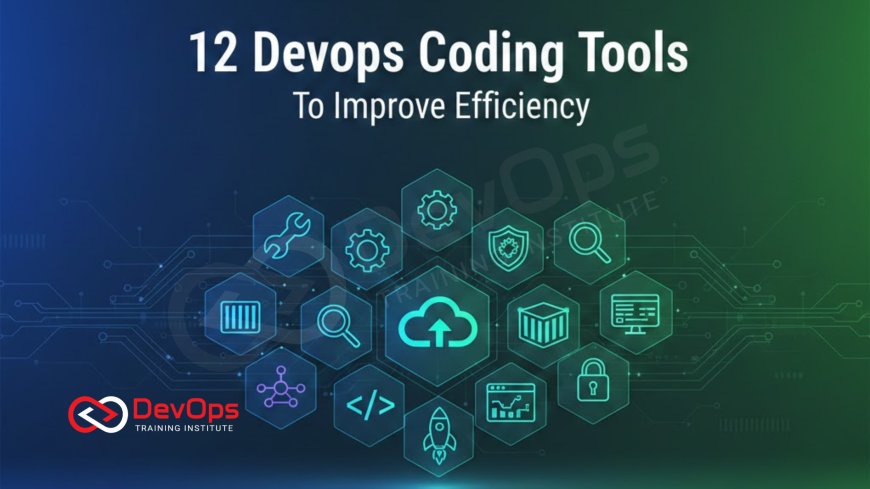
The DevOps toolchain is extensive, but efficiency at the code level is primarily driven by twelve specific categories of tools. These tools are crucial for turning raw code into a deployable artifact quickly and with minimal human intervention. They represent the modern developer’s core toolkit, enabling the continuous flow of development and operations.
| Tool Category | Primary Efficiency Benefit | Example Tools |
|---|---|---|
| Integrated Development Environment (IDE) | Consolidates coding, debugging, and building into one interface. | VS Code, IntelliJ IDEA, Eclipse |
| Version Control System (VCS) | Manages parallel work streams, history, and collaborative code review. | Git, GitHub, GitLab, Bitbucket |
| Build Automation Tools | Automates compilation, dependency resolution, and artifact creation. | Maven, Gradle, npm, Rake |
| Code Quality / Static Analysis | Detects bugs, code smells, and security flaws in code before execution. | SonarQube, ESLint, Checkstyle, Semgrep |
| Testing Frameworks (Unit/Integration) | Provides the structure and runners for automated code validation. | JUnit, Pytest, Jest, Cypress |
| Dependency Management | Handles external libraries and packages, including security vulnerability checks. | NuGet, Maven Central, npm Registry, Renovate |
| Containerization Tools | Packages applications and dependencies for consistent deployment across environments. | Docker, Podman, Buildah |
| Collaboration Platforms | Facilitates real-time communication, alerts, and documentation. | Slack, Microsoft Teams, Confluence |
| Artifact Repositories | Central storage for tested and approved build output (binaries, packages). | Artifactory, Nexus Repository, GitHub Packages |
| Secrets Management Tools | Securely injects passwords, keys, and tokens at runtime, preventing hard-coding. | HashiCorp Vault, AWS Secrets Manager, Azure Key Vault |
| Infrastructure as Code (IaC) Tools | Allows infrastructure provisioning to be written, versioned, and tested like application code. | Terraform, Ansible, CloudFormation |
| Debugging and Observability Tools | Provides insights into code execution, performance, and runtime errors. | Integrated Debuggers (IDE), Prometheus, Grafana, Jaeger |
Advanced Testing and Debugging Frameworks
In a high-velocity DevOps environment, manual testing is a major bottleneck. Therefore, testing frameworks are essential coding tools, empowering developers to create automated unit and integration tests that run immediately and consistently. These frameworks provide the syntax and structure needed to write reliable tests that verify the smallest units of code (unit tests) and ensure different parts of the application work correctly together (integration tests). By tying these tests directly to the build process, teams ensure that no code with broken functionality proceeds down the pipeline.
The efficiency gain from automated testing is multi-fold. It provides rapid feedback to the developer, immediately flagging if a new feature breaks existing functionality—a practice known as regression testing. This allows the developer to fix the issue while the code context is still fresh in their mind, which is far more efficient than fixing a bug found weeks later in a staging environment. Furthermore, a comprehensive set of automated tests serves as living documentation for the codebase, clearly defining the expected behavior of the application and making refactoring and future development safer and faster.
Debugging tools, whether integrated into the IDE or external observability platforms, are equally critical for developer efficiency. They allow developers to step through code execution line-by-line, inspect variable values, and isolate errors precisely. When issues arise in the system or production, observability tools aggregate logs, metrics, and traces to help pinpoint the exact code, server, or transaction responsible for the failure. This seamless process of writing tests, debugging locally, and diagnosing issues in production dramatically reduces the Mean Time to Resolution (MTTR) for defects, significantly boosting overall development speed.
Building Consistency with Containerization and IaC Tools
One of the biggest historical drags on efficiency was the "it works on my machine" problem, where code that functioned perfectly in a developer's local environment failed in production due to environmental inconsistencies. Containerization tools like Docker and orchestration platforms address this by packaging the application and all its dependencies into a single, portable unit. This ensures the environment where the code is tested is identical to the one where it is deployed, providing consistency and making the application truly platform-agnostic, regardless of the underlying operating system.
Infrastructure as Code (IaC) tools further enhance this consistency by defining the necessary infrastructure (virtual machines, networks, databases) using version-controlled code. This means the deployment environment itself is treated like any other piece of source code, allowing it to be reviewed, tested, and automatically deployed. Developers use IaC to spin up local development environments that perfectly mirror the cloud environment, eliminating manual setup and configuration errors that waste valuable time. IaC is foundational to enabling the rapid, repeatable deployment that DevOps requires.
The combination of containers and IaC creates "immutable infrastructure." Instead of manually configuring or patching running servers, any change involves creating a new, fully defined image or configuration and replacing the old one. This paradigm dramatically simplifies deployment, rollback, and scaling. For a developer, it means they can focus entirely on the application logic, knowing that the environment management is automated and consistent, which is a massive boost to coding focus and efficiency. This process is key to leveraging the benefits of cloud-native development and maximizing efficiency through virtualization and declarative configuration.
The Power of Open-Source and Community Tools
A significant portion of the modern DevOps toolchain is rooted in the philosophy of open-source software. Tools that are freely available, built, and maintained by a large community offer developers unparalleled flexibility and power. Open-source tools are constantly evolving, benefiting from rapid bug fixes, new feature development, and widespread adoption that proves their reliability and stability in diverse environments. This access to a vast ecosystem of tools means developers can customize their workflow with high-quality, specialized components without being locked into expensive proprietary solutions.
The collaborative nature of open-source development mirrors the collaboration inherent in DevOps. Developers can contribute back to the tools they use, suggest improvements, and integrate them more tightly into their specific CI/CD pipelines. This community-driven approach ensures that the tools remain cutting-edge and address real-world developer problems efficiently. For instance, many of the most popular CI/CD servers, testing frameworks, and container tools originated in the open-source world, underscoring their importance to the efficiency of the modern development process and their role in the continuous improvement culture.
Choosing open-source tools also provides a level of transparency that is critical for security and confidence. The source code is visible, allowing organizations to audit it for security flaws or simply understand how a tool works under the hood. This visibility, combined with the collective knowledge of the community, helps developers make informed decisions about tool adoption and integration, ensuring that the entire toolchain is robust, secure, and highly efficient. The flexibility to integrate diverse, best-of-breed open-source tools is a major driver of developer productivity.
Collaboration and Communication Tools
Efficiency in DevOps is not purely about individual coding speed; it is fundamentally about minimizing friction and delay between teams. Collaboration and communication tools bridge the gap between Development, Operations, and Security, ensuring that information flows freely and rapidly. Platforms like Slack or Microsoft Teams provide organized channels for real-time discussion, allowing developers to quickly ask for help, resolve blocking issues, or be alerted to changes in the deployment environment. This instant communication prevents issues from sitting idle and accelerates resolution times.
Beyond simple chat, these tools integrate deeply with the rest of the DevOps toolchain. For example, a chat channel can receive automated alerts directly from the CI/CD pipeline, notifying the team when a build fails, a vulnerability is detected, or a deployment completes successfully. This high visibility and centralized notification system ensure that everyone, regardless of their primary role, is aware of the system's current state and can react instantly. This level of transparency is key to breaking down silos and fostering the shared ownership that defines a high-performing DevOps team.
Documentation tools, such as Confluence or internal wikis, are equally vital for maintaining efficiency. They provide a centralized repository for technical designs, runbooks, system procedures, and troubleshooting guides. Well-maintained documentation drastically reduces the time new developers take to onboard and ensures that critical operational knowledge is preserved and easily accessible to all team members, regardless of their location or time zone. By streamlining communication and knowledge sharing, these tools contribute massively to the overall speed and stability of the entire software delivery process, directly impacting developer effectiveness.
Conclusion: Maximizing Velocity with the Right Toolset
Achieving true efficiency in a DevOps environment relies on much more than just writing code; it demands the seamless integration of tools that automate, collaborate, and provide continuous feedback across the entire software development lifecycle. The 12 categories of tools explored in this guide—from the developer's essential IDE to the foundational Git repository and the advanced automated testing frameworks—form the core infrastructure for high-velocity software delivery. Mastery and strategic implementation of these tools are non-negotiable for modern engineering teams.
The collective benefit of these tools is the transformation of the developer experience. They eliminate manual toil, enforce quality and security standards automatically, and ensure that every line of code is traceable, testable, and deployable with high confidence. By providing instantaneous feedback through features like static analysis and unit test runners, they empower developers to catch and fix issues in minutes, rather than days. This shift in workflow is what allows DevOps teams to move from quarterly releases to deploying code multiple times per day, providing continuous value to the business and its customers.
Ultimately, the right DevOps coding tools foster a cultural environment where development is collaborative, consistent, and proactive. The continuous improvement cycle is fueled by the data and automation provided by this toolchain. Organizations that invest in integrating these solutions and training their developers in their effective use will find themselves not only producing code faster but also delivering higher-quality, more resilient applications. This strategic tooling is the primary enabler of maximum velocity in the modern era.
Frequently Asked Questions
What is the primary role of a Version Control System in DevOps?
VCS manages code changes, handles collaboration, and ensures a historical, traceable record of the entire codebase.
How do Build Automation Tools save developers time?
They automate the repetitive steps of compiling code, resolving dependencies, and creating deployable artifacts automatically.
What does 'Shift Left' mean in the context of coding tools?
It means integrating quality and security checks, like SAST, early in the developer's local coding workflow, not at the end.
Why are IDEs considered the central hub for developers?
IDEs combine the code editor, debugger, build tools, and version control into a single, efficient interface for developers.
What type of issues do Static Analysis Tools primarily find?
They find non-runtime issues like code smells, style violations, potential bugs, and security flaws without running the code.
How do containerization tools improve code deployment efficiency?
They package the application and environment together, eliminating "works on my machine" issues and ensuring consistency.
What is the difference between DAST and SAST?
SAST checks source code statically, while DAST (Dynamic Analysis) checks the running application for vulnerabilities.
What is an Artifact Repository used for in CI/CD?
It is a central, secure storage location for tested, versioned, and approved binary build outputs ready for deployment.
How does Infrastructure as Code benefit developers directly?
IaC allows developers to provision consistent, reproducible development and testing environments mirroring production quickly.
What are two examples of Collaboration Platforms used in DevOps?
Slack and Microsoft Teams are commonly used for real-time communication, alerts, and cross-functional team coordination.
Why is Dependency Management crucial for efficiency?
It automatically handles external libraries and components, including security checks, preventing vulnerabilities and manual updates.
What is the benefit of using an open-source toolchain?
It provides flexibility, customization, transparency, and benefits from a large, community-driven ecosystem of innovation.
How do Secrets Management tools enhance security efficiency?
They securely inject credentials at runtime, stopping developers from hard-coding them in source code or configuration files.
What information do Observability Tools provide to developers?
They provide data on application performance, logs, and traces in the live environment for efficient troubleshooting and diagnosis.
What specific role does Git play in the CI/CD pipeline?
Git is the trigger; any approved commit to the main branch automatically starts the entire Continuous Integration and deployment process.
What's Your Reaction?
 Like
0
Like
0
 Dislike
0
Dislike
0
 Love
0
Love
0
 Funny
0
Funny
0
 Angry
0
Angry
0
 Sad
0
Sad
0
 Wow
0
Wow
0

![100+ Azure DevOps Interview Questions and Answers [Updated 2025]](https://www.devopstraininginstitute.com/blog/uploads/images/202509/image_140x98_68c40aa9a3834.jpg)






![Future Scope of DevOps Careers in Pune [Updated 2025]](https://www.devopstraininginstitute.com/blog/uploads/images/202510/image_140x98_68e3a84652312.jpg)


