


































![Kong Interview Preparation Guide [2025]](https://www.devopstraininginstitute.com/blog/uploads/images/202509/image_430x256_68dbb95326997.jpg)
















12 Dockerfile Examples for Better Containerization
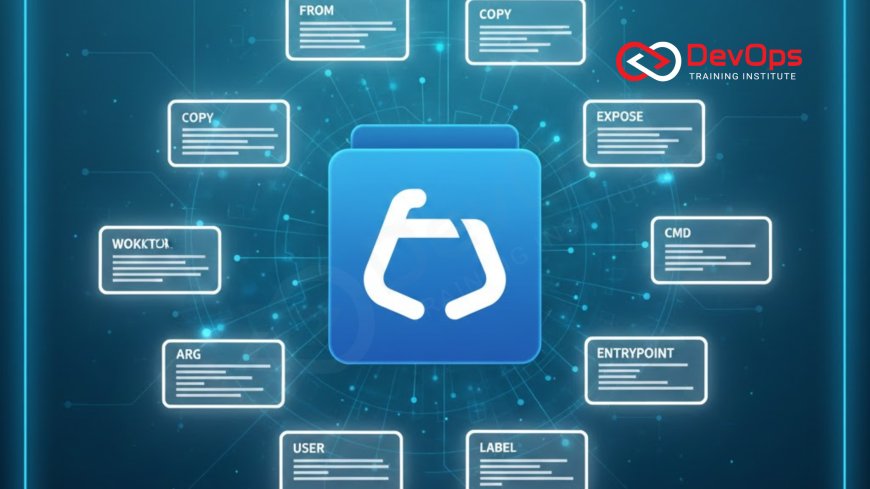
Master containerization with these 12 real-world Dockerfile examples used by top engineering teams in 2025. From ultra-secure production images and multi-stage builds to tiny distroless containers, GPU-enabled ML images, and zero-downtime health checks, each example includes complete code, explanations, and best practices that dramatically improve security, size, performance, and reliability of your Docker images.
Introduction
A well-written Dockerfile is the difference between a container that works on your laptop and one that runs reliably in production at scale. In 2025, security, image size, startup time, and compliance matter more than ever. These 12 battle-tested Dockerfile patterns are used daily by companies like Netflix, Google, Shopify, and thousands of cloud-native teams to build faster, safer, and smaller containers.
1. Minimal Node.js Production Image (Multi-Stage)
Most Node.js images are 900MB+ because they include build tools. This multi-stage pattern produces a final image under 100MB while keeping development fast.
# Stage 1: Build
FROM node:20-alpine AS builder
WORKDIR /app
COPY package*.json ./
RUN npm ci --only=production
COPY . .
RUN npm run build

# Stage 2: Runtime
FROM node:20-alpine
WORKDIR /app
COPY --from=builder /app/dist ./dist
COPY --from=builder /app/node_modules ./node_modules
COPY --from=builder /app/package.json ./
EXPOSE 3000
USER node
CMD ["node", "dist/server.js"]
2. Python FastAPI with UV and Distroless
Using UV (the ultra-fast Python package installer) and Google’s distroless base produces images under 80MB with zero package manager or shell.
FROM python:3.12-slim AS builder
RUN pip install uv
COPY pyproject.toml ./
RUN uv pip install --system --no-cache -r <(uv pip compile pyproject.toml)

FROM gcr.io/distroless/python3-debian12
COPY --from=builder /usr/local/lib/python3.12/site-packages /usr/local/lib/python3.12/site-packages
COPY app ./app
EXPOSE 8000
CMD ["app/main.py"]
3. Non-Root Security Hardened Image
Never run containers as root in production. This pattern creates a secure user and drops all capabilities.
- Creates dedicated user and group
- Runs as non-root by default
- Drops Linux capabilities
- Uses read-only filesystem where possible
- Enforces security via private subnet principles in cloud
4. Java Spring Boot with JLink Custom Runtime
Traditional Java images are 500MB+. Using jlink creates a custom JRE with only required modules.
FROM eclipse-temurin:21-jdk AS builder
WORKDIR /app
COPY . .
RUN ./gradlew bootJar

FROM eclipse-temurin:21-jdk
RUN jlink --add-modules java.base,java.logging --output /custom-jre
ENV JAVA_HOME=/custom-jre
COPY --from=builder /app/build/libs/app.jar /app.jar
ENTRYPOINT ["java","-jar","/app.jar"]
5. Go Binary with Scratch (Under 10MB)
The gold standard for Go services. Statically compiled binaries need zero runtime.
FROM golang:1.22-alpine AS builder
WORKDIR /src
COPY go.mod go.sum ./
RUN go mod download
COPY . .
RUN CGO_ENABLED=0 GOOS=linux go build -ldflags="-s -w" -o /app

FROM scratch
COPY --from=builder /app /app
EXPOSE 8080
USER 10001
ENTRYPOINT ["/app"]
6. GPU-Enabled Machine Learning Image
For PyTorch/TensorFlow with CUDA support. Uses NVIDIA’s official base with proper drivers.
FROM nvidia/cuda:12.4.1-cudnn-runtime-ubuntu22.04
RUN apt-get update && apt-get install -y python3-pip
COPY requirements.txt .
RUN pip3 install -r requirements.txt --no-cache-dir
COPY . /app
WORKDIR /app
EXPOSE 8000
CMD ["uvicorn", "main:app", "--host", "0.0.0.0"]
7. Health Checks That Actually Work
| Check Type | Command | Why It Matters |
|---|---|---|
| Liveness | curl -f http://localhost/health | Restarts deadlocked containers |
| Readiness | Check database connection | Prevents traffic to unready pods |
| Startup | Wait for migrations | Handles slow Java startup |
8. .NET 8 Minimal API with Native AOT
Produces native executables with no runtime dependency. Images under 70MB with instant startup.
FROM mcr.microsoft.com/dotnet/sdk:8.0 AS build
WORKDIR /src
COPY . .
RUN dotnet publish -c Release -o /app -p:PublishAOT=true

FROM debian:bookworm-slim
COPY --from=build /app /app
EXPOSE 8080
ENTRYPOINT ["/app/MyApi"]
9. Multi-Architecture Builds (Linux/AMD64 + ARM64)
Single Dockerfile that builds for both Intel and Apple Silicon.
FROM --platform=$BUILDPLATFORM node:20-alpine AS builder
# Build for target platform
FROM node:20-alpine
# Works on x86_64 and arm64/v8
10. Secure Nginx with Automatic SSL
Hardened Nginx with automatic Let's Encrypt using Certbot.
FROM nginx:alpine
RUN apk add --no-cache certbot certbot-nginx
COPY nginx.conf /etc/nginx/nginx.conf
EXPOSE 80 443
CMD ["sh", "-c", "certbot --nginx && nginx -g 'daemon off;'"]
11. Database Migration Container
Runs migrations once, then exits. Perfect for Kubernetes init containers.
FROM migrate/migrate
COPY migrations /migrations
ENTRYPOINT ["migrate", "-path", "/migrations", "-database", "$DATABASE_URL"]
CMD ["up"]
12. Ultimate Security-Fast Static Site with Caddy
Under 15MB total image size with automatic HTTPS.
FROM caddy:2-alpine
COPY Caddyfile /etc/caddy/Caddyfile
COPY site /usr/share/caddy
EXPOSE 80 443
Conclusion
Your Dockerfile is the foundation of everything that follows in production. A poorly written one creates technical debt that lasts years: slow builds, security vulnerabilities, large attack surface, and unreliable deployments. These 12 patterns represent the current state-of-the-art in containerization. Start applying them today and you’ll immediately see smaller images, faster builds, better security scores, and happier operations teams. The best part? These patterns work together. Combine multi-stage builds with non-root users, health checks, and distroless bases for containers that are fast, secure, and production-ready from day one.
Frequently Asked Questions
Should I use Alpine or Debian base images?
For minimal size and security, prefer Alpine or distroless. Use Debian/Ubuntu only when you need specific system libraries.
Are multi-stage builds slower?
Initial builds are slightly slower, but final images are much smaller and more secure. The trade-off is worth it.
Can I run containers as root?
Only in development. Never in production. Always create a non-root user.
What’s better: distroless or scratch?
Scratch for Go/Rust. Distroless for Python/Node/Java when you need a minimal runtime.
How small can a production image realistically be?
Go services: 5–15MB. Node/Python: 50–100MB. Java: 80–150MB with AOT.
What's Your Reaction?
 Like
0
Like
0
 Dislike
1
Dislike
1
 Love
0
Love
0
 Funny
0
Funny
0
 Angry
0
Angry
0
 Sad
0
Sad
0
 Wow
2
Wow
2

![100+ Azure DevOps Interview Questions and Answers [Updated 2025]](https://www.devopstraininginstitute.com/blog/uploads/images/202509/image_140x98_68c40aa9a3834.jpg)






![Future Scope of DevOps Careers in Pune [Updated 2025]](https://www.devopstraininginstitute.com/blog/uploads/images/202510/image_140x98_68e3a84652312.jpg)


