


































![Kong Interview Preparation Guide [2025]](https://www.devopstraininginstitute.com/blog/uploads/images/202509/image_430x256_68dbb95326997.jpg)
















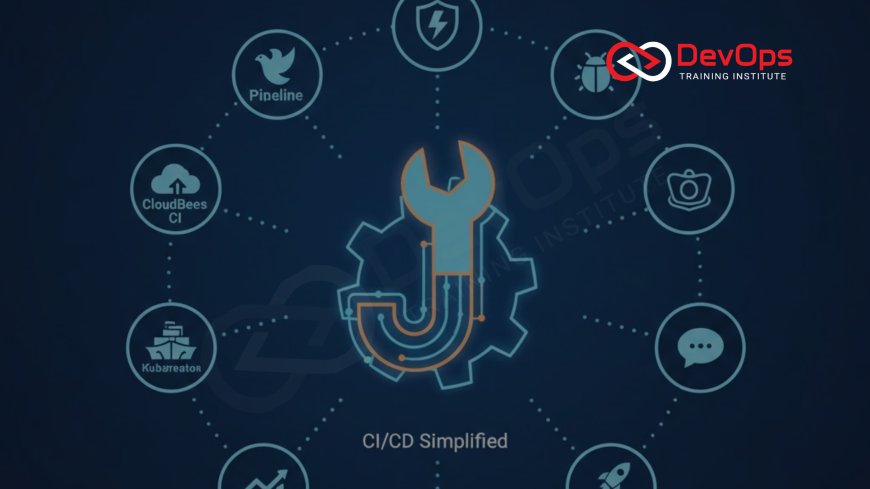
12 Jenkins Plugins That Make CI/CD Easier
Discover the 12 essential Jenkins plugins that simplify CI/CD workflows in 2025. This in-depth guide covers Pipeline, Blue Ocean, Git, Credentials Binding, Job DSL, Configuration as Code, Build Timestamp, Docker, Kubernetes, Slack Notification, SonarQube Scanner, and Performance plugins with installation tips, use cases, benefits, and best practices to help beginners and experienced users streamline builds, deployments, and team collaboration.
Introduction
Jenkins has long been a favorite tool for continuous integration and continuous delivery among development teams. It helps automate the process of building, testing, and deploying software, making it easier to catch issues early and release updates quickly. With thousands of plugins available, Jenkins can be customized to fit almost any workflow. For beginners, plugins are like add-ons that extend Jenkins' core features, allowing you to integrate with other tools or add new capabilities without writing custom code. In 2025, as more organizations adopt cloud-native practices, selecting the right plugins is key to efficient CI/CD pipelines. This guide focuses on 12 must-have plugins that simplify common tasks, from managing builds to notifying teams.
Whether you are setting up Jenkins for the first time or optimizing an existing setup, these plugins address pain points like manual configuration, error-prone deployments, and lack of visibility. They promote best practices such as automation and collaboration, aligning with DevOps principles. Beginners will find the explanations straightforward, with step-by-step usage tips. By the end, you will have a clear understanding of how these plugins can transform your CI/CD processes into something more reliable and user-friendly.
Jenkins Pipeline Plugin – The Foundation of Modern Builds
The Jenkins Pipeline plugin turns your build processes into code that can be stored in version control systems like Git. This means you define your entire CI/CD workflow in a simple script, often called a Jenkinsfile, which lives alongside your application code. For beginners, this is a game-changer because it makes pipelines reproducible and easier to review through pull requests. Instead of clicking through the Jenkins UI to set up jobs, you write declarative or scripted steps that automate everything from testing to deployment. This plugin supports parallel execution, allowing multiple stages to run at once, which speeds up the overall process significantly.
One of the key features is its ability to handle complex workflows with stages, steps, and post-actions for cleanup or notifications. Teams using this plugin report fewer errors because changes to the pipeline are tracked in Git, just like code changes. It integrates seamlessly with other tools, making it essential for any modern setup. If you are wondering why CI/CD is considered the backbone of DevOps, this plugin demonstrates it by enabling automated, repeatable builds that align development and operations seamlessly.
To get started, install the plugin via the Jenkins dashboard, create a Jenkinsfile in your repository, and set up a new pipeline job pointing to it. Practice by adding simple stages like build and test to see immediate improvements in your workflow efficiency.
Blue Ocean Plugin – Visualizing Your Pipelines
Blue Ocean is a user interface overhaul for Jenkins that makes pipelines more intuitive and visually appealing. It displays your CI/CD workflows as interactive diagrams, showing stages, branches, and statuses at a glance. For beginners, this plugin removes the intimidation factor of the classic Jenkins UI by focusing on what matters: the pipeline's progress and results. You can click on stages to see logs or restart failed parts without digging through menus. This visual approach helps teams spot bottlenecks quickly and collaborate better during reviews.
Features like personalized dashboards and activity views keep everyone informed, from developers to managers. It supports parallel branches in pipelines, showing them as separate paths in the visualization. Organizations find it reduces training time for new users, as the interface is more modern and user-friendly. When considering how DevOps and Agile work together, Blue Ocean enhances Agile by providing clear feedback loops through its intuitive displays.
Installation is straightforward from the plugin manager, and it runs alongside the classic UI. Try creating a simple pipeline and viewing it in Blue Ocean to appreciate the clarity it brings to complex processes.
Git Plugin – Seamless Source Control Integration
The Git plugin connects Jenkins directly to your Git repositories, enabling automated builds triggered by commits or pull requests. This integration is crucial for CI/CD, as it pulls code automatically and runs jobs based on events like merges. Beginners will appreciate how it simplifies setup, with options for credentials, branches, and polling intervals. It supports popular platforms like GitHub, GitLab, and Bitbucket, making it versatile for different team setups.
Advanced features include shallow cloning for faster builds and tag discovery for versioning. Teams using this plugin achieve true continuous integration, where every code change is validated immediately. It reduces manual intervention, allowing developers to focus on coding rather than triggering builds.
To use it, install from the Jenkins plugin page, add your Git repository URL to a job, and configure webhooks for real-time triggers. This plugin is a must for any version-controlled project.
Credentials Binding Plugin – Secure Secret Management
Credentials Binding allows you to safely use secrets like API keys or passwords in your pipelines without exposing them in code. It binds credentials to variables during job execution, keeping them encrypted in Jenkins' store. For beginners, this means you can reference sensitive information in scripts without hardcoding, which is a common security risk. The plugin supports various types, including usernames/passwords, SSH keys, and certificates.
It integrates with external vaults like HashiCorp Vault for enterprise setups. This ensures compliance and protects against leaks. Teams report fewer security incidents when using this plugin properly.
Install it, add credentials via the Jenkins dashboard, and use them in pipelines with 'withCredentials' blocks. Practice by adding a simple API call that requires authentication.
| Plugin | Key Benefit | Use Case |
|---|---|---|
| Pipeline | Code-based workflows | Automated builds |
| Blue Ocean | Visual interface | Pipeline monitoring |
| Git | Source control | Triggered jobs |
Job DSL Plugin – Automate Job Creation
Job DSL lets you define Jenkins jobs as Groovy scripts stored in Git, automating the creation of multiple similar jobs. For beginners, this is useful when setting up pipelines for many projects, as you can generate them programmatically instead of manually. The plugin processes a seed job that reads your DSL scripts and builds the jobs accordingly.
It supports dynamic parameters and folder organization, keeping your Jenkins instance tidy. Teams with large setups save hours on administration. This plugin aligns with infrastructure as code principles in DevOps.
Configuration as Code Plugin – Jenkins as Code
This plugin allows you to configure your entire Jenkins instance using YAML files checked into Git. For beginners, it means your Jenkins setup is versioned and reproducible, just like your application code. Changes to plugins, global settings, or credentials are applied automatically on restart.
It promotes consistency across environments and simplifies migrations. Enterprises use it for disaster recovery and compliance.
Build Timestamp Plugin – Better Log Management
Build Timestamp adds timestamps to console outputs, making logs easier to read and debug. Beginners will find it helpful for tracking when events occur during builds. It supports custom formats and time zones.
This simple plugin improves troubleshooting by providing context in long-running jobs. Teams report faster issue resolution.
Docker Plugin – Container Integration
The Docker plugin lets Jenkins build, test, and deploy Docker images directly in pipelines. For beginners, it adds steps like docker.build and docker.push to your Jenkinsfile. It supports Docker agents for running jobs inside containers.
This enables consistent environments across development and production. When thinking about can DevOps work without automation, this plugin shows how containers automate consistency.
Kubernetes Plugin – Cloud-Native Orchestration
Kubernetes plugin runs Jenkins agents as pods in Kubernetes clusters, scaling dynamically with workload. Beginners can start with basic pod templates for jobs. It integrates with cloud providers like EKS or GKE.
This plugin is essential for modern DevOps, enabling elastic CI/CD at scale.
Conclusion
These 12 Jenkins plugins transform a basic installation into a powerful CI/CD machine. From visualizing pipelines with Blue Ocean to securing secrets with Credentials Binding, they address key challenges in automation and collaboration. Beginners can start with a few, like Pipeline and Git, and add more as needs grow. In 2025, with increasing complexity in software delivery, these plugins ensure Jenkins remains relevant and efficient. Invest time in learning them, and your team's productivity will soar.
Frequently Asked Questions
What is a Jenkins plugin?
An add-on that extends Jenkins' functionality.
Why use Pipeline plugin?
It defines workflows as code for automation.
Is Blue Ocean free?
Yes, it's an open-source plugin.
How to install Git plugin?
Via Jenkins' plugin manager.
What does Credentials Binding do?
Secures secrets in pipelines.
Is Job DSL for beginners?
Yes, with basic Groovy knowledge.
Why Configuration as Code?
For versioned Jenkins setup.
Does Build Timestamp help debugging?
Yes, by adding time to logs.
How Docker plugin works?
Integrates Docker in pipelines.
What is Kubernetes plugin for?
Running agents in K8s pods.
Can Slack plugin notify failures?
Yes, customizable messages.
Why SonarQube Scanner?
For code quality checks.
Is Performance plugin necessary?
For monitoring build times.
Where to learn plugins?
DevOps Training Institute courses.
Can plugins be updated?
Yes, via dashboard.
Teams often ask if small teams benefit from DevOps with these plugins.
What's Your Reaction?
 Like
0
Like
0
 Dislike
0
Dislike
0
 Love
0
Love
0
 Funny
0
Funny
0
 Angry
0
Angry
0
 Sad
0
Sad
0
 Wow
0
Wow
0

![100+ Azure DevOps Interview Questions and Answers [Updated 2025]](https://www.devopstraininginstitute.com/blog/uploads/images/202509/image_140x98_68c40aa9a3834.jpg)






![Future Scope of DevOps Careers in Pune [Updated 2025]](https://www.devopstraininginstitute.com/blog/uploads/images/202510/image_140x98_68e3a84652312.jpg)


