


































![Kong Interview Preparation Guide [2025]](https://www.devopstraininginstitute.com/blog/uploads/images/202509/image_430x256_68dbb95326997.jpg)
















12 Must-Have GitHub Apps for DevOps Teams
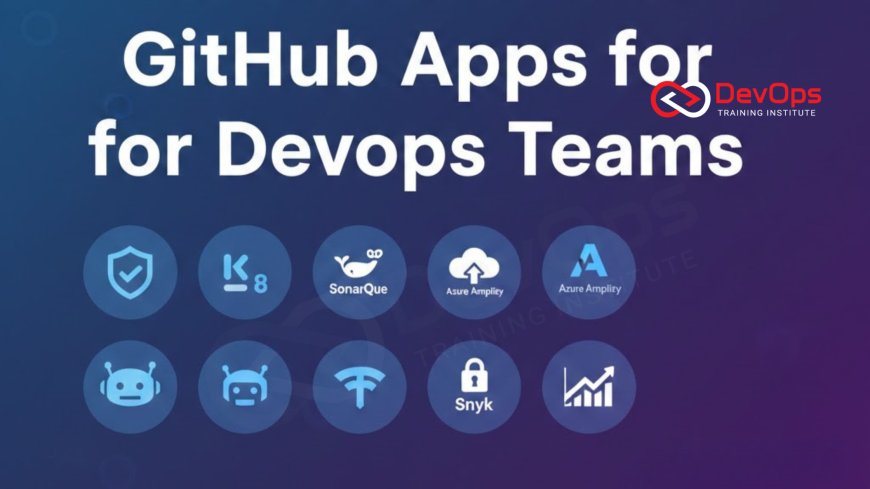
In the fast-paced DevOps environment of 2026, GitHub Apps have become the cornerstone of automated workflows, bridging the gap between code and production. This guide explores twelve essential GitHub Apps designed to supercharge your team's productivity, covering everything from advanced AI security and dependency management to complex infrastructure orchestration and compliance monitoring. Discover how these tools integrate seamlessly with your repositories to enforce quality standards, prevent secret leakage, and streamline the software delivery lifecycle. Whether you are scaling a startup or managing an enterprise-grade technical stack, these high-impact extensions will empower your engineers to focus on innovation while maintaining absolute reliability and security today.
Introduction to the GitHub Ecosystem in 2026
The GitHub ecosystem in 2026 has evolved from a simple hosting service into a robust, intelligent platform that powers the entire software development lifecycle. For modern DevOps teams, the ability to extend GitHub's native capabilities through specialized apps is no longer a luxury—it is a survival requirement. These apps act as automated members of your team, tirelessly performing code reviews, scanning for vulnerabilities, and ensuring that your continuous synchronization between code and infrastructure remains unbroken. By leveraging these extensions, organizations can achieve a level of operational maturity that was previously impossible with manual processes alone.
Choosing the right apps requires a deep understanding of your team's specific hurdles and business goals. In an era where developer experience is a top priority, the best GitHub Apps are those that provide high value with minimal friction. They integrate directly into the pull request workflow, providing real-time feedback and actionable insights without forcing engineers to leave their primary workspace. As we dive into the twelve must-have apps for this year, we will focus on how each tool contributes to a faster, safer, and more collaborative delivery pipeline, helping you build a future-proof technical foundation for your digital organization.
Technique One: Mastering Dependency Automation
Managing third-party dependencies is one of the most repetitive and risk-prone tasks in software engineering. Renovate has emerged as the leading tool for this, providing a sophisticated way to keep your libraries up to date automatically. Unlike simpler tools, Renovate understands the context of your project, grouping related updates and even running your test suite to verify compatibility before suggesting a merge. This ensures that your cultural change toward automated maintenance is backed by a tool that prioritizes system stability over raw speed. It effectively eliminates the "security debt" that often accumulates in long-term projects.
By automating the discovery and update process, Renovate allows your engineers to focus on building features rather than chasing version numbers. It can be configured to follow specific release strategies, such as only updating during maintenance windows or requiring manual approval for major version jumps. This level of control is essential for maintaining cluster states in production environments where a single breaking change in a deep dependency could cause widespread failure. Renovate is a fundamental requirement for any team aiming for high-velocity development without sacrificing technical integrity or security.
Technique Two: Zero-Trust Secret Security
Accidental secret exposure remains a top threat to cloud infrastructure, but GitGuardian provides a powerful defense by scanning every commit in real-time. This app goes beyond simple pattern matching; it uses sophisticated algorithms to identify hardcoded API keys, database passwords, and private certificates across your entire GitHub history. By catching these leaks at the source, GitGuardian prevents them from being pushed to public or even internal repositories, where they could be exploited by malicious actors. It is an essential component of a modern zero-trust security posture for your organization.
Integrating GitGuardian into your workflow ensures that security is a continuous process rather than a final hurdle. When a secret is detected, the app provides immediate alerts and remediation guidance, allowing the developer to rotate the credential before any damage is done. This proactive approach to incident handling is much more effective than reactive cleanup after a breach has occurred. By utilizing secret scanning tools like this, you create a safety net that protects your organization's digital assets and maintains the trust of your customers in an increasingly dangerous and complex online environment.
Technique Three: Unified Security with Aikido
In 2026, tool sprawl is a major challenge for many DevOps teams, but Aikido Security offers a solution by consolidating multiple security scanners into a single, unified GitHub app. Aikido combines static analysis, dependency scanning, and infrastructure as code checks, providing a holistic view of your repository's security posture. By triaging these results and showing only the most critical and reachable vulnerabilities, Aikido eliminates the "alert fatigue" that often causes engineers to ignore security warnings. This focus on actionable data is a key driver of cultural change within modern engineering squads.
Aikido's developer-centric design means that security feedback is delivered directly as comments in pull requests, making it a frictionless part of the daily workflow. It can even suggest AI-powered fixes for common vulnerabilities, allowing for rapid remediation with a single click. This level of automation is essential for maintaining high deployment quality across a large and fast-moving organization. By choosing continuous verification strategies through Aikido, you ensure that every release is hardened against the latest threats while still meeting your aggressive time-to-market goals for your business features.
Top 12 Must-Have GitHub Apps Comparison
| App Name | Primary Category | Key Technical Value | Urgency |
|---|---|---|---|
| Renovate | Dependency Mgmt | Automated library updates | High |
| GitGuardian | Security | Real-time secret detection | Critical |
| Snyk | Code Scanning | SAST & SCA vulnerability fixes | High |
| ArgoCD | GitOps | Kubernetes state synchronization | High |
| SonarQube Cloud | Code Quality | Static analysis & code smells | Medium |
Technique Four: GitOps with ArgoCD
For teams running Kubernetes, ArgoCD is the gold standard for implementing a robust GitOps workflow. This app acts as a bridge between your GitHub repositories and your live clusters, ensuring that the actual state of your infrastructure always matches the declared state in your code. By monitoring your manifests and automatically applying changes when a pull request is merged, ArgoCD eliminates the manual steps and "out-of-band" tweaks that lead to configuration drift. It is a powerful engine for cluster synchronization and technical governance at scale.
ArgoCD provides a visual dashboard that shows exactly what is running in your cluster and whether it is "in sync" with your repository. This level of transparency is invaluable for incident handling and troubleshooting. If a deployment causes an issue, you can use ArgoCD to instantly roll back to a previous stable version with high confidence. By utilizing GitOps, you turn your GitHub repository into the ultimate source of truth, allowing your DevOps team to manage a global footprint of clusters with the same ease as a single application.
Technique Five: Intelligent Code Quality with SonarQube
Maintaining a clean and maintainable codebase is essential for long-term project health, and SonarQube Cloud provides the automated oversight needed to achieve this. This app performs deep static analysis on every pull request, identifying not just bugs and security flaws but also "code smells" and technical debt that could slow down future development. By providing clear metrics on code coverage and maintainability, SonarQube helps teams enforce high quality standards without requiring constant manual review. It is a key part of choosing architecture patterns that scale effectively over time.
SonarQube integrates directly into the GitHub interface, providing a status check that can block a merge if the code doesn't meet the team's defined "Quality Gate." This ensures that quality is a shared responsibility across the entire engineering department. By identifying issues early in the lifecycle, you reduce the cost of fixing them and improve the overall resilience of your software. Using AI augmented devops tools like this allows you to build a culture of technical excellence where every contributor is empowered to write high-quality, performant code that meets the demands of your production environment.
Technique Six: Advanced Security with Snyk
Snyk has become an industry standard for "shifting security left" by providing developers with the tools they need to find and fix vulnerabilities as they write code. The Snyk GitHub app scans your code, dependencies, and container images for known exploits and provides automated fix suggestions directly in your pull requests. This proactive approach to security ensures that your continuous synchronization process only delivers hardened and safe artifacts to production. Snyk's extensive vulnerability database is a powerful resource for any organization handling sensitive data in the cloud.
Beyond simple scanning, Snyk helps teams manage their software supply chain security by identifying malicious or low-reputation packages before they are introduced into the project. This is critical for preventing the "supply chain attacks" that have become increasingly common in 2026. By integrating admission controllers logic through Snyk, you can ensure that your production clusters are protected from insecure workloads. Snyk's developer-friendly interface and rapid feedback loops make it a favorite for high-performing DevOps teams that value both security and engineering velocity in their technical operations.
Best Practices for Managing GitHub Apps
- Limit App Permissions: Only grant the minimum necessary permissions to each app to follow the principle of least privilege and protect your source code.
- Regularly Audit Installed Apps: Periodically review your installed GitHub Apps and remove any that are no longer in use to reduce your attack surface.
- Use Standardized App Configs: For large organizations, use central repositories to manage app configurations and ensure consistency across all your projects.
- Secure Your Secret Storage: Use secret scanning tools to ensure that no API keys used by your GitHub Apps are ever hardcoded in your repositories.
- Integrate with ChatOps: Use ChatOps techniques to receive real-time notifications from your GitHub Apps in your team's primary communication channels.
- Verify App Reliability: Check the status and uptime of your critical GitHub Apps to ensure they don't become a bottleneck in your CI/CD pipeline.
- Dogfood Your Tools: Encourage your team to actively use the feedback provided by these apps to drive cultural change and continuous technical improvement.
Successfully managing a suite of GitHub Apps requires a disciplined approach to technical governance. It is important to treat these apps as an extension of your infrastructure, managing them with the same care and attention as your production servers. As your team becomes more comfortable with these tools, you will find that your deployment quality and engineering speed both improve significantly. By utilizing AI augmented devops capabilities, you can even automate the tuning of these apps based on your project's historical data, ensuring that you are always getting the most relevant and accurate feedback possible.
Conclusion: Building a Resilient GitHub Workflow
In conclusion, the twelve GitHub Apps discussed in this guide provide a comprehensive toolkit for any modern DevOps team aiming for engineering excellence in 2026. From the automated maintenance of Renovate to the robust security of GitGuardian and Snyk, these extensions are essential for managing the complexity of modern software delivery. By integrating these tools into your daily workflow, you create a technical environment that is secure, maintainable, and highly automated. The key is to choose the apps that address your team's biggest bottlenecks and to manage them with a focus on least privilege and transparency.
As you move forward, remember that the success of these tools relies on who drives cultural change within your organization. Technology alone is not enough; it must be supported by a team that values continuous improvement and shared responsibility for quality and security. By embracing these twelve must-have GitHub Apps today, you are building a future-proof technical ecosystem that can scale effortlessly with your business. The future of DevOps is automated, intelligent, and deeply integrated, and these apps are the building blocks that will help you reach that ultimate goal for your digital engineering organization.
Frequently Asked Questions
What is the difference between a GitHub App and a GitHub Action?
A GitHub App provides a persistent integration with the platform, while a GitHub Action is an automated workflow triggered by specific events.
Is it safe to grant GitHub Apps access to my code?
Yes, provided you only use trusted apps and follow the principle of least privilege when granting permissions to your repositories.
How does Renovate help with security?
Renovate automatically identifies and updates outdated dependencies that may contain known vulnerabilities, keeping your codebase secure and stable for users.
Why is GitGuardian necessary if I use GitHub's native secret scanning?
GitGuardian offers deeper analysis, custom patterns, and real-time detection across your entire commit history, providing a more comprehensive security layer.
Can I use ArgoCD for non-Kubernetes deployments?
ArgoCD is specifically designed for Kubernetes GitOps workflows and is not typically used for traditional virtual machine or bare metal deployments.
What are "code smells" in SonarQube?
Code smells are patterns in your code that are not bugs but indicate poor design or maintainability issues that should be addressed.
How does Snyk identify malicious dependencies?
Snyk uses a massive vulnerability database and AI-driven analysis to identify packages with poor reputations or known security exploits in the supply chain.
Are there free versions of these GitHub Apps?
Most of these apps offer a free tier for open source or small teams, with paid plans for enterprise features and scale.
How many GitHub Apps should a team use?
There is no magic number; focus on the apps that solve your biggest problems without introducing unnecessary complexity or alert fatigue for your engineers.
Can I build my own GitHub App?
Yes, GitHub provides a robust API and developer tools that allow you to build custom apps to automate your team's unique workflows.
What is a Quality Gate in SonarQube?
A Quality Gate is a set of defined criteria that a pull request must meet before it is considered ready to be merged.
How does GitOps reduce configuration drift?
GitOps uses automated controllers to ensure that the live environment always matches the version-controlled configuration, instantly correcting any manual changes or errors.
What is a supply chain attack?
A supply chain attack occurs when an attacker compromises a component of your delivery pipeline, such as a third-party library or tool.
Does using these apps slow down my CI/CD pipeline?
Most apps run asynchronously or provide rapid feedback, and the time saved by automating these tasks far outweighs any minor performance impact.
What is the first GitHub App most teams should install?
For most teams, starting with a dependency manager like Renovate or a security scanner like GitGuardian provides the most immediate value.
What's Your Reaction?
 Like
0
Like
0
 Dislike
0
Dislike
0
 Love
0
Love
0
 Funny
0
Funny
0
 Angry
0
Angry
0
 Sad
0
Sad
0
 Wow
0
Wow
0






![100+ Azure DevOps Interview Questions and Answers [Updated 2025]](https://www.devopstraininginstitute.com/blog/uploads/images/202509/image_140x98_68c40aa9a3834.jpg)






![Future Scope of DevOps Careers in Pune [Updated 2025]](https://www.devopstraininginstitute.com/blog/uploads/images/202510/image_140x98_68e3a84652312.jpg)


