


































![Kong Interview Preparation Guide [2025]](https://www.devopstraininginstitute.com/blog/uploads/images/202509/image_430x256_68dbb95326997.jpg)
















Top 10 DevOps Tools Every Beginner Must Learn in 2025
Discover the 10 essential DevOps tools every beginner must master in 2025: Git, Docker, Jenkins, Kubernetes, Terraform, Ansible and more. Easy-to-follow guide with practical tips to launch your DevOps career quickly.
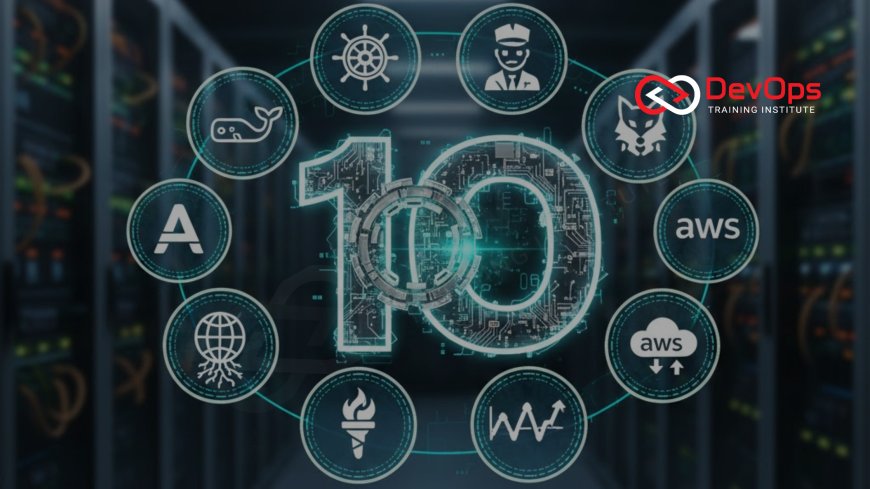
Introduction
DevOps is now the heartbeat of modern software delivery. Companies of all sizes expect faster releases, zero downtime, and automated everything. If you’re just starting in 2025, learning the right tools early will save you months of confusion and make you stand out in interviews. This guide lists the exact ten tools that appear in 90 % of DevOps job postings today. Master them in order, practice daily, and you’ll go from complete beginner to confident junior DevOps engineer in under a year. In real-world pipelines, Amazon S3 is widely used to store build artifacts, logs, and static assets.
1. Git – Version Control That Powers Everything
- The industry-standard distributed version control system
- Allows multiple developers to work on the same codebase safely
- Branching, merging, and pull requests are daily routines
- Hosted platforms: GitHub, GitLab, Bitbucket
- Every CI/CD pipeline starts by pulling code from Git
- Free, lightweight, works offline
- Learn commands: clone, add, commit, push, pull, branch, merge, rebase
2. Docker – Make Your App Run the Same Everywhere
Docker packages your application and all its dependencies into a single container that runs identically on your laptop, staging server, or production cloud. No more “it works on my machine” excuses. With a single Dockerfile you define the exact environment once and reuse it forever. Docker is the gateway drug to microservices and Kubernetes.
3. Jenkins – The Classic Automation Server
- Open-source CI/CD server used by thousands of enterprises
- Pipeline-as-code with Jenkinsfile (declarative or scripted)
- 1,800+ plugins for almost any tool or cloud
- Supports master-agent architecture for distributed builds
- Blue Ocean UI makes pipelines beautiful and easy to read
- Still the #1 choice when companies need full control
4. Kubernetes – Run Containers at Planet Scale
Kubernetes (K8s) is the de-facto standard for container orchestration. It automatically places containers on servers, restarts crashed ones, scales them based on load, performs rolling updates with zero downtime, and handles service discovery and load balancing. Every major cloud offers managed Kubernetes (EKS, GKE, AKS). Learn it after Docker; it will be expected in almost every mid-to-senior role.
5. Terraform – Infrastructure as Code Done Right
- Write infrastructure (VPC, VMs, databases, load balancers) in simple HCL files
- Supports 500+ providers – AWS, Azure, GCP, VMware, Kubernetes, etc.
- “terraform plan” shows exactly what will change before applying
- State files track real-world resources
- Modules let you reuse code like functions
- Remote backends + locking for team collaboration
6. Ansible – Agentless Automation Anyone Can Read
Ansible uses simple YAML playbooks and connects over SSH – no agents to install on target machines. Tasks are idempotent, meaning you can run the same playbook 100 times and get the same result. Perfect for configuration management, application deployment, and one-off automation tasks. Beginners love it because playbooks read like English instructions.
7. Prometheus + Grafana – Know What’s Happening Right Now
- Prometheus pulls metrics from your apps and infrastructure
- Powerful PromQL lets you query time-series data instantly
- Alertmanager sends Slack, email, PagerDuty alerts
- Native Kubernetes integration and service discovery
- Grafana turns metrics into stunning dashboards
- Completely open source and cloud-native
8. ELK Stack (Elastic) – Search and Analyze All Your Logs
When something breaks in production, logs are your best friend. The ELK Stack – Elasticsearch for storage and search, Logstash or Beats for shipping, and Kibana for visualization – lets you centralize logs from hundreds of servers and search terabytes in seconds. In 2025 many teams are moving to OpenSearch or Elastic Cloud, but the core concepts remain identical.
9. GitHub Actions – CI/CD Without Managing Servers
- Workflows live inside your repository (.github/workflows)
- Free for public repos, generous minutes for private
- Thousands of pre-built actions in the marketplace
- Matrix testing across OS and language versions
- Built-in secrets management and caching
- Perfect for beginners – no infrastructure to maintain
10. AWS – The Cloud You Will Use Most Often
Amazon Web Services still holds over 31 % market share in 2025. Services like EC2, S3, RDS, Lambda, EKS, ECS, CodePipeline, and CloudFormation appear in almost every DevOps role. The free tier is extremely generous – you can learn and build real projects without spending a cent for the first year. Knowing AWS basics is non-negotiable for most jobs.
Tool Comparison at a Glance
| Tool | Main Purpose | Learning Difficulty | Cost |
|---|---|---|---|
| Git | Version Control | Easy | Free |
| Docker | Containerization | Easy | Free |
| Jenkins | CI/CD Server | Medium | Free |
| Kubernetes | Orchestration | Hard | Free |
| Terraform | IaC | Medium | Free |
| Ansible | Configuration | Easy | Free |
| Prometheus | Monitoring | Medium | Free |
| ELK Stack | Logging | Medium | Free / Paid |
| GitHub Actions | Cloud CI/CD | Easy | Free tier |
| AWS | Cloud Platform | Medium | Free tier |
Conclusion
These ten tools form the complete modern DevOps stack in 2025. Start with Git and Docker this week, add Jenkins or GitHub Actions next, then move through Terraform, Ansible, Kubernetes, and observability tools. Build one end-to-end project that combines all of them, put it on GitHub, and you’ll have a portfolio proof that gets interviews. Consistent hands-on practice beats any course – begin today and watch your career take off.
Frequently Asked Questions
Which tool should I learn first?
Git. Everything in DevOps starts with code in a Git repository.
Do I need to pay for any of these tools?
No. All have excellent free or generous free-tier versions.
How long until I’m job-ready?
With daily practice, 6–9 months for junior DevOps roles.
Is Kubernetes too hard for beginners?
Start after Docker. Use Minikube or kind – it becomes manageable fast.
Jenkins or GitHub Actions?
Learn GitHub Actions first for speed, then Jenkins for enterprise knowledge.
Do I need to code to use these tools?
Basic Bash/Python helps, but most configuration is simple YAML.
Which cloud should I pick?
AWS has the most jobs, followed by Azure and GCP.
Are certifications useful?
Yes – CKA, Terraform Associate, and AWS DevOps Engineer are gold.
Best way to practice?
Build a full pipeline: Git → Actions → Docker → Terraform → Kubernetes → Prometheus.
Can my laptop handle all this?
Yes. 16 GB RAM + Docker Desktop + Minikube is enough for learning.
What's Your Reaction?
 Like
0
Like
0
 Dislike
0
Dislike
0
 Love
0
Love
0
 Funny
0
Funny
0
 Angry
0
Angry
0
 Sad
0
Sad
0
 Wow
0
Wow
0

![100+ Azure DevOps Interview Questions and Answers [Updated 2025]](https://www.devopstraininginstitute.com/blog/uploads/images/202509/image_140x98_68c40aa9a3834.jpg)






![Future Scope of DevOps Careers in Pune [Updated 2025]](https://www.devopstraininginstitute.com/blog/uploads/images/202510/image_140x98_68e3a84652312.jpg)


