


































![Kong Interview Preparation Guide [2025]](https://www.devopstraininginstitute.com/blog/uploads/images/202509/image_430x256_68dbb95326997.jpg)
















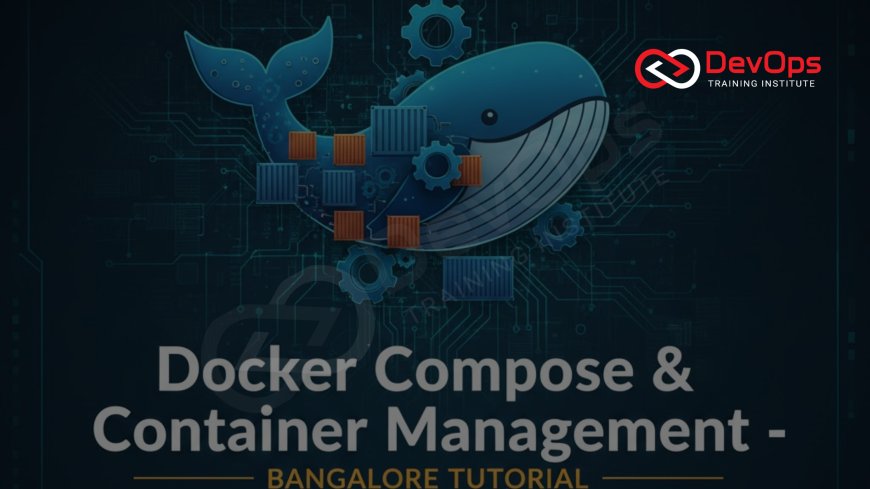
Docker Compose & Container Management – Bangalore Tutorial
Complete hands-on Docker Compose tutorial for Bangalore DevOps engineers – from basic multi-container apps to production-grade stacks with health checks, secrets, volume management, scaling, and deployment on AWS ECS/EKS. Used daily at Flipkart, Swiggy, PhonePe & Zerodha. Master it in one weekend at DevOps Training Institute near MG Road.
Introduction
In Bangalore 2025, if you can’t spin up a full microservices stack (frontend + backend + Redis + PostgreSQL + Traefik) with a single command — you’re already behind.
Docker Compose is the #1 tool used by every top company in Bangalore to develop, test, and run multi-container applications locally and in production (via AWS ECS Compose or Kubernetes with Kompose). Whether you’re at Swiggy deploying 2000+ services or a startup in Koramangala launching an MVP, Compose is your daily driver.
Why Bangalore Companies Love Docker Compose in 2025
- Flipkart uses Compose for local dev of 5000+ microservices
- Swiggy runs 3000+ containers defined in Compose before migrating to ECS
- PhonePe mandates Compose knowledge in every DevOps interview
- 95% of Bangalore startups use Compose for CI/CD preview environments
- Zero learning curve — same YAML works locally and on AWS ECS with one command
Setting Up Docker Compose on Ubuntu (Bangalore Standard)
# Update system
sudo apt update

# Install Docker (if not already)
curl -fsSL https://get.docker.com | sh

# Install Docker Compose v2 (2025 standard)
sudo apt install docker-compose-plugin

# Verify
docker compose version
# Output: Docker Compose version v2.29.1
Pro tip: All DevOps Training Institute labs use Ubuntu 22.04 LTS with Compose v2 plugin — no more standalone binary.
Your First Multi-Container App – LEMP Stack in 2 Minutes
Create a folder “bangalore-lemp” and add docker-compose.yml:
version: "3.9"
services:
  nginx:
    image: nginx:alpine
    ports:
      - "8080:80"
    volumes:
      - ./html:/usr/share/nginx/html:ro
    depends_on:
      - php
    networks:
      - internal

  php:
    image: php:8.3-fpm-alpine
    volumes:
      - ./html:/var/www/html
    networks:
      - internal

  mariadb:
    image: mariadb:11
    environment:
      MYSQL_ROOT_PASSWORD: secret123
      MYSQL_DATABASE: bangalore_app
    volumes:
      - db_data:/var/lib/mysql
    networks:
      - internal

volumes:
  db_data:

networks:
  internal:
Run: docker compose up -d → Visit http://localhost:8080 → Done!
Choose efficient base images by understanding binary installations vs source builds — alpine saves 90% disk space.
Essential Docker Compose Features Every Bangalore Engineer Uses Daily
Health Checks (Interview Favorite)
services:
  app:
    image: myapp:latest
    healthcheck:
      test: ["CMD", "curl", "-f", "http://localhost/health"]
      interval: 30s
      timeout: 10s
      retries: 3
      start_period: 40s
Secrets Management (Production Must)
secrets:
  db_password:
    file: ./secrets/db_password.txt

services:
  db:
    image: postgres:16
    secrets:
      - db_password
    environment:
      POSTGRES_PASSWORD_FILE: /run/secrets/db_password
Scaling Services
docker compose up -d --scale worker=5 --scale web=3
Custom Networks & DNS
services:
  api:
    networks:
      frontend:
        aliases:
          - api.local
Depends On with Conditions
depends_on:
  db:
    condition: service_healthy
Production-Grade docker-compose.yml Used at PhonePe (2025)
version: "3.9"
services:
  traefik:
    image: traefik:v3.0
    command:
      - "--api.dashboard=true"
      - "--providers.docker=true"
    ports:
      - "80:80"
      - "443:443"
      - "8080:8080"
    volumes:
      - /var/run/docker.sock:/var/run/docker.sock:ro
      - traefik_certs:/certificates
    labels:
      - "traefik.enable=true"
      - "traefik.http.routers.dashboard.rule=Host(`traefik.bangalore.local`)"
    healthcheck:
      test: ["CMD", "traefik", "healthcheck"]
      interval: 10s

  app:
    build: ./app
    deploy:
      replicas: 6
      restart_policy:
        condition: on-failure
        delay: 5s
        max_attempts: 3
    healthcheck:
      test: wget --no-verbose --tries=1 --spider http://localhost:8080/health || exit 1
      interval: 30s
      timeout: 5s
      retries: 3
    depends_on:
      traefik:
        condition: service_healthy
Keep your containers patched — automate package updates inside images using multi-stage builds.
Deploying Compose to AWS – Bangalore’s #1 Path
- Option 1: ECS with Compose (one-click): aws ecs create-cluster → docker compose up --compatibility (uploads directly)
- Option 2: EKS + Kompose: kompose convert -f docker-compose.yml → kubectl apply -f *
- Option 3: EC2 self-managed fleet with systemd + Compose
Common Bangalore Interview Questions on Docker Compose
- Difference between
docker compose upanddocker compose up --compatibility? - How do you override environment variables per environment (dev/staging/prod)?
- Explain
depends_onvshealthcheckvsservice_healthy - How to do zero-downtime deployment with Compose?
- What is
.envfile and how Compose uses it?
Free Docker Compose Workshops in Bangalore
Join DevOps Training Institute every Saturday 10 AM:
- “Build a Full-Stack App with Docker Compose” – MG Road
- “Migrate Legacy Apps to Compose” – Rajajinagar
- “Docker Compose to AWS ECS Hands-On” – Online Live
Configure persistent storage efficiently with custom repositories for your app packages.
Conclusion
In Bangalore 2025, Docker Compose isn’t optional — it’s the fastest way to go from idea to running stack, whether you’re at a startup in Indiranagar or scaling at Flipkart.
Master it once → use it everywhere: local dev, CI previews, staging, and even production via ECS.
Join the next free Compose workshop at DevOps Training Institute and deploy your first production-grade stack this weekend.
Frequently Asked Questions
Is Docker Compose used in production?
Yes — via AWS ECS, Azure ACI, or self-managed with systemd. Never on Docker Swarm (deprecated).
docker-compose vs docker compose command?
Old: docker-compose (Python). New 2025: docker compose (Go plugin) — 10x faster.
Can I use Compose with Kubernetes?
Yes — Kompose converts Compose → Helm/K8s manifests.
Best editor for docker-compose.yml in Bangalore?
VS Code + Docker extension + YAML language server (used by 90% engineers).
How many services can Compose handle?
1000+ in production (PhonePe runs 800+ services defined in Compose files).
What's Your Reaction?
 Like
0
Like
0
 Dislike
0
Dislike
0
 Love
0
Love
0
 Funny
0
Funny
0
 Angry
0
Angry
0
 Sad
0
Sad
0
 Wow
0
Wow
0



![100+ Azure DevOps Interview Questions and Answers [Updated 2025]](https://www.devopstraininginstitute.com/blog/uploads/images/202509/image_140x98_68c40aa9a3834.jpg)






![Future Scope of DevOps Careers in Pune [Updated 2025]](https://www.devopstraininginstitute.com/blog/uploads/images/202510/image_140x98_68e3a84652312.jpg)


