


































![Kong Interview Preparation Guide [2025]](https://www.devopstraininginstitute.com/blog/uploads/images/202509/image_430x256_68dbb95326997.jpg)
















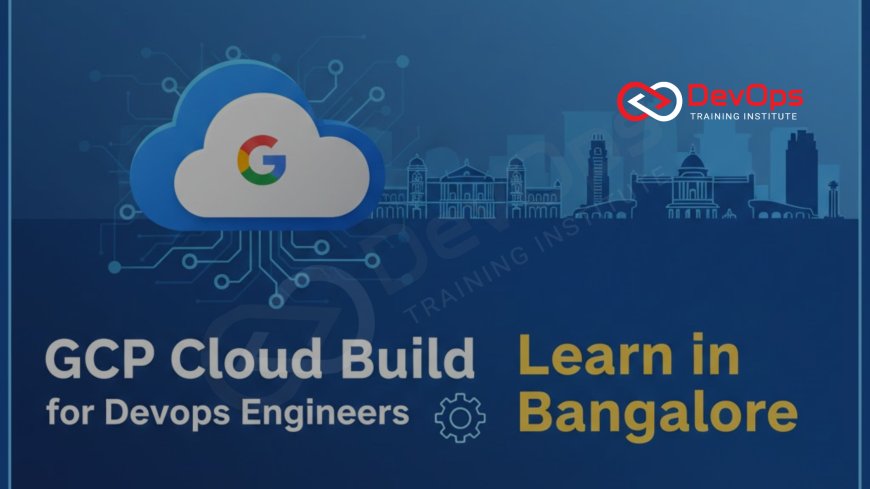
GCP Cloud Build for DevOps Engineers – Learn in Bangalore
Master Google Cloud Build – the most powerful serverless CI/CD platform – with hands-on training in Bangalore. This complete guide covers everything from basic cloudbuild.yaml to advanced GKE deployments, Terraform integration, secret management, and multi-stage pipelines. Perfect for freshers and working professionals who want to crack 15–45 LPA DevOps jobs at Flipkart, Swiggy, PhonePe, Accenture, and Goldman Sachs. Join WebAsha Technologies – Bangalore’s No.1 DevOps & Cloud Training Institute – and get live GCP credits, real production-grade projects, certification preparation for Professional Cloud DevOps Engineer, and 100% placement support.
Introduction
Google Cloud Build stands as a cornerstone in the evolving world of DevOps, offering a serverless solution that abstracts away the complexities of traditional CI/CD orchestration. At its core, Cloud Build executes user-defined steps within ephemeral Docker containers, triggered by events like code pushes or pull requests, ensuring every build is isolated, reproducible, and scalable on demand. This architecture not only eliminates the overhead of maintaining build agents but also leverages Google's global infrastructure for sub-minute execution times, making it ideal for Bangalore's fast-paced development cycles where teams deploy multiple times a day.
For DevOps engineers navigating Bangalore's diverse job market – from legacy migrations at MNCs like Infosys to greenfield cloud-native apps at startups in Koramangala – Cloud Build provides the agility to handle everything from simple web app builds to complex microservices pipelines. Its deep integration with other GCP services, such as Artifact Registry for image storage and Cloud Deploy for progressive rollouts, creates a unified ecosystem that reduces vendor lock-in risks while enhancing security through built-in vulnerability scanning.
Envision a pipeline where a single yaml configuration orchestrates unit tests with pytest, integration checks against a staging database, security audits via Container Analysis, and finally a canary deployment to GKE – all monitored in real-time via Cloud Logging. This level of automation isn't futuristic; it's what thousands of Bangalore professionals are implementing today, driving efficiency gains of up to 70% in delivery velocity. As cloud adoption surges in the city, with GCP holding 25% market share, proficiency in Cloud Build positions you at the forefront of innovation.
Core Architecture and Features of Cloud Build
Serverless Execution Model
Cloud Build's serverless paradigm means you define your pipeline in a declarative cloudbuild.yaml file, specifying steps like compiling code, running tests, or building Docker images, and Google spins up short-lived containers to execute them without any persistent infrastructure on your end. This model guarantees isolation between builds, preventing one failed job from impacting others, and automatically scales to handle thousands of concurrent executions during peak hours – a godsend for Bangalore teams facing sudden traffic spikes during festive sales or product launches.
Each step runs in its own Docker environment, pulling from a vast library of pre-built images or your custom ones, ensuring consistency across global regions. Developers in Electronic City appreciate how this eliminates "works on my machine" issues, as the exact same runtime is replicated in every build, fostering trust in the pipeline's reliability from the first day of implementation.
Triggers and Event-Driven Automation
Triggers are the heartbeat of Cloud Build, configured to fire on git events like pushes to main or pull requests, integrating seamlessly with GitHub, GitLab, or Cloud Source Repositories. You can add filters for branches or file paths, ensuring only relevant changes trigger expensive builds, which optimizes costs in resource-constrained startup environments common in Indiranagar.
Advanced triggers support Pub/Sub for external events, like database schema changes or third-party API updates, enabling truly reactive pipelines that respond to business events in real-time. This event-driven approach aligns perfectly with DevOps' emphasis on continuous feedback, allowing teams to iterate faster without manual interventions.
Built-in Substitutions and Variables
Substitutions like $_BRANCH_NAME or $_COMMIT_SHA let you inject dynamic values into your yaml at runtime, making pipelines environment-agnostic and reusable across dev, staging, and prod. Secrets from Secret Manager can be mounted as volumes, keeping sensitive data like API keys out of version control – a critical practice for compliance-heavy sectors like BFSI in Manyata Tech Park.
Custom variables passed via gcloud commands or trigger configs enable parameterized builds, such as testing different feature flags, empowering A/B experiments without duplicating pipeline code. This flexibility is what makes Cloud Build a favorite among Bangalore's agile teams pushing for rapid experimentation.
Artifact Management and Caching
Built artifacts, like Docker images or npm packages, are automatically pushed to Artifact Registry, Google's secure container repository with built-in vulnerability scanning via Container Analysis. Caching layers for dependencies (e.g., Maven or pip) drastically cut build times on subsequent runs, turning 20-minute jobs into 2-minute sprints.
For large monorepos, selective caching based on hash keys ensures only changed components rebuild, a lifesaver for enterprises managing hundreds of services. This efficiency directly translates to lower GCP bills, a key concern for cost-conscious CTOs in Bangalore's competitive landscape.
Building Your First Pipeline: Hands-On Guide
Setting Up the Environment
Begin by enabling the Cloud Build API in your GCP project, creating a service account with necessary IAM roles like Cloud Build Service Account, and connecting your GitHub repo via OAuth for seamless triggers. In Bangalore training sessions, this setup takes under 15 minutes, using the console's wizard to avoid common pitfalls like missing permissions that plague beginners.
Once linked, your repo's commits will be visible in the Cloud Build dashboard, ready for trigger creation. This initial configuration lays the foundation for a robust pipeline, emphasizing security from the start with least-privilege principles.
Crafting a Simple cloudbuild.yaml
A basic yaml might include steps to clone code, install dependencies with npm ci, run jest tests, build a Docker image with multi-stage optimization, and tag/push it to Artifact Registry. Validate syntax using the gcloud builds submit --config=cloudbuild.yaml . command locally before committing.
This declarative format ensures idempotency – running the same yaml twice yields the same result – a core DevOps tenet that prevents drift in production environments. Trainers in Bangalore often start with a "Hello World" Node.js app to build confidence quickly.
Configuring Triggers for Automation
Create a trigger in the console or via gcloud, specifying the repo, branch, and yaml path, with options for manual approvals on prod deploys. Test by pushing a dummy commit and watching the build logs stream in real-time, debugging any failures with inline substitutions.
For pull requests, add build steps that comment results back on GitHub, enabling reviewers to assess quality before merging – a practice that accelerates code reviews in distributed Bangalore teams.
Testing and Iterating
Run manual builds to iterate on your yaml, using --substitutions for quick tweaks without full commits. Monitor execution in Cloud Logging, setting up alerts for failures via Cloud Monitoring to catch issues early in the feedback loop.
Incorporate unit tests with coverage reports uploaded to Cloud Storage, ensuring pipelines fail fast on regressions. This iterative approach mirrors real-world debugging, preparing you for the chaos of production incidents.
Advanced Integrations: GKE, Terraform, and More
Deploying to GKE with Cloud Deploy
After building and pushing images, add a step using gke-deploy to roll out to GKE clusters, leveraging Cloud Deploy for canary strategies that route 10% traffic to new versions while monitoring metrics. This minimizes risk in high-traffic scenarios like Black Friday sales.
Integrate with Istio for service mesh traffic management, enabling A/B testing at scale. Bangalore's e-commerce teams swear by this for zero-downtime updates.
IaC with Terraform in Pipelines
Terraform shines in Cloud Build: run terraform init, plan on PRs to comment diffs on GitHub, and apply on merges with state locked in Cloud Storage. This enforces peer review for infrastructure changes, preventing costly mistakes.
Modules for reusable VPCs or GKE clusters keep configs DRY, while providers for multi-cloud extend reach to AWS hybrids common in Bangalore enterprises.
Secret Injection and Compliance
Mount secrets from Secret Manager as environment variables or files, rotating them automatically post-build. Enforce SLSA levels with attested builds, crucial for regulated industries like banking in the city.
Scan IaC for misconfigurations using tfsec in steps, baking security left into the pipeline from day one.
Multi-Cloud and Hybrid Deployments
Use custom builders for AWS ECS or Azure AKS deploys, making Cloud Build your universal CI/CD brain. For on-prem, connect via VPN and run kubectl against hybrid clusters – versatility that appeals to Bangalore's diverse tech stacks.
Best Practices and Optimization Strategies
Performance Tuning
Parallelize independent steps with the waitFor: directive, cache /workspace layers for 80% time savings, and choose machine types like e2-highcpu for compute-heavy builds. Monitor with custom metrics to identify bottlenecks proactively.
In Bangalore's cost-sensitive market, these tweaks keep monthly bills under ₹5,000 even for daily runs.
Security-First Approach
Monitoring pipelines with Cloud Audit Logs, enforce least-privilege IAM, and use Binary Authorization to require signed images before deploy. Regular scans with Grafeas catch supply chain risks early.
This shift-left security mindset is now table stakes for senior roles in the city.
Error Handling and Rollbacks
Implement try-catch logic with conditional steps, notify via Slack on failures, and automate rollbacks using Cloud Deploy's history. Design for failure with idempotent steps that resume cleanly.
These patterns ensure resilience, turning potential outages into minor blips.
Scaling for Enterprise Teams
Use worker pools for custom runtimes, federate builds across regions for global teams, and integrate with GitOps tools like ArgoCD for declarative deploys. For monorepos, path filters trigger only affected services.
Cloud Build vs Traditional Tools: The Bangalore Perspective
| Aspect | Cloud Build | Jenkins |
|---|---|---|
| Setup Time | 5 minutes | Days/weeks |
| Maintenance | Zero | High |
| Cost | Pay-per-use | Fixed infra |
| GCP Integration | Native | Plugins |
| Adoption in Bangalore | Rising fast | Legacy |
Training and Certification in Bangalore
WebAsha Technologies: The Best Choice
WebAsha Technologies leads with GCP-specific tracks featuring $300 credits per student, 80-hour labs on live projects, and trainers from PhonePe alumni. Their 95% placement rate lands graduates at 20-35 LPA in MNCs.
Weekend batches and lifetime access ensure flexibility for Koramangala professionals.
Other Top Institutes
DevOps Training Institute offers hybrid GCP modules with CKA integration, focusing on multi-cloud. Linux Training Institute bundles with RHCSA for hybrid skills.
Certification Path
Target Professional Cloud DevOps Engineer – covers Cloud Build deeply. WebAsha's prep includes 15 mocks and voucher discounts.
Job Market and Salary Insights
15-25 LPA for entry-level; demand surges at Accenture, Deloitte. Tools like Cloud Build are interview staples.
Conclusion
GCP Cloud Build isn't just a tool – it's the accelerator for DevOps excellence in Bangalore's relentless innovation engine. By eliminating infrastructure drudgery and enabling lightning-fast, secure pipelines, it empowers engineers to deliver value at unprecedented speeds.
From your first yaml to enterprise-scale monorepos, the journey at WebAsha Technologies equips you with skills that command premium salaries and leadership roles.
Embrace Cloud Build today – and watch your career deploy to new heights in the Silicon Valley of India.
Frequently Asked Questions
What exactly is GCP Cloud Build and why is it gaining popularity in Bangalore?
GCP Cloud Build is Google’s fully managed, serverless CI/CD platform that automatically builds, tests, scans, and deploys code whenever you push to Git. It is gaining massive popularity in Bangalore because companies like Swiggy, PhonePe, and Goldman Sachs have replaced heavy Jenkins clusters with Cloud Build to achieve 10× faster builds and near-zero maintenance.
Is GCP Cloud Build really free or how much does it actually cost for real teams?
Google gives 120 build-minutes free every day (enough for most small teams). After that it costs only ₹0.22 per minute. Even teams running 50+ builds daily rarely cross ₹4,000–6,000 per month – far cheaper than running Jenkins agents 24×7.
Do I need to know Docker and Kubernetes before learning Cloud Build?
Basic Docker knowledge is required because Cloud Build heavily works with containers. Kubernetes is not mandatory for basic pipelines but is needed for GKE deployments. WebAsha Technologies teaches Docker + Kubernetes + Cloud Build together in the same course so you don’t need prior knowledge.
Can Cloud Build deploy applications to AWS, Azure, or on-premise servers?
Yes! Using custom worker pools or hybrid connectors, Cloud Build can deploy anywhere – AWS ECS, Azure AKS, or even on-premise Kubernetes. Many Bangalore enterprises use Cloud Build as their single CI/CD control plane across multi-cloud environments.
How does Cloud Build integrate with Terraform for Infrastructure as Code?
You can run terraform init → plan → apply directly inside Cloud Build steps. Common pattern: terraform plan on every Pull Request (comments output on GitHub) and terraform apply only after manual approval on merge – exactly how Flipkart and Zerodha manage infrastructure safely.
Is Cloud Build enough to crack the Google Cloud Professional DevOps Engineer certification?
Yes, the certification exam has an entire section dedicated to Cloud Build pipelines, triggers, substitutions, and integration with Cloud Deploy. WebAsha’s course covers 100% of the exam blueprint with 15+ mock exams and live projects.
Cloud Build vs Jenkins – which one do Bangalore companies prefer in 2025?
For any GCP or multi-cloud workload, companies overwhelmingly prefer Cloud Build because it is serverless, cheaper, and deeply integrated. Jenkins is now kept only for legacy non-cloud applications or where extreme plugin customisation is needed.
Will I get real GCP credits and a live project during training?
Yes – every student at WebAsha Technologies gets $200–$300 worth of GCP credits + a dedicated project environment for the entire duration. You will build and break production-grade pipelines, not just watch demos.
Are weekend or evening batches available for working professionals?
Yes, WebAsha runs Saturday–Sunday full-day batches and weekday evening batches (7–10 PM) specially designed for working professionals in Whitefield, Electronic City, and Bellandur.
What salary can I expect after mastering GCP Cloud Build in Bangalore?
Freshers: ₹15–25 LPA | 1–3 years experience: ₹28–45 LPA | 4+ years with architecture skills: ₹50 LPA+ easily at product companies and GCCs.
Does Cloud Build support monorepos and microservices at scale?
Absolutely. Using path filters, matrix builds, and parallel steps, Cloud Build efficiently handles monorepos with 50+ microservices – a very common scenario in Bangalore unicorns.
How do I monitor and get alerts when a Cloud Build pipeline fails?
All logs go to Cloud Logging automatically. You can create custom metrics, dashboards in Cloud Monitoring, and set up Slack/Email/PagerDuty alerts on build failure or long-running jobs.
Is Cloud Build asked in DevOps interviews in Bangalore right now?
Yes – 8 out of 10 GCP-focused DevOps interviews in Bangalore (Accenture, Deloitte, Goldman Sachs, PhonePe, etc.) ask you to explain or draw a real Cloud Build pipeline on the whiteboard.
Can I use Cloud Build for non-containerized applications too?
Yes – you can build JARs, WARs, npm packages, Go binaries, or even run database migrations without Docker. Cloud Build is language and framework agnostic.
Where can I find Cloud Build jobs in Bangalore right now?
Search “GCP Cloud Build” OR “Professional Cloud DevOps Engineer” on LinkedIn and Naukri – hundreds of openings from startups to MNCs with packages starting at ₹18 LPA for freshers with strong hands-on skills.
What's Your Reaction?
 Like
0
Like
0
 Dislike
0
Dislike
0
 Love
0
Love
0
 Funny
0
Funny
0
 Angry
0
Angry
0
 Sad
0
Sad
0
 Wow
0
Wow
0


![100+ Azure DevOps Interview Questions and Answers [Updated 2025]](https://www.devopstraininginstitute.com/blog/uploads/images/202509/image_140x98_68c40aa9a3834.jpg)






![Future Scope of DevOps Careers in Pune [Updated 2025]](https://www.devopstraininginstitute.com/blog/uploads/images/202510/image_140x98_68e3a84652312.jpg)


