


































![Kong Interview Preparation Guide [2025]](https://www.devopstraininginstitute.com/blog/uploads/images/202509/image_430x256_68dbb95326997.jpg)
















Top 20 Linux Admin Skills for DevOps Engineers
Linux proficiency is the fundamental and non-negotiable prerequisite for excelling as a DevOps Engineer, as the vast majority of cloud infrastructure, containers, and core automation tools run on Linux-based systems. Master the 20 essential Linux administration skills that bridge traditional sysadmin knowledge with modern cloud automation, covering everything from advanced Bash scripting and service management (systemd) to network troubleshooting and file system operations. Learn how to diagnose production issues, manage container environments securely, and effectively leverage the command line to automate complex tasks, setting the stage for success in Infrastructure as Code and continuous delivery pipelines across any major cloud platform today.
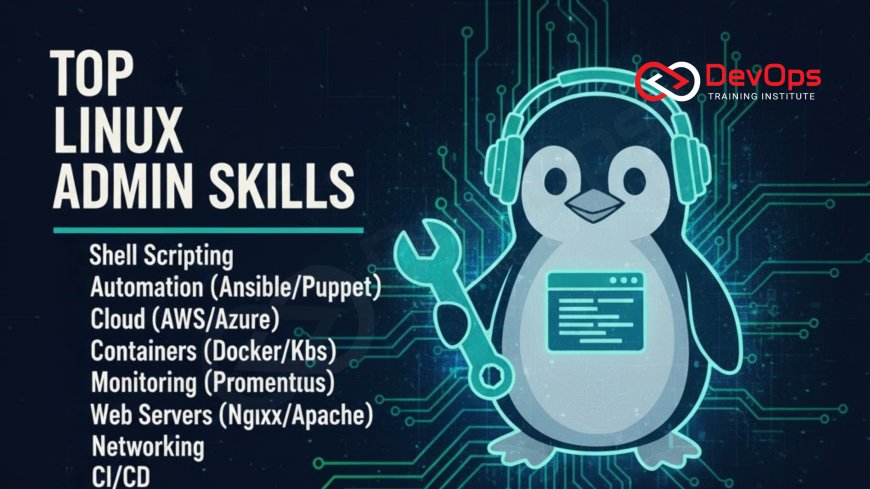
Introduction
In the world of DevOps, where automation, cloud computing, and containerization reign supreme, the role of the operating system remains critically important. Since the vast majority of cloud workloads, web servers, containers (Docker), and orchestration engines (Kubernetes) run on Linux, foundational and advanced Linux administration skills are not just beneficial for a DevOps Engineer—they are the non-negotiable prerequisite for the job. Without a deep understanding of the Linux command line and system internals, engineers face insurmountable challenges when troubleshooting production incidents, debugging container failures, or writing robust Infrastructure as Code (IaC) that interacts reliably with the underlying virtual machines.
The modern DevOps Engineer doesn't manage physical servers like a traditional system administrator, but they use sysadmin knowledge to automate the management of thousands of ephemeral, cloud-based resources. This transition means focusing less on manual intervention and more on using code to define, configure, and maintain systems programmatically. The following 20 skills represent the essential blend of traditional Linux mastery and modern automation techniques. Mastering these areas will allow you to diagnose production issues quickly, ensure stability, and build scalable systems, enabling you to excel in the core activities of the DevOps methodology, from writing advanced Bash scripts to managing application networking and resource utilization effectively.
Phase 1: Command Line Fluency and Scripting Mastery
The Linux command line is the primary interface for automation and troubleshooting in DevOps. Fluency here means more than just knowing basic commands; it involves mastering powerful tools that enable complex data manipulation and robust automation scripts. This foundational set of skills accelerates diagnostics and minimizes the time spent on repetitive tasks.
1. Advanced Bash/Shell Scripting: This is the ultimate automation tool. Engineers must be able to write complex, reusable shell scripts that handle conditional logic, loops, error checking, and function calls. This skill is crucial for automating complex administrative tasks, configuring environments, and integrating different tool chain components within the CI/CD pipeline.
2. Text Processing and Filtering (grep, awk, sed): Mastering these three tools is essential for effective log analysis and data manipulation. grep is used for searching text patterns, awk excels at extracting and manipulating fields of data, and sed (Stream Editor) is used for in-place text substitution and transformation. Quick diagnosis of production issues, often based on log files, relies heavily on the efficient use of these commands, making them invaluable assets.
3. File System Navigation and Management: Deep knowledge of the Linux file hierarchy structure (FHS), and commands like ls, cd, find, and ln (for symbolic links), is fundamental. This includes understanding the purpose of directories like `/etc`, `/var/log`, and `/opt`, which is necessary for correctly configuring applications and troubleshooting system logging.
4. User and Group Management: Proficiency in creating, modifying, and managing system users and groups is vital for applying the principle of least privilege. Commands like useradd, usermod, and chown/chmod are used to secure files and directories and to ensure that application processes run with the minimum necessary permissions, a cornerstone of DevSecOps practices.
Phase 2: System Health and Process Management
A DevOps Engineer is fundamentally responsible for system stability. This requires the ability to monitor the health of the operating system, manage service lifecycles, and diagnose performance bottlenecks related to CPU, memory, and disk I/O. Mastering these skills allows for proactive optimization and rapid response to alerts generated by monitoring tools.
5. Service Management (systemd/SysVinit): Understanding how to manage system services using modern init systems, primarily systemd, is crucial. This includes knowing how to start, stop, restart, and enable/disable services, and more importantly, how to inspect service logs and create custom unit files for new application services. This ensures that custom applications start reliably upon system boot and report status correctly.
6. Resource Utilization Monitoring (top, htop, sar): Tools like top and htop provide real-time views of running processes and system resource usage (CPU, memory, swap). The sar utility (System Activity Reporter) provides historical resource statistics, which is invaluable for identifying transient performance bottlenecks or capacity planning. The ability to spot a runaway process or diagnose memory leaks is central to maintaining system stability and is often the first step in troubleshooting a critical production alert.
7. Package Management (apt, yum, dnf): Managing software packages (installing, updating, removing, and resolving dependencies) on different Linux distributions is a daily task, especially when building custom container images or provisioning virtual machines via IaC. Familiarity with Debian/Ubuntu (apt) and Red Hat/CentOS (yum/dnf) package managers ensures application dependencies are consistently installed across the environment, leading to reproducible builds and reliable deployments.
Phase 3: Networking and Connectivity Fundamentals
Network configuration and troubleshooting are indispensable skills for a DevOps Engineer, as modern applications are distributed and rely entirely on network communication. While cloud providers abstract much of the network complexity (VPC, Subnets), diagnosing connectivity issues between containers, services, and cloud resources still requires deep command line knowledge. Understanding these principles ensures you can effectively troubleshoot issues in a distributed cloud environment.
8. Network Configuration and Troubleshooting: Mastery of tools like ip, ifconfig, route, netstat, and ss is required to check network interfaces, routing tables, and active connections. This is the core skill for diagnosing connectivity issues between containers, cloud instances, and external services. An engineer must be able to verify that applications are listening on the correct ports and protocols and that firewall rules are correctly applied, ensuring traffic flows correctly.
9. DNS and Name Resolution Diagnostics: The ability to diagnose DNS issues using tools like dig or nslookup is critical, as name resolution failures are a frequent source of application outages in distributed systems. When a microservice cannot communicate with an external API or database, DNS is usually the first place a proficient engineer looks, using these tools to verify name resolution paths and record types.
10. Firewall Management (iptables/firewalld): Although cloud providers use Security Groups/NSGs for perimeter defense, local firewalls (like iptables or firewalld) are often used to segment traffic within the host or container itself. A DevOps Engineer must understand how to configure and persist rules safely, enforcing the least privilege principle at the OS level to secure applications running on a system exposed to the wider network.
Phase 4: Advanced System Architecture and Automation
As the DevOps role matures, the focus shifts to advanced, enterprise-level concerns, such as storage management, kernel configuration, and leveraging virtualization technologies for efficient development environments. These skills allow the engineer to move beyond simple deployments to optimizing system performance and ensuring data persistence and recovery.
11. Disk and Storage Management (LVM, fdisk, mount): Understanding how to partition, format, and mount file systems, especially within the context of dynamic cloud volumes (EBS, persistent disks), is vital. Knowledge of Logical Volume Manager (LVM) simplifies managing disk space and resizing volumes, ensuring that data persistence and application logging volumes are configured robustly and can be managed programmatically via IaC tools.
12. Linux and Container Security (Cgroups, Namespaces): A deep dive into the Linux kernel features that underpin containerization—Control Groups (Cgroups) for resource limiting and Namespaces for isolation—is crucial for DevSecOps. Understanding these concepts allows engineers to securely harden container images, manage kernel security modules (SELinux/AppArmor), and diagnose resource contention issues in Kubernetes clusters where containers are tightly packed onto shared resources.
13. Virtualization Basics (VMware/VirtualBox/KVM): Even in a cloud-first world, understanding local virtualization tools like VirtualBox or KVM is useful for quickly spinning up disposable, lightweight local test environments for development or pipeline debugging, mimicking the cloud environment for pre-testing automation scripts and application deployments before consuming cloud resources, accelerating the local feedback loop significantly.
14. Log Rotation and Analysis (Logrotate, Journalctl): Effective log management is the backbone of observability. Engineers must know how to configure logrotate to manage disk space consumption and use journalctl to efficiently query and filter systemd logs. The ability to quickly locate, filter, and analyze centralized logs is the key to rapid incident response and proactive system maintenance, feeding back vital information for application improvement.
| # | Skill Focus Area | Key Command/Tool | DevOps Relevance |
|---|---|---|---|
| 1 | Advanced Shell Scripting | Bash/Shell, functions, error handling | Primary tool for pipeline and server automation. |
| 2 | Text Processing/Log Analysis | grep, awk, sed, less | Essential for debugging and extracting data from logs. |
| 5 | Service Management | systemctl, journalctl | Managing application lifecycle (start, stop, logging). |
| 6 | Resource Monitoring | top, htop, sar, free | Diagnosing performance bottlenecks (CPU/Memory/I/O). |
| 8 | Network Troubleshooting | ip, netstat, ss, traceroute | Diagnosing connectivity and firewall issues between microservices. |
| 12 | Container Security/Isolation | Cgroups, Namespaces, SELinux/AppArmor | Securing and isolating workloads in Kubernetes/Docker environments. |
Phase 5: Advanced Automation and Configuration
Modern DevOps extends beyond just managing the single server; it involves programmatically managing the configuration of entire fleets of servers or containers at scale. These final, advanced skills provide the necessary depth to optimize performance parameters, manage system kernels, and deploy applications in large, distributed environments that demand uniform and predictable behavior across every host machine and container instance.
15. Kernel Parameter Tuning (sysctl): For high-performance and high-traffic applications, default Linux kernel settings may be insufficient. The ability to view and modify kernel parameters via sysctl (such as increasing file descriptor limits, tuning network buffers, or configuring memory settings) is essential for performance optimization of proxies, web servers, and high-concurrency databases. This tuning is often applied via configuration management tools like Ansible to ensure uniformity across all production hosts.
16. Process Management (ps, kill, nice, nohup): Understanding the process lifecycle and commands like ps (for viewing processes), kill (for signaling processes), and nohup (for running background processes) is fundamental for troubleshooting application deadlocks, hanging processes, or ensuring non-interactive jobs run reliably in the background. The ability to swiftly identify and signal a malfunctioning process is critical during incident response, often determining the time it takes to restore service availability.
17. Data Transfer and Synchronization (scp, rsync, curl): These utilities are the workhorses for moving artifacts, logs, and data between servers, clouds, and local machines. rsync is invaluable for efficiently synchronizing large file structures and backups, while curl and wget are essential for testing web services and downloading dependencies within the CI/CD pipeline. These basic yet powerful tools are used ubiquitously in automation scripts and deployment workflows, ensuring data integrity and reliable data movement across the network.
Phase 6: Bridging Linux to Cloud and DevOps Practice
The final set of skills emphasizes integrating core Linux knowledge with modern cloud and DevOps tools. This is where the old-school administrator skillset transforms fully into the modern, highly valued DevOps Engineer profile, using Linux as the foundation upon which complex cloud-native architectures are built and maintained. Understanding the interplay between the cloud and the underlying OS is key to solving real-world, distributed systems challenges that are often masked by abstraction layers.
18. Secure Remote Access (SSH/Key Management): Mastering SSH for secure remote access, including generating, distributing, and managing SSH key pairs, is vital. This is the primary mechanism for secure, automated remote execution of commands (e.g., via Ansible or CI runners) and is essential for adhering to best practices for securing TCP and UDP services and establishing trust between servers. Proper key management prevents the use of less secure password-based authentication, enhancing the overall security posture of the fleet.
19. Understanding Network Models (OSI/TCP-IP): While managing cloud networking (VPCs, subnets) through IaC, engineers must still possess a strong theoretical understanding of the OSI and TCP/IP models to debug complex issues. Knowing how protocols function at each layer allows for precise diagnostics when connection failures occur between microservices or external APIs. This theoretical knowledge is critical for understanding why certain networking commands behave the way they do in a virtualized cloud environment.
20. Troubleshooting Application Issues (Strace, Lsof): When an application fails, the ability to pinpoint the cause requires advanced tracing tools. strace is used to trace system calls and signals, helping to diagnose mysterious crashes or permission errors by showing exactly what system resources an application is trying to access. lsof (list open files) is used to find out which processes are using which files, ports, or network connections, often solving complex locking or resource utilization conflicts that defy simple log inspection.
Conclusion
The career of a DevOps Engineer is built directly upon the bedrock of Linux administration proficiency. While automation tools abstract away manual effort, the deep knowledge of the operating system is what empowers the engineer to build scalable pipelines, write robust Infrastructure as Code, and, most importantly, troubleshoot critical production failures quickly and precisely. By mastering these 20 skills—from advanced Bash scripting and kernel tuning to network diagnostics and process management—you transform from a user of tools into a master of the underlying infrastructure.
This holistic skillset provides the essential context required to manage complex cloud-native systems, ensuring that you are fully equipped to leverage modern platforms like Kubernetes and Terraform to their full potential. Investing time in these fundamental Linux administration skills is the single most effective way to secure your expertise, increase your value in the job market, and ensure long-term success in the dynamic world of automated software delivery, guaranteeing that your career rests upon a foundation of deep, reliable operational knowledge.
Frequently Asked Questions
Why is Linux mastery considered a prerequisite for DevOps?
Most cloud servers, containers, and core DevOps tools (like Docker and Kubernetes) run on Linux, making it the essential foundation for troubleshooting and automation.
What is the most important scripting language for a DevOps Engineer?
Bash/Shell scripting is the most critical for core system automation, while Python is typically used for higher-level cloud API interactions and custom tooling development.
What are the uses of grep, awk, and sed in DevOps?
They are used for efficient text filtering, data extraction, and manipulation of large log files and configuration data, which is vital for log analysis and automation.
How does systemd relate to application deployment?
Systemd (via systemctl) manages the lifecycle of application services, ensuring they start, stop, and log reliably on the underlying cloud host machine.
What Linux skill is vital for container security?
Understanding Cgroups and Namespaces is vital, as these Linux kernel features provide the fundamental resource limiting and isolation mechanisms for all containerization technologies.
How do DevOps Engineers use SSH key management?
They use key management to establish secure, passwordless authentication for automation tools (like Ansible) to execute commands remotely on cloud servers, minimizing security risks.
What is the command for troubleshooting DNS resolution?
The dig or nslookup command is used to query DNS servers, diagnosing name resolution failures that frequently cause application connectivity issues in distributed systems.
What is the purpose of LVM?
LVM (Logical Volume Manager) simplifies the management of disk space, allowing DevOps Engineers to resize and manage logical volumes dynamically without system downtime.
Why should engineers know the OSI model?
Knowing the OSI model allows engineers to perform precise network diagnostics, understanding how protocols function at each layer to debug communication issues in the virtualized cloud network.
What is the difference between top and sar?
top provides real-time system activity monitoring, whereas sar collects and reports historical system activity data, which is essential for capacity planning and trend analysis.
How is process management used during incident response?
During an incident, commands like ps and kill are used to quickly identify runaway or deadlocked application processes and signal them to terminate or restart, restoring service availability.
What are Security Groups, and how do they use Linux knowledge?
Security Groups are virtual firewalls in the cloud that use the same network and port principles (e.g., TCP/IP) that are learned through Linux firewall configuration (iptables/firewalld) and knowledge of ports and protocols.
How does logrotate work?
Logrotate manages system and application log files by automatically rotating, compressing, and deleting old logs, preventing them from consuming excessive disk space on servers.
What is the role of the `rsync` command?
Rsync efficiently synchronizes files and directories between two locations, minimizing data transfer by only copying the parts of files that have changed, which is ideal for backups and artifact deployment.
What are Cgroups primarily used for in Kubernetes?
Cgroups (Control Groups) are primarily used in Kubernetes to limit and allocate resources (CPU, memory, I/O) to containers, ensuring fair resource sharing and preventing one container from starving the host system.
What's Your Reaction?
 Like
0
Like
0
 Dislike
0
Dislike
0
 Love
0
Love
0
 Funny
0
Funny
0
 Angry
0
Angry
0
 Sad
0
Sad
0
 Wow
0
Wow
0




![100+ Azure DevOps Interview Questions and Answers [Updated 2025]](https://www.devopstraininginstitute.com/blog/uploads/images/202509/image_140x98_68c40aa9a3834.jpg)






![Future Scope of DevOps Careers in Pune [Updated 2025]](https://www.devopstraininginstitute.com/blog/uploads/images/202510/image_140x98_68e3a84652312.jpg)


