


































![Kong Interview Preparation Guide [2025]](https://www.devopstraininginstitute.com/blog/uploads/images/202509/image_430x256_68dbb95326997.jpg)
















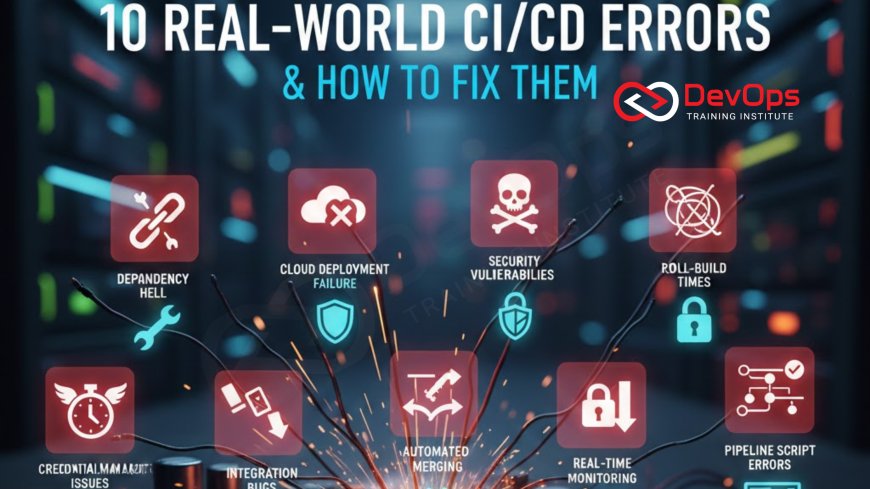
10 Real-World CI/CD Errors & How to Fix Them
Discover the 10 most common and frustrating real-world CI/CD pipeline errors, from environment inconsistency and slow build times to secret leakage and flaky tests, and learn expert strategies to resolve them quickly. This guide provides actionable fixes, emphasizing the use of Infrastructure as Code, proper secret management, parallel testing, and robust observability tools to build resilient, fast, and reliable automated pipelines that prevent bugs from ever reaching production. Master these debugging techniques to minimize downtime and significantly boost developer productivity in a dynamic environment.
Introduction
The Continuous Integration and Continuous Delivery (CI/CD) pipeline is the automated heartbeat of modern software development, but it is also a complex machine with many moving parts—source control, build agents, test frameworks, configuration managers, and deployment targets. When a pipeline fails, it brings development velocity to a halt, delaying feedback and frustrating engineering teams. Understanding the difference between a simple bug in application code and a structural failure in the pipeline itself is the first step toward effective troubleshooting. Pipeline failures are an inevitable part of the process, but how quickly and effectively you resolve them defines your organization's operational maturity.
In real-world environments, pipeline errors often stem not from individual mistakes, but from systemic flaws in the pipeline's design, configuration, or surrounding infrastructure. These issues can range from subtle environment differences that break deployment to critical security lapses where secrets are inadvertently exposed in build logs. Successfully debugging these problems requires a "shift-left" mindset, treating the pipeline configuration itself as highly critical code that needs rigorous testing and version control. By adopting the right practices, such as treating the pipeline as code and applying the necessary automation, teams can transform debilitating failures into quick, routine fixes.
1. The Environment Inconsistency Nightmare
This is arguably the most common and maddening CI/CD error, often manifesting as: "It works on my machine, but it fails in staging!" The issue arises because the development environment, the CI build agent, and the target deployment environment (staging/production) have subtle differences. This could be a mismatch in an operating system patch level, a difference in a minor dependency version, or a missing environment variable. These small discrepancies lead to unpredictable build or runtime failures that are incredibly difficult to replicate and diagnose locally. This configuration drift severely undermines the reliability promise of CI/CD.
The solution lies in enforcing strict environment parity through code and containerization. Infrastructure as Code (IaC) tools like Terraform or Pulumi must define all target environments consistently, ensuring no manual changes can creep in. For the build and test stages, using Docker containers for the CI runner is mandatory. By executing the build within the exact same container image that will run the application in production, you eliminate almost all OS and dependency discrepancies. The golden rule is to define the runtime environment once, in a container, and use that definition everywhere, simplifying the whole process dramatically.
2. Hardcoded Secrets and Missing Environment Variables
A critical security failure and a common source of pipeline errors occurs when sensitive data, such as API keys, database credentials, or private access tokens, is hardcoded directly into the pipeline configuration or application source code. Beyond the obvious security risk, this causes failure when the code moves to a different environment that requires different credentials, forcing engineers to manually modify configuration files, which defeats automation. The error message is typically a vague "Permission Denied" or "Authentication Failed" during a deployment step.
The robust fix is to centralize all secrets management using a dedicated vault tool like HashiCorp Vault, AWS Secrets Manager, or Azure Key Vault. The CI/CD pipeline should only be granted minimum, short-lived access permissions (via an IAM role or service account) to fetch the required secret just before it is needed for a job. Environment variables should be used exclusively to pass non-sensitive configuration parameters (like port numbers or feature flags). This practice, which integrates security checks early, is a key principle of why developers are shifting to DevSecOps.
3. The Dependency Drift Catastrophe
Dependency drift occurs when a project's required libraries or packages are updated on the CI server or in the base Docker image without the developer's knowledge, often leading to a broken build. This is frequently caused by using floating version tags like `latest` or `1.x` instead of pinning to an exact version. The build works perfectly one day and fails the next, with cryptic compilation errors that indicate an unexpected change in a third-party library's API. This uncertainty destroys confidence in the CI process.
To solve this, developers must explicitly lock down all project dependencies. For Node.js projects, use `package-lock.json` with `npm ci` instead of `npm install`. For Python, use a locked `requirements.txt` or Poetry lock files. For Docker, always pin base images to specific, immutable SHA-256 digests or tags (e.g., `node:16.13.0-alpine`) rather than generic ones. Furthermore, integrate a vulnerability scanner that automatically checks dependency security and version compatibility at the start of every build, ensuring that updates are deliberate and tested processes, not accidental breaks.
4. Flaky Tests and The Unreliable Pipeline
A flaky test is one that sometimes passes and sometimes fails without any corresponding change in the application code or the environment. Common causes include reliance on external systems with unstable latency, improper test cleanup (state leakage), or tests written with timing-dependent assumptions. A pipeline with flaky tests quickly loses credibility; developers start ignoring red builds, which defeats the purpose of Continuous Integration and allows real bugs to slip through. This noise pollution is a significant killer of productivity.
Fixing flakiness requires rigorous test isolation and deterministic design. Use a mocking library to isolate unit tests from external dependencies, ensuring they only test application logic. For integration and end-to-end tests, implement full environment teardown and setup for every run to prevent state leakage, even if it adds a little time. Finally, configure your CI/CD tool to automatically re-run a failing test a fixed number of times (e.g., three times) before marking the job as failed, helping to isolate true failures from random timing issues. Monitoring the frequency of flaky tests is a necessary step to maintain quality, as part of tracking key metrics that matter for pipeline health.
5. Performance Bottlenecks: Slow Build Times
A slow CI/CD pipeline is a broken pipeline, as it violates the core CI principle of fast feedback. Developers will commit less frequently to avoid long waits, leading to large, risky merges that break integration. Bottlenecks are often found in long-running test suites, dependency downloads, or inefficient code compilation processes. If a typical build takes longer than ten minutes, it is already undermining developer flow and productivity, making the development process slow and frustrating for everyone involved.
Optimization requires a multi-pronged approach. First, leverage build caching (e.g., Caching `node_modules` or Maven repository directories) to avoid downloading or compiling unchanged dependencies. Second, optimize Docker images using multi-stage builds to create smaller, faster-to-pull images. Third, implement parallel testing, splitting the test suite across multiple, concurrent CI/CD runners to dramatically reduce the elapsed time of the test phase. Utilizing fast runner machines with high CPU/RAM is a strategic investment that pays dividends in developer time and reduced frustration.
6. Failure to Clean Up (Orphaned Resources)
This subtle error is primarily a cost and resource management issue, especially prevalent when using Infrastructure as Code to provision temporary testing environments. If a pipeline job fails prematurely, or if the cleanup script is missed or not configured to run on failure, it can leave behind orphaned cloud resources like virtual machines, storage buckets, or network interfaces. Over time, these forgotten resources lead to unexpected and often substantial cloud bills, creating a financial burden and causing resource exhaustion in limited environments.
The immediate fix is ensuring the cleanup process is encapsulated and guaranteed to run. This means using the CI/CD platform’s native `always()` or `on_failure` hooks to execute a mandatory cleanup job. Tools like Terraform should be used with clear state management to ensure the correct resources are destroyed. For containerized runners, ensure that all temporary files and volumes are correctly removed after the job completes. Treating environment management as a lifecycle problem, which encompasses creation, use, and guaranteed destruction, is key for modern cloud infrastructure management.
7. Insufficient Logging and Observability
When a CI/CD job fails, the engineer’s first tool for diagnosis is the job log. An error occurs when the log output is too minimal, too verbose, or lacks context, making it impossible to pinpoint the line of code or configuration step that caused the failure. Debugging a pipeline that simply outputs "Deployment failed with exit code 1" is an exercise in frustration that wastes valuable time and slows down the recovery process dramatically. Proper logging is the lifeline of a healthy pipeline.
The solution is to enhance logging and integrate observability tools. Ensure that all scripts use structured logging (e.g., JSON format) to clearly identify the timestamp, log level, and the specific stage/job that is running. For complex build processes, increase the verbosity of the commands being run by passing a `--debug` or `-v` flag to the underlying tools. Furthermore, integrate a centralized logging and monitoring solution like Elasticsearch/Kibana or Prometheus/Grafana to aggregate logs and metrics from the pipeline itself, providing a single source of truth for tracking build durations, failure rates, and resource utilization.
8. Missing or Untested Rollback Strategy
A deployment to production that fails post-release (e.g., a feature works, but causes a severe memory leak under load) requires an immediate, automated, and proven rollback. A common mistake is assuming the deployment tool handles the rollback correctly without testing the process itself. This lack of a proven fallback strategy turns a minor incident into a major outage because the team spends critical time debugging the faulty process instead of simply reverting the change. This failure to plan for failure is a major risk.
Every CI/CD pipeline, especially for production, must have a tested, one-click rollback mechanism. Techniques like Blue/Green deployments or Canary releases are best practice, as they involve deploying the new version alongside the old and merely switching traffic, making an instantaneous rollback a trivial matter of switching the traffic router back. The critical step is to integrate automated health checks into the pipeline that, upon failing post-deployment (e.g., the application returns 500 errors or latency spikes), automatically trigger the rollback. This automation is a non-negotiable step for achieving reliable continuous delivery.
9. Version Control for Pipelines and Infrastructure
Pipeline configuration drift happens when engineers manually modify the CI/CD job settings through the web interface of the CI server (e.g., Jenkins or GitLab) instead of updating the pipeline-as-code configuration file (e.g., `.gitlab-ci.yml`). This leads to "pipelines that work on one branch but not another," as the working configuration is not stored alongside the application code. This lack of version control, review, and auditing for the pipeline itself is a recipe for inconsistency and instability across the team's workflow.
The fix is simple and mandatory: enforce Pipeline-as-Code. Ensure that all CI/CD definitions are stored in Git alongside the application code, reviewed via Pull Requests, and subject to the same quality gates as the code they build. This aligns with GitOps principles, ensuring the desired state of the delivery process is versioned and auditable. Furthermore, use specialized tools or linters to validate the pipeline configuration file's syntax before it is merged, catching basic syntax errors that otherwise halt the pipeline execution when trying to run the job.
10. Over-reliance on Manual Approval Gates
While manual approval is often necessary for highly sensitive production deployments or regulated environments, overusing or misconfiguring approval gates can introduce human error and unnecessarily slow down the velocity of the delivery process. For example, requiring manual approval for every single staging deployment defeats the "Continuous" aspect of the pipeline and creates a bottleneck that limits deployment frequency. The pipeline should run autonomously until the last possible moment, maximizing automation.
The solution is to intelligently apply approvals and automate the preceding checks. Approvals should only be required for the transition to production or for high-risk operations. All preceding stages (dev, testing, staging) must be fully automated, relying on a comprehensive suite of automated tests, security scans, and performance checks to serve as the quality gate. Use the pipeline's built-in features to enforce these approvals via established roles or teams, and ensure the criteria for approval (e.g., all security scans passed, no critical regression tests failed) are clearly displayed. This ensures that the only reason for a delay is genuine risk assessment, not unnecessary human intervention.
Conclusion
CI/CD pipeline failures are inherent to the complexity of distributed systems, but they should never be viewed as insurmountable obstacles. By recognizing that most recurring errors stem from common, solvable design flaws—such as environment inconsistencies, poor secret management, or inadequate observability—teams can proactively fortify their automation infrastructure. The strategies outlined, which emphasize version control for everything, leveraging containerization for environment parity, and integrating comprehensive automated testing, transform the pipeline from a fragile bottleneck into a resilient, self-diagnosing machine.
Mastering the art of debugging and preventing these real-world errors is synonymous with achieving true DevOps maturity. The goal is to move beyond simply building a pipeline to building a highly reliable automated system that minimizes the Mean Time to Recovery (MTTR) and maximizes the speed of innovation. By applying these 10 fixes, organizations can ensure their CI/CD pipeline delivers software quickly, securely, and reliably, guaranteeing that the "Continuous" in CI/CD remains a continuous flow of customer value, rather than a continuous source of frustration.
Frequently Asked Questions
What does environment inconsistency mean?
It means the build, test, and production environments have subtle differences in dependencies or configuration that cause unexpected deployment failures.
Why are hardcoded secrets a major CI/CD error?
They create critical security vulnerabilities, as credentials are exposed in plain text within code or logs, making the system highly susceptible to breach.
How does parallel testing fix slow builds?
Parallel testing runs different parts of the test suite concurrently on multiple runners, drastically reducing the total time required for the testing stage.
What causes a "flaky test" to occur?
Flaky tests are typically caused by reliance on timing, external systems, or improper cleanup, which leads to unpredictable pass/fail results without code changes.
What is the purpose of Infrastructure as Code (IaC) in fixing CI/CD?
IaC standardizes all environment configurations, ensuring consistency from development to production, thereby eliminating configuration drift errors.
What is the recommended tool for managing CI/CD secrets?
Dedicated secrets management tools like HashiCorp Vault or cloud-native managers are recommended to centralize and secure all sensitive credentials.
What is the "shift-left" principle in relation to security errors?
Shift-left means integrating security scanning, vulnerability checks, and secret detection earlier in the pipeline, rather than only at the final stages.
What is a Blue/Green deployment?
It is a technique where the old and new versions run simultaneously, allowing traffic to be instantly switched between them, enabling immediate rollback.
Why is it important to version control the pipeline configuration?
It ensures that changes to the pipeline itself are tracked, reviewed, and consistent across all branches, treating it like mission-critical code.
How should I deal with dependency drift errors?
You must use lock files and specific version pinning for all dependencies to ensure the build environment is deterministic and reproducible every time.
What metrics should I monitor to detect pipeline bottlenecks?
Monitor pipeline duration, stage-by-stage execution time, and build failure rates to quickly identify and address performance bottlenecks.
What is the error caused by orphaned cloud resources?
The error leads to unexpected and high cloud costs, as the pipeline fails to clean up temporary virtual machines or storage provisioned during the test run.
How does containerization help fix environment inconsistency?
It packages the application and its environment into an immutable image that runs identically on the developer's machine and the CI/CD runner, ensuring parity.
What is the first step in debugging a failed CI/CD job?
The first step is to check the job logs and increase the log verbosity or enable debug mode to get sufficient contextual information about the failure point.
Should every deployment require a manual approval gate?
No, only deployments to production or highly sensitive environments should require manual approval; pre-production environments should rely on automated testing.
What's Your Reaction?
 Like
0
Like
0
 Dislike
0
Dislike
0
 Love
0
Love
0
 Funny
0
Funny
0
 Angry
0
Angry
0
 Sad
0
Sad
0
 Wow
0
Wow
0


![100+ Azure DevOps Interview Questions and Answers [Updated 2025]](https://www.devopstraininginstitute.com/blog/uploads/images/202509/image_140x98_68c40aa9a3834.jpg)






![Future Scope of DevOps Careers in Pune [Updated 2025]](https://www.devopstraininginstitute.com/blog/uploads/images/202510/image_140x98_68e3a84652312.jpg)


