Star vs Mesh Topology: When to Choose Each
Why choose a star topology over a mesh? Compare cost, link counts, failure modes and performance, with real uses in offices, data centres and cloud.
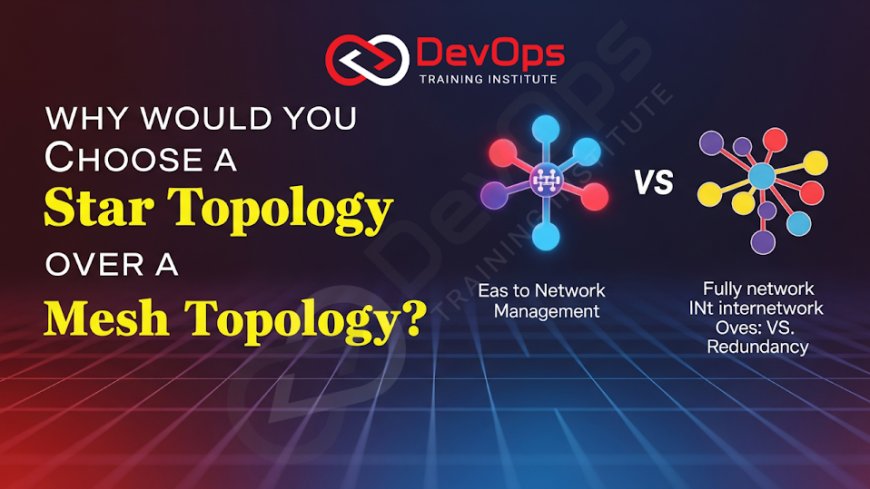
Choose a star topology when you want a network that is cheap to cable, easy to manage and simple to troubleshoot, and when the central switch can be made reliable enough. Choose a mesh when an outage of one link or device is not acceptable and you can pay for the extra links, ports and routing complexity. Most real networks use star at the edge and partial mesh in the core.
This guide compares the two designs on cost, failure behaviour, performance and operations, then shows where each one appears in offices, data centres, cloud networks and wireless. It is part of our networking series that starts with the OSI model and why it still matters. If you are looking for the older shared-medium designs, read our separate post on where ring and bus topologies are still used.
Key takeaways
- A star connects every device to one central switch, so N devices need N cables. A full mesh connects every device to every other device, so N devices need N(N-1)/2 links.
- A star has a single point of failure at the centre. A mesh has no single point of failure, but cost and configuration grow quickly with every node you add.
- Star is the default for access networks: office floors, classrooms, labs and home networks.
- Full mesh is rare. Partial mesh is common in WAN cores, data centre spine-leaf fabrics and wireless mesh systems.
- You can remove most of the star's weakness with redundant uplinks, stacked or paired switches and spare hardware, which is why star plus a meshed core is the usual answer.
What star and mesh topologies are
Star topology
In a star, each device (a PC, printer, access point or server) has its own cable to a central device. Today that central device is an Ethernet switch. In older networks it was a hub, which repeated every frame to every port. A switch learns MAC addresses and forwards frames only to the port where the destination lives, so devices on a modern star do not share bandwidth the way they did on a hub or a bus.
The physical star is also what structured cabling assumes: horizontal cable runs from each wall outlet back to a patch panel and switch in a wiring closet.
Mesh topology
In a mesh, devices have more than one path to each other. In a full mesh every node links directly to every other node. In a partial mesh only some nodes have multiple links, usually the important ones. Traffic can take another path when a link fails, as long as a routing protocol or switching protocol knows about the alternatives.
Star vs mesh at a glance
| Factor | Star | Full mesh | Partial mesh |
|---|---|---|---|
| Links for N nodes | N (one per device) | N(N-1)/2 | Between N and N(N-1)/2 |
| Links for 10 nodes | 10 | 45 | Depends on design |
| Links for 50 nodes | 50 | 1,225 | Depends on design |
| Single point of failure | Central switch | None | Only at single-homed nodes |
| Effect of one cable failing | One device goes offline | Traffic reroutes | Reroutes if that node had a second link |
| Troubleshooting | Simple: check the device, cable and switch port | Hard: many paths to reason about | Moderate |
| Adding a device | One cable and one switch port | A new link to every existing node | A few new links |
| Typical use | Office, lab and home access networks | Small sets of critical routers, some WAN cores | Data centre fabrics, WAN cores, wireless mesh |
Why cost usually decides it
The link count is the clearest difference. A full mesh needs N(N-1)/2 links, so ten nodes need 45 links and fifty nodes need 1,225. Every link also needs a port at each end. With a star, fifty devices need fifty cables and a switch, or a small stack of switches, with fifty ports.
The costs that follow from that number are easy to miss:
- Ports and optics. Each mesh link uses two ports. On routers and data centre switches, ports and transceivers are often a large part of the hardware bill.
- Cabling and installation. More runs mean more cable trays, labelling and testing.
- WAN circuits. When the nodes are sites, each mesh link can be a separate leased circuit with its own monthly charge. This is one reason many organisations built hub-and-spoke WANs, which is a star at site level.
- Engineering time. Every link needs addressing, routing configuration and monitoring.
For a 30-desk office, a classroom or a lab, star is the only design that makes financial sense. The money saved is better spent on a good switch, a spare and a UPS.
How each topology fails
Star failure modes
- A cable or NIC fails: only that device loses connectivity. Everyone else carries on.
- A switch port fails: move the cable to a spare port.
- The central switch fails: every device on it is cut off. This is the real weakness, and the reason to design the centre carefully.
Ways to harden a star without turning it into a full mesh:
- Give the access switch two uplinks to two upstream switches, so losing one uplink or one upstream switch does not isolate the floor.
- Use switch stacking or a paired-chassis feature so two physical switches act as one, and connect important servers to both.
- Bundle uplinks with link aggregation (IEEE 802.1AX, LACP) so one failed cable only reduces bandwidth.
- Keep a configured spare switch and a saved configuration so recovery takes minutes.
- Put switches on a UPS. Power is a common cause of whole-switch outages.
Mesh failure modes
A mesh survives link and node failures only if the control plane is set up correctly. In a switched (Layer 2) mesh, redundant links create loops, so a spanning tree protocol (IEEE 802.1Q includes RSTP and MSTP) blocks some links until they are needed. In a routed (Layer 3) mesh, protocols such as OSPF or BGP compute paths and can use several equal-cost paths at once (ECMP).
The common problems are configuration mistakes, slow convergence after a failure, asymmetric routing that confuses firewalls, and links that are "up" but dropping packets. A mesh gives you resilience, but you pay for it with monitoring and change discipline.
Performance
On a switched star, each device has a dedicated link to the switch, so a 1 Gbps port gives that device 1 Gbps to the switch. The limits are the switch's own capacity and the uplink. If 48 users at 1 Gbps share a single 10 Gbps uplink, the uplink is oversubscribed by 4.8 to 1. That is normal for office traffic, which is bursty, but it matters for backup traffic or large file transfers.
A mesh can offer more total capacity between nodes because traffic spreads over several paths. Data centre fabrics are built this way so that server-to-server traffic does not funnel through a single core device.
Latency differences on a local network are small in both designs. In a WAN, a star (hub-and-spoke) sends branch-to-branch traffic through the hub, which adds a hop and distance. A mesh, or a partial mesh with direct links between busy sites, avoids that detour.
Scalability and day-to-day management
Star scales by adding ports. When one switch is full, you add another and connect it upstream, which produces a tree of stars (often called an extended star or hierarchical design). Each layer stays simple: access switches for devices, distribution or core switches above them.
A full mesh does not scale. Each new node needs a link to every existing node, so the work grows with the square of the node count. That is why large meshes are partial: you mesh the small number of devices that carry the most traffic and attach everything else in a star.
Management follows the same pattern. In a star, a fault report usually leads to one cable, one port or one switch. Monitoring the central switch's ports with SNMP or streaming telemetry covers most of the network. In a mesh you need to watch every link, every routing adjacency and the paths traffic actually takes.
Where each design is used today
Offices, classrooms and labs: star
Wired desks, IP phones, printers and Wi-Fi access points connect to access switches in a star. The access switches connect upstream, often with two uplinks. This is the layout in nearly every office and training lab.
Home networks: star, sometimes with wireless mesh
A home router with built-in switch ports is a star. Many homes now add a Wi-Fi mesh system, where several access points link to each other wirelessly and pass traffic to the router. The Wi-Fi Alliance's Wi-Fi EasyMesh certification is one standard for this. The client devices still connect to their nearest access point in a star-like way, so the result is a hybrid.
Data centres: spine-leaf partial mesh
Modern data centre networks use a spine-leaf (Clos) design. Each leaf switch, which connects servers, links to every spine switch. Leaves do not link to each other and spines do not link to each other, so this is a partial mesh. Any server is the same number of hops from any other, and losing one spine only reduces capacity. RFC 7938 describes how large operators run routed Clos fabrics with BGP. The servers themselves still connect to their leaf switches in a star.
WAN and branch networks: hub-and-spoke or partial mesh
Many organisations connect branches to a headquarters or regional hub (a star at site level) and add direct links between the busiest sites. SD-WAN products can build these overlays automatically over internet and private circuits. For a closer look at how redundant paths support resilient cloud systems, see our post on mesh topologies for fault-tolerant cloud systems.
Cloud networks: hub-and-spoke is the common pattern
Cloud virtual networks follow the same trade-off. Peering every VPC or VNet with every other one is a full mesh and becomes hard to manage as the count grows. A central hub (for example AWS Transit Gateway or an Azure hub virtual network) gives a star layout with one place for routing and inspection. Our guide to cloud networking concepts for DevOps engineers covers these services.
A simple way to decide
| Your situation | Recommended design |
|---|---|
| Small or medium office, school, lab or shop | Star with a good managed switch and a spare |
| Multiple floors or buildings | Star at each floor, two uplinks per access switch into a redundant core |
| Servers that must stay up | Dual-homed servers on paired switches |
| Data centre or private cloud fabric | Spine-leaf partial mesh |
| A handful of core routers or critical sites | Full or near-full mesh among those few nodes only |
| Many branches with mostly branch-to-HQ traffic | Hub-and-spoke, with direct links between busy branches |
| Wi-Fi coverage where cabling is hard | Wireless mesh access points |
Ask three questions before you choose. What does one hour of downtime cost? How many nodes will there be in three years? Who will operate the network, and how much routing experience do they have? If downtime is cheap, the network is small and the team is small, choose a star and put the money into reliable hardware. If downtime is expensive, mesh the parts whose failure would hurt most.
The hybrid option, star at the edge and mesh in the core, is covered in more depth in our post on hybrid versus traditional topologies, and its effect on growth is discussed in how topologies affect scalability and redundancy.
Why DevOps and cloud engineers should care
Topology decisions show up in DevOps work more often than people expect. A Kubernetes cluster spread over three availability zones depends on the provider's meshed backbone. A CI runner that loses access to an artifact registry may be sitting behind a single uplink. A VPC design with one transit hub is a star with the hub as its single point of failure, which is why cloud providers build those hubs as redundant managed services. Knowing how stars fail helps you read an outage report, and knowing what a mesh costs helps you push back on designs that add links nobody will monitor.
If you want to practise these designs on real switches and Linux hosts, our Linux administration training covers networking configuration and troubleshooting, in the Kharadi, Pune classroom or live online.
Frequently asked questions
Why would you choose a star topology over a mesh topology?
Choose star when cost, simple cabling and easy troubleshooting matter more than surviving a central switch failure. Star needs one cable per device, while a full mesh needs N(N-1)/2 links. You can reduce the star's single point of failure with redundant uplinks and paired switches.
What is the main disadvantage of a star topology?
The central switch is a single point of failure. If it fails, every device connected to it loses connectivity. Redundant uplinks, stacked switches, a spare unit and a UPS reduce that risk.
How many links does a full mesh need?
A full mesh of N nodes needs N(N-1)/2 links. Ten nodes need 45 links and fifty nodes need 1,225, which is why full meshes are kept small.
Is a spine-leaf data centre network a mesh?
It is a partial mesh. Every leaf links to every spine, but leaves do not link to each other and spines do not link to each other. Servers connect to leaves in a star.
Is Wi-Fi mesh the same as a mesh topology?
The access points form a wireless mesh among themselves, but client devices connect to one access point at a time. The overall network is a hybrid of mesh and star.
Which topology is best for a small office?
A star built on a managed switch. It is cheap, easy to extend and easy to troubleshoot. Add a spare switch and a UPS rather than extra links.
Does a mesh always give better performance?
Not on a small LAN, where a switched star already gives each device a dedicated link. A mesh helps when traffic between many nodes would otherwise funnel through one device or one uplink, as in data centres and busy WANs.
Official references
What's Your Reaction?
 Like
0
 Dislike
0
 Love
0
 Funny
0
 Angry
0
 Sad
0
 Wow
0