


































![Kong Interview Preparation Guide [2025]](https://www.devopstraininginstitute.com/blog/uploads/images/202509/image_430x256_68dbb95326997.jpg)
















12 Kubernetes Init Container Use Cases
In the automated world of 2026, Kubernetes init containers have become the primary mechanism for ensuring high-quality, secure, and predictable application startups. This expert guide explores twelve essential init container use cases that help DevOps teams eliminate race conditions and bridge the gap between application logic and infrastructure requirements. Learn how to use these specialized containers for database schema migrations, complex configuration loading, secret retrieval from vaults, and automated service discovery wait-loops. Whether you are building resilient microservices or managing global enterprise clusters, mastering these patterns is key to achieving continuous synchronization and maintaining peak system reliability in today’s demanding cloud-native landscape.
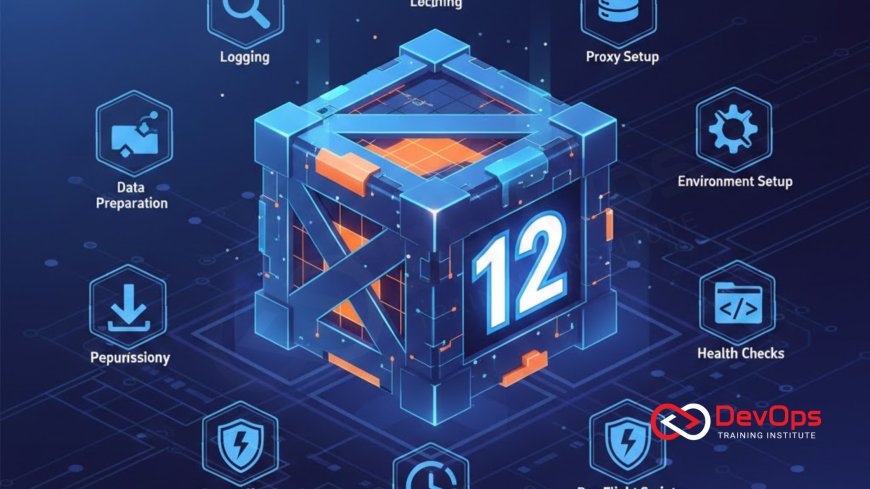
Introduction to Kubernetes Init Containers
Init containers are specialized containers that run and complete their tasks before the main application containers in a pod start. In the high-velocity engineering world of 2026, they serve as the "gatekeepers" of the pod lifecycle, ensuring that all environmental prerequisites are met with absolute precision. Unlike sidecars that run alongside your app, init containers must exit successfully before the next phase begins. This sequential execution model effectively eliminates race conditions, providing a clean separation between setup logic and application runtime. It is a fundamental tool for engineers aiming to build resilient and predictable cloud systems.
By offloading initialization tasks to a separate container, teams can significantly reduce the attack surface of their primary application images. You no longer need to bundle heavy utilities like sed, python, or git into your production runtime; instead, these tools exist only in the temporary init container and are discarded once the pod is initialized. This guide explores twelve high-impact use cases that demonstrate how init containers can streamline your cluster states and improve the overall deployment quality of your global microservices architecture today.
Use Case One: Database Schema Migrations
One of the most popular uses for init containers is managing database schema updates. Before your application starts and tries to connect to a database, an init container can run migration scripts (using tools like Liquibase or Atlas) to ensure the database structure is up to date. This prevents the application from crashing due to missing columns or outdated tables. By isolating this logic, you ensure that migrations are completed successfully before any application traffic is served, which is critical for maintaining data integrity and system resilience in busy production environments.
This approach also improves security by keeping migration credentials separate from the application’s runtime environment. The init container can be granted elevated database permissions needed for schema changes, while the application container runs with a restricted, "read-write" only account. Utilizing continuous verification ensures that if a migration fails, the pod never enters a "Running" state, allowing for rapid incident handling and preventing broken versions from ever affecting your end users.
Use Case Two: Waiting for External Service Availability
Microservices often depend on other services, such as a message broker or a legacy API, being reachable before they can function. An init container can run a simple shell script loop that "pings" the dependent service until it receives a successful response. This prevents your application from entering a "CrashLoopBackOff" state during startup while waiting for its dependencies to become healthy. It is a powerful way to handle startup dependencies without cluttering your core application code with complex retry logic.
For example, a backend service might use an init container to check if a Redis cache is available. The init container remains in the Pending phase until the connection is established. This technique ensures that your continuous synchronization efforts aren't disrupted by simple networking hiccups or timing issues across different regions. It provides a more stable user experience and reduces the noise in your monitoring dashboards, allowing your engineering team to focus on genuine threats rather than routine startup delays.
Use Case Three: Dynamic Configuration File Generation
In 2026, applications often require complex, environment-specific configuration files that are generated at runtime. An init container can fetch raw templates from a ConfigMap, inject current pod metadata (like the POD_IP or NODE_NAME) using the Downward API, and write the final configuration to a shared volume. The main application then reads this perfectly tailored file upon startup. This pattern allows for a single application image to be used across all environments while maintaining a high degree of technical flexibility.
Using tools like Jinja2 or simple envsubst within the init container allows for sophisticated logic that standard Kubernetes environment variables cannot handle. This ensured that your architecture patterns remain clean and that your application remains "dumb" to the complexities of the infrastructure. By automating the generation of these files, you eliminate the human error associated with manual configuration tweaks, leading to more predictable release strategies and faster onboarding for new engineering squads.
Init Container Use Case Summary
| Use Case | Primary Goal | Key Technical Tool | Security Impact |
|---|---|---|---|
| Schema Migration | Database Readiness | Atlas, Liquibase | High (Privilege Separation) |
| Service Dependency | Avoid Crash Loops | Shell (until/wget) | Neutral |
| Secret Retrieval | Secure Injection | Vault Sidecar/CLI | Extreme (Zero-Trust) |
| Git Clone | Load Dynamic Content | Git, SSH | High (Access Control) |
| FS Perms Setup | Storage Readiness | Chown, Chmod | Medium |
Use Case Four: Secure Secret Retrieval from External Vaults
Security-conscious organizations often avoid storing raw secrets in Kubernetes Secret objects due to their limited encryption. Instead, they use an init container to authenticate with an external vault (like HashiCorp Vault or AWS Secrets Manager) and retrieve sensitive credentials at runtime. The init container writes these secrets to an emptyDir volume, which the main application then consumes as a local file. This ensures that the application image itself never contains sensitive data and that secrets are never persisted on the node’s disk.
By utilizing secret scanning tools, you can ensure that your automation scripts don't accidentally leak these credentials during the retrieval process. This "on-demand" secret injection is a key part of DevSecOps, allowing for automatic credential rotation without needing to rebuild or redeploy the application. It significantly hardens your cluster security and ensures that your organization remains compliant with global data protection standards and zero-trust networking principles.
Use Case Five: Cloning Git Repositories for Content
For applications that serve dynamic content, such as a documentation site or a static blog, an init container can be used to clone the latest version of a Git repository into a shared volume upon startup. This allows you to update the content of your site simply by restarting the pods, without needing to trigger a full CI/CD build or rebuild the container image. It is a highly efficient way to manage frequently changing data that doesn't belong in the application binary itself.
This use case is also common in GitOps workflows where configuration files are managed in a separate repository. The init container ensures that the pod always starts with the absolute latest source of truth. By managing access through GitOps, you gain a clear audit trail of what was deployed and when. This technique promotes modularity, allowing your content creators to work independently of the core software developers, which is a major driver of cultural change and speed in modern enterprise environments.
Technique Six: Setting Up File System Permissions
Kubernetes volumes are sometimes mounted with permissions that the application’s non-root user cannot write to. An init container, running with elevated privileges (such as a different securityContext), can execute a chown or chmod command on the shared volume to prepare it for the application. This allows the main application container to run as a restricted, non-privileged user, which is a critical security best practice. It solves the common "Permission Denied" errors that plague stateful applications like databases or file storage systems.
By using admission controllers, you can enforce that every stateful pod includes such a setup container if it detects specific volume types. This automated enforcement of system safety ensures that your infrastructure is secure by default. It provides a clean way to handle the technical hurdles of storage orchestration without compromising on the least-privilege security standards that define a modern, high-quality production cluster in today's global market.
Technique Seven: Warm Up Caches and Pre-fetch Data
For applications that require high performance from the first request, an init container can be used to "warm up" local caches or pre-fetch large datasets from a cloud bucket. This ensures that when the application starts serving traffic, the necessary data is already available in the emptyDir or memory, avoiding the latency spikes associated with "cold starts." This technique is essential for building low-latency microservices and improving the overall user experience during scaling events.
By offloading the data fetching to an init container, you can use specialized tools like rclone or aws-cli without including them in the final application image. This keeps your runtime image small and efficient, improving the containerd pull speed and reducing pod startup times. Integrating continuous verification into this process allows you to confirm that the cache was successfully populated before the application begins, providing a higher level of predictability and observability 2.0 for your engineering team.
Best Practices for Kubernetes Init Containers
- Keep it Lightweight: Ensure init containers do specific tasks quickly; long-running init tasks can delay pod readiness and impact your scaling speed.
- Use Separate Images: Leverage the fact that init containers can use different images to keep your application runtime image lean and secure.
- Handle Failure Gracefully: Init containers are retried according to the restartPolicy; ensure your scripts are idempotent so they can safely run multiple times.
- Monitor Resources: Kubernetes accounts for the highest resource requests of init containers when scheduling; don't over-allocate memory to your setup containers.
- Secure the Pipeline: Use secret scanning tools to ensure no vault tokens or SSH keys are logged by your init container scripts.
- Verify After Completion: Use continuous verification to confirm that the setup tasks (like migrations) actually worked before the app starts.
- Version Your Scripts: Store all init container commands and scripts in Git to maintain a clear audit trail and history of your environment setup.
Adopting init containers is a journey toward more modular and maintainable pod designs. By separating the "how it starts" from the "what it does," you provide your developers with a cleaner interface and your operations team with better control over the environment. As you refine these patterns, consider how AI augmented devops can help by automatically suggesting resource limits for your init containers based on historical usage. This synergy between manual expertise and automated intelligence is the key to mastering the complex world of Kubernetes orchestration in 2026.
Conclusion: The Pillar of Predictable Startups
In conclusion, the twelve Kubernetes init container use cases discussed in this guide provide a robust framework for managing complex application startups in the cloud-native age. From the security of secret retrieval and the reliability of database migrations to the technical flexibility of dynamic config generation, these patterns are essential for any high-performing DevOps team. By treating pod initialization as a first-class citizen, you create a technical foundation that is both resilient and secure. The goal is to make your applications "plug-and-play" with your infrastructure, reducing the friction of daily operations and releases.
As you look toward the future, the role of who drives cultural change within your organization will be a major factor in the success of your architectural initiatives. Embracing release strategies that prioritize automated setup will ensure that you stay ahead of the technical curve. Ultimately, the goal of init containers is to make the complex world of Kubernetes feel manageable and predictable. By adopting these twelve patterns today, you are building a more secure, stable, and future-proof technical environment for your entire organization and its valuable customers.
Frequently Asked Questions
What is the primary difference between an init container and a regular container?
Init containers always run to completion before the application containers start, while regular containers run continuously alongside each other in parallel.
Can a pod have more than one init container?
Yes, a pod can have multiple init containers, and Kubernetes will run them sequentially in the order they are defined in the YAML file.
What happens if an init container fails?
If an init container fails, the pod restarts (based on the restartPolicy) and the init container runs again until it succeeds or reaches a timeout.
Do init containers support liveness or readiness probes?
No, init containers do not support probes because they must exit successfully before the pod can even move into a ready state for the apps.
How do init containers share data with the main application?
They share data using shared volumes, typically an emptyDir, which is mounted into both the init container and the application container in the pod.
Can init containers access Kubernetes Secrets?
Yes, they can access Secrets and ConfigMaps, making them ideal for retrieving credentials or configuration templates during the initial pod setup process.
Are init containers good for running security scans?
Yes, they can perform vulnerability scans or verify TLS certificates before the main application starts, adding a critical security gate to the pod.
What is the resource usage policy for init containers?
Kubernetes uses the highest of any init container's request/limit as the effective init request, ensuring the pod has enough resources to initialize correctly.
When should I use a sidecar instead of an init container?
Use a sidecar for ongoing tasks like logging or monitoring that must run throughout the pod's life; use init for one-time setup tasks only.
Can init containers delay application startup?
Yes, they provide a mechanism to block app container startup until preconditions, like a database being reachable, are met successfully and verified by the system.
Do init containers work with managed Kubernetes services (GKE, EKS)?
Yes, init containers are a core Kubernetes API feature and work identically on all compliant managed and self-hosted Kubernetes clusters and cloud environments.
How do I debug a failing init container?
You can use the kubectl logs pod-name -c init-container-name command to view the logs of a specific init container and troubleshoot startup issues.
Is there a limit to how many init containers I can use?
While there is no hard limit, using too many can slow down pod startup and make your deployment manifests more complex and harder to manage.
What is an idempotent script in an init container?
An idempotent script is one that can be run multiple times without causing errors or duplicate data, which is essential for pod restart scenarios.
Can I use init containers to clone code from private repos?
Yes, by mounting SSH keys or vault tokens into the init container, it can securely clone code or configuration from your private Git repositories.
What's Your Reaction?
 Like
0
Like
0
 Dislike
0
Dislike
0
 Love
0
Love
0
 Funny
0
Funny
0
 Angry
0
Angry
0
 Sad
0
Sad
0
 Wow
0
Wow
0




![100+ Azure DevOps Interview Questions and Answers [Updated 2025]](https://www.devopstraininginstitute.com/blog/uploads/images/202509/image_140x98_68c40aa9a3834.jpg)






![Future Scope of DevOps Careers in Pune [Updated 2025]](https://www.devopstraininginstitute.com/blog/uploads/images/202510/image_140x98_68e3a84652312.jpg)


