


































![Kong Interview Preparation Guide [2025]](https://www.devopstraininginstitute.com/blog/uploads/images/202509/image_430x256_68dbb95326997.jpg)
















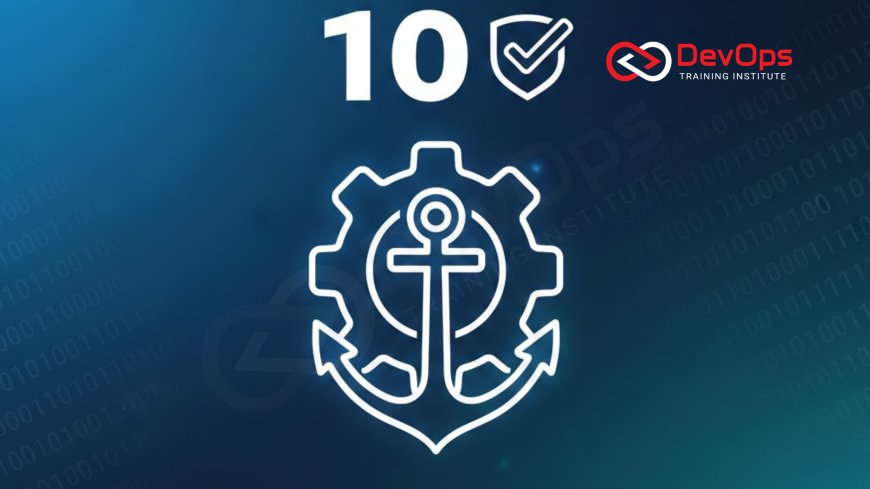
10 Best Practices for Docker Image Optimization
Learn the 10 proven best practices that top DevOps teams use in 2025 to dramatically reduce Docker image size, improve security, speed up builds, cut cloud costs, and achieve lightning-fast container startup times. This complete guide covers multi-stage builds, minimal base images, layer caching, vulnerability scanning, and real-world examples that will help beginners and senior engineers alike build production-grade, lean, and secure Docker images every single time.
Introduction
Docker changed how we build and ship software forever, but many teams still ship images that are 1 GB or larger when they could easily be under 50 MB. Bloated images mean slower builds, longer pull times, higher cloud bills, increased attack surface, and slower container startup. In 2025, elite engineering organizations treat image size and security as first-class metrics. The good news? You don’t need to be a Docker expert to cut your image size by 80–95%. Just follow these ten battle-tested best practices used daily by companies like Netflix, Shopify, and thousands of cloud-native startups.
1. Always Use Minimal Base Images
The biggest impact on image size comes from your FROM line. Most beginners start with ubuntu:latest or node:20, instantly adding 500 MB–1 GB of unnecessary packages.
Recommended base images in 2025:
- Alpine Linux – 5–6 MB, perfect for Go, Python, Node
- Distroless (gcr.io/distroless) – 2–20 MB, contains only runtime, no shell or package manager
- Scratch – literally 0 bytes, only for statically compiled Go/Rust binaries
- Chainguard Images – minimal, continuously scanned, SBOM included
- Wolfi OS – security-first, tiny, from the Chainguard team
Real-world result: switching from ubuntu to distroless/static routinely reduces image size from 800 MB to 15–30 MB.
2. Master Multi-Stage Builds
Multi-stage builds are the single most powerful optimization technique. You use a large builder image to compile code, then copy only the final artifact into a tiny runtime image.
Example pattern for Go apps:
- Stage 1: golang:1.23-alpine → compile binary
- Stage 2: scratch or distroless/static → copy only the binary + CA certs
Result: final image < 20 MB with zero build tools or source code included.
Most production workloads in private subnets still pull these tiny images instantly using NAT Gateways or VPC endpoints.
3. Leverage Docker Layer Caching Like a Pro
Docker builds are incremental. The order of instructions matters enormously.
Golden rule order:
- COPY package*.json /app/ ← changes rarely → cached
- RUN npm ci ← uses cache if files unchanged
- COPY . /app/ ← source code, changes often → last
Wrong order = 20-minute rebuilds on every code change. Correct order = 20-second rebuilds.
4. Create a Smart .dockerignore File
Every file in your build context gets sent to the Docker daemon, even if not used. A missing or weak .dockerignore file can add hundreds of MB of logs, node_modules, git history, and test data.
Essential .dockerignore entries:
- node_modules
- .git
- *.log
- dist, build, coverage
- Dockerfile, .dockerignore
- tests/, __tests__/
Teams routinely cut build context from 2 GB to 50 MB with a good .dockerignore.
5. Remove Unnecessary Packages and Cache in One Layer
Never do this (creates huge layers):
- RUN apt-get update
- RUN apt-get install curl
- RUN rm -rf /var/lib/apt/lists/*
Do this instead (single layer):
- RUN apt-get update && apt-get install -y ca-certificates && rm -rf /var/lib/apt/lists/*
Same for npm, yarn, pip, apk — always clean cache in the same RUN instruction.
Secure image registries are often accessed via private networking using private subnets.
6. Use Non-Root Users by Default
Running as root inside containers is a major security risk. Always add a non-root user:
- RUN addgroup -S app && adduser -S app -G app
- USER app
Distroless images enforce this by default. Rootless containers reduce blast radius dramatically.
7. Scan Every Image for Vulnerabilities
Zero-trust means every image is scanned before production.
Best scanning tools 2025:
- Trivy (open source, fast, accurate)
- Snyk Container
- Grype from Anchore
- Aqua Security
Integrate scanning into CI and block promotion if critical/high vulnerabilities exist.
8. Use .dockerignore + Multi-Stage + Cache Mounts Together
Advanced but extremely powerful in 2025:
- RUN --mount=type=cache,target=/go/pkg/mod go mod download
- RUN --mount=type=cache,target=/root/.cache/pip pip install -r requirements.txt
Cache mounts persist between builds even when using BuildKit, giving near-instant dependency installs.
9. Prefer Official, Verified Images from Docker Hub
Use images with “Verified Publisher” badge. They are regularly scanned, signed, and updated. Avoid random images with millions of pulls but no recent updates.
Cross-region replication benefits from low-latency connectivity enabled by VPC Peering.
10. Regularly Rebuild and Retag Production Images
Base images receive security patches weekly. Rebuild your production images at least monthly (many teams do it weekly) to stay current. Use tools like Dependabot, Renovate, or GitHub Actions to automate this.
Docker Image Optimization Comparison Table (Real-World Examples)
| App Type | Bad Practice Image | Optimized Image | Size Reduction |
|---|---|---|---|
| Node.js API | node:20 (full) | node:20-alpine + multi-stage | 950 MB → 120 MB (87%) |
| Go microservice | golang:1.23 | scratch + static binary | 1.2 GB → 12 MB (99%) |
| Python FastAPI | python:3.12 | python:3.12-alpine + cache clean | 850 MB → 80 MB (90%) |
| Java Spring Boot | openjdk:21 | eclipse-temurin:21-jre-alpine | 450 MB → 110 MB (75%) |
Conclusion
Docker image optimization is not optional in 2025 — it’s a core engineering discipline. Smaller images mean faster deploys, lower cloud costs, fewer vulnerabilities, happier developers, and more reliable systems. The ten practices above — minimal base images, multi-stage builds, smart caching, non-root users, aggressive scanning, and disciplined rebuilds — are used daily by the fastest-moving teams on the planet. Start applying just three of them this week and you’ll see dramatic improvements. Master all ten and you’ll be in the top 1% of Docker practitioners. Your containers will start in milliseconds, cost pennies, and be virtually unhackable. Ship lean, ship fast, ship secure.
Frequently Asked Questions
What is a good Docker image size in 2025?
Under 100 MB is excellent. Under 50 MB is elite. Many Go/Rust services run < 20 MB.
Are Alpine images always the best choice?
Usually yes, but test for glibc compatibility. Some native binaries fail on musl libc.
Do multi-stage builds slow down my CI?
No — they make builds faster by reducing cache misses and final artifact size.
Should I run containers as root?
Never in production. Always create and switch to a non-root user.
How often should I scan images?
Every build in CI and weekly in production registries.
Is Distroless safe?
Yes — Google has run Distroless in production for years with zero issues.
Do I need Docker Slim in 2025?
Rarely. Good Dockerfiles + multi-stage + Distroless usually beat it.
Can I use cache mounts in GitHub Actions?
Yes — actions/cache or --mount=type=cache in BuildKit mode.
Should I pin base image tags?
Always. Use digest pinning (@sha256:…) for maximum reproducibility.
What is the fastest way to reduce image size today?
Switch to multi-stage + distroless/scratch. Instant 90%+ reduction for compiled languages.
Do smaller images start faster?
Yes — cold starts drop from seconds to milliseconds in many cases.
Is it worth optimizing node_modules size?
Absolutely. Use npm ci --production and copy only /app/node_modules.
Do I need to rebuild images for security patches?
Yes — automate weekly rebuilds with Dependabot or Renovate.
Can I use both Alpine and Distroless?
Yes — Alpine for builder stage, Distroless for runtime stage.
Where should I store optimized images?
ECR, GCR, GAR, Harbor, or GitHub Container Registry with proper IAM controls.
What's Your Reaction?
 Like
0
Like
0
 Dislike
0
Dislike
0
 Love
0
Love
0
 Funny
0
Funny
0
 Angry
0
Angry
0
 Sad
0
Sad
0
 Wow
0
Wow
0

![100+ Azure DevOps Interview Questions and Answers [Updated 2025]](https://www.devopstraininginstitute.com/blog/uploads/images/202509/image_140x98_68c40aa9a3834.jpg)






![Future Scope of DevOps Careers in Pune [Updated 2025]](https://www.devopstraininginstitute.com/blog/uploads/images/202510/image_140x98_68e3a84652312.jpg)


