


































![Kong Interview Preparation Guide [2025]](https://www.devopstraininginstitute.com/blog/uploads/images/202509/image_430x256_68dbb95326997.jpg)
















10 Key Benefits of GitHub for DevOps Workflows
Explore the ten most impactful benefits of GitHub for DevOps workflows in twenty twenty six, ranging from native CI/CD automation to advanced AI driven security features. This comprehensive guide details how GitHub empowers engineering teams to streamline their software delivery pipelines, enhance collaboration through integrated pull requests, and maintain a robust security posture with automated vulnerability scanning. Learn how to leverage the GitHub ecosystem to achieve faster release cycles, reduce operational overhead, and foster a culture of transparency and continuous improvement. Discover why GitHub is the preferred platform for modern organizations seeking to optimize their DevOps practices and stay ahead in the rapidly evolving digital landscape today.
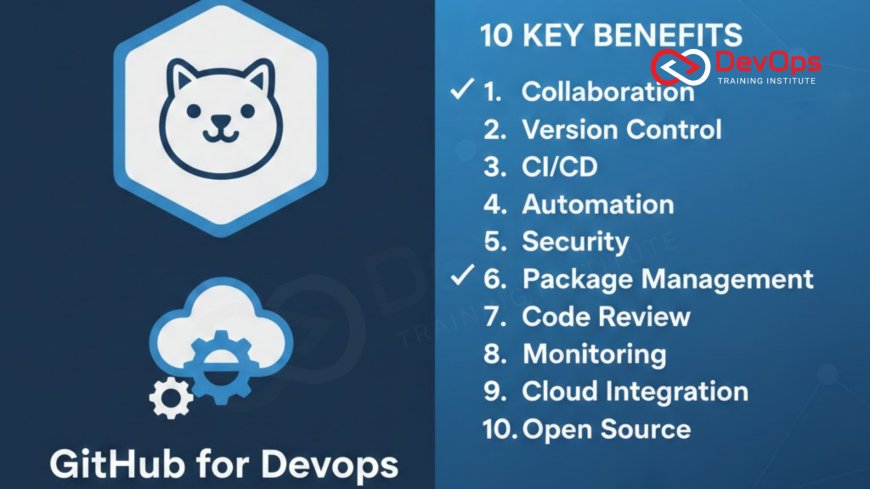
Introduction to GitHub-Powered DevOps
In the modern era of software engineering, GitHub has transitioned from being a mere code hosting service to a complete, end to end DevOps platform. It serves as the central hub where development, operations, and security teams converge to build and deploy applications with unprecedented speed and efficiency. By integrating essential tools directly into the developer workflow, GitHub minimizes context switching and provides a unified experience across the entire software development lifecycle. This evolution is critical for organizations aiming to adopt agile methodologies and keep pace with the demanding release cycles of twenty twenty six.
The true power of GitHub lies in its ability to foster a collaborative and transparent environment. Every change, discussion, and automated process is visible to the entire team, creating a shared source of truth that is vital for high performing DevOps cultures. Whether you are managing small internal scripts or massive global microservices, GitHub provides the scalability and reliability needed to maintain peak performance. As we explore the ten primary benefits, you will see how GitHub addresses the core challenges of modern software delivery—from automation and security to communication and developer happiness—making it an indispensable asset for any technical organization.
Unified CI/CD with Native GitHub Actions
GitHub Actions has revolutionized how teams approach continuous integration and continuous delivery by bringing automation directly into the repository. Instead of managing complex third party CI/CD servers, developers can define their workflows using simple YAML files stored alongside their code. This native integration ensures that every pull request is automatically built, tested, and validated before it is ever merged. The proximity of the code to the automation engine significantly reduces latency and simplifies the continuous synchronization between different development branches and production environments.
Beyond simple builds, GitHub Actions offers a massive marketplace of pre built components that allow teams to assemble complex pipelines in minutes. Whether you need to deploy to AWS, run containerized tests using containerd, or update your documentation, there is likely an Action already available. This extensibility makes it easy to implement sophisticated release strategies like canary deployments or blue green swaps without reinventing the wheel. The result is a highly flexible and automated delivery process that empowers developers to ship features faster while maintaining a high standard of quality across the board.
Advanced Security and Vulnerability Management
Security is no longer a separate phase in the GitHub ecosystem; it is a built in feature of every workflow. GitHub Advanced Security provides teams with powerful tools like code scanning, secret detection, and dependency review that operate in real time as code is written. CodeQL, GitHub's industry leading semantic analysis engine, searches for deep vulnerabilities in your logic, while secret scanning tools ensure that no API keys or credentials are ever accidentally committed. This "shift left" approach ensures that security issues are caught and fixed long before they reach production.
Furthermore, Dependabot acts as an automated member of your security team by constantly monitoring your third party libraries for known vulnerabilities. When a security flaw is discovered, Dependabot doesn't just alert you; it automatically generates a pull request with the necessary patch. This proactive stance on security reduces the burden on your engineering team and ensures that your application's supply chain remains robust and up to date. By integrating security into the native developer experience, GitHub helps organizations maintain a high security posture without sacrificing productivity or slowing down the pace of innovation.
Enhanced Collaboration Through Pull Requests
The pull request (PR) is the heart of GitHub's collaborative model, providing a structured environment for code reviews, discussions, and approvals. It allows team members to provide feedback directly on specific lines of code, ensuring that every change is scrutinized for quality and consistency before it is merged into the main branch. This peer review process is essential for spreading knowledge across the team and preventing the formation of information silos. It also serves as a form of real time training for junior developers who can observe how senior engineers approach complex technical challenges.
PRs in GitHub are more than just a place for comments; they are integrated with automated checks and status badges that provide a clear signal of whether a change is safe to merge. By using admission controllers and branch protection rules, teams can enforce strict quality gates that must be passed before any code reaches production. This level of control is vital for managing cultural change within an organization, as it establishes clear expectations and standards for every contribution. The transparency provided by the PR history also creates an invaluable audit trail for future troubleshooting and compliance requirements.
GitHub Benefits for DevOps Efficiency
| GitHub Feature | DevOps Category | Key Business Benefit | Automation Level |
|---|---|---|---|
| GitHub Actions | CI/CD | Reduced time-to-market | Full |
| Dependabot | Security | Supply chain protection | Full |
| Pull Requests | Collaboration | Higher code quality | Partial |
| GitHub Packages | Artifact Mgmt | Centralized storage | High |
| Environments | Deployments | Governance and control | High |
Seamless GitOps and Infrastructure as Code
GitHub is the natural home for GitOps, a practice where the entire state of your infrastructure is defined in a Git repository. By using Infrastructure as Code (IaC) tools like Terraform or Ansible within GitHub, teams can manage their cloud resources with the same version control and review processes they use for their application software. When a change is pushed to a configuration file, a GitHub Action can automatically trigger a deployment that reconciles the live environment with the desired state defined in the repo. This eliminates manual configuration errors and ensures that your cluster states are always predictable and reproducible.
The GitOps model also simplifies disaster recovery and rollbacks. If a new infrastructure change causes issues, you can simply revert the commit in GitHub to automatically trigger a rollback to the previous stable configuration. This level of automation is essential for maintaining high availability in complex architecture patterns. By treating infrastructure as a first class citizen in the development process, GitHub allows DevOps teams to move faster with greater confidence, knowing that every change is documented, reviewed, and easily reversible if necessary. It is the ultimate foundation for building modern, cloud native systems at scale.
AI-Powered Productivity with GitHub Copilot
GitHub Copilot is transforming how DevOps engineers write code and automation scripts by providing real time, AI driven suggestions. Whether you are writing a complex Bash script, a Kubernetes manifest, or a GitHub Actions workflow, Copilot acts as a "pair programmer" that helps you move faster and reduce syntax errors. It understands the context of your project and can suggest entire blocks of code based on your intent, allowing you to focus on the high level logic of your release strategies rather than getting bogged down in boilerplate code. This significantly boosts productivity across the entire engineering organization.
In addition to code generation, AI is increasingly integrated into the security and review processes on GitHub. AI augmented tools can now help summarize long pull request discussions, identify potential performance bottlenecks, and even suggest fixes for security alerts. This trend toward AI augmented devops is making our workflows more intelligent and proactive. By offloading repetitive and mundane tasks to AI, engineers can dedicate more time to innovation and strategic problem solving. GitHub's deep investment in AI ensures that its users are always at the cutting edge of technical efficiency and software quality in the competitive world of twenty twenty six.
Streamlined Project Management and Tracking
- GitHub Issues: Centralize your task management, bug reports, and feature requests directly alongside your code for maximum visibility and context.
- GitHub Projects: Use customizable boards and spreadsheets to plan your sprints, track progress, and manage complex cross functional initiatives.
- Discussions: Create a space for long form conversations and community brainstorming that doesn't clutter your issue tracker or pull request threads.
- Wiki and Documentation: Keep your project's technical documentation and internal knowledge base close to the source code for easy maintenance.
- Labels and Milestones: Use a robust tagging system to categorize work and track progress toward specific release goals or deadline windows.
- Incident Handling: Use specialized labels and automated issue templates to streamline your incident handling and post mortem reporting processes.
- Continuous Verification: Integrate your project status with continuous verification metrics to provide stakeholders with real time insights into project health.
By keeping project management within the same platform as the code, GitHub eliminates the need for expensive third party tools and reduces the risk of information getting lost in translation between teams. It allows developers to see exactly why a feature is being built and what its current priority is without ever leaving their favorite environment. This integration fosters a culture of transparency and accountability, where everyone can see the big picture and understand how their individual contributions fit into the organization's overall goals. It is a powerful way to align development and business objectives in a fast paced DevOps environment.
Conclusion: Why GitHub is the Future of DevOps
In conclusion, GitHub has established itself as much more than a repository host; it is the definitive platform for modern DevOps excellence. By unifying CI/CD, advanced security, and seamless collaboration into a single, AI powered experience, it empowers teams to deliver high quality software with unprecedented speed. The benefits range from the simple convenience of native automation to the transformative power of GitOps and AI assisted development. As we navigate the technical landscape of twenty twenty six, the ability to centralize and automate these workflows is not just an advantage—it is a requirement for success.
As you continue to evolve your DevOps practices, remember that the tools you choose should support your people and processes, not hinder them. GitHub's developer centric approach ensures that its features are intuitive, flexible, and deeply integrated into the ways engineers already work. By embracing GitOps and the latest release strategies, you are building a resilient technical foundation for the future. Whether you are a small startup or a large enterprise, GitHub provides the scalability and intelligence needed to thrive in an era of continuous innovation and digital transformation. The journey to DevOps mastery begins with the right platform.
Frequently Asked Questions
What makes GitHub Actions better than traditional CI/CD tools?
GitHub Actions is built directly into the repository, reducing context switching and allowing teams to manage automation alongside their source code using YAML.
How does Dependabot help secure my DevOps pipeline?
Dependabot automatically monitors your dependencies for vulnerabilities and creates pull requests to update them, keeping your software supply chain safe from threats.
What is the role of pull requests in a DevOps workflow?
Pull requests provide a collaborative space for code reviews and automated tests, ensuring all changes meet quality and security standards before merging.
Can I use GitHub for managing cloud infrastructure?
Yes, GitHub is a key platform for GitOps and Infrastructure as Code, allowing you to manage cloud resources through version controlled configuration files.
What is GitHub Advanced Security (GHAS)?
GHAS is a suite of enterprise security features including code scanning with CodeQL, secret scanning, and dependency review integrated into the developer workflow.
How does GitHub Copilot improve developer productivity?
GitHub Copilot uses AI to provide real time code suggestions and autocomplete functions, helping engineers write automation scripts and application code faster.
Is GitHub suitable for large enterprise DevOps teams?
Absolutely, GitHub offers enterprise grade security, scalability, and governance features designed to support thousands of developers and complex organizational structures.
What are GitHub Environments used for in deployments?
Environments allow you to define specific protection rules, such as manual approvals and secret access, for your staging and production deployment targets.
How can I track my project's progress on GitHub?
You can use GitHub Issues and Projects to manage tasks, sprints, and long term milestones directly alongside your code repositories and workflows.
Does GitHub support mobile DevOps workflows?
Yes, GitHub provides a mobile app for reviewing code and managing issues, and Actions can be used to automate mobile app build and release processes.
What is the benefit of keeping documentation in GitHub?
Keeping documentation close to the code ensures it stays up to date and allows for the same version control and review processes as the software.
Can I automate my incident response on GitHub?
Yes, you can use GitHub Actions to trigger automated incident handling workflows, such as creating diagnostic issues or notifying the on-call team via ChatOps.
How does GitOps reduce the risk of configuration drift?
GitOps uses GitHub as the source of truth, where automated agents continuously ensure the live environment matches the desired state defined in the repository.
What are the most popular DevOps integrations for GitHub?
Popular integrations include cloud providers like AWS and Azure, monitoring tools like Datadog, and communication platforms like Slack through various marketplace Actions.
Is there a free version of GitHub for DevOps?
Yes, GitHub offers a generous free plan for individuals and organizations that includes public repositories and a set amount of GitHub Actions minutes.
What's Your Reaction?
 Like
0
Like
0
 Dislike
0
Dislike
0
 Love
0
Love
0
 Funny
0
Funny
0
 Angry
0
Angry
0
 Sad
0
Sad
0
 Wow
0
Wow
0





![100+ Azure DevOps Interview Questions and Answers [Updated 2025]](https://www.devopstraininginstitute.com/blog/uploads/images/202509/image_140x98_68c40aa9a3834.jpg)






![Future Scope of DevOps Careers in Pune [Updated 2025]](https://www.devopstraininginstitute.com/blog/uploads/images/202510/image_140x98_68e3a84652312.jpg)


