


































![Kong Interview Preparation Guide [2025]](https://www.devopstraininginstitute.com/blog/uploads/images/202509/image_430x256_68dbb95326997.jpg)
















10 Pipelines That Reduce Deployment Failures
Learn how to significantly reduce deployment failures by implementing ten essential CI/CD pipelines designed for modern DevOps reliability. This in depth guide explores advanced strategies like automated canary analysis, blue green deployments, and integrated security scanning to ensure your software reaches production safely. Discover how to build a resilient delivery ecosystem that prioritizes automated testing, infrastructure parity, and rapid rollback capabilities. By mastering these specific pipeline patterns, your engineering team can achieve faster release cycles while maintaining peak system stability and minimizing the risk of costly production outages in today’s competitive digital landscape.
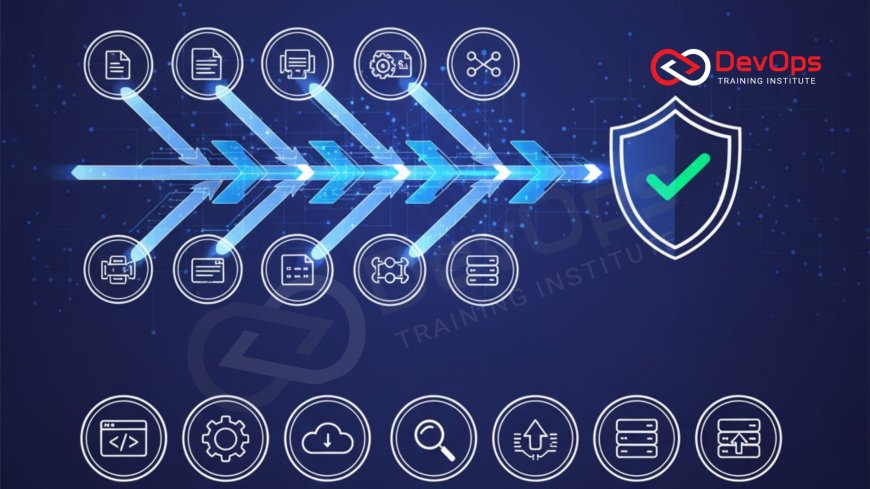
Introduction to High-Reliability Deployment Pipelines
In the fast paced world of modern software development, the ability to release code frequently is a major competitive advantage. However, moving fast often increases the risk of introducing errors into the production environment. A high reliability deployment pipeline acts as a safety net, ensuring that every piece of code is rigorously vetted before it reaches the end user. These pipelines are not just about moving files from one server to another; they are complex, automated workflows that incorporate testing, security, and validation at every single stage of the process.
Reducing deployment failures requires a shift from manual oversight to automated enforcement of quality standards. By codifying these standards into the pipeline itself, teams can eliminate human error and ensure that best practices are followed consistently across every release. This approach fosters a culture of confidence where developers can focus on innovation rather than fearing the "deploy" button. As we explore these ten specific pipeline types, you will see how each one targets a different potential failure point to create a comprehensive defense against downtime and technical debt.
The Foundation of Automated Unit Testing Pipelines
The most basic yet critical pipeline for reducing failures is the automated unit testing pipeline. This process triggers immediately after a developer pushes code to the repository, running hundreds or thousands of small tests to verify the logic of individual components. By catching small bugs at the earliest possible stage, this pipeline prevents minor errors from snowballing into major system failures later in the cycle. It is the first line of defense in any continuous synchronization strategy, providing developers with near instant feedback on the quality of their work.
A robust unit testing pipeline does more than just run code; it also measures code coverage and enforces performance benchmarks. If the new code fails to meet the required testing threshold, the pipeline automatically halts the deployment, preventing the flawed build from progressing further. This "fail fast" mentality is essential for maintaining a healthy codebase and reducing the time spent on debugging in production. It ensures that only the most stable and well tested code is allowed to enter the next phase of the delivery process, significantly lowering the overall change failure rate for the entire organization.
Implementing Infrastructure as Code Validation
One of the leading causes of deployment failures is configuration drift, where the production environment differs from the testing environment. To solve this, teams use Infrastructure as Code (IaC) pipelines to manage their servers and networks using the same version control principles as their application code. These pipelines validate that the defined infrastructure is secure, cost effective, and compliant with organizational policies before any resources are actually provisioned in the cloud. This ensures that every deployment happens on a predictable and standardized technical foundation.
By treating infrastructure as a first class citizen in the deployment process, you can use GitOps to maintain a perfect record of all environmental changes. This makes it incredibly easy to roll back infrastructure changes if a new configuration causes unexpected issues. Automated validation tools can scan these scripts for open ports, overly permissive access rules, or inefficient resource allocations. Integrating these checks into your pipeline prevents the "it worked on my machine" problem by ensuring that the target environment is always an exact match for the requirements of the new software version.
Integrated Security Scanning Pipelines
Security should never be an afterthought in the deployment process. Integrated security scanning pipelines, often referred to as DevSecOps pipelines, automatically search for vulnerabilities in your code and dependencies during every build. These tools check for known security flaws in third party libraries and perform static analysis to find potential exploits like SQL injection or cross site scripting. By identifying these risks before the code is deployed, you protect your organization from data breaches and ensure that your applications are secure by design from the very first line of code.
In addition to code analysis, these pipelines can also manage secret detection. They use secret scanning tools to ensure that developers haven't accidentally committed API keys or passwords to the repository. If a secret is detected, the pipeline fails immediately, and the security team is notified. This proactive approach to security reduces the likelihood of catastrophic failures caused by credential leakage or unpatched vulnerabilities. It builds trust with your users and ensures that your deployment process remains compliant with industry regulations and internal safety standards throughout the entire software development lifecycle.
Summary of Failure-Reducing Pipeline Types
| Pipeline Name | Primary Failure Target | Key Mitigation Tactic | Reliability Impact |
|---|---|---|---|
| Blue-Green | Deployment Downtime | Identical Parallel Envs | Very High |
| Canary Release | Wide-Scale Outages | Incremental Traffic Shift | Extreme |
| Smoke Testing | Broken Core Functions | Post-Deploy Validation | High |
| Chaos Pipeline | Hidden Dependencies | Injected Fault Testing | Medium |
| IaC Validator | Configuration Drift | Declarative Environment | High |
The Power of Progressive Delivery Pipelines
Progressive delivery pipelines, such as canary releases and blue green deployments, are designed to minimize the impact of a failure if one does occur. A canary pipeline deploys the new version of the software to a tiny fraction of your users first. The system then monitors key performance indicators like error rates and latency for that small group. If the "canary" version performs well, the release is gradually rolled out to the rest of the user base. This ensures that if there is a critical bug, it only affects a handful of people rather than your entire customer population.
Blue green deployment pipelines take a slightly different approach by maintaining two identical production environments. One is live (Blue), while the other is idle (Green). The new version is deployed to the Green environment and tested thoroughly. Once verified, the load balancer simply switches traffic from Blue to Green. If an issue is discovered after the switch, you can instantly flip back to the Blue environment. These release strategies provide an incredible safety margin, making zero downtime deployments a reality for many teams. They are essential for any business where even a few minutes of downtime can result in significant financial loss.
Automated Rollback and Recovery Pipelines
Even with the best testing, some failures will only manifest in the real world production environment. Automated rollback pipelines are the ultimate safety net for these situations. These pipelines are triggered when monitoring tools detect an anomaly, such as a sudden spike in 500 errors or a drop in successful checkouts. Instead of waiting for a human engineer to diagnose and fix the problem, the pipeline automatically reverts the system to the previous stable version. This rapid response minimizes the duration of any outage and protects the user experience during a crisis.
To make automated rollbacks effective, your application must support versioned artifacts and backward compatible database changes. This level of maturity allows the system to heal itself without manual intervention. By using ChatOps techniques, the entire team can be notified in real time when an automated rollback occurs, allowing them to review the logs and identify the root cause at a later time. This reduces the pressure on on call engineers and ensures that the system remains available even when a faulty deployment is accidentally pushed to production. It is the gold standard for high availability in the cloud.
Best Practices for Pipeline Reliability
- Small, Frequent Commits: Encourage developers to commit small changes often to make it easier to identify which change caused a pipeline failure.
- Environment Parity: Use containerd or other container runtimes to ensure that development, staging, and production environments are identical.
- Parallel Execution: Run independent tests in parallel to keep your pipelines fast and provide rapid feedback to the engineering team.
- Mandatory Code Reviews: Use pull requests to ensure that every change is reviewed by another human before it enters the automated pipeline.
- Automated Smoke Tests: Run a quick suite of core functionality tests immediately after every deployment to confirm that the application is alive.
- Policy Enforcement: Use admission controllers to prevent non compliant containers from being deployed into your production clusters.
- Continuous Monitoring: Establish clear baselines for system health so that your automated rollback triggers can distinguish between normal noise and a real failure.
Integrating these best practices into your daily operations will create a more resilient and predictable delivery process. It is important to remember that a pipeline is a living entity that requires regular maintenance and updates as your application evolves. By utilizing architecture patterns that support modularity and decoupling, you can build pipelines that are easier to scale and troubleshoot. The goal is to create a frictionless path from code to production where the tools do the heavy lifting, allowing your human talent to focus on solving complex business problems instead of fighting fires.
Conclusion on Reducing Deployment Risks
In conclusion, reducing deployment failures is not achieved through a single tool but through a combination of strategic pipeline designs. From the early feedback of unit tests to the safety of canary releases and automated rollbacks, each pipeline plays a vital role in ensuring system stability. By automating the validation of both code and infrastructure, you create a robust ecosystem that can withstand the demands of modern software delivery. Embracing these patterns allows your team to achieve the ultimate DevOps goal: shipping high quality features faster and more reliably than ever before.
As you move forward, consider how continuous verification can further enhance your pipeline by providing deep insights into system behavior during and after a release. The role of continuous verification is to act as an extra layer of intelligence, ensuring that your automated decisions are based on the most accurate data possible. By prioritizing reliability in your pipeline design today, you are building a foundation for long term success. The future of software delivery is automated, and those who master these failure reducing pipelines will be the leaders of the next generation of digital innovation and engineering excellence.
Frequently Asked Questions
What is the main purpose of a deployment pipeline?
The main purpose is to automate the process of moving code from development to production while ensuring high quality and stability.
How does a canary release reduce the risk of failure?
A canary release limits the impact of a potential bug by deploying changes to a very small percentage of users first for testing.
What is the difference between blue-green and canary deployments?
Blue-green switches all traffic between two identical environments, while canary gradually shifts traffic to the new version in small increments over time.
Why is automated testing essential for reducing deployment failures?
Automated testing catches errors early in the cycle, preventing flawed code from ever reaching the production environment and affecting the end users.
What is configuration drift and how can it be avoided?
Configuration drift occurs when environments become different over time; it is avoided by using Infrastructure as Code to manage server settings consistently.
Can I automate rollbacks for all types of failures?
While many failures can be automated, some complex database issues might still require manual intervention to ensure data integrity during a recovery process.
How often should I run security scans in my pipeline?
Security scans should be run on every single build to ensure that no new vulnerabilities or secrets are introduced into the codebase.
What role does GitOps play in pipeline reliability?
GitOps ensures that the production state always matches the configuration stored in Git, providing a clear audit trail and easy restoration capabilities.
How do smoke tests differ from full regression tests?
Smoke tests check only the most critical core functions of an application, while regression tests check the entire system for potential new bugs.
Does containerization help in reducing deployment failures?
Yes, containers ensure that the application runs in an identical environment from development to production, eliminating many common deployment issues and errors.
What are the most common metrics to track in a pipeline?
Key metrics include build duration, test pass rate, deployment frequency, and the change failure rate for all production releases and updates.
Can small teams implement these complex pipeline patterns?
Yes, many modern CI/CD tools provide built in support for these patterns, making them accessible to teams of all sizes and skill levels.
How does ChatOps improve the deployment process?
ChatOps increases visibility by notifying the entire team of deployment status and failures directly within their primary communication tools and channels.
What is the "fail fast" philosophy in DevOps?
The fail fast philosophy encourages detecting and reporting errors as early as possible in the pipeline to save time and reduce troubleshooting.
Should I always use automated rollbacks?
Automated rollbacks are highly recommended for business critical applications where downtime is unacceptable and rapid recovery is the highest priority for the team.
What's Your Reaction?
 Like
0
Like
0
 Dislike
0
Dislike
0
 Love
0
Love
0
 Funny
0
Funny
0
 Angry
0
Angry
0
 Sad
0
Sad
0
 Wow
0
Wow
0





![100+ Azure DevOps Interview Questions and Answers [Updated 2025]](https://www.devopstraininginstitute.com/blog/uploads/images/202509/image_140x98_68c40aa9a3834.jpg)






![Future Scope of DevOps Careers in Pune [Updated 2025]](https://www.devopstraininginstitute.com/blog/uploads/images/202510/image_140x98_68e3a84652312.jpg)


