


































![Kong Interview Preparation Guide [2025]](https://www.devopstraininginstitute.com/blog/uploads/images/202509/image_430x256_68dbb95326997.jpg)
















12 Best Practices for Git Branching Strategies
Discover the most effective twelve best practices for Git branching strategies to optimize your software development lifecycle and team collaboration. This comprehensive guide explains how to manage feature branches, maintain main branch stability, and implement automated workflows that reduce merge conflicts. Learn how a structured version control approach enhances code quality, supports continuous integration, and ensures seamless releases for modern engineering teams working in complex, fast paced cloud environments today.
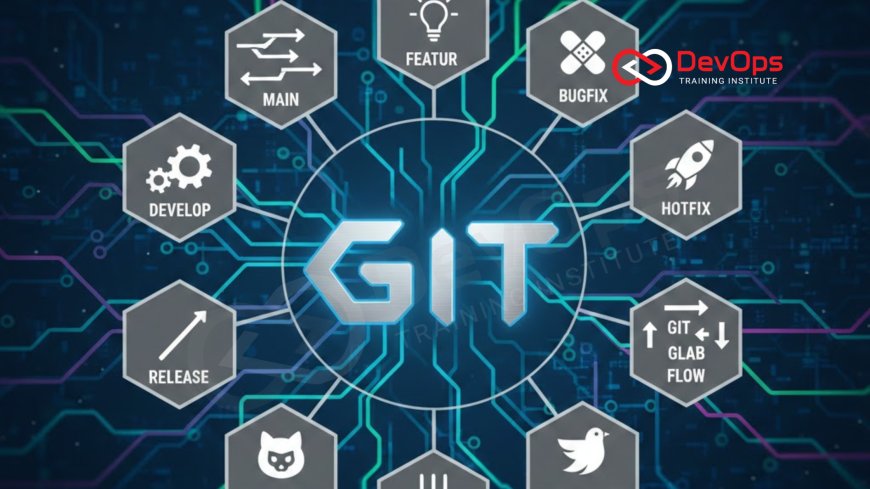
Introduction to Version Control Excellence
In the modern era of software engineering, Git has become the universal language for managing source code. However, simply using Git is not enough to ensure a smooth development process. Without a clear and agreed upon branching strategy, teams often find themselves buried in a "merge hell" where conflicting changes and broken builds stall productivity. A well defined strategy acts as a roadmap, guiding how developers work together on new features while keeping the production environment safe and stable.
This article delves into twelve essential best practices that help teams navigate the complexities of version control. From choosing the right workflow for your project size to enforcing strict branch protection rules, these guidelines are designed to foster a culture of transparency and efficiency. By mastering these strategies, you can minimize technical debt and accelerate your delivery cycles, ensuring that your team can respond to market demands with speed and precision while maintaining the highest standards of software quality and reliability.
Keep the Main Branch Deployable at All Times
The most fundamental rule of a professional Git strategy is that the main branch, often called master or main, should always be in a stable and deployable state. This means that at any given moment, a developer should be able to pull the latest code from this branch and run it without encountering errors. When the main branch is protected, it serves as the ultimate source of truth for the entire organization, providing a solid foundation for all other development activities.
To achieve this, teams must use automated tests that run against every proposed change. If a test fails, the code is blocked from merging until the issue is resolved. This practice is a cornerstone of feedback loops in modern delivery. By ensuring that only verified code reaches the core branch, you reduce the risk of breaking production and empower your team to release new updates with total confidence, knowing that the foundation is secure and fully functional.
Adopt a Short Lived Feature Branching Model
Long lived branches are the primary cause of difficult merge conflicts. When a branch stays disconnected from the main codebase for weeks, it becomes increasingly difficult to reintegrate because the core code has likely moved in a different direction. Professional teams prefer short lived feature branches that focus on a single, specific task and are merged back into the main branch as quickly as possible, ideally within a few days of being created.
This approach encourages developers to break large features into smaller, manageable chunks. By merging frequently, you ensure that the entire team is working with the most up to date version of the code. This constant synchronization minimizes the "drift" between branches and makes the integration process much smoother. It also allows for more frequent code reviews, which helps maintain high standards and catch potential bugs early in the lifecycle before they become deeply embedded in the system architecture.
Enforce Pull Requests and Code Reviews
No code should ever be merged into the main branch without a second pair of eyes. Pull requests are the primary tool for collaboration in Git, providing a dedicated space for discussion, feedback, and quality control. They allow senior developers to mentor junior members and ensure that all changes follow the team's coding standards. A rigorous review process acts as a filter, catching architectural flaws and security vulnerabilities before they reach the production environment.
In addition to human reviews, automated scanning tools should be integrated into the pull request workflow. These tools can check for sensitive data like API keys or passwords that might have been accidentally committed. By making these checks a mandatory part of the merge process, you create a robust safety net that protects your organization's digital assets. This collaborative approach not only improves code quality but also builds team alignment and shared ownership of the software being delivered.
Table: Comparing Common Git Branching Strategies
| Strategy Name | Core Concept | Best For | Main Complexity |
|---|---|---|---|
| GitFlow | Multiple long-lived branches (Develop, Master, Release). | Scheduled, high-stakes enterprise releases. | Complex merge management and maintenance. |
| GitHub Flow | Simple feature branches and immediate merge. | Continuous deployment and agile web teams. | Requires high test coverage to stay safe. |
| Trunk-Based | Developers commit directly to a single trunk. | High-velocity teams and CI/CD maturity. | Strict requirement for feature flags. |
| GitLab Flow | Feature branches with environment-based branches. | Teams needing staging and production sync. | Synchronization between env branches. |
Use Meaningful and Consistent Naming Conventions
A repository with dozens of branches can quickly become a chaotic mess if there is no naming standard. Beginners often name branches after themselves or use vague titles like "fix" or "update," which provides no context for the rest of the team. Professionals use a prefix system that categorizes the work, such as "feature/add-login-button," "bugfix/header-alignment," or "hotfix/security-patch." This allows anyone looking at the list of active branches to understand exactly what is being worked on.
Consistent naming makes it much easier to automate workflows and clean up old branches. For example, you can set up scripts that automatically delete any branch starting with "feature/" once it has been merged into the main line. This practice is part of a healthy synchronization between your code repository and your deployment targets. Clear communication through naming conventions reduces the cognitive load on developers and helps managers track the progress of specific tasks without needing to dive into the code itself.
Prioritize Trunk Based Development for Velocity
For teams aiming for the highest possible release speed, Trunk Based Development is often the preferred choice. In this model, developers merge their changes back into the single "trunk" at least once a day. This eliminates the need for complex merge rituals and ensures that everyone is always working on the most recent version of the software. It requires a high degree of discipline and excellent automated testing, but the payoff in terms of velocity is unmatched.
When working in a trunk based model, teams often rely on release strategies that decouple deployment from release. This allows code to be merged and even deployed to production servers while staying hidden from users until it is ready. This approach minimizes the risk of big bang releases and allows for a more iterative, data driven development process. It is a powerful way to foster continuous integration and ensure that the software is always in a state where it could be shipped at any time if necessary.
Implement Branch Protection and Automated Guards
Manual oversight is not enough to protect a large scale repository. Branch protection rules are essential for enforcing your branching strategy automatically. These rules can prevent anyone from pushing code directly to the main branch, require a certain number of approved reviews, and mandate that all status checks, such as linting and unit tests, must pass before a merge is allowed. These digital guardrails ensure that the rules of the project are followed consistently by every contributor.
These guards can also include security policies enforced at the API level. For instance, admission controllers in cloud native environments perform similar tasks for infrastructure. By setting up these automated gatekeepers, you create a self managing system that maintains high quality standards without requiring constant human intervention. This automation allows your team to focus on building features, knowing that the platform itself will prevent accidental mistakes that could lead to outages or security breaches in the production environment.
- Always use feature branches to isolate work from the main stable code.
- Commit frequently with clear, descriptive messages that explain the "why" of the change.
- Delete merged branches immediately to keep the repository clean and manageable.
- Use Git tags to mark specific release points, such as version 1.0 or 2.1.
- Avoid using the force push command on shared branches to prevent overwriting others' work.
- Regularly rebase your feature branch against the main branch to incorporate recent changes.
Conclusion
Adopting the right Git branching strategy is a foundational step in building a high performing engineering team. By following these twelve best practices, you can create a version control environment that supports both speed and stability. We have explored the importance of keeping the main branch deployable, the benefits of short lived feature branches, and the power of automated protection rules. Whether you choose GitFlow for its structure or Trunk Based Development for its velocity, the key is consistency and team alignment. Furthermore, understanding the cultural change required for these practices is essential for long term success. As your project grows, your branching strategy should evolve to meet new challenges, but these core principles will always remain relevant. By investing time in organizing your repository and automating your workflows, you set your team up for a future of seamless integration and reliable software delivery. Remember that Git is a tool for collaboration, and the best strategies are those that make it easier for people to work together toward a common goal without friction or fear of breaking the system.
Frequently Asked Questions
What is a Git branching strategy?
A branching strategy is a set of rules and guidelines that define how developers create, manage, and merge branches in Git.
Why is GitFlow considered complex?
GitFlow uses multiple long lived branches like develop and master which can lead to complicated merge conflicts and slow release cycles.
How long should a feature branch last?
Ideally a feature branch should last only a few days and be merged back into the main branch as soon as possible.
What is the difference between merging and rebasing?
Merging combines two branches with a commit while rebasing moves your changes to the top of the main branch for a cleaner history.
Can I use feature flags with any strategy?
Yes feature flags are highly recommended for all strategies to decouple code deployment from the actual release of a new feature.
What are branch protection rules?
These are settings in Git platforms like GitHub that enforce requirements like code reviews and passing tests before a merge is allowed.
When should I use hotfix branches?
Hotfix branches are used for urgent fixes in production that cannot wait for the regular development and release cycle to finish.
Is Trunk Based Development better for small teams?
It works well for all sizes but is especially powerful for high velocity teams that have mature automated testing and deployment pipelines.
What is a pull request?
A pull request is a formal proposal to merge changes from one branch to another providing a space for review and discussion.
Should I delete branches after merging?
Yes deleting branches after they are merged keeps your repository organized and prevents developers from accidentally working on outdated code versions.
How do I handle merge conflicts?
Merge conflicts occur when changes overlap; they must be resolved manually by a developer who understands the intent of both code versions.
What is a Git tag?
A Git tag is a static marker used to point to a specific commit in history, usually to label a software release version.
Why are naming conventions important?
Naming conventions help team members identify the purpose and owner of a branch without having to read the underlying source code files.
How does CI relate to branching?
Continuous Integration involves automatically building and testing code from different branches as they are merged together to ensure overall system health.
Can I automate my Git workflow?
Yes by using ai augmented tools and scripts you can automate everything from branch creation to pull request approvals and deployments.
What's Your Reaction?
 Like
0
Like
0
 Dislike
0
Dislike
0
 Love
0
Love
0
 Funny
0
Funny
0
 Angry
0
Angry
0
 Sad
0
Sad
0
 Wow
0
Wow
0




![100+ Azure DevOps Interview Questions and Answers [Updated 2025]](https://www.devopstraininginstitute.com/blog/uploads/images/202509/image_140x98_68c40aa9a3834.jpg)






![Future Scope of DevOps Careers in Pune [Updated 2025]](https://www.devopstraininginstitute.com/blog/uploads/images/202510/image_140x98_68e3a84652312.jpg)


