


































![Kong Interview Preparation Guide [2025]](https://www.devopstraininginstitute.com/blog/uploads/images/202509/image_430x256_68dbb95326997.jpg)
















12 DevOps Collaboration Tools for Remote Teams
Unlock the secrets to seamless remote collaboration with the top 12 essential DevOps tools designed to foster communication, transparency, and shared ownership across distributed teams. This guide covers everything from unified Git platforms like GitLab and GitHub, to incident management systems like PagerDuty and project boards like Jira. Learn how these tools break down geographical silos by centralizing documentation, automating feedback loops, and enabling real-time visibility into CI/CD pipelines and production system health. Mastering these collaborative platforms is non-negotiable for achieving high-velocity software delivery in the modern work environment, regardless of where your team members are located across the globe.
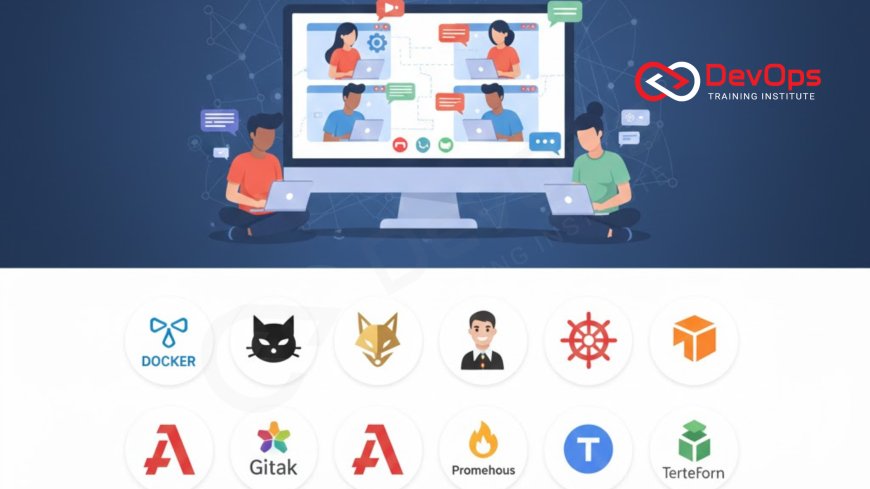
Introduction: The Distributed DevOps Challenge
The core philosophy of DevOps is predicated on breaking down silos and fostering constant communication between development, operations, and other cross-functional teams. While this collaboration is challenging even in a physical office setting, it becomes exponentially more complex when teams are geographically distributed, working across different time zones, and relying solely on digital communication channels. For remote DevOps teams, seamless, asynchronous communication and shared visibility are not just desirable traits; they are fundamental prerequisites for continuous integration, continuous delivery (CI/CD), and maintaining the high velocity required to remain competitive.
Successfully managing a distributed software delivery pipeline requires a specialized toolkit that transcends basic chat applications. These tools must be designed to inject transparency and automated feedback directly into the workflow, ensuring that every team member, regardless of their physical location, shares the same context regarding code status, infrastructure health, and production incidents. The right collaborative platform must turn geographical distance into a non-issue by centralizing every aspect of the software lifecycle, from the initial planning ticket to the final production dashboard. This selection of the 12 best tools focuses on platforms that actively foster communication and shared responsibility, making the practice of remote DevOps methodology not just feasible, but highly efficient and scalable, which aligns perfectly with modern agile principles.
Unified Workflow and Centralized Source of Truth
In a remote setting, the single greatest asset a DevOps team can possess is a unified workflow platform that acts as the single source of truth for code, pipeline status, and documentation. Fragmentation across multiple tools—one for Git, one for CI, one for security—creates information silos and unnecessary context switching, crippling the efficiency of remote teams. These integrated platforms provide the foundational environment necessary for true collaboration by co-locating all critical assets and automating communication directly where the work is happening, eliminating the "out of sight, out of mind" syndrome common in distributed environments.
These two tools serve as the operational backbone for distributed teams:
1. GitLab: As a complete, single application for the entire DevOps lifecycle, GitLab is an extremely powerful tool for remote teams. It unifies Git repository management, CI/CD pipelines (GitLab CI), security scanning, registry, and project management (Issues/Boards) into one interface. This tight integration means that when a developer pushes code, the entire team—Dev, Ops, and Security—sees the pipeline status, test results, and security vulnerabilities immediately in the same place. This centralization minimizes context switching and significantly boosts transparency, which is paramount for achieving synchronized development and deployment across different time zones.
2. GitHub (with GitHub Actions): GitHub is the world's most dominant platform for version control. Its integrated CI/CD tool, GitHub Actions, allows teams to automate virtually any workflow step directly from the repository using simple YAML files. For remote teams, GitHub’s Pull Request workflow acts as a crucial asynchronous communication hub, where developers and SREs conduct code reviews, discuss potential operational impacts, and approve changes based on automated test results, making it the primary hub for technical collaboration and the initial security checks inherent to network protocols and port policies.
Project Management and Planning Transparency
For distributed teams, planning and tracking progress must be highly visible and asynchronous to ensure alignment across different departments and time zones. Project management tools must offer a single, shared view of the backlog, clearly define ownership, and seamlessly integrate with the CI/CD pipeline to automate status updates. This transparency is key to building trust and accountability in a remote setting, ensuring that developers are aware of production operational tickets, and operations teams understand the current feature roadmap, fostering true end-to-end shared ownership.
3. Jira Software: Jira remains the industry standard for agile project management, providing robust boards and customizable workflows that allow teams to track development tasks, bug fixes, and operational incidents (via Jira Service Management) in one place. Its strength lies in its extensive integration ecosystem, which allows it to connect directly with GitHub, GitLab, and other CI/CD tools. This integration ensures that ticket status automatically updates based on code commits and deployment events, providing all stakeholders with a real-time, shared view of the product's progress and potential bottlenecks across the entire value stream.
4. Trello/Asana: While often used for simpler projects, tools like Trello and Asana are valuable for remote DevOps teams that need lightweight, highly visual collaboration for non-engineering tasks, such as documentation planning, training schedules, or incident post-mortem follow-up actions. Their visual, board-based interface makes it easy for cross-functional members (like product owners or marketing) to follow along without needing deep technical knowledge, fostering organizational transparency and ensuring important non-code tasks are not overlooked, which is vital for holistic project completion.
Real-Time Communication and Incident Response
When the system is healthy, collaboration can be asynchronous; when an incident occurs, however, communication must become instantaneous, centralized, and highly organized to minimize downtime. Remote teams rely on specialized tools to ensure that alerts reach the right engineer immediately, that communication during the incident is logged in a single place, and that the team has a clear, agreed-upon process for engaging in a crisis.
5. Slack/Microsoft Teams: These tools are the primary asynchronous and synchronous communication hubs for remote teams. Their integration capabilities are paramount for DevOps, allowing them to serve as the notification layer for the entire toolchain. Slack/Teams channels are typically configured to receive real-time alerts from monitoring tools (Prometheus/Grafana), CI/CD pipelines (Jenkins/GitLab), and security scanners. This centralization ensures fast feedback on failures, pulling the entire team's attention to issues instantly, which drastically reduces the Mean Time to Detection (MTTD) and accelerates recovery.
6. PagerDuty/Opsgenie: These dedicated incident management platforms are non-negotiable for remote DevOps teams that operate under SLA requirements. They manage on-call rotations across time zones, ensure critical alerts are reliably delivered via multiple channels (phone calls, SMS, app notifications), and orchestrate the incident response team. Integration with monitoring tools (Datadog, CloudWatch) is critical. These tools automatically escalate alerts based on established protocols, ensuring that a critical issue is never missed, regardless of the engineer's location or local network connectivity.
| # | Tool Category | Example Tool | Core Remote Collaboration Function |
|---|---|---|---|
| 1 & 2 | Source & CI/CD Hub | GitLab / GitHub Actions | Centralizes code, pipeline status, security checks, and code review (PRs) in one place. |
| 3 & 4 | Project Management & Planning | Jira / Trello | Provides shared, real-time visibility into the team's backlog, feature roadmap, and incident tracking. |
| 5 & 6 | Real-Time Alerting & Incident Response | Slack / PagerDuty | Ensures critical alerts reach the on-call engineer immediately and centralizes incident communication. |
| 7 & 8 | Observability & Shared Context | Prometheus & Grafana / Datadog | Provides a unified, real-time view of production health and key performance indicators to all teams. |
| 9 & 10 | Infrastructure as Code (IaC) & Provisioning | Terraform / Ansible | Manages the collaborative configuration of cloud environments using shared code and version control. |
| 11 & 12 | Remote Access & Pair Programming | VS Code Live Share / Teleport | Enables secure, collaborative code editing, debugging, and terminal access to remote infrastructure. |
Observability for Shared Context
In a remote DevOps environment, the production dashboard effectively replaces the physical war room. Observability tools must provide a unified, clear, and real-time view of application health, performance, and key business metrics to every team member, regardless of their location. This shared context is vital because it allows developers and operations staff to quickly diagnose an incident by looking at the same data, eliminating the time wasted arguing over whose metrics are correct, and ensuring fast root cause analysis for any system failure.
7. Prometheus & Grafana (or Datadog): The combination of Prometheus (for collecting metrics) and Grafana (for visualization) serves as the open-source standard for observability. They provide centralized dashboards showing system load, application latency, and error rates. Commercial alternatives like Datadog or New Relic offer all-in-one solutions that correlate logs, metrics, and traces automatically. These tools feed the critical metrics and data needed by SREs to monitor SLOs and trigger alerts, instantly pulling relevant information into the team's incident response channels.
8. ELK Stack (Elasticsearch, Logstash, Kibana): For deep forensic analysis and troubleshooting, centralized logging is indispensable. The ELK Stack or managed alternatives like Splunk or Logz.io centralize all log data from containers, servers, and applications. In a remote setup, the ability to search logs across the entire distributed system from a web browser instantly is crucial for debugging production issues and ensuring the team can efficiently analyze system behavior without needing direct access to dozens of separate servers, which would be inefficient and slow, especially when debugging complex networking issues that touch multiple layers like how TCP and UDP protocols interact in distributed applications.
Infrastructure Collaboration and Documentation
The core of modern DevOps lies in managing infrastructure through code (IaC). Collaborative access and version control for the infrastructure code base are crucial for ensuring that remote engineers can safely propose, review, and deploy infrastructure changes, while maintaining consistency between environments. Furthermore, documentation must be treated as a living, centralized asset, readily accessible to everyone, preventing knowledge fragmentation that can cripple a distributed team.
9. Terraform / Ansible: Tools like Terraform (for provisioning cloud resources) and Ansible (for configuration management) enable collaborative IaC. All infrastructure definitions live in shared Git repositories (GitHub/GitLab), forcing the team to use the same process—the Pull Request—for every change. This formalized process ensures peer review, provides an audit trail, and creates a clear, documented history of every infrastructure deployment, minimizing the risk of "configuration drift" between remote environments and guaranteeing that all changes adhere to security and compliance standards for the deployment.
10. Confluence/Wiki: While technical teams default to code, human knowledge, architecture diagrams, and post-mortem analyses must be stored centrally and maintained. A dedicated wiki platform like Confluence ensures that operational knowledge is documented, searchable, and standardized. For remote teams, the wiki serves as the institutional memory, allowing new members to onboard quickly and veterans to access critical runbooks during an incident, preventing knowledge silos that naturally form when team members are geographically separated and unable to rely on spontaneous, in-person questions.
Remote Access and Real-Time Collaboration
When remote debugging or pair programming is necessary, teams need specialized tools that enable secure, high-fidelity collaboration directly within the code and the remote terminal. These tools must abstract away the complexities of local network firewalls and public IP addresses, providing instant, secure access to shared workspaces and production environments when a real-time fix is needed, preserving productivity while maintaining a stringent security posture for the entire development and operations workflow.
11. VS Code Live Share: This powerful tool allows multiple remote developers to simultaneously edit the same codebase and share the same terminal session within their individual integrated development environments (IDEs). It is invaluable for remote pair programming, real-time code reviews, and remote debugging sessions, enabling DevOps engineers to collaborate as if they were sitting next to each other, drastically improving productivity and knowledge transfer during complex coding tasks and deep-dive technical sessions.
12. Teleport/Bastion Services: For securing access to cloud infrastructure, VPNs and shared SSH keys are inadequate for remote teams. Solutions like Teleport or cloud-native Bastion Services provide highly secure, audited, temporary access to servers and Kubernetes clusters. They enforce granular access control and session recording, ensuring that remote DevOps engineers only gain access when necessary and that all actions are logged. This is critical for meeting compliance requirements and implementing security best practices for managing remote administrative access, which reduces the attack surface.
Conclusion
For modern, distributed organizations, the success of their DevOps transformation is directly linked to the maturity of their collaboration toolchain. The 12 tools outlined here are not just accessories; they are essential platforms that automate communication, centralize knowledge, and enable shared ownership across development, operations, and security functions, regardless of geographical distance. By mastering unified workflow hubs like GitLab, integrated observability with Prometheus and Grafana, and highly reliable incident management via PagerDuty, remote teams can effectively eliminate silos and achieve a state of continuous, high-velocity software delivery.
The ultimate goal of adopting these tools is to establish total transparency and a common operating picture, ensuring that technical challenges are tackled collaboratively and instantly, turning every incident into a learning opportunity. This dedication to digital collaboration transforms the inherent challenge of a distributed workforce into a competitive advantage, proving that the foundation of a great DevOps team is less about proximity and more about the quality and integration of the tools they use to synchronize their efforts and achieve shared goals.
Frequently Asked Questions
What is the biggest risk for remote DevOps teams?
The biggest risk is communication breakdown and fragmentation of operational context, leading to slower incident response and configuration drift between environments.
How does GitLab help remote transparency?
GitLab centralizes code, CI/CD pipeline status, and project management (Issues/Boards) into a single unified interface, minimizing the need for context switching between separate tools.
Why are PagerDuty and Opsgenie essential for remote work?
They manage on-call rotations across time zones and ensure critical alerts are reliably delivered and escalated to the correct engineer immediately, minimizing downtime regardless of the time of day.
How do teams use Slack during a production incident?
Slack is used to centralize all real-time communication, receive automated alerts from monitoring systems, and coordinate the incident response team in a single, logged channel.
What is the purpose of VS Code Live Share?
It enables real-time collaborative coding and debugging, allowing multiple remote engineers to share the same codebase and terminal session in their respective IDEs.
How does Terraform enable remote collaboration?
Terraform enables remote collaboration by defining all infrastructure as code, which is then version-controlled in Git, forcing every team member to use the Pull Request workflow for changes.
Why is centralized logging (ELK) important for remote teams?
It allows remote engineers to search and analyze logs from all distributed applications and servers instantly via a web interface, crucial for fast remote debugging without direct server access.
What is the primary role of a platform like Teleport?
Teleport provides secure, audited, temporary, and role-based access to remote cloud infrastructure and Kubernetes clusters, enhancing security posture and compliance for distributed teams.
How do network protocols impact remote troubleshooting?
Understanding network protocols is vital for debugging communication failures between microservices, determining if issues are firewall-related, or if they reside in the application logic layer.
What are some alternatives to Jira for project management?
Popular alternatives for project management that integrate with DevOps workflows include GitHub Issues, GitLab Boards, Microsoft Azure Boards, and Monday.com.
How does asynchronous collaboration improve remote efficiency?
It improves efficiency by reducing the need for real-time meetings and reliance on immediate responses, allowing engineers to work uninterruptedly during their most productive hours.
Why are read-only production dashboards important?
They ensure every team member shares the same view of system health and metrics during an incident, preventing confusion and accelerating the time required for root cause analysis (RCA).
What does 'shared ownership' mean in a remote team context?
It means both development and operations teams are equally responsible for the application's performance, stability, and security in production, facilitated by shared tools and transparent workflows.
Which collaboration tool is best for organizing operational runbooks?
A centralized wiki platform like Confluence or a dedicated knowledge base is best for organizing and maintaining operational runbooks, architecture diagrams, and incident post-mortems.
How do configuration management tools (Ansible) support remote collaboration?
Ansible supports collaboration by defining server configurations in shared, readable code (YAML), ensuring consistent configuration across all remote development and production environments.
What's Your Reaction?
 Like
0
Like
0
 Dislike
0
Dislike
0
 Love
0
Love
0
 Funny
0
Funny
0
 Angry
0
Angry
0
 Sad
0
Sad
0
 Wow
0
Wow
0

![100+ Azure DevOps Interview Questions and Answers [Updated 2025]](https://www.devopstraininginstitute.com/blog/uploads/images/202509/image_140x98_68c40aa9a3834.jpg)






![Future Scope of DevOps Careers in Pune [Updated 2025]](https://www.devopstraininginstitute.com/blog/uploads/images/202510/image_140x98_68e3a84652312.jpg)


