


































![Kong Interview Preparation Guide [2025]](https://www.devopstraininginstitute.com/blog/uploads/images/202509/image_430x256_68dbb95326997.jpg)
















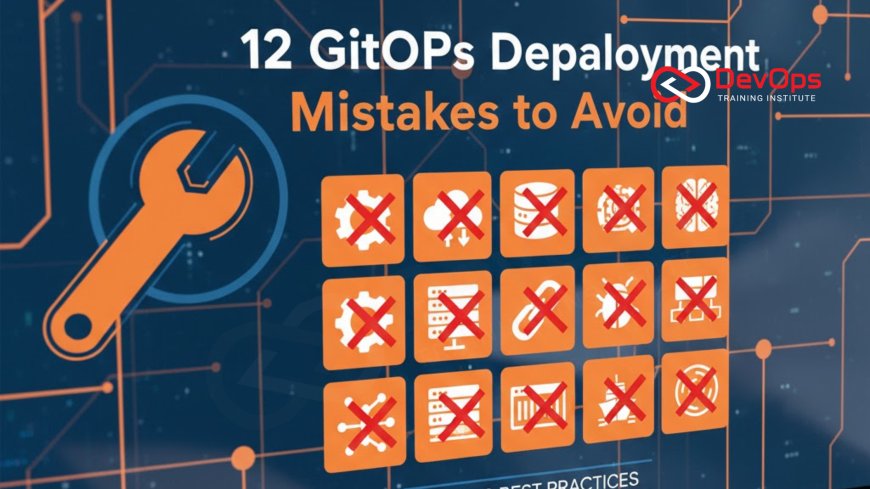
12 GitOps Deployment Mistakes to Avoid
In twenty twenty six, mastering GitOps is essential for any high-performing DevOps team, but the journey is filled with subtle technical traps. This expert guide identifies twelve critical GitOps deployment mistakes to avoid, from failing to separate CI and CD pipelines to ignoring configuration drift and insecure secrets management. Learn how to strengthen your infrastructure as code workflows, implement robust rollback procedures, and maintain environment consistency across complex Kubernetes clusters. By following these professional insights and remediation strategies, your engineering team can build a more resilient, secure, and automated delivery system that eliminates manual errors and accelerates software releases in today’s demanding digital landscape.
Introduction to GitOps Deployment Integrity
GitOps has redefined how we think about continuous delivery by making Git the single source of truth for both applications and infrastructure. However, as organizations rush to adopt this declarative model in twenty twenty six, many find that simply using Git is not a silver bullet for stability. Without a disciplined approach, GitOps can inadvertently introduce new complexities and security risks. A successful GitOps implementation requires a shift in mindset—treating your configuration with the same rigor as your application source code. Avoiding common mistakes is the first step toward achieving a truly self-healing and auditable environment.
The core of GitOps is the automated reconciliation of the live state with the desired state defined in Git. When this process is misunderstood or poorly executed, it can lead to deployment failures that are difficult to debug. These mistakes often stem from legacy "push-based" habits clashing with modern "pull-based" architectures. In this guide, we will explore twelve essential pitfalls that can undermine your GitOps strategy. By identifying these issues early, you can ensure that your continuous synchronization efforts lead to a more stable, secure, and predictable technical foundation for your business growth.
Mistake 1: Failing to Separate CI and CD Pipelines
One of the most frequent mistakes is treating Continuous Integration (CI) and Continuous Delivery (CD) as a single, monolithic process. In a pure GitOps model, the CI pipeline should focus on building and testing artifacts, while a separate CD process handles the actual deployment by updating the Git configuration repository. When these are combined, you lose the clean "source of truth" boundary that GitOps provides. It can also lead to security risks where the CI system requires excessive permissions to modify the production cluster directly, violating the principle of least privilege.
The fix is to establish a clear handoff between the two. The CI pipeline finishes by pushing a new image tag to a registry and then, optionally, triggering a pull request or a direct commit to a dedicated configuration repository. This separation allows for better incident handling, as you can audit infrastructure changes independently of application code changes. It also enables the use of specialized GitOps controllers like ArgoCD or Flux to manage the deployment, ensuring that your cluster states are reconciled safely and according to your organization's compliance standards.
Mistake 2: Storing Secrets Directly in Git
It is a catastrophic mistake to store plain-text secrets, such as API keys or database passwords, directly in your Git repository—even if it is a private one. Git history is immutable, meaning once a secret is committed, it is permanently part of the record unless you perform a complex and risky history rewrite. Hardcoded secrets are a primary target for attackers and can lead to massive data breaches. This pitfall remains one of the most common security vulnerabilities in modern secret scanning tools reports across the engineering industry.
The solution is to use a "reference-based" secrets strategy. Instead of the secret itself, you store a reference to a secure external vault like HashiCorp Vault, AWS Secrets Manager, or Azure Key Vault. Tools like the External Secrets Operator or Sealed Secrets can then securely pull these values into your cluster at runtime. By utilizing secret scanning tools in your pre-commit hooks, you can proactively block any attempt to push sensitive data. This ensures that your Git repository remains an auditable record of configuration without becoming a liability for your organization's security posture.
Mistake 3: Ignoring Configuration Drift
Configuration drift occurs when the live state of your cluster is modified manually—for example, via kubectl commands—without updating the Git repository. While GitOps is designed to automatically correct this drift, many teams disable "auto-reconciliation" or ignore sync failure alerts. This leads to a situation where the Git repository no longer reflects reality, making rollbacks and disaster recovery nearly impossible. It creates a "snowflake" environment that is unique, fragile, and difficult to scale as the business grows.
To fix this, you must treat the "Out of Sync" status as a high-priority alert. Enable automated self-healing in your GitOps controller so that any manual change is immediately overwritten by the desired state in Git. This enforces a strict cultural change where all modifications must go through a peer-reviewed pull request. By maintaining a 1:1 relationship between Git and your cluster, you ensure that your cluster states are always reproducible. This predictability is essential for high-velocity teams who need to manage multiple environments with confidence and technical precision.
Mistake 4: Lack of Environment Parity
When the configuration for staging, testing, and production environments is handled as separate, disconnected silos, you invite the "it worked in staging" failure. Differences in resource limits, network policies, or environment variables can cause a deployment to succeed in one environment but fail spectacularly in production. This often happens when teams copy-paste YAML files instead of using templating tools like Helm or Kustomize to manage environment-specific variations from a single base configuration.
The solution is to use a "base and overlay" pattern. You define the core application logic in a base folder and use overlays to specify only the differences for each environment. This ensures that 90% of your configuration is shared and tested across the entire pipeline. Utilizing architecture patterns that promote parity reduces the cognitive load on developers and makes release strategies much more predictable. It allows you to catch environment-specific bugs much earlier in the lifecycle, before they ever have a chance to impact your live production users.
Summary of GitOps Mistakes and Remediation
| GitOps Mistake | Primary Risk | Remediation Strategy | Priority |
|---|---|---|---|
| Mixed CI/CD | Insecure permissions | Separate repo for config | High |
| Secrets in Git | Major data breach | Use External Secrets Operator | Critical |
| Manual Overrides | Configuration drift | Enable auto-sync/pruning | High |
| Huge Repositories | Slow sync & locking | Micro-repo architecture | Medium |
| No Health Checks | Silent failures | Implement readiness probes | High |
Mistake 5: Excessive Repository Proliferation or Monoliths
Finding the right balance for your repository structure is a common challenge. Some teams create a single "monolith" repository for the entire organization's infrastructure, which leads to slow sync times, complex access controls, and a high risk of accidental global changes. On the other hand, creating a separate repository for every single microservice's configuration can lead to "repository fatigue," making it difficult for operators to maintain a holistic view of the system. This technical debt can slow down release strategies and make audits a nightmare.
The best practice for twenty twenty six is a "team-based" or "domain-based" repository structure. Group related services together so that they can be managed by the same team with a unified set of access rules. This provides the right level of isolation without the overhead of hundreds of separate repos. Use who drives cultural change techniques to align your repository structure with your organizational chart. This "Goldilocks" approach ensures that your GitOps tool can efficiently reconcile changes while providing clear boundaries and accountability for every part of your production infrastructure.
Mistake 6: Neglecting Rollback Procedures
In theory, GitOps makes rollbacks as simple as running git revert. However, in practice, many teams fail to test how their applications and databases handle a move back to a previous version. If a new deployment includes a database schema change that is not backward-compatible, a simple Git revert will cause the application to crash. Neglecting these "operational" details turns the promise of an easy rollback into a high-stress recovery effort. It is a critical pitfall for teams focusing only on the "happy path" of continuous synchronization.
To avoid this, you must incorporate rollback testing into your deployment workflow. Use release strategies like Blue-Green or Canary releases that allow for safe validation before a full switch occurs. Ensure that your database migrations are designed to be "additive" so that the old version of the app can still run alongside the new schema. By utilizing AI augmented devops tools to simulate failures, you can identify these gaps before they happen in production. A successful GitOps strategy is defined not just by how you deploy, but by how reliably you can return to a stable state when things go wrong.
Core GitOps Best Practices for Teams
- Declarative Everything: Ensure all resources, including networking and admission controllers, are defined in Git.
- Automate Reconciliation: Always enable self-healing and pruning to prevent configuration drift and manual overrides.
- Shift-Left Security: Integrate vulnerability scanning and secret scanning tools into the PR process.
- Use Signed Commits: Require GPG/SSH signatures to ensure the authenticity and integrity of all changes in the Git history.
- Implement Health Checks: Define clear readiness and liveness probes so the GitOps controller can monitor application health accurately.
- Limit Cluster Permissions: Use admission controllers to restrict what the GitOps agent can do within the cluster.
- Continuous Verification: Use continuous verification to confirm that deployments meet performance and reliability targets in real-time.
By following these best practices, you can turn your GitOps implementation into a powerful engine for innovation. It is important to remember that GitOps is as much a culture as it is a technology. Encourage your team to participate in cultural change by leading with transparency and shared responsibility. As you become more proficient, you can explore AI augmented devops to predict potential sync issues before they occur. The goal is to create a frictionless path from a developer's idea to a running, secure application in production, powered by the reliability and auditability of the GitOps model.
Conclusion on GitOps Deployment Success
In conclusion, avoiding these twelve GitOps deployment mistakes is crucial for building a resilient and scalable infrastructure in the modern cloud era. From the technical separation of CI/CD to the cultural shift of manual change prevention, every strategy discussed here contributes to a more stable production environment. GitOps offers unparalleled visibility and control, but only when implemented with discipline and a focus on security. By prioritizing environment parity, secure secret management, and robust rollback procedures, you are positioning your organization for long-term success in an increasingly complex digital world.
Looking ahead, the integration of AI augmented devops will continue to simplify the management of large-scale GitOps environments. Staying informed about AI augmented devops trends will help you maintain a competitive advantage. Ultimately, the success of GitOps lies in its ability to empower every member of the team to contribute to a stable and secure system. By addressing these critical pitfalls today, you are creating a technical ecosystem that is not only faster and more agile but also significantly more reliable and auditable for everyone involved. Start by auditing your current workflow and fixing the biggest bottlenecks—your future self will thank you.
Frequently Asked Questions
What is the biggest mistake in GitOps?
The most common and dangerous mistake is storing plain-text secrets in Git, which exposes sensitive credentials to potential attackers and breaches.
How do I prevent configuration drift in GitOps?
You can prevent drift by enabling automated reconciliation and self-healing in your GitOps controller to overwrite any manual changes made to the cluster.
Why should I separate CI and CD in GitOps?
Separation ensures that the CI system doesn't need high-level cluster permissions and maintains Git as the official source of truth for all deployments.
What is environment parity and why is it important?
Environment parity ensures all environments are configured identically, reducing the risk of "staging-only" bugs and making production deployments much more predictable.
Can I use GitOps for non-Kubernetes infrastructure?
Yes, while most common in Kubernetes, the GitOps model can be applied to any infrastructure that supports declarative configuration and automated reconciliation agents.
What are the best tools for GitOps secret management?
Popular tools include HashiCorp Vault, Mozilla SOPS, Bitnami Sealed Secrets, and the External Secrets Operator, which keep sensitive data out of plain-text Git.
How do rollbacks work in a GitOps environment?
Rollbacks are performed by reverting a Git commit; the GitOps controller detects the change in the repository and automatically reverts the cluster state.
What is the "pull-based" GitOps model?
In the pull-based model, an agent inside the cluster periodically checks Git for changes and pulls them in, which is more secure than external push systems.
How many repositories should I use for GitOps?
It depends on your team size and complexity, but a domain-based approach—where each team manages its own set of services—is often the most scalable.
Does GitOps replace traditional CI/CD tools?
No, GitOps complements CI tools (like Jenkins or GitHub Actions) by taking over the "CD" portion with a declarative, pull-based reconciliation workflow.
What is the role of a pull request in GitOps?
The pull request is the primary gateway for changes, allowing for peer review, automated testing, and a clear audit trail before configuration is applied.
Can I use Helm charts with GitOps?
Yes, ArgoCD and Flux have native support for Helm, allowing you to manage your application releases through versioned Helm charts stored in Git.
How does GitOps help with disaster recovery?
Because your entire infrastructure is declared in Git, you can recreate your cluster from scratch simply by pointing a new GitOps agent at your repository.
What is configuration pruning in GitOps?
Pruning is the process where the GitOps agent automatically deletes resources in the cluster that are no longer defined in the Git repository manifests.
Is GitOps suitable for large-scale enterprise deployments?
Yes, GitOps is highly scalable and is used by many large enterprises to manage hundreds of clusters and thousands of microservices consistently and securely.
What's Your Reaction?
 Like
0
Like
0
 Dislike
0
Dislike
0
 Love
0
Love
0
 Funny
0
Funny
0
 Angry
0
Angry
0
 Sad
0
Sad
0
 Wow
0
Wow
0






![100+ Azure DevOps Interview Questions and Answers [Updated 2025]](https://www.devopstraininginstitute.com/blog/uploads/images/202509/image_140x98_68c40aa9a3834.jpg)






![Future Scope of DevOps Careers in Pune [Updated 2025]](https://www.devopstraininginstitute.com/blog/uploads/images/202510/image_140x98_68e3a84652312.jpg)


