


































![Kong Interview Preparation Guide [2025]](https://www.devopstraininginstitute.com/blog/uploads/images/202509/image_430x256_68dbb95326997.jpg)
















12 Things to Avoid When Managing Kubernetes Nodes
Avoid 12 critical mistakes that commonly undermine the stability, security, and performance of your Kubernetes clusters. This guide details key pitfalls to steer clear of when managing worker nodes, including neglecting OS security, misconfiguring resource limits, allowing configuration drift, and bypassing automated maintenance. Learn best practices for host hardening, scheduling, networking, and security context enforcement to ensure your cluster remains resilient, scalable, and compliant, preventing costly downtime and operational overhead associated with improperly managed infrastructure.
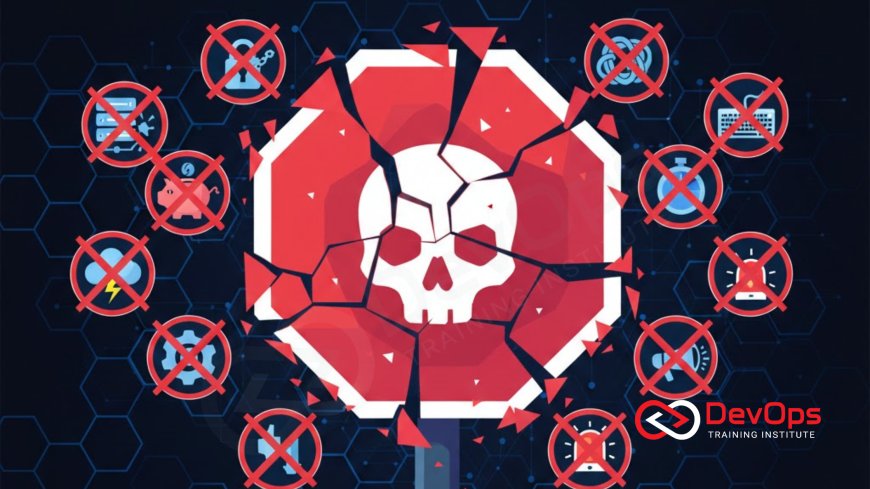
Introduction
Kubernetes has revolutionized modern application deployment, enabling organizations to manage containerized workloads at scale with unprecedented flexibility. However, the power of container orchestration rests entirely on the health, stability, and security of its foundation: the worker nodes. These nodes—the physical or virtual machines that run your applications—are complex beasts, requiring diligent and disciplined management. Any mistake made at the node level, whether due to manual intervention, configuration oversight, or neglect of host operating system security, can quickly cascade into application failures, security breaches, and costly downtime for the entire cluster.
Managing Kubernetes nodes is a specialized discipline that bridges the gap between traditional systems administration and cloud-native operations. It requires embracing principles of automation and immutability while maintaining a deep understanding of the host operating system (OS), the container runtime, and the Kubernetes components (like the Kubelet and Kube-proxy) that live on each node. The biggest pitfalls in node management often stem from treating a Kubernetes node like a traditional, mutable server—a practice that inevitably leads to inconsistency, complexity, and operational fragility.
This guide highlights 12 critical mistakes and anti-patterns you must rigorously avoid when managing your Kubernetes worker nodes. By steering clear of these common pitfalls, your team can ensure the cluster remains robust, predictable, and scalable, minimizing the operational burden and maximizing the reliability of your deployed applications. Adopting these "don't do" practices is key to maturing your cluster operations, ensuring your nodes are resilient, secure, and ready to handle the dynamic demands of cloud-native workloads, directly supporting a stable and secure deployment pipeline.
Avoiding Configuration and Maintenance Pitfalls
The core challenge in node management is maintaining consistency and reliability across a fleet of servers. When dealing with dozens or hundreds of nodes, any deviation in configuration, software version, or patch level introduces risk. The following practices focus on eliminating manual toil and enforcing strict automation principles to ensure that every worker node adheres to the exact same, verified configuration, minimizing the potential for unexpected behavior during scaling or recovery events.
1. Don't Allow Configuration Drift
Configuration drift occurs when a node's actual state deviates from its desired codified state (e.g., due to an engineer manually installing a package or changing a Kubelet setting via SSH). This is perhaps the most significant threat to cluster stability. Drift leads to inconsistent behavior, making debugging and troubleshooting nearly impossible.
Avoid: Making manual configuration changes to any active worker node.
Instead: Treat nodes as immutable infrastructure. All changes must be codified (via IaC/Ansible/Packer), version-controlled, and deployed by replacing the node or using specialized configuration tools that automatically reconcile state.
2. Don't Skip Automated Maintenance and Upgrades
Neglecting node OS patching, kernel updates, or Kubelet/container runtime upgrades exposes the cluster to known security vulnerabilities and bugs. While maintenance is disruptive, avoiding it guarantees instability down the road. Skipping automated, regular maintenance is a short-term gain that leads to long-term pain and eventual massive outages.
Avoid: Relying on manual or ad-hoc patching cycles.
Instead: Implement an automated maintenance pipeline using tools like Kured (for rebooting nodes after kernel updates) or automated rolling upgrade procedures that gracefully cordon, drain, and replace nodes one by one. This ensures timely application of critical security fixes.
3. Don't Use Outdated or Unhardened Host OS Images
The security of your containers depends on the security of the host OS. Running nodes on an old, unpatched, or poorly configured operating system is an open invitation for compromise. The base OS must be stripped down to the bare minimum required to run the container runtime and the Kubelet components.
Avoid: Using generic, full-stack operating system images for worker nodes.
Instead: Use hardened, minimal OS distributions (e.g., RHEL CoreOS, Flatcar, or minimal Ubuntu) and ensure they adhere to strict hardening benchmarks (e.g., CIS standards). Regularly verify the host OS against your compliance policies, leveraging the power of RHEL 10 hardening best practices or similar frameworks.
4. Don't Neglect Host-Level Security Features
Kubernetes provides security controls at the orchestration layer, but robust defense requires utilizing the security features of the host OS itself. Ignoring these features—which are designed to prevent container breakouts—leaves a critical vulnerability in the security stack that can be easily exploited if a container is compromised.
Avoid: Disabling or ignoring Mandatory Access Control (MAC) mechanisms like SELinux or AppArmor because they are "too difficult to manage."
Instead: Learn and enforce MAC policies. A properly configured SELinux policy provides a crucial layer of defense-in-depth by restricting what a process (even a root process within a container) can access on the underlying host, significantly minimizing the blast radius of any container escape attempt.
Avoiding Resource and Capacity Mismanagement
Mismanagement of resources is the most common cause of cluster instability, leading to noisy neighbor problems, scheduling failures, and application instability. The following practices address how to correctly define, allocate, and monitor node resources to ensure predictable performance and effective scheduling of pods, aligning with the principles of efficient container orchestration.
5. Don't Ignore Pod Resource Requests and Limits
Failing to define CPU and memory requests (guaranteed resources) and limits (hard cap on resource consumption) for every application pod will result in unpredictable behavior. Pods without limits can consume all resources on a node, causing the Kubelet to kill other pods (OOM-Kills) and leading to system instability, the classic "noisy neighbor" problem.
Avoid: Deploying pods without resource requests and limits.
Instead: Enforce resource requests and limits across the entire cluster using Kubernetes LimitRanges and ResourceQuotas. Set requests and limits judiciously based on observed application performance to maximize node utilization while maintaining quality of service (QoS).
6. Don't Treat All Pods Equally (QoS Classes)
Kubernetes uses Quality of Service (QoS) classes (Guaranteed, Burstable, BestEffort) to make eviction decisions when resources are scarce. Treating critical and non-critical applications the same way during resource pressure will lead to unnecessary downtime for essential services.
Avoid: Allowing critical system components to run as "BestEffort" or "Burstable" pods.
Instead: Assign Guaranteed QoS to critical system components and core infrastructure (e.g., monitoring agents, core databases) by setting requests equal to limits. This ensures these pods are the last to be evicted when a node runs low on resources, prioritizing core cluster stability.
7. Don't Over-Saturate Cluster Resources
While maximizing resource utilization is a goal for cost savings, overloading nodes or running dangerously close to 100% capacity on average leads to increased latency, scheduler failures, and eventual instability. This creates performance variance that is difficult to debug and destroys application reliability.
Avoid: Running the cluster with dangerously high average resource utilization.
Instead: Maintain a buffer of free capacity (e.g., aiming for 70-80% utilization) to absorb load spikes and accommodate node failures. Monitor node saturation (CPU pressure, memory capacity) using Prometheus/Grafana to proactively scale the cluster, ensuring the scheduler always has room to place new pods.
8. Don't Neglect Host-Level Storage and Logging
Worker nodes require local storage for container images, volumes, and logging. Ignoring the disk usage for these components can lead to unexpected host failures. When disk space is full, nodes can become unschedulable or, worse, crash due to OS instability. Furthermore, misconfigured log management can quickly fill up node disks, causing operational nightmares.
Avoid: Allowing local disk space (for `/var/lib/docker` or `/var/log`) to become critically low.
Instead: Implement automated disk cleanups for unused images/volumes (via Kubelet garbage collection settings). Ensure all application and system logs are efficiently streamed to a centralized log management best practices system (e.g., ELK, Loki) and immediately rotated or cleared locally to prevent disk exhaustion.
Avoiding Operational and Security Blind Spots
Even with good resource management, failures can occur. The following practices focus on ensuring that you have the right visibility and operational processes in place to diagnose problems quickly and securely, maintaining control over the operational environment and preventing lateral movement by attackers.
9. Don't Use Static or Long-Lived Credentials
Credentials used for node management—whether SSH keys for maintenance or tokens used by the Kubelet to communicate with the control plane—must be protected. Static, long-lived credentials are a massive security risk, as a single compromise grants permanent access.
Avoid: Using static, non-rotating SSH keys or Kubelet bootstrap tokens for node identity.
Instead: Enforce a policy of ephemeral, short-lived credentials. Use certificate rotation, automated management of SSH keys security in RHEL 10 or similar systems, and always authenticate node components using client certificates that are regularly renewed by the cluster control plane.
10. Don't Bypass Firewall Rules for Inter-Node Traffic
While it is tempting to disable host firewalls (like `iptables` or `firewalld`) for "simplicity," this eliminates a crucial layer of defense. Network policies (via CNI plugins like Calico or Cilium) are excellent, but the host firewall provides the ultimate boundary protection.
Avoid: Disabling the host OS firewall entirely or failing to configure it to protect the Kubelet and container runtime ports.
Instead: Ensure the host firewall management is active and correctly configured to accept traffic only on necessary ports (e.g., Kubelet, SSH, NodePort ranges) and only from authorized sources (e.g., the control plane). This maintains strong segmentation between the node and the external network, which is key to defending the node itself.
11. Don't Rely on Simple Ping/Heartbeat Monitoring
A node's ability to respond to a ping only means its network stack is up. It does not indicate whether the Kubelet is functioning, the container runtime is available, or the application pods are healthy. Relying on simple heartbeat checks provides a false sense of security that will fail you during complex operational scenarios.
Avoid: Using basic monitoring tools that only check network reachability or simple CPU load.
Instead: Implement observability pillars by monitoring the Kubelet and container runtime status, system logs, and high-fidelity node saturation metrics (CPU, Memory pressure, Disk I/O). Focus alerts on service-level indicators (SLIs) rather than raw infrastructure status for a better indication of cluster health.
12. Don't Ignore the Control Plane's Role in Node Health
Node health is inextricably linked to control plane health. If the control plane (API Server, etcd, Scheduler) is unhealthy, the Kubelet cannot function correctly, leading to node instability, even if the node's OS is fine. Treating control plane management as entirely separate from worker node management is a significant operational blind spot that can lead to misdiagnosis during a cluster-wide incident.
Avoid: Troubleshooting worker node issues without first verifying the health and release cadence of the control plane components.
Instead: Implement end-to-end monitoring that tracks the latency and error rates of the control plane components and verifies that they are running the correct, compatible versions. Ensure your operational procedures mandate checking control plane status before attempting complex worker node remediation.
Conclusion
Managing Kubernetes nodes is a complex, continuous process that demands automation, consistency, and a deep understanding of the underlying systems. The 12 anti-patterns detailed—from allowing configuration drift and ignoring OS-level security features to misconfiguring resource limits and relying on insufficient monitoring—are common pitfalls that will inevitably lead to instability and increased operational costs. Avoiding these mistakes requires embracing an immutable infrastructure mindset: treat every node as disposable, automate all changes, and enforce all security policies via code.
The solution lies in diligent planning and the use of the right tools. Implement Policy-as-Code for resource requests and security contexts. Use configuration management tools like Ansible and Packer for consistent host hardening, leveraging enterprise features such as SELinux and secure log management. Finally, rely on comprehensive observability pillars (metrics, logs, traces) to ensure you have full, actionable insight into the cluster's health. By hardening the foundation and maintaining strict discipline, you can ensure your Kubernetes cluster remains a highly reliable, predictable, and secure platform for your critical cloud-native applications, empowering your teams to focus on feature delivery rather than node maintenance.
Frequently Asked Questions
What is configuration drift in Kubernetes node management?
Configuration drift is when a node's actual configuration deviates from its desired state, usually due to unauthorized manual changes, leading to inconsistent cluster behavior.
Why are resource limits (CPU/Memory) so important for pod reliability?
Limits prevent single pods from consuming all node resources, ensuring fair scheduling, preventing the "noisy neighbor" problem, and protecting critical pods from OOM-kills.
What is the recommended approach for applying OS patches to worker nodes?
Use an automated rolling upgrade process that gracefully drains traffic from one node at a time, applies patches, and replaces the node, ensuring zero application downtime.
How does SELinux in RHEL 10 help secure Kubernetes nodes?
SELinux provides mandatory access controls at the OS level, restricting what processes, even container processes, can access on the host, preventing container breakouts.
Why should I avoid using simple heartbeat monitoring for nodes?
Simple heartbeats only check network reachability; they fail to indicate if critical components like the Kubelet or container runtime are functioning correctly or if the node is under resource pressure.
How should SSH keys security in RHEL 10 be managed on worker nodes?
SSH keys should be managed automatically with strong rotation policies, using ephemeral, short-lived keys or certificates, and adhering to the principle of least privilege for all administrative access.
What are the potential consequences of skipping host-level firewall management?
Bypassing the host firewall eliminates a critical layer of defense, making the node's Kubelet and container runtime vulnerable to attack or unauthorized access from internal or external network segments.
What are QoS classes, and which should be used for critical pods?
QoS classes (Guaranteed, Burstable, BestEffort) determine eviction priority; Guaranteed QoS should be used for critical system components to ensure they are the last to be terminated under resource pressure.
How does automated log management contribute to node stability?
Automated log management ensures system logs are streamed off the node and storage is cleared, preventing disk exhaustion and providing forensic data necessary for post-incident analysis.
What does a RHEL 10 post-installation checklist cover for security?
The checklist ensures the host OS is configured with all required security settings, such as auditing, network controls, and security module enforcement, before it joins the cluster.
Why must the control plane's health be monitored when managing worker nodes?
The control plane's health (API Server, Scheduler) directly affects the worker nodes' stability; an unhealthy control plane prevents nodes from functioning correctly, causing cascading failures.
How do organizations ensure they are following RHEL 10 hardening best practices on their nodes?
They use IaC and configuration management tools (Ansible, Chef) to define the security configuration as code and continuously verify the node's state against that code, flagging any drift.
What's Your Reaction?
 Like
0
Like
0
 Dislike
0
Dislike
0
 Love
0
Love
0
 Funny
0
Funny
0
 Angry
0
Angry
0
 Sad
0
Sad
0
 Wow
0
Wow
0



![100+ Azure DevOps Interview Questions and Answers [Updated 2025]](https://www.devopstraininginstitute.com/blog/uploads/images/202509/image_140x98_68c40aa9a3834.jpg)






![Future Scope of DevOps Careers in Pune [Updated 2025]](https://www.devopstraininginstitute.com/blog/uploads/images/202510/image_140x98_68e3a84652312.jpg)


