


































![Kong Interview Preparation Guide [2025]](https://www.devopstraininginstitute.com/blog/uploads/images/202509/image_430x256_68dbb95326997.jpg)
















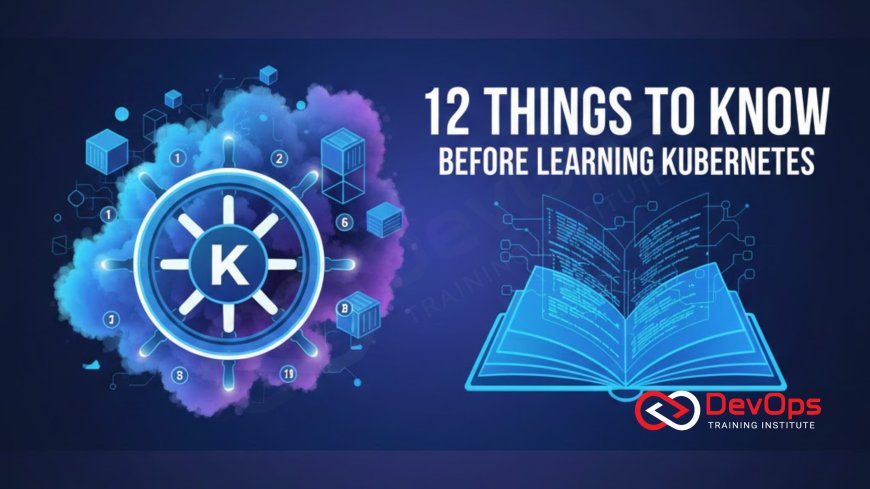
12 Things to Know Before Learning Kubernetes
Prepare for your Kubernetes journey with these 12 essential concepts covering architecture, core components, and operational realities. Learning Kubernetes involves more than just containers; it requires understanding orchestration, declarative configurations, and networking complexities to truly manage applications at scale across any cloud environment effectively. This beginner-friendly guide demystifies the control plane, pods, services, and the crucial role of YAML, helping you transition from a basic developer or operations role into a highly capable cloud-native engineer ready to build resilient, self-healing systems for modern applications today.
Introduction
Kubernetes, often affectionately referred to as K8s, has rapidly evolved from a complex, niche technology into the undisputed standard for deploying, scaling, and managing containerized applications. It is an extremely powerful open-source system that automates many manual aspects of deploying and operating containerized workloads, fundamentally transforming how software is delivered and maintained. However, because of its vast scope and complex architecture, jumping into Kubernetes without understanding its core principles can quickly lead to frustration and confusion. It is crucial to build a mental model of how the system is designed to think about application deployment the Kubernetes way.
Learning Kubernetes is not simply a matter of mastering a new command-line tool; it is about embracing a new paradigm of infrastructure management based on declarative principles and desired state. It involves recognizing that the system is built to self-heal and manage complexity, rather than requiring constant manual intervention from engineers. Before diving into YAML files and cluster commands, taking the time to absorb the foundational concepts about what Kubernetes is, what it is not, and the specific problems it is designed to solve will significantly accelerate your learning curve and make the entire experience much more productive. This guide will walk you through the 12 most important things you must internalize to set yourself up for success in the world of container orchestration.
Foundational Concepts
Before you even begin to set up your first cluster, it is vital to correctly frame what Kubernetes actually does. Confusing its role with that of a container runtime is a common mistake that trips up many beginners. Understanding the difference between containerization and orchestration is the critical first step in appreciating the value Kubernetes brings to the modern software delivery pipeline. This conceptual clarity is essential for using the tool effectively and integrating it seamlessly with existing DevOps workflows and tools.
Here are two foundational concepts that establish the boundaries of Kubernetes's role:
- 1. It is an Orchestrator, not a Containerizer: Kubernetes does not create container images; that is the job of tools like Docker or Podman. Instead, Kubernetes is an orchestrator, meaning it manages the lifecycle of thousands of containers, deciding where they should run, how they should communicate, and how they should be scaled. It provides the system intelligence required to operate an application in a distributed environment, ensuring that the necessary number of application instances are always available, regardless of underlying infrastructure failures.
- 2. It Requires Docker/Containerization First: You must be proficient with containerization technology before moving to Kubernetes. A container runtime environment is necessary on every worker machine in a cluster for Kubernetes to function. Kubernetes relies entirely on containers to define the deployment unit, making the foundational knowledge of Dockerfiles, images, and container registries an essential prerequisite. If you cannot successfully containerize your application, you cannot deploy it to a Kubernetes cluster effectively.
Understanding the Architecture
Kubernetes operates on a distributed architecture, fundamentally composed of a Control Plane and multiple Worker Nodes. This separation of concerns is the heart of its resilience and scalability, allowing the system to handle complex failures without collapsing. Understanding these architectural layers and the specific roles of the core components within them is essential for diagnosing issues, performing upgrades, and understanding why a deployment sometimes fails to reach its desired state. This knowledge is what separates an effective Kubernetes operator from someone who simply follows instructions blindly.
The architecture breaks down into these two critical areas:
The Control Plane (often called the Master Node) is the brain of the cluster; it makes the global decisions, such as scheduling containers onto worker nodes and handling cluster events like the detection of a dead node. Key components here include the API Server, which is the frontend and entry point for all administrative tasks, and the etcd key-value store, which holds the current and desired state of the entire cluster. No actual application workload runs on the Control Plane; its sole purpose is to manage the state and orchestration across the entire system. Understanding the state management in etcd is crucial for advanced troubleshooting.
The Worker Nodes are the muscle, the machines where the actual containerized applications run. Each Worker Node contains a container runtime (like Docker), a Kubelet agent, and a Kube-proxy component. The Kubelet is the agent responsible for communicating with the Control Plane and managing the Pods running on its host machine, ensuring the containers match the specification provided by the central API server. The Kube-proxy maintains the necessary network rules on the host to enable network communication to and from the Pods, making the entire cluster network highly functional and manageable.
The Core Abstractions
Kubernetes introduces specific abstraction layers that developers and operators must use to interact with their applications. These abstractions are designed to standardize deployment, networking, and scaling, abstracting away the low-level details of the underlying machines. Ignoring these specific units and trying to deploy containers directly will quickly lead to an unmanageable and non-standardized environment. Grasping these concepts allows you to begin thinking in terms of the Kubernetes resource model, which is necessary for defining stable application environments.
The two most fundamental abstractions you will work with daily are Pods and Services:
- Pods are the Smallest Unit, not Containers: While Kubernetes manages containers, the smallest deployable unit is a Pod. A Pod is a wrapper around one or more containers that share the same network namespace, storage volumes, and resources. They are generally designed to host tightly coupled applications that need to communicate via localhost. When you define an application deployment, you define a Pod, and Kubernetes handles the lifecycle of that Pod, including its placement on a worker node.
- Services are the Gateway to Pods: Pods are designed to be ephemeral and disposable; they can die and be replaced at any time, changing their internal IP addresses. To provide a stable access point for a group of Pods (like a web server or an API), Kubernetes uses Services. A Service provides a single, consistent IP address and DNS name that load balances traffic across all healthy Pods belonging to a defined set, ensuring that clients always have a reliable way to communicate with your application, regardless of the dynamic nature of the underlying containers.
Deployment and State Management
Kubernetes operates on a principle known as the declarative model, which means you tell it the desired state you want the system to be in, and the Control Plane continuously works to make reality match that declaration. You do not issue imperative commands like "restart web server three times"; instead, you declare "I want three replicas of web server X to be running." This approach underpins all operations, from simple updates to complex scaling events, and is managed through specific resource controllers and configuration files. Understanding this paradigm is crucial for achieving the automation required for effective operation in the cloud.
The mechanics of this state management rely on YAML configuration and dedicated Controllers:
You define all Kubernetes resources, including Pods, Services, and Deployments, using declarative configuration files typically written in YAML (or sometimes JSON). These files precisely describe the resources you want created and their ideal state. This code-based approach enables you to store your application's infrastructure definition in version control, making it auditable, reproducible, and seamlessly integrated into your CI/CD pipeline. Learning how to correctly structure and apply these YAML manifests is arguably the most practical skill required for working with K8s.
Controllers are the components that watch the API server for changes and ensure that the current state of the cluster matches the desired state defined in your YAML files. For example, a Deployment Controller watches your Deployment resource and ensures that the specified number of Pod replicas are running. If a Pod fails, the Controller automatically creates a new one to replace it. This self-healing mechanism is the core feature that provides resilience and high availability without constant intervention, which aligns perfectly with modern SRE and DevOps goals.
| Concept | Definition | Core Function |
|---|---|---|
| Control Plane | The "brain" of the cluster, consisting of API Server and etcd. | Manages the cluster state, schedules workloads, and handles orchestration decisions. |
| Worker Node | The machine where applications run, hosting Kubelet and the container runtime. | Executes the containerized workloads and reports status back to the Control Plane. |
| Pod | The smallest deployable unit, grouping one or more co-located containers. | Provides a shared environment (network, storage) for tightly coupled containers. |
| Service | An abstraction that defines a logical set of Pods and a policy to access them. | Provides stable IP addressing and load balancing for dynamic, ephemeral Pods. |
| Deployment | A resource that provides declarative updates for Pods and ReplicaSets. | Manages rolling updates, rollbacks, and scaling to meet the desired number of Pod replicas. |
Networking and Storage Realities
Kubernetes networking and storage are areas that often pose the greatest challenge for new users because they rely on external components and are highly abstracted from traditional operating system concepts. Unlike standard virtual machines where every application on the same machine uses a shared network card, Kubernetes assigns every Pod its own unique IP address. This complex layer of virtual networking is crucial for allowing Pods to communicate seamlessly, regardless of which physical or virtual machine they are running on, but it requires specialized knowledge to understand its function and configuration.
Here are two technical realities to prepare for:
Networking is Complex (CNI): Kubernetes relies on a third-party plugin called a Container Network Interface (CNI) to implement the Pod-to-Pod networking model. The CNI plugin, such as Calico or Flannel, handles the actual assignment of IP addresses and the routing of traffic between different worker nodes. When networking issues arise, troubleshooting often requires understanding the specific CNI plugin in use, the underlying cloud network topology, and the network policies enforced. This multi-layered complexity means you must prepare to debug network issues that span both the Kubernetes abstraction and the physical infrastructure. It reinforces the importance of using unified cloud platforms that offer stable CNI solutions.
Storage is Ephemeral by Default: By design, anything written inside a running container is lost forever when the container or its host Pod is terminated, meaning the Pods themselves are stateless. To enable applications that require persistent data, such as databases or file servers, Kubernetes uses concepts like Persistent Volumes (PV) and Persistent Volume Claims (PVC). These abstractions connect a Pod to external, durable storage systems, which could be cloud-native storage like AWS EBS or GCP Persistent Disk, or network-attached storage within a data center. Learning to manage persistent storage is critical for running any stateful application reliably, a common scenario in enterprise environments.
Operations and Culture
Finally, mastering Kubernetes is not just about YAML syntax; it is about adopting a new operational mindset that aligns perfectly with modern DevOps principles. Kubernetes is a tool of massive automation, designed to shift the focus of engineers from reactive firefighting to proactive system design and automation. Understanding the cultural context of Kubernetes usage is just as important as knowing the command-line flags, because its complexity demands a strong, standardized operational framework to be successfully managed long term.
Keep these two operational principles in mind:
It is a DevOps Tool, Not a Replacement for People: Kubernetes automates many tedious tasks, but it does not eliminate the need for skilled engineers; it merely changes their job focus. Instead of manually restarting servers, DevOps engineers must now write robust YAML, design scalable architectures, optimize container images, and build comprehensive CI/CD pipelines that leverage the cluster’s capabilities. This technology fundamentally changes the skills required, emphasizing declarative configuration and system design, which is why security teams must understand security within this pipeline.
The Ecosystem is Huge (Helm, Istio, etc.): Kubernetes is a platform, not a single product, and it is surrounded by a massive ecosystem of complementary tools necessary for real-world deployments. You will quickly discover tools like Helm for application packaging and templating, Istio or Linkerd for service mesh capabilities, and Prometheus/Grafana for monitoring. Do not try to learn everything at once, but understand that you will need these tools eventually to handle tasks like deployment, tracing, and observability, which are crucial for success. These extensions are what allow organizations to fully embrace the cloud-native approach.
Mastering Kubernetes is deeply intertwined with excelling at the core principles of DevOps, including automation, continuous feedback, and measuring operational success. The platform provides all the necessary mechanisms for achieving extremely high levels of deployment frequency and reliability, provided the team embraces the declarative model and builds robust pipelines around the system. By understanding that Kubernetes is a massive automation engine, engineers can focus their efforts on refining their pipelines and monitoring systems, rather than managing individual machines, allowing them to track critical metrics that matter most to the business.
Conclusion
Learning Kubernetes is a significant undertaking that moves any engineer into the challenging but rewarding world of cloud-native computing. By internalizing these 12 core concepts—from understanding the clear distinction between containerization and orchestration to mastering the declarative configuration model—you establish a powerful cognitive framework for success. The journey requires not just technical prowess in YAML and cluster commands, but a cultural shift towards embracing self-healing systems and continuous integration. Kubernetes is the foundation upon which modern, resilient, and highly scalable applications are built.
Ultimately, Kubernetes is a complex tool built to solve even more complex problems, providing a robust, portable layer of abstraction over diverse cloud infrastructure. The ability to manage, scale, and deploy workloads consistently across environments is its primary advantage. Approaching this learning path with patience, focusing first on the foundational architecture, and then gradually incorporating ecosystem tools like Helm and Prometheus will ensure that your investment in Kubernetes translates into efficient, reliable, and accelerated software delivery for your organization, proving that the technology is a vital part of the modern software strategy, and not just another technical hurdle to overcome.
Frequently Asked Questions
Is Kubernetes necessary if I only use Docker?
Kubernetes is necessary when you need to automate scaling, high availability, and networking for many containerized applications at once.
What is the difference between a Pod and a Container?
A Container holds the application, but a Pod is the smallest unit that Kubernetes manages, which hosts one or more containers.
Do I need to learn networking protocols like TCP/IP?
Basic networking knowledge is essential to troubleshoot CNI plugins and understand service routing within the cluster.
What is the etcd component used for in Kubernetes?
etcd is a distributed key-value store that serves as the single source of truth for the entire cluster's configuration and state data.
Should I start learning with a local tool like Minikube?
Yes, local tools like Minikube or kind are excellent for sandboxing and experimenting with K8s commands and YAML files safely.
What does declarative configuration mean?
It means you define the desired end state of your resources, and Kubernetes continuously works to achieve and maintain that specific state.
What is a Kubernetes Deployment used for?
A Deployment is used to manage the lifecycle of your application, handling scaling, rolling updates, and easy rollbacks of Pods.
How do external users access applications inside the cluster?
External users access applications through a Service, specifically LoadBalancer or NodePort types, or via an Ingress Controller resource.
Does Kubernetes replace the need for cloud providers?
No, Kubernetes runs on cloud provider infrastructure, but it provides a portable abstraction layer over that underlying cloud infrastructure.
What is a Persistent Volume?
It is an abstraction representing a piece of storage that can be dynamically provisioned and connected to a Pod for durable data storage.
Is Kubernetes only suitable for large companies?
Kubernetes is highly scalable but introduces complexity; its use case should be evaluated based on application needs, not company size.
How does Kubernetes relate to DevSecOps principles?
Kubernetes aligns with DevSecOps by enabling automated security policies and consistent configuration via its declarative nature.
What is the role of the Kubelet agent?
The Kubelet runs on every worker node and communicates with the Control Plane to ensure Pods are running and healthy as scheduled.
Is Kubernetes a good fit for all applications?
No, it may be overkill for simple, static applications, but it is excellent for complex, high-traffic, and distributed microservices.
What is the next step after mastering core YAML?
The next step is typically learning a package manager like Helm to simplify the templating and deployment of complex applications.
What's Your Reaction?
 Like
0
Like
0
 Dislike
0
Dislike
0
 Love
0
Love
0
 Funny
0
Funny
0
 Angry
0
Angry
0
 Sad
0
Sad
0
 Wow
0
Wow
0

![100+ Azure DevOps Interview Questions and Answers [Updated 2025]](https://www.devopstraininginstitute.com/blog/uploads/images/202509/image_140x98_68c40aa9a3834.jpg)






![Future Scope of DevOps Careers in Pune [Updated 2025]](https://www.devopstraininginstitute.com/blog/uploads/images/202510/image_140x98_68e3a84652312.jpg)


