


































![Kong Interview Preparation Guide [2025]](https://www.devopstraininginstitute.com/blog/uploads/images/202509/image_430x256_68dbb95326997.jpg)
















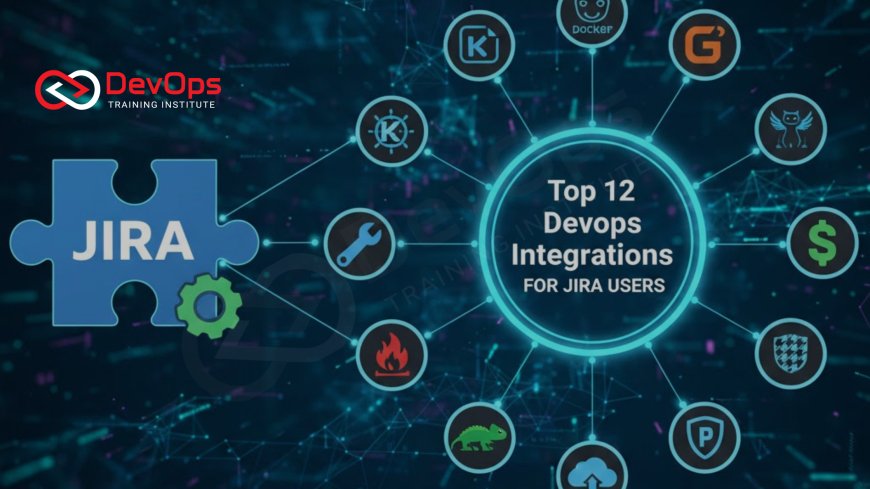
Top 12 DevOps Integrations for Jira Users
Maximize your team's velocity and gain complete traceability by mastering the top 12 essential DevOps integrations for Jira. This guide details how connecting tools like GitHub, GitLab, Jenkins, and Prometheus to your Jira issues eliminates context switching, automates status updates, links code commits and deployments directly to planning tickets, and centralizes reporting. Learn how these integrations are crucial for fostering a true DevOps culture, enabling seamless collaboration between planning, development, testing, and operations teams, providing end-to-end visibility into the value stream, and ultimately accelerating high-quality software delivery from idea inception to production runtime.
Introduction: The Central Role of Jira in DevOps Traceability
In high-performing organizations practicing DevOps, the flow of information is as critical as the flow of code. While Continuous Integration/Continuous Delivery (CI/CD) pipelines drive technical execution, Jira, as the leading platform for Agile planning and issue tracking, serves as the central nervous system for business visibility and traceability. It is the single source of truth that connects customer requests, strategic goals, and development tasks. However, its true power is unlocked only when it is seamlessly integrated with the actual technical tools used by developers and operations teams.
The goal of these integrations is to eliminate the painful, manual process of updating issues and switching contexts, which is a major time sink and source of human error. By linking a Jira issue directly to the code commit, the build status, the deployment environment, and production performance metrics, the entire organization—from product managers to DevOps Engineers—gains real-time, end-to-end visibility into the software delivery value stream. This guide details the top 12 essential DevOps integrations for Jira, demonstrating how they are necessary for building a true DevOps culture that prioritizes efficiency, collaboration, and data-driven decision-making, transforming planning into automatic execution.
Mastering these integrations ensures that business stakeholders know exactly where a feature stands in the pipeline, that developers receive immediate feedback on the impact of their code, and that operational incidents are linked directly back to the original source of the change. This systematic linkage is the core requirement for accelerating delivery and enabling rapid response to issues in a modern, complex distributed system, proving the strategic value of the DevOps methodology.
Phase 1: Source Code Management (SCM) Integrations
The development lifecycle begins and ends with code. Integrating Jira with Source Code Management (SCM) platforms is the foundational step in establishing traceability, ensuring every task is linked to the exact code changes that fulfill it. These integrations automate the tracking of progress and streamline the code review process.
1. GitHub/GitLab/Bitbucket Integration: This is mandatory. The integration automatically links code commits, branches, and pull/merge requests to the relevant Jira issue key mentioned in the commit message or branch name (e.g., `JIRA-123`). This link provides developers with critical context and allows product managers to view code changes directly from the planning board. Furthermore, it automatically updates the Jira issue status (e.g., from "In Progress" to "In Review" when a pull request is created), eliminating manual updates and dramatically reducing friction in the workflow.
2. Smart Commits: This advanced feature, often part of the Git/Jira integration, allows developers to automate complex Jira actions directly from the command line by including specific commands in their commit messages. For example, a commit message like `JIRA-123 #close #time 2h` automatically closes the issue and logs two hours of work time against it. This capability maximizes developer flow by keeping them focused on their coding environment while managing project tasks seamlessly and efficiently.
3. Code Review Status Automation: Integration often enables advanced features where a pull request cannot be merged until all necessary approvals are granted, and this review status is reflected instantly in the Jira issue. This guarantees that quality gates—a crucial part of the DevOps culture—are enforced before code proceeds to the CI/CD pipeline, ensuring that every code change is thoroughly validated by the designated reviewers before it affects the overall product health.
Phase 2: Continuous Integration & Delivery (CI/CD) Tools
Once code is committed, the CI/CD pipeline takes over, automating the journey to production. Integrating Jira with these powerful automation tools provides complete transparency into the execution phase, showing stakeholders the real-time status of the build, the results of automated testing, and the exact environment where the code is currently deployed, eliminating questions about the state of the release.
4. Jenkins Integration (or CloudBees): As the most widely used open-source CI server, linking Jenkins to Jira is common for enterprise users. The integration automatically registers build successes or failures against the relevant Jira issue. When a build is triggered that references an issue key, the integration pushes a record of the build result (successful, failed, aborted) back to the issue's activity log. This continuous feedback loop is essential for accelerated software delivery, allowing developers to see the impact of their code change immediately.
5. GitLab/GitHub Actions Pipelines Integration: For teams using modern, cloud-native CI/CD solutions, these integrations display the entire pipeline status within the Jira issue's development panel. This includes links to the run logs, the duration of the pipeline, and the status of each stage (build, test, deploy). Crucially, the integration often enables release orchestration features, allowing a Jira issue to act as an approval gate: the pipeline halts before deploying to production until a designated team member transitions the issue status (e.g., from "Ready for Prod" to "Approved") in the board interface.
6. Deployment Environment Tracking (e.g., Octopus Deploy/Spinnaker): These integrations track the deployment status of a feature across multiple environments (Dev, QA, Staging, Production). Instead of just seeing that the code was built, the Jira issue shows exactly which version is currently running in which environment. This capability provides product owners and business leaders with accurate, real-time release transparency, allowing them to verify compliance, plan feature announcements, and understand the true state of their application portfolio across all available systems.
Phase 3: Operational and Observability Integrations
The true test of a feature is its performance in production. The most mature DevOps teams link their operational monitoring, alerting, and security tools directly back to Jira to automate incident management and ensure a continuous feedback loop from the end-user back to the development team. These integrations minimize the Mean Time to Recovery (MTTR) by automating the initial triage steps, directly supporting SRE principles.
7. Monitoring and Alerting (Prometheus/Grafana/Datadog): This is crucial for incident response. When a critical threshold is breached (e.g., high latency, database connection errors) in a monitoring tool, the integration automatically creates a new high-priority Jira issue (an incident ticket) containing all relevant context—the error message, a link to the relevant dashboard, and a snapshot of the metric at the time of failure. This automation eliminates the manual transfer of information and ensures that the operational event immediately enters the development workflow for triage.
8. Incident Management (PagerDuty/Opsgenie): Tools specialized in alerting and on-call rotation integrate with Jira to automate incident lifecycle management. When a critical alert is triggered, the incident management tool creates the Jira issue and then automatically updates the issue status (e.g., "Acknowledged," "In Progress," or "Resolved") as the on-call engineer handles the event through the mobile application. This ensures that the Jira board remains the central source of truth for all incidents and provides a verifiable audit trail for post-mortem analysis and learning.
Phase 4: Security and Compliance Integrations
In the DevSecOps model, security vulnerabilities are treated just like high-priority bugs—they must be logged, prioritized, and tracked. Integrating security scanning tools ensures that discovered flaws automatically enter the development workflow for immediate remediation, enabling teams to proactively enforce policy and minimize risk, maintaining the integrity of the release process.
9. Security Scanning (SonarQube/Snyk/Trivy): Vulnerability and static analysis tools integrate with Jira to automatically create issues for critical and high-severity security flaws detected in code or dependencies during the CI phase. These issues are pre-populated with all the technical details, a severity rating, and remediation advice. This automation ensures that security debt is never ignored and immediately enters the development backlog for scheduling, a vital part of proactive security and compliance for enterprise applications.
10. Cloud Configuration Management (IaC Scanning): Tools that scan Infrastructure as Code (IaC) like Terraform (e.g., Checkov or tfsec) can integrate to create a Jira issue whenever a misconfiguration that violates an enterprise security policy is found in an IaC pull request (e.g., a publicly exposed database or an insecure IAM policy). This forces the infrastructure issue to be addressed and tracked through the planning process before the infrastructure is provisioned, preventing critical security gaps at the foundational cloud level.
| # | Integrated Tool | DevOps Category | Value Added to Jira | Key Benefit for Engineers |
|---|---|---|---|---|
| 1 | GitHub/GitLab/Bitbucket | Source Code Management | Links code commits, branches, and pull requests directly to issues. | Automates issue status updates and eliminates context switching. |
| 4 | Jenkins (or CI/CD Tools) | Continuous Integration | Records build status (success/fail) and links to build logs directly on the issue. | Provides immediate feedback on code health in the pipeline. |
| 7 | Prometheus/Datadog | Monitoring/Observability | Automates incident ticket creation with full context (metrics, logs) upon critical alert. | Significantly reduces Mean Time to Detection (MTTD) and recovery. |
| 9 | Security Scanning (Snyk) | DevSecOps | Creates issues for high-severity vulnerabilities found in code or dependencies. | Ensures security debt is tracked and prioritized within the development backlog. |
| 12 | Service Desk (Jira Service Mgmt) | Service Management | Routes customer support issues directly to the development backlog for resolution. | Closes the loop between customer feedback and developer action. |
Phase 5: Release and Governance Integrations
Beyond the core development loop, Jira integrates with strategic tools to manage the overall release lifecycle and enforce governance policies. These integrations are essential for DevOps Architects and Release Managers, providing the necessary controls and visibility to ensure that releases are synchronized, compliant, and clearly communicated across all involved departments, including marketing and customer support.
11. Confluence Integration: While not a direct DevOps tool, Confluence is essential for documentation and knowledge management. Linking Jira issues to requirements documents, architectural decisions, and post-mortem analyses stored in Confluence ensures that technical knowledge is retained and easily accessible to all teams. This is a vital practice for blameless post-mortems and contributes to the continuous learning cycle of a mature DevOps culture.
12. Jira Service Management (JSM) Integration: The integration with Jira Service Management (formerly Jira Service Desk) closes the loop between external customer feedback/support requests and the internal development backlog. Support tickets logged by customers are automatically converted into structured development issues (bugs or features), ensuring that the customer's voice is directly routed to the development team, reinforcing the customer-centric focus of DevOps and accelerating the response time for critical fixes.
The Strategic Value of DevOps Traceability
The true business value of integrating Jira with the DevOps toolchain lies in the concept of complete traceability. Traceability means having an unbroken chain of evidence linking a high-level strategic goal (an Epic in Jira) down through every requirement, code change, automated test run, security scan, and final production deployment. This linkage ensures that an organization can answer crucial questions instantly and accurately, transforming the release process from a confusing black box into a transparent, auditable process.
This systematic traceability provides massive returns in several key areas. For audits (financial, regulatory, or security), an organization can prove, down to the Git commit, exactly which tested and verified code changes were deployed to production. For quality assurance, the development panel of a Jira issue provides instant visibility into which unit tests passed and which environment the feature is ready to be validated on. This reduction in time spent hunting for information or verifying compliance directly accelerates the lead time for changes, which is one of the four key DORA metrics used to measure the success of a DevOps methodology.
Fostering a Culture of Collaboration
The technical goal of these integrations is automation, but the human goal is collaboration. By centralizing technical and operational data within Jira, the integrations eliminate the "information silo" problem, where developers look only at Git, and product managers look only at the planning board. This shared visibility fosters empathy and accountability across the entire organization, aligning all teams—Development, QA, Operations, and Business—around a single, transparent source of truth.
When an issue in Jira automatically progresses from "In Review" (via SCM integration) to "Deployed to Staging" (via CI/CD integration), and then triggers a high-priority "Production Incident" (via Monitoring integration), every stakeholder is kept in the loop automatically. This unified, data-driven workflow encourages the shared ownership and continuous feedback that define a mature DevOps culture, minimizing friction and accelerating the delivery of value across the enterprise.
Conclusion
For any organization that relies on Jira for planning and managing software projects, adopting these 12 DevOps integrations is essential for realizing the full potential of the DevOps methodology. By seamlessly linking planning (Jira) to code execution (GitHub), continuous delivery (Jenkins), operational monitoring (Prometheus), and security enforcement (Snyk), teams gain end-to-end transparency and dramatically reduce the organizational overhead of status tracking and manual updates. The strategic payoff is complete traceability, reduced context switching for high-value engineers, and a massive acceleration of the software delivery cycle, ensuring that the enterprise can respond to both customer demand and production incidents with unparalleled speed and reliability.
Frequently Asked Questions
What is the primary function of the Jira SCM integration?
It automatically links code commits, branches, and pull requests to the specific Jira issue key, establishing traceability between planning and execution.
How do Smart Commits simplify the developer's workflow?
Smart Commits allow developers to update Jira issue statuses (e.g., close the issue) and log work hours directly via the Git commit message, reducing context switching.
How does monitoring integration reduce MTTR?
It reduces MTTR (Mean Time to Recovery) by automatically creating high-priority incident tickets with full context (metrics, logs) immediately upon alert, accelerating triage.
What is the benefit of integrating Jira with Confluence?
The benefit is centralizing technical documentation, architecture decisions, and project requirements, linking them directly to the development issues for easy reference.
How does security scanning integration enforce DevSecOps?
It enforces DevSecOps by automatically creating and prioritizing development issues for critical security vulnerabilities found in code or dependencies, ensuring they enter the backlog immediately.
What is the role of an SCM integration in ensuring quality?
It reflects code review status directly on the Jira issue, allowing the issue to act as a governance gate that prevents merging or deployment until all necessary approvals are granted.
How does the Deployment Environment integration help product managers?
It provides product managers with real-time visibility into which version of a feature is running in which environment (e.g., QA, Staging, Production), aiding in planning and communication.
What are the DORA metrics, and how do these integrations help?
DORA metrics track delivery speed and stability. These integrations provide the raw data (commit time, build success, deployment time) needed to calculate these metrics accurately.
Why is it important to link operational alerts back to the original Jira issue?
Linking back to the original issue is vital for the post-mortem analysis, ensuring that the bug or incident is analyzed against the specific, original requirements and code changes.
What value does the Jira Service Management integration provide?
It provides value by automatically converting customer support requests and external feedback into structured Jira issues, closing the loop between the customer and the developer.
How is security testing integrated via an SCM pull request?
When a pull request is opened, the SCM tool triggers CI/CD pipeline jobs that run static analysis and security scanners, displaying the results directly on the pull request interface before merging.
What does it mean for an organization to achieve "traceability"?
Traceability means having an unbroken, verifiable record linking a strategic goal (Epic) to every resulting code change, test, deployment, and operational event, which is essential for audits and governance.
How do these tools support the idea of shared ownership?
By centralizing all technical and operational data within the planning tool (Jira), the integrations provide shared visibility, fostering accountability and collaboration across teams.
What is the simplest way to get started with Jira and DevOps tools?
The simplest way is to start with the native GitHub or GitLab SCM integration, as this immediately links commits and pull requests to issues, providing immediate and valuable transparency.
How does integrating IaC scanners (like Checkov) with Jira benefit governance?
It benefits governance by automatically creating and tracking issues for policy violations found in Terraform or CloudFormation code, ensuring security and compliance are addressed before infrastructure is provisioned.
What's Your Reaction?
 Like
0
Like
0
 Dislike
0
Dislike
0
 Love
0
Love
0
 Funny
0
Funny
0
 Angry
0
Angry
0
 Sad
0
Sad
0
 Wow
0
Wow
0

![100+ Azure DevOps Interview Questions and Answers [Updated 2025]](https://www.devopstraininginstitute.com/blog/uploads/images/202509/image_140x98_68c40aa9a3834.jpg)






![Future Scope of DevOps Careers in Pune [Updated 2025]](https://www.devopstraininginstitute.com/blog/uploads/images/202510/image_140x98_68e3a84652312.jpg)


