


































![Kong Interview Preparation Guide [2025]](https://www.devopstraininginstitute.com/blog/uploads/images/202509/image_430x256_68dbb95326997.jpg)
















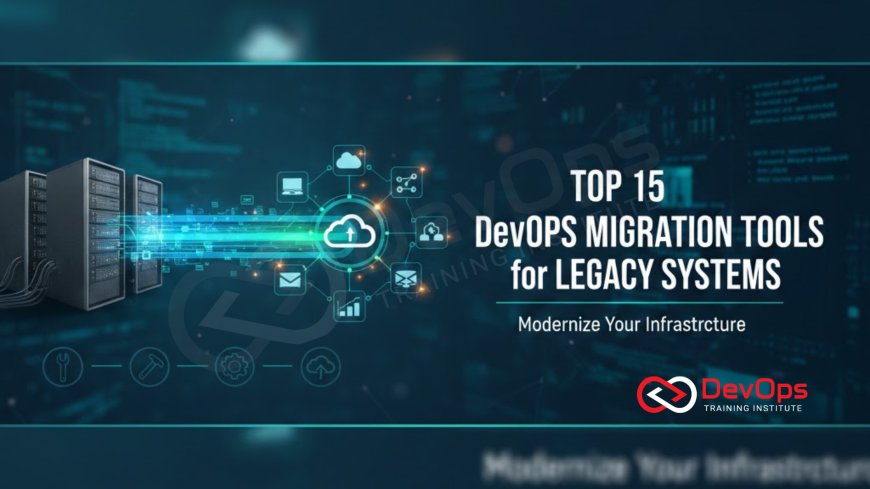
Top 15 DevOps Migration Tools for Legacy Systems
Explore the top 15 essential DevOps migration tools and platforms designed to successfully transition legacy systems into modern, cloud-native environments. This guide covers vital categories including containerization (Docker, Podman), configuration management (Ansible, Chef), Infrastructure as Code (Terraform), and specialized migration and testing tools. Learn how to automate refactoring, ensure data consistency, and establish continuous delivery pipelines for monolithic applications, minimizing downtime and risk while adopting robust security and automation practices, ensuring a smoother journey to the cloud and a faster release cadence.
Introduction
Migrating legacy applications—often monolithic, tightly coupled, and running on aging infrastructure—to a modern DevOps and cloud-native environment is one of the most challenging transformations an enterprise undertakes. The goal of this migration is not just to "lift and shift" but to modernize the application's lifecycle, enabling faster feature delivery, greater scalability, and improved reliability. This complex journey requires a strategic toolkit that addresses three primary challenges: containerization/virtualization, automation/configuration management, and continuous integration/delivery.
Manually untangling a monolith, configuring new cloud infrastructure, and ensuring data integrity during the switchover introduces massive risk and potential downtime. The right set of DevOps migration tools acts as a force multiplier, automating repeatable tasks, minimizing human error, and providing the necessary safety nets (like automated testing and rollback mechanisms). This systematic approach is essential for reducing the fear of change and accelerating the timeline for realizing the benefits of the cloud.
This comprehensive guide details 15 essential tools and platforms categorized by their role in the migration process. By adopting this robust toolkit, organizations can confidently move from rigid, decades-old processes to a fluid, automated, and secure DevOps model, ensuring a smoother journey to the cloud. Mastering these tools is the key to successfully transforming legacy infrastructure into a high-performing, continuous delivery ecosystem, enabling rapid and reliable application evolution.
Pillar I: Assessment and Containerization
The first step in any migration is understanding the legacy application's dependencies and packaging it into a portable, modern format, primarily containers. These tools help analyze the complexity of the monolith and prepare it for a decoupled, cloud-native runtime, reducing the dependency on the physical host operating system.
1. Docker / Podman (Containerization Runtime)
Docker is the most well-known tool for packaging applications and their dependencies into portable containers. Podman, a daemonless alternative, is gaining traction, especially in RHEL environments. The first step for a monolith is often containerizing it "as is" (the "lift-and-shift" phase) to isolate it from the OS. This allows the application to be managed by orchestrators like Kubernetes, laying the foundation for future decoupling and microservices adoption.
2. Cloud Vendor Migration Assessment Tools
AWS Migration Hub, Azure Migrate, and Google Cloud Migrate for Compute Engine are essential for the initial phase. These tools automate the discovery and assessment of on-premises servers, visualizing application dependencies, estimating cloud costs, and identifying compatibility issues. They provide the initial data needed to formulate a solid migration strategy, quantifying the effort required to move resources to the cloud.
3. vCenter Converter / Clone Tools
For workloads that cannot be immediately containerized, virtualization tools like VMware vCenter Converter or similar physical-to-virtual (P2V) tools are crucial. They facilitate the initial "lift and shift" by converting physical server images into virtual machine images, making them portable to cloud-based VM services. This approach offers a low-risk, foundational step toward cloud adoption and decoupling from dedicated physical hardware.
Pillar II: Infrastructure and Configuration Automation
The new environment must be built and configured automatically to ensure consistency, security, and repeatability—the core principles of Infrastructure as Code (IaC). These tools replace manual server provisioning and configuration scripts, which are often unreliable and difficult to audit.
4. Terraform (Infrastructure as Code)
Terraform is the industry-standard for declaring infrastructure across multiple cloud providers. It automates the provisioning of new virtual networks, load balancers, Kubernetes clusters, and database instances needed for the migrated application. By defining the entire cloud environment in code, Terraform ensures consistency and provides a single, auditable record of the infrastructure state, which is vital for compliance and disaster recovery. Its declarative nature streamlines infrastructure management, replacing manual cloud console clicks with repeatable code execution.
5. Ansible (Configuration Management)
Ansible is widely used for post-provisioning configuration, application deployment, and automating the setup of virtual machines (VMs) and bare metal servers. During migration, Ansible is indispensable for installing runtime dependencies, configuring system services, enforcing host-level security, and ensuring compliance, especially for Linux environments. This is particularly crucial for configuring core security components and ensuring compliance, such as when applying RHEL 10 hardening best practices to the new host fleet.
6. Packer (Golden Image Creation)
Packer is an automated image builder that creates identical machine images for multiple platforms (e.g., cloud AMIs, VirtualBox). It is critical for the "immutable infrastructure" paradigm. During migration, Packer automates the creation of "golden images" that include the base OS, necessary security agents, and core configuration, ensuring that every new server spun up in the cloud is identical and securely configured from day one, minimizing configuration drift.
7. Kubernetes (Container Orchestration)
For containerized applications, Kubernetes is the ultimate deployment target. It handles the scheduling, scaling, and networking of microservices. While it doesn't directly migrate the code, it provides the target environment and the necessary abstraction layer that simplifies traffic management, service discovery, and rolling updates for the application once it's containerized, providing the necessary resilience for continuous deployment and enabling advanced operational features.
Pillar III: CI/CD and Quality Assurance
The heart of the DevOps transformation lies in automating the build, test, and deployment process. These tools establish the continuous pipeline that allows the newly migrated application to be updated and validated rapidly and safely, a requirement for any modern software platform.
8. Jenkins / GitLab CI (CI/CD Orchestration)
CI/CD platforms like Jenkins, GitLab CI, or GitHub Actions orchestrate the entire migration pipeline. They automate the build process, trigger security and compliance checks, run automated tests against the migrated environment, and execute the final deployment logic (via Terraform or Ansible). They provide the necessary control plane for managing the delivery process, which is essential for achieving a reliable and predictable release cadence.
9. SonarQube (Code Quality and Analysis)
Before modernization, legacy code quality is often poor. SonarQube is used during the CI phase to perform Static Application Security Testing (SAST) and code quality analysis on the legacy codebase and any newly refactored components. This helps identify complex bugs, security vulnerabilities, and code smells, providing objective metrics to guide the refactoring effort and ensure the modernized code meets high quality standards before it's deployed to production.
10. Selenium / Cypress (Automated Functional Testing)
Automated functional testing tools like Selenium (for complex web UI) and Cypress (for modern web apps) are critical for ensuring functional equivalence. Test suites built for the legacy application must be run against the newly migrated version. Passing the same functional and regression tests proves that the migrated system behaves exactly as the original, reducing the risk of unexpected operational failures after the switchover. This testing provides the final sign-off for deployment.
Pillar IV: Data and Security Transition
Migrating data—often the most sensitive and operationally risky part of the process—and ensuring security integrity are the final hurdles. These tools provide the necessary mechanisms for managing state, auditing changes, and protecting the application runtime.
11. Database Replication Tools (e.g., AWS DMS, pgLogical)
For data migration, Database Replication tools are essential for achieving near-zero downtime. They enable continuous, asynchronous data synchronization from the legacy database to the new cloud database, allowing the final cutover to be a fast, simple switch of the application's connection string, minimizing the downtime required for data transfer and ensuring transactional consistency during the most critical phase of the migration.
12. Vault (Secrets Management)
Legacy systems often have credentials hardcoded. HashiCorp Vault or similar secrets management platforms (e.g., Azure Key Vault) are crucial for securely storing, accessing, and controlling secrets in the new environment. During migration, Vault centralizes credentials and provides an API for application and pipeline components to access them dynamically, eliminating hardcoded passwords and immediately improving the application's security posture, a core tenet of DevSecOps.
13. Open Policy Agent (OPA)
The Open Policy Agent (OPA) enables Policy-as-Code. It is used to enforce organizational security and compliance rules across the new infrastructure (Terraform, Kubernetes) and application configuration files. OPA is essential for preventing misconfigurations—such as provisioning public S3 buckets or deploying containers with root privileges—that could lead to security breaches in the new cloud environment. It acts as a mandatory gatekeeper, validating policy adherence before deployment.
14. Prometheus / Grafana (Observability)
After migration, Observability is non-negotiable. Prometheus for metrics and Grafana for visualization are critical for comparing the performance and stability of the migrated system against its legacy baseline. They provide the necessary visibility into resource utilization, latency, and error rates to validate the success of the migration and quickly pinpoint any regressions or new performance bottlenecks. This data is key to achieving continuous improvement and ensuring the service performs reliably, often providing faster incident insight than logs alone, which is a key part of the observability pillar analysis.
15. Cloud Vendor Load Balancers (Traffic Switchover)
The final, ultimate migration tool is the Cloud Load Balancer (e.g., AWS ALB, Azure Application Gateway). It provides the mechanism for a safe, controlled switchover. By directing a small percentage of traffic to the new cloud application (Canary Release) before fully cutting over, the load balancer acts as the final traffic management tool, allowing for instant rollback if issues are detected. This capability is essential for minimizing risk and ensuring zero-downtime deployment, providing controlled exposure of the modernized service while maintaining full control over the traffic flow.
Conclusion
Migrating legacy systems is a complex, multi-layered endeavor that requires discipline and a robust toolkit. The 15 tools discussed—spanning from initial containerization (Docker, Podman) and infrastructure automation (Terraform, Ansible) to essential quality gates (Selenium, SonarQube) and crucial security controls (Vault, OPA)—provide the comprehensive strategy needed for success. This toolkit automates the manual toil, minimizes the risk of configuration drift and data corruption, and enforces security and compliance at every step, transforming a high-risk transition into a controlled, auditable, and repeatable process.
The key to a successful DevOps migration lies in treating the entire process as an automated pipeline. Use IaC to define the target environment, configuration management to harden the hosts, CI/CD to orchestrate the build and test phases, and replication tools to manage the data transition. Furthermore, integrating SELinux and strong security practices into the new environment from day one ensures that the modernized system is inherently more resilient and secure than its predecessor. This structured, tool-driven approach enables the organization to confidently retire its legacy infrastructure and accelerate into a future of continuous innovation.
By leveraging these tools, organizations can achieve true digital transformation, moving beyond simple cloud adoption to establish a mature DevOps culture where continuous delivery, security, and operational excellence are standard practices. The investment in this automated toolkit is an investment in future agility, scalability, and stability, guaranteeing a faster time-to-market for new features and a more resilient platform, ensuring the long-term health of the modernized application portfolio. This deliberate, automated approach is the only way to successfully manage the entire container lifecycle from a monolithic past to a cloud-native future, and managing the security of the underlying OS is vital, even in a containerized environment, which is why practices like SELinux in RHEL 10 explained for beginners are essential.
Frequently Asked Questions
What is the first step a DevOps team should take when migrating a monolith?
The first step is often to containerize the monolith "as is" using tools like Docker or Podman to decouple it from the underlying legacy host OS and gain portability.
How does Terraform help in migrating a legacy system?
Terraform automates the provisioning of the new, modern cloud infrastructure (networks, clusters, databases) that the migrated application will run on, ensuring consistency and auditability.
Why is Database Replication crucial for migration with zero downtime?
Database replication synchronizes data continuously from the old database to the new one, allowing the final application cutover to be a fast connection string switch with minimal or no service interruption.
What is the role of Ansible after the cloud infrastructure is provisioned by Terraform?
Ansible handles post-provisioning configuration, such as installing application dependencies, setting up system services, and applying necessary host-level security hardening, like those covered in RHEL 10 post-installation checklist best practices.
How do automated functional tests (Selenium/Cypress) validate the migration success?
They run the legacy application's test suite against the new system to ensure the migrated application behaves exactly the same way functionally as the original, proving functional equivalence.
What kind of security issues does SonarQube help with during modernization?
SonarQube performs SAST to identify complex bugs, code smells, and security vulnerabilities within the legacy and newly refactored application code, guiding quality improvement.
What problem does Packer solve in the context of immutable infrastructure for migration?
Packer automates the creation of "golden images" for VMs, ensuring every new server is provisioned identically with the base OS, security agents, and core configuration, preventing configuration drift.
How do API Gateways assist in the final migration cutover?
API Gateways provide a single, controllable ingress point for traffic, allowing teams to use weighted routing or traffic splitting to safely direct small percentages of live traffic to the new system before full cutover.
How does SELinux benefit the security of a newly migrated containerized application?
SELinux enforces Mandatory Access Controls on the host OS, restricting what processes (including container runtimes) can access, adding a critical layer of defense against container breakouts and unauthorized system access.
Why is Observability (Prometheus/Grafana) essential immediately after migration?
Observability provides visibility into the new system's resource utilization, latency, and error rates in real-time, allowing teams to quickly validate performance and pinpoint any regressions or new bottlenecks.
What role does OPA (Open Policy Agent) play in securing the new cloud environment?
OPA enforces Policy-as-Code, automatically preventing the provisioning of misconfigurations (e.g., public network access, root privileges) in the new infrastructure (Terraform/Kubernetes) before deployment, enhancing security compliance.
What is Continuous Threat Modeling in the migration context?
It involves continuously analyzing the design of the new system and feeding security intelligence back into the CI/CD pipeline to update automated checks, ensuring that new controls are focused on the highest-risk areas.
How does Vault ensure security during the migration and in the new environment?
Vault centralizes and secures credentials, dynamically injecting them into the application and pipeline, eliminating hardcoded passwords and immediately strengthening the application's overall security posture.
What kind of risk is mitigated by using Cloud Load Balancers for the final switchover?
The risk of catastrophic failure is mitigated by enabling Canary releases (gradual traffic shifting) and providing instant rollback capabilities if issues are detected with the new application.
Why is which observability pillar is best for incident insight vital post-migration?
Because the new system is complex, knowing that traces often offer the fastest insight into distributed performance bottlenecks is crucial for quick post-migration incident resolution, saving hours of debugging time.
What's Your Reaction?
 Like
0
Like
0
 Dislike
0
Dislike
0
 Love
0
Love
0
 Funny
0
Funny
0
 Angry
0
Angry
0
 Sad
0
Sad
0
 Wow
0
Wow
0

![100+ Azure DevOps Interview Questions and Answers [Updated 2025]](https://www.devopstraininginstitute.com/blog/uploads/images/202509/image_140x98_68c40aa9a3834.jpg)






![Future Scope of DevOps Careers in Pune [Updated 2025]](https://www.devopstraininginstitute.com/blog/uploads/images/202510/image_140x98_68e3a84652312.jpg)


