Who Should Define Git-Based Deployment Policies?
Who owns deployment policies in GitOps: security, platform, service teams and compliance, enforced with CODEOWNERS, rulesets, AppProjects and Kyverno.
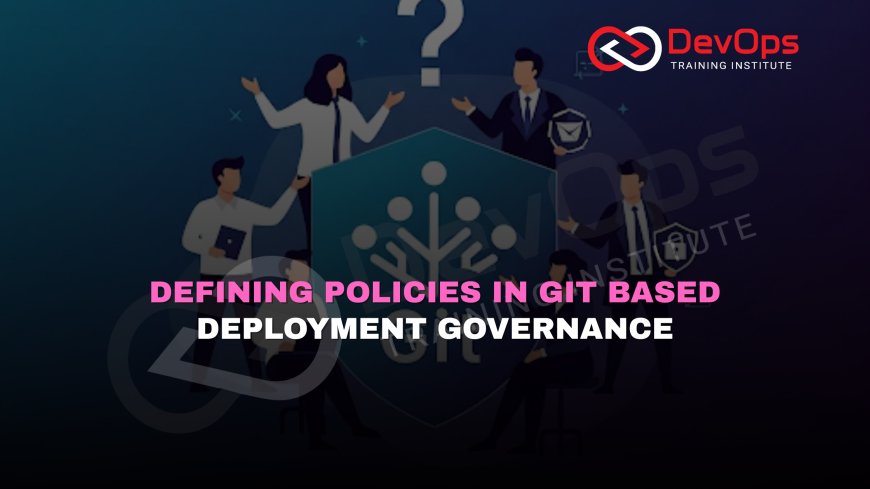
In Git-based deployment governance, policies should be defined by the people who own the risk each policy controls: security owns security rules, platform engineering owns cluster and pipeline guardrails, service teams own their release rules, and compliance sets the evidence requirements. Each group writes its rules as code, and CODEOWNERS and protected branches decide who approves changes to them.
Git-based governance means your deployment rules live in repositories next to the code and configuration they control. Branch rules decide who can merge, admission policies decide what a cluster will accept, and a GitOps controller applies only what is in Git. The tooling is mature. The part teams struggle with is ownership: who is allowed to write a rule, who must review a change to it, and who can grant an exception. This guide maps those decisions to roles and shows how to enforce them with features GitHub, Argo CD and Kubernetes policy engines document today. For background on the delivery model itself, start with our explainer on what GitOps is and how it supports infrastructure automation.
Key takeaways
- Assign each policy area to a single owning team. Shared ownership usually means nobody reviews.
- Keep policies in Git and protect the policy files themselves with CODEOWNERS and required reviews.
- Split policies into layers: organisation-wide rules, platform guardrails, and service-level rules.
- Service teams should control their own release rules inside the limits the platform sets.
- Run new policies in audit mode first, then enforce them once the noise is fixed.
- Write down how exceptions are requested, approved and expired, in the same repository.
What counts as a deployment policy
A policy here is any rule that decides whether a change can reach an environment. In a Git-based setup these rules usually sit in four places.
| Layer | Example rules | Where they are enforced |
|---|---|---|
| Source control | Required reviews, code owner approval, required status checks, signed commits, no force pushes | GitHub branch protection rules or rulesets, GitLab protected branches |
| Pipeline | Tests, image scans, manifest linting, policy checks on rendered YAML | CI jobs that must pass before merge |
| Delivery controller | Which repos may deploy to which clusters and namespaces, which resource kinds are allowed, sync windows | Argo CD AppProjects, Flux tenancy settings |
| Cluster admission | No privileged containers, required labels, allowed registries, resource limits | Kyverno, OPA Gatekeeper, Kubernetes ValidatingAdmissionPolicy |
Each layer catches different mistakes, and each tends to have a different natural owner. That is the starting point for deciding who defines what.
Why ownership goes wrong
Three patterns cause most of the friction.
The first is the central team that owns everything. A platform or security group writes every rule, including rules about how individual services release. Service teams cannot change anything without a ticket, so they work around the rules or the queue grows. Approvals turn into a formality because the reviewers do not know the services.
The second is nobody owning anything. Policies exist, but the files have no owner, anyone with write access can relax a rule, and nobody notices until an audit asks why a check was disabled.
The third is ownership by job title instead of by risk. A rule about container privileges ends up approved by a release manager who has no context for it, while the security engineer who understands it is not on the review.
The fix in all three cases is the same: tie every policy file to the team that carries the risk if the rule is wrong, and make Git enforce that tie.
Who should define which policies
Security team
Security should define the rules that prevent known classes of vulnerability and exposure: forbidden privileges, allowed image registries, image signature or scan requirements, secret handling rules and network exposure limits. These rules apply across many services, change slowly and need specialist review. Security also owns the exception process for them. Our post on policy-as-code tools like OPA in DevOps governance covers how such rules are written.
Platform engineering
The platform team owns the guardrails that keep shared infrastructure stable: resource requests and limits, namespace and tenancy boundaries, which clusters each team may deploy to, required labels for cost and ownership, and the Argo CD or Flux configuration that ties repositories to environments. They also own the pipeline templates and the policy engine itself, including its upgrades.
Service teams
The team that runs a service should define its release rules: who must review changes to that service, which tests must pass, whether production changes need a second approver, and when deploys are blocked. They know the failure modes. Letting them own these rules, within the limits the layers above set, removes most of the ticket traffic.
Compliance and risk
Compliance usually should not write technical rules. Their job is to state the control requirement, for example that production changes are reviewed by someone other than the author and that the record is kept, and to confirm that the Git history and pipeline logs provide that evidence. Engineers then choose how to implement the control.
Engineering leadership
Leadership decides the escalation path when teams disagree and approves organisation-wide rules that affect delivery speed, such as a change freeze. They should not be routine approvers.
A responsibility matrix you can adapt
| Policy area | Defines | Must review changes | Grants exceptions |
|---|---|---|---|
| Container security rules | Security | Security and platform | Security |
| Allowed registries and image signing | Security | Security | Security |
| Resource limits, labels, tenancy | Platform | Platform | Platform |
| AppProject and cluster access | Platform | Platform and security | Platform |
| Service reviewers and release checks | Service team | Service team | Service team lead |
| Separation of duties for production | Compliance states it; platform implements | Compliance and platform | Compliance |
| Change freezes | Engineering leadership | Platform | Leadership |
Enforcing ownership in Git
CODEOWNERS
GitHub reads a CODEOWNERS file from .github/, the repository root or docs/, in that order. Patterns follow gitignore rules, and the last matching pattern wins, so put general rules first and specific ones after. Every owner, user or team, needs write access to the repository or GitHub will not request their review. The file must be under 3 MB.
# Default owners for the repository
*                       @org/platform

# Security-owned policies
/policies/security/     @org/security
/policies/registries/   @org/security

# Platform guardrails
/policies/platform/     @org/platform
/argocd/projects/       @org/platform @org/security

# Service release rules live with each service
/apps/payments/         @org/payments-team
/apps/search/           @org/search-team

# Protect the ownership file itself
/.github/CODEOWNERS     @org/platform @org/security
The last line matters. GitHub's documentation recommends giving the CODEOWNERS file an owner, otherwise anyone who can merge can quietly reassign ownership.
Branch protection and rulesets
CODEOWNERS only requests reviews. To make them mandatory, turn on "Require review from Code Owners" in a branch protection rule or the equivalent rule in a ruleset. Approval from any one listed owner satisfies the requirement for a file. Rulesets, available on GitHub Team and Enterprise plans, can be layered: when several rulesets and protection rules target the same branch, GitHub combines them and applies the most restrictive version of each rule. That lets the platform team keep an organisation ruleset for baseline rules while a service team adds its own stricter checks. Each ruleset also has a bypass list, which is where your exception process becomes visible. Our article on branch protection rules for production covers the settings in more depth.
Argo CD AppProjects
In Argo CD, an AppProject restricts which source repositories an application may use, which clusters and namespaces it may deploy to, which cluster-scoped resource kinds it may create, and which roles may act on it. Keep AppProject definitions in a platform-owned path so service teams cannot widen their own access.
apiVersion: argoproj.io/v1alpha1
kind: AppProject
metadata:
  name: payments
  namespace: argocd
spec:
  sourceRepos:
  - 'https://github.com/example-org/payments-deploy.git'
  destinations:
  - namespace: 'payments-*'
    server: 'https://kubernetes.default.svc'
  clusterResourceWhitelist: []
  roles:
  - name: deployers
    groups:
    - payments-team
    policies:
    - p, proj:payments:deployers, applications, sync, payments/*, allow
An empty clusterResourceWhitelist means the project cannot create cluster-scoped resources at all, which is a sensible default for application teams.
Admission policies
Cluster admission is the last line. Kyverno, for example, lets you validate, mutate, generate and clean up resources and verify images, using YAML and CEL policies managed as Kubernetes resources; recent releases add policy types such as ValidatingPolicy. Gatekeeper uses OPA and Rego. Whichever engine you run, store the policies in Git under the owning team's path and deliver them with the same GitOps controller as everything else. For a comparison of the two engines, see where Gatekeeper and Kyverno differ.
Rolling out a new policy
- The owning team opens a pull request with the policy, tests for it and a short explanation of the risk it addresses.
- Required reviewers, set by CODEOWNERS, approve. Affected service teams are tagged for comment, not approval.
- The policy ships in audit or warn mode, so violations are reported without blocking.
- The owning team shares the list of violations with the affected teams and agrees on dates for fixes.
- Enforcement is switched on in a second, small pull request. Because it is a separate commit, the history shows exactly when the rule started blocking.
This sequence avoids the most common complaint about governance: a rule that appears overnight and breaks a release.
Handling exceptions
Exceptions are where governance either earns trust or loses it. Keep them in Git, in a file next to the policy, with the requester, the approving owner, the reason and an expiry date. A CI job can fail when an exception passes its expiry, which forces a renewal conversation instead of a permanent hole. Bypass lists on GitHub rulesets should be short and reviewed on a schedule. If one team keeps needing the same exception, that is a sign the policy is wrong for them and its owner should revisit it.
Evidence for audits
When ownership is encoded this way, most audit questions have answers in the tools you already use. Who approved a production change is in the pull request. Which rule blocked a deployment is in the CI or admission log. When a policy changed and who reviewed it is in the policy repository history. Compliance teams should agree in advance which records count as evidence and how long they are kept, rather than asking engineers to assemble screenshots at audit time.
Structuring the policy repositories
Where policies live affects who can change them. Two layouts are common. In the first, every policy sits in one central governance repository, with a folder per owning team and CODEOWNERS entries for each folder. This makes policies easy to find and review together, and it suits organisations where a platform team runs the policy engine for everyone. In the second, organisation-wide rules stay in a central repository, while each service keeps its own release rules, such as reviewers and required checks, in its own repository next to its code. This keeps service rules close to the people who change them.
Many teams end up with a mix: security and platform policies in a central repository delivered to every cluster by the GitOps controller, and service rules in each application repository. Whichever layout you choose, write it down in a short README at the top of the governance repository. It should say which folder holds which kind of policy, who owns it, how to propose a change and how to request an exception. New engineers will read that page before they read any policy, and it answers most of the questions that would otherwise arrive as messages to the platform team.
Reviewing the model itself
Ownership changes as teams reorganise. Put a recurring review on the calendar, for example each quarter, to check that every CODEOWNERS entry still points at a team that exists, that bypass lists only contain people who still need them, and that the responsibility matrix matches how work is really done. Stale ownership is how governance quietly decays.
Signs your ownership model is working
- Policy pull requests are reviewed by people who understand the rule, and they are reviewed within a day or two.
- Service teams change their own release rules without filing tickets.
- Exceptions have expiry dates and most of them are closed on time.
- Nobody needs admin rights for routine releases, and bypass lists stay short.
- When a policy blocks a release, the error message names the rule and the owning team.
Where to go next
If you are setting this up from scratch, begin with CODEOWNERS and branch rules, because they cost nothing and make every later policy reviewable. Add AppProject boundaries next, then admission policies in audit mode. For more on pipeline-level checks, read how policy as code strengthens pipeline governance. Our DevSecOps training covers policy as code, GitOps and pipeline security with hands-on labs, in the Kharadi, Pune classroom or live online from anywhere in India.
References
Frequently asked questions
Who should own deployment policies in a GitOps setup?
The team that carries the risk for each rule. Security owns security rules, platform engineering owns cluster and pipeline guardrails, service teams own their own release rules, and compliance defines the evidence each control must produce.
Should the security team approve every deployment?
No. Security should own and review the policies that block risky changes. Routine deployments that pass those policies should not need a security approver, otherwise reviews become a formality and slow every team down.
How does CODEOWNERS help with governance?
It maps file paths to owning users or teams so GitHub requests their review automatically. Combined with the Require review from Code Owners rule on a protected branch or ruleset, changes to a policy cannot merge without its owner approving.
Where does the CODEOWNERS file go?
GitHub looks for it in the .github directory, the repository root or the docs directory, in that order, and uses the first one it finds. It must be on the base branch of the pull request.
What is the difference between rulesets and branch protection rules?
Several rulesets can apply to the same branch and are combined, with the most restrictive version of each rule winning, while only one branch protection rule applies per branch. Rulesets can also be switched off without deletion and have bypass lists.
How should policy exceptions be handled?
Record them in Git next to the policy with the requester, approver, reason and an expiry date, and have CI fail when an exception expires. Keep ruleset bypass lists short and review them regularly.
Should new policies be enforced immediately?
Start them in audit or warn mode, share the violations with affected teams, agree fix dates, and then enable enforcement in a separate pull request so the history shows when blocking began.
What's Your Reaction?
 Like
0
 Dislike
0
 Love
0
 Funny
0
 Angry
0
 Sad
0
 Wow
0