


































![Kong Interview Preparation Guide [2025]](https://www.devopstraininginstitute.com/blog/uploads/images/202509/image_430x256_68dbb95326997.jpg)
















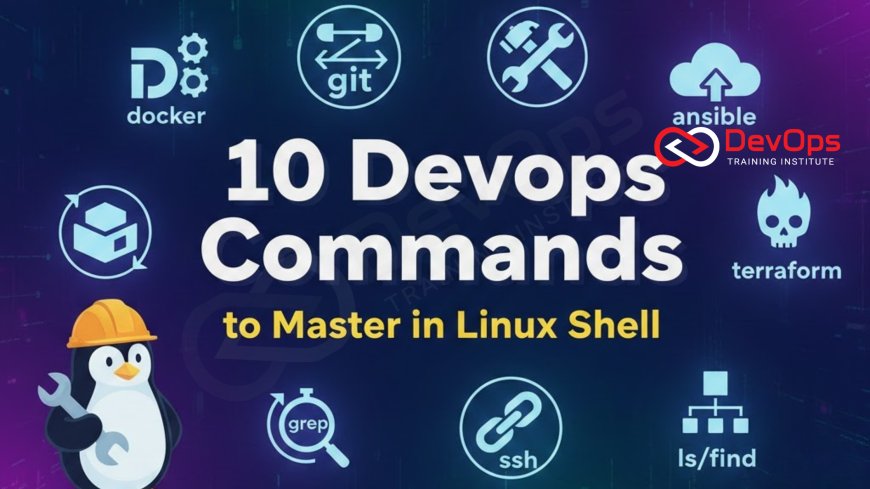
10 DevOps Commands to Master in Linux Shell
Master the 10 essential Linux Shell commands that form the core toolkit of every proficient DevOps Engineer, enabling faster automation, troubleshooting, and system management. This guide goes beyond basic commands, detailing advanced usage of tools like grep, awk, systemctl, and curl for log analysis, service lifecycle management, and network diagnostics. Learn how these commands integrate with modern CI/CD pipelines and container orchestration, ensuring you can manage applications, automate infrastructure, and maintain the stability of production servers that rely heavily on the powerful and efficient Linux command line.
Introduction
In the high-stakes environment of DevOps, where software is deployed continuously and failures must be diagnosed in minutes, the Linux command line remains the single most important interface for any engineer. While modern tools like Kubernetes and Terraform provide powerful abstraction layers, everything ultimately runs on a Linux kernel. Therefore, mastery of the shell commands is the bedrock upon which all successful automation, troubleshooting, and monitoring are built. An engineer who relies on graphical interfaces or simple commands is destined to be slow and ineffective when a complex production incident arises, as fast resolution demands immediate and granular access to the system's core diagnostics and controls, making this foundational skill absolutely indispensable.
The proficient DevOps Engineer treats the Linux command line as a sophisticated programming environment, leveraging piping, redirection, and complex combinations of commands to efficiently extract data, manage processes, and automate repetitive tasks. These commands are not relics of a past era; they are the high-performance core utilities that underpin every modern automation tool, from container image builds to CI/CD pipeline scripts. This guide breaks down 10 essential Linux commands that every DevOps Engineer must not only know but truly master, detailing their specific utility in troubleshooting, automation, and maintaining the operational excellence required in today's cloud-native landscape, ensuring the system runs reliably and efficiently.
Mastering these commands is fundamentally about efficiency. The ability to use a single, chained command to analyze gigabytes of log data and pinpoint an error saves critical time during an outage, directly impacting business performance metrics like Mean Time to Recover (MTTR). This expertise is what transforms a traditional system administrator into a high-velocity, automation-focused DevOps Engineer, capable of applying the necessary operational knowledge to the core principles of continuous delivery and immutable infrastructure, making the Linux shell their most reliable and versatile toolkit for managing cloud infrastructure and ensuring system stability across all environments.
1. Service Lifecycle Management: systemctl
In modern Linux distributions (like Ubuntu, CentOS, and Red Hat), the systemctl command is the primary interface for controlling the systemd initialization system, which manages nearly every service and process on the server. Understanding its advanced usage is critical for managing application lifecycles and diagnosing service failures in both cloud virtual machines and containers that run the full systemd stack, ensuring that your applications are running correctly and reporting their status accurately.
1.Core Function: Manages the state (start, stop, restart, enable, disable) of services, which are often the core components of a running application. It also provides detailed status reports and manages system boots.
2.DevOps Mastery: Beyond simple restarts, a master uses systemctl status [service] to view the real-time status and recent log output of an application service for immediate diagnosis. They use systemctl enable [service] to ensure an application starts automatically after a reboot or a deployment, and understand how to view service dependencies to debug complex startup sequences. This command is frequently called within configuration management tools like Ansible to enforce the desired running state of an application post-deployment.
2. Log Analysis and Text Filtering: grep, awk, and sed
Logs are the single source of truth during troubleshooting. When an application deployed via a CI/CD pipeline fails, the log data is where the root cause is found. The DevOps Engineer must be able to quickly search, filter, and transform massive volumes of unstructured log data directly from the command line using a powerful combination of core text utilities, which are far more efficient than loading logs into a desktop editor or complex GUI tool, especially when diagnosing high-volume errors.
3. grep: The workhorse command for searching text. A basic command searches for a pattern, but mastery involves using regular expressions (regex) with grep -E, inverting matches with grep -v to filter out known noise, and recursively searching entire log directories with grep -r. This allows an engineer to quickly isolate only the error messages or specific transaction IDs related to an incident, often chaining it with other commands like tail -f to monitor live log streams.
4. awk: This powerful command is a programming language in itself, used for pattern scanning and processing. It is primarily used for extracting and manipulating columnar data. For instance, an engineer uses awk to parse a CSV-style log file, calculate an average value from a specific column (e.g., latency), or reformat the data before piping it to another utility. awk is essential for turning raw log lines or system output into structured data that can be used for further analysis or reporting, such as calculating Service Level Indicators (SLIs) directly from a log file for fast feedback loops.
5. sed: The Stream Editor (sed) is primarily used for substituting or deleting text based on patterns. It is invaluable in automation scripts for performing non-interactive, in-place editing of configuration files (e.g., changing a port number, updating a parameter value) before an application is launched or a service is configured. This ensures that the configuration is automatically customized for the specific environment during the deployment phase without requiring manual editing, which minimizes the risk of human error and allows for true, hands-off automation.
3. Process and Resource Management: ps and top/htop
Managing resource utilization and diagnosing high CPU/memory consumption are frequent tasks in a multi-tenant cloud environment where services compete for resources on a single VM or Kubernetes node. These commands provide the necessary real-time visibility into the Linux kernel's activities and the resources consumed by running applications, which is essential for maintaining system stability and diagnosing application deadlocks or memory leaks that often cause service degradation.
6. ps: The ps (Process Status) command displays information about currently running processes. Mastery involves combining flags like ps aux for a comprehensive list of all running processes across all users, and using ps -ef | grep [process name] to quickly find a specific application's Process ID (PID) for debugging or for signaling (kill -9). Understanding process state (Running, Sleeping, Zombie) is critical for diagnosing performance issues and ensuring proper cleanup of terminated applications, preventing unnecessary resource consumption across the entire fleet.
7. top/htop: These are the real-time resource monitors. top provides a dynamic view of CPU, memory, and running processes, dynamically sorted by resource consumption. htop is an improved, more user-friendly version that allows for easier sorting, filtering, and signaling of processes directly from the interactive view. An engineer uses these tools immediately after a deployment or during an alert to verify the application's resource footprint and quickly identify runaway processes that might be impacting other applications running on the same host, ensuring the overall stability of the shared cloud environment.
4. Network Diagnostics and Connectivity: curl and netstat/ss
In a distributed architecture, network connectivity failures are extremely common and notoriously difficult to debug. The proficient DevOps Engineer uses a specific set of commands to immediately test network service accessibility, verify firewall rules, and inspect network connection states, quickly isolating whether an issue lies with the application, the firewall, the DNS, or the cloud provider's virtual network. These commands are essential for ensuring that service communication, whether using TCP or UDP, is functional across the entire system.
8. curl: Primarily used as a powerful client to transfer data with URLs, curl is indispensable for testing web services and API endpoints directly from the server. Mastery involves using curl -I to retrieve only HTTP headers (quickly checking status codes), curl -X POST to test API submissions, and curl -k to bypass certificate validation during initial setup. This command allows for quick validation of application health, response codes, and network path functionality immediately after a deployment, providing granular and verifiable feedback to the engineer.
9. netstat/ss: These commands are used to check active network connections, routing tables, and interface statistics on the host. netstat is the older utility, while ss is the modern, faster replacement that retrieves socket statistics directly from the kernel. An engineer uses these to verify that an application is correctly listening on its designated port and to check the state of outbound connections (e.g., ESTABLISHED, TIME_WAIT). This is critical for debugging firewall rules and ensuring that the service is correctly accessible over the network, providing essential insight into the system's compliance with configured ports and protocols and the overall health of the network layer.
5. Table: Advanced Command Line Use Cases for Automation
The true power of these commands is unlocked when they are combined using pipes (|) and used non-interactively in automation scripts, allowing for complex, multi-step operations to be executed reliably and consistently. This table demonstrates advanced usage patterns that underpin much of modern DevOps automation.
| # | Command | Advanced Use Case | CI/CD Relevance |
|---|---|---|---|
| 1 | systemctl | Check service logs and status after deployment: systemctl status app.service --no-pager | Post-deployment health check verification and service restarts in Ansible/Terraform automation. |
| 3 | grep | Filter live logs for critical errors: tail -f /var/log/app.log | grep -E 'CRITICAL|ERROR' | Implementing automated security and compliance log filters within monitoring scripts. |
| 4 | awk | Calculate average latency from a log file: cat log | awk '{ sum += $5; n++ } END { print sum / n }' | Generating on-the-fly Service Level Indicator (SLI) data for fast feedback loops. |
| 5 | sed | Automate configuration file edits: sed -i 's/OLD_PORT/NEW_PORT/g' config.yaml | Non-interactive customization of configuration files during automated provisioning. |
| 8 | curl | Test service health with status codes: curl -s -o /dev/null -w "%{http_code}" http://localhost:8080/health | Creating reliable health check probes and automated API endpoint validation post-deployment. |
6. File System and Permission Management: find and chmod
Managing the location and access rights of configuration files, logs, and application binaries is fundamental to system security and reliability. Misconfigured file permissions are a frequent cause of application deployment failure and a major security vulnerability, often exploited in privilege escalation attacks. Mastery of file system commands ensures both system integrity and secure application execution, which is crucial for overall operational health and compliance with best practices.
10. find and chmod: The find command is essential for locating files and directories based on various criteria (name, size, age, or permissions), which is invaluable for log rotation, cleanup, or security auditing. The chmod command is used to change file permissions. An engineer combines these, for example, to recursively change permissions on an application directory: find /opt/app -type f -exec chmod 644 {} \; This ensures that application files have correct permissions for the running service, preventing security flaws and guaranteeing the application can access its necessary resources.
7. DevOps and the Linux Operating System
The reliance on these core Linux commands underscores the strategic importance of Linux knowledge in DevOps. While cloud platforms abstract the hardware (VMs and hypervisors), the operating system layer—where containers run, where CI/CD agents execute, and where configuration management applies its state—remains Linux. Understanding the history of Linux, how it evolved from Unix, and why it became the preferred OS for servers is not merely academic; it provides the context for troubleshooting and performance optimization in a virtualized cloud world. For instance, knowing how the Linux file system hierarchy is structured is crucial for managing application persistence and configuration files correctly.
This foundational knowledge enables the engineer to effectively manage the resources that underpin the cloud environment, regardless of the provider. Whether working on AWS, Azure, or GCP, the basic principles of process management, networking, and security are enforced by the underlying Linux kernel. This deep knowledge transforms the engineer from someone who simply uses a tool to someone who understands exactly what happens at the kernel level when a command is executed, allowing for superior diagnostics and the building of more robust and secure cloud-native systems, especially within containerized environments.
8. The Cloud Context: Commands in Automation
In a cloud context, these 10 commands are rarely run manually on a production server. Instead, they are embedded within automation scripts (Bash or Python) that execute remotely via CI/CD pipelines, configuration management tools, or remote execution services. For example, a Terraform provisioner might execute a local-exec script that uses sed to configure a web server file, followed by an ss command to verify that the web server is listening on the expected port, before marking the resource as successfully provisioned. The command-line utility, therefore, becomes a crucial building block in the declarative definition of cloud infrastructure, directly linking the administrative action to the repeatable code, ensuring consistency and auditability.
This transition highlights that the mastery of these commands is required primarily for two reasons: firstly, for authoring the reliable automation scripts that form the core of continuous delivery; and secondly, for the essential task of emergency troubleshooting during an outage, where fast, accurate diagnosis is often only possible by logging into the affected server and running precise command sequences that quickly extract the necessary system data for immediate incident resolution. The command line is the last line of defense against production failure, and the ultimate tool for granular system control.
9. Conclusion
Mastering the 10 essential DevOps commands in the Linux Shell is the most direct and effective path to achieving proficiency in cloud automation and operations. These core utilities—from systemctl and grep to curl and ss—are the universal language of server management, providing the necessary precision for automation scripts and the speed required for emergency troubleshooting. The ultimate goal is to move beyond basic execution, using advanced techniques like chaining commands with pipes and integrating them into automated workflows to manage complex, distributed systems with consistency and confidence.
In the end, while the cloud abstracts hardware and containers abstract the OS, the kernel remains the ultimate controller. Your deep understanding of the Linux shell is what empowers you to harness the full potential of this environment, ensuring that your automated pipelines are not only fast but also secure, stable, and resilient, guaranteeing the high availability and operational excellence that defines a modern DevOps Engineer, transforming the complexity of cloud infrastructure into a manageable, code-defined resource.
Frequently Asked Questions
Why are Linux commands still vital in the age of Kubernetes?
Linux commands are vital because Kubernetes nodes, containers, and core orchestration processes all run on the Linux kernel, requiring command-line tools for low-level diagnostics and troubleshooting.
What is the command to check if a service is running?
The command is systemctl status [service_name], which provides the service's current state and recent log entries under the systemd initialization system.
How is the grep command used in security tasks?
grep is used in security to quickly search through audit logs and configuration files for specific security events, unauthorized access attempts, or hardcoded sensitive information.
What is the modern replacement for the netstat command?
The modern, faster replacement for the netstat command is ss (socket statistics), which retrieves network connection and socket information directly from the Linux kernel.
How is the curl command used for health checks?
curl is used to send HTTP requests to application endpoints to verify that the service is running and returns the expected status code and content, confirming application health post-deployment.
What is the primary purpose of the sed command in automation?
The primary purpose of sed is for non-interactive, automated text substitution and editing of configuration files within CI/CD scripts during provisioning.
How does Linux history relate to modern containerization?
The history of Linux evolving from Unix explains the core commands and architecture (like namespaces/cgroups) that enable modern containerization technologies like Docker and Kubernetes.
What command quickly identifies high-CPU-consuming processes?
The top or htop command is used to quickly identify processes consuming the most CPU or memory in real time, which is critical for incident response and performance diagnosis.
What does it mean to pipe commands in the Linux shell?
Piping means directing the output of one command (e.g., a log file from cat) as the input to a second command (e.g., grep or awk) for chained processing.
What is the purpose of the awk command?
awk is used for advanced text processing and programming, specializing in extracting, manipulating, and reporting on fields of data, often used to calculate metrics from log files.
How do DevOps Engineers use the find command?
Engineers use find to locate files based on criteria for tasks such as cleaning up old artifacts, backing up specific configuration directories, or auditing system file permissions.
Why is understanding the Linux file system hierarchy important?
It is important for knowing the correct locations for application binaries, configuration files (in /etc), and logs (in /var/log), ensuring reliable automation and troubleshooting scripts.
What command should be used to change file permissions?
The chmod command should be used to change file permissions and the chown command to change file ownership, both essential for security and application execution integrity.
How do virtualization models impact Linux commands?
While virtualization abstracts hardware, the Linux commands remain consistent, though knowing virtualization models helps understand resource behavior (e.g., virtual networking) in a cloud environment.
How is the shell utilized within Infrastructure as Code (IaC)?
The shell is utilized in IaC (e.g., Terraform provisioners) to execute local-exec or remote-exec scripts that use these core commands to perform final configuration and validation steps on the provisioned server.
What's Your Reaction?
 Like
0
Like
0
 Dislike
0
Dislike
0
 Love
0
Love
0
 Funny
0
Funny
0
 Angry
0
Angry
0
 Sad
0
Sad
0
 Wow
0
Wow
0





![100+ Azure DevOps Interview Questions and Answers [Updated 2025]](https://www.devopstraininginstitute.com/blog/uploads/images/202509/image_140x98_68c40aa9a3834.jpg)






![Future Scope of DevOps Careers in Pune [Updated 2025]](https://www.devopstraininginstitute.com/blog/uploads/images/202510/image_140x98_68e3a84652312.jpg)


